Field guide · Models & Cost
Choosing an LLM for Production: The Decisions That Stick
Twelve lessons on picking a model with evidence: a written quality bar, a thirty-case evaluation, a defensible price, and a swap that takes minutes.
- Lessons
- 12
- Read
- 22 min
- Figures
- 7
AI-drafted, reviewed by Muhammad Qasim Hammad on October 9, 2026. See our AI disclosure.
Table of contents
- What you will end up with
- 1. Define good enough, in writing, first
- 1.5 The benchmark trap
- 2. Start at the cheapest tier that could plausibly work
- 3. Build the evaluation before you compare anything
- 4. Compare on your task, not the leaderboard
- 4.5 The A/B that actually tells you something
- 5. Price it before you commit, not after
- 5.5 The costs that are not per-token
- 6. Treat latency as a separate decision
- 7. Make the choice reversible on day one
- 7.5 The compatibility layer that makes swapping trivial
- 8. Decide open-weight against closed deliberately
- 9. Route per job, not per application
- 10. Plan for the model changing under you
- 10.5 The deprecation that will happen
- 11. Cut the bill without changing the model
- 12. Re-run the decision on a schedule
- What I would do differently
- Where to go next
Every model comparison you read was written against someone else's task. The only ranking that matters is the one your own evaluation produces, and building that evaluation is cheaper than the month you will otherwise spend switching models on vibes.
The symptom is familiar. A new model ships, the benchmarks look better, you swap it in, something subtle degrades three weeks later, and you cannot tell whether it was the model, the prompt, or a change upstream, because you never had a number.
What you will end up with#
A written quality bar, a thirty-case evaluation, a per-job model choice with a cost you can defend, and a swap that takes minutes rather than a sprint. Twelve lessons, each one a decision that is expensive to reverse later.
What this does not cover: training or fine-tuning your own model, and anything that needs a GPU you have to rent.
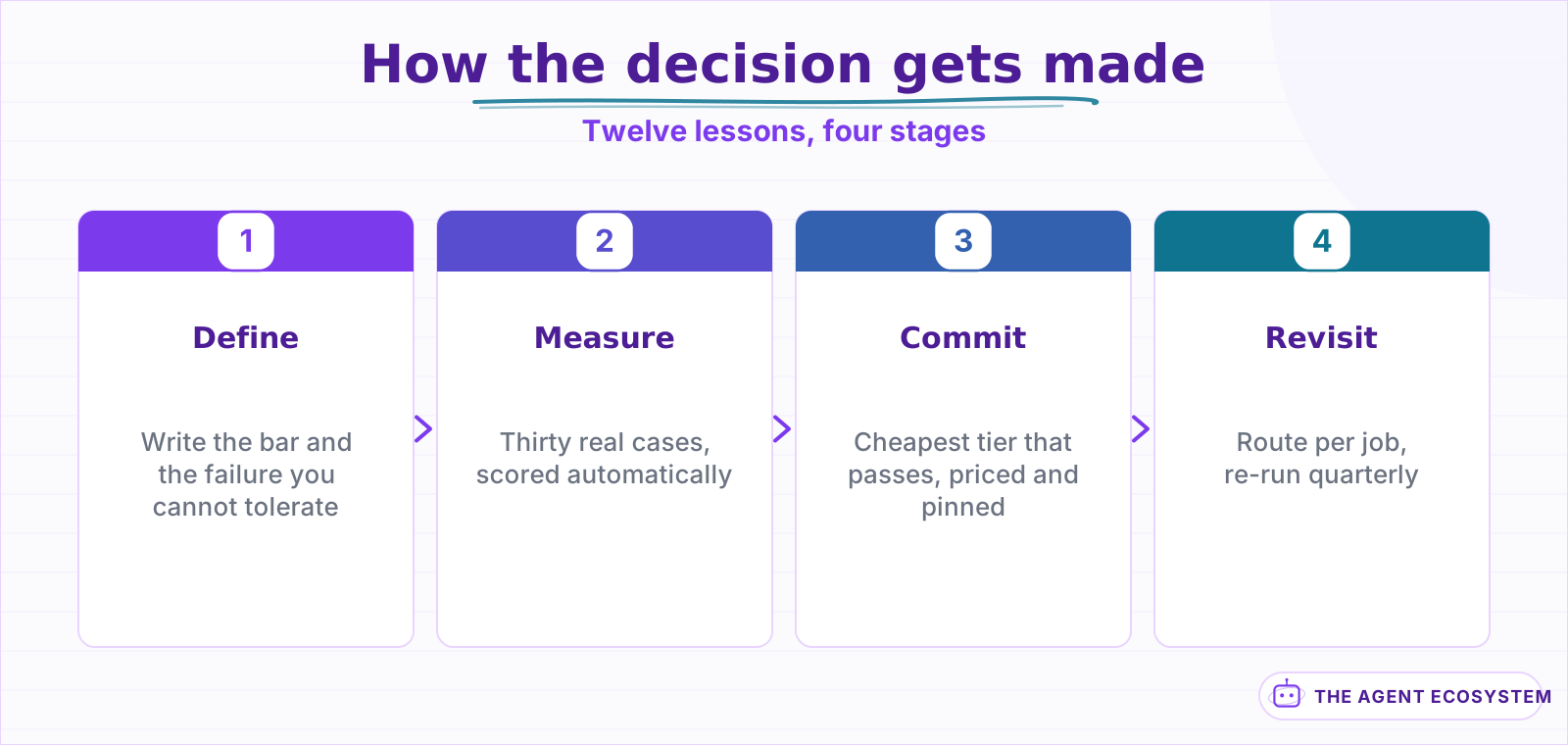 Every stage depends on the bar written in the first one.
| Lessons | What you get | Roughly |
|---|---|---|
| 1 to 3 | A quality bar and an evaluation to measure it | 15 min |
| 4 to 7 | A defensible choice, priced and reversible | 25 min |
| 8 to 12 | Routing, drift, and cutting the bill | 20 min |
Lesson 1Define good enough, in writing, first#
Before you open a single comparison, write down what your task requires. Not "high quality". A behaviour, stated so that a run either passes or fails.
The shape that works:
Task     : classify inbound support email into 6 categories
Passes if: correct category, and "unsure" rather than a guess when ambiguous
Fails if : invents a category, or guesses confidently on an ambiguous case
Bar      : 90% correct on 30 real emails, ZERO confident wrong answers
That last line does the work. Most tasks have one failure that costs far more than the others, and naming it turns a fuzzy preference into a gate. A model that scores 94% with two confident wrong answers loses to one that scores 91% with none.
There is a second reason to write it down. Six weeks from now a new model ships, someone asks whether you should switch, and the bar is the only thing that turns that into a five-minute question instead of an afternoon of opinion.
- Name the task in one sentence.
- Name the one failure you cannot tolerate.
- Pick a number you would accept, before you know what any model scores.
Point 3 matters because a bar chosen after seeing results is not a bar, it is a rationalisation.
Aside 1.5The benchmark trap#
Public benchmarks measure a model's average across tasks that are not yours. They are useful for ruling models out and nearly useless for ruling one in.
Three specific reasons, all of which bite:
| The benchmark says | Your task cares about | Gap |
|---|---|---|
| Average across many domains | One narrow domain | Averages hide the case you depend on |
| Single-shot answers | Tool calls in a loop | Different capability entirely |
| Curated prompts | Your actual prompt | Prompt sensitivity varies by model |
There is a fourth reason that gets less attention: contamination. Popular benchmark sets leak into training data over time, so a score can improve without the underlying capability improving. That is not an accusation about any particular model, it is a structural property of publishing a fixed test set, and it is another reason your own thirty cases are worth more than a public number.
The practical use of a leaderboard is to pick three candidates to test, not to pick one to ship. Treat it as a shortlist generator.
The current field, with what each tier is genuinely for, is in The Frontier Model Field in 2026.
Lesson 2Start at the cheapest tier that could plausibly work#
Start low and move up only when your evaluation forces it. The reverse order feels safer and costs far more, because a flagship model that works tells you nothing about whether a cheap one would have.
The spread is larger than most people expect. On identical workflow logic, 1,000 runs came to $3.30 on a fast tier against $81.00 on a flagship, a 25x difference for the same work. If the cheap tier passes your bar from lesson 1, the expensive one is not better, it is just more expensive.
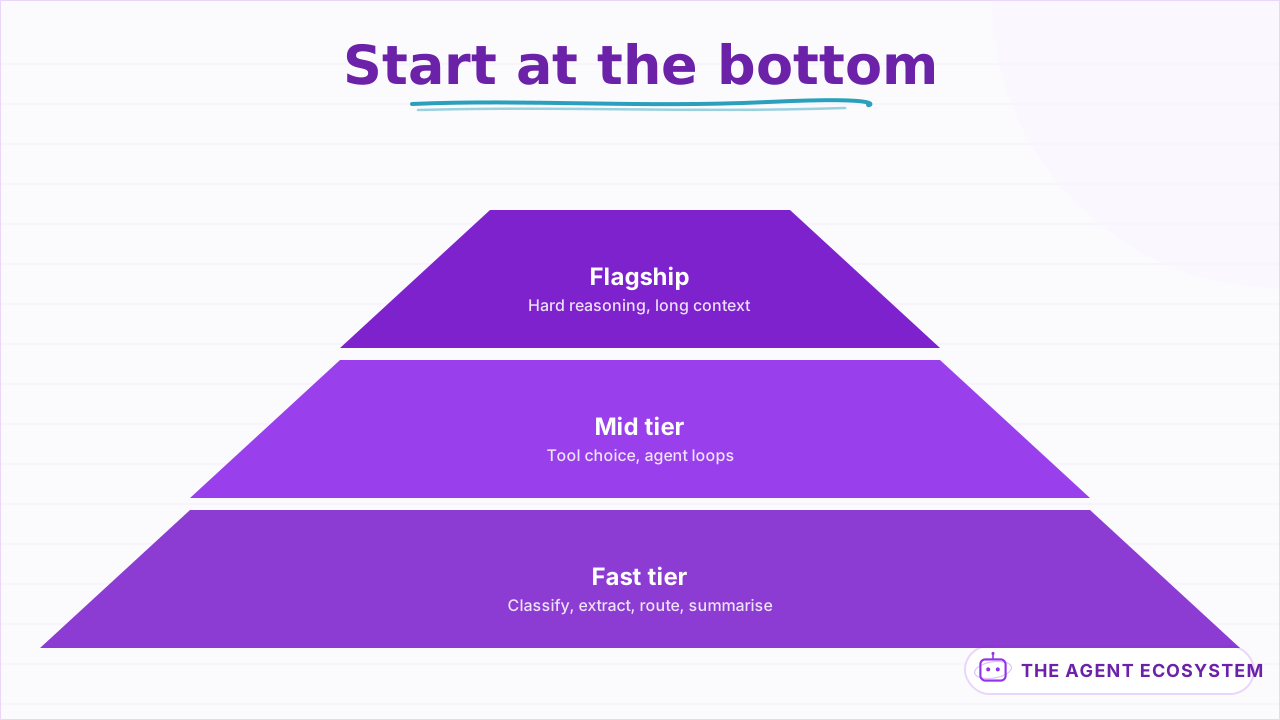 Most production work lives at the base. Move up only when the eval forces it.
| Tier | Use it for | Typical failure |
|---|---|---|
| Fast (nano, Flash-lite, Haiku) | Classification, extraction, routing, summarising | Multi-step reasoning drifts |
| Mid (Sonnet-class, GPT mid) | Tool choice, agent loops, judgement calls | Long-context recall softens |
| Flagship | Genuinely hard reasoning, long context | Cost, and latency |
Read the failure column rather than the use column. A tier is not defined by what it can do on a good day, it is defined by how it fails on a bad one, and those failure modes are what your evaluation from lesson 3 is designed to surface.
The practical move: run the fast tier first even when you are fairly sure it will not pass. If it does pass, you have saved 25x. If it fails, you now know exactly which case it failed on, which is a far better brief for the next tier up than "it felt weak".
The measured comparison inside a real workflow is in Claude vs GPT vs Gemini in n8n, and the per-job framing is in Frontier Model Default Per Job.
Lesson 3Build the evaluation before you compare anything#
Thirty real inputs with expected outcomes, run the same way every time. This is the hour that pays for itself more than any other in the process and it is the one people skip, because it feels like preparation rather than progress.
- Take 30 real inputs from your actual traffic, including the three weirdest.
- Write the expected OUTCOME for each, not the expected wording.
- Include at least five cases that should fail, refuse, or escalate.
- Score automatically, so re-running costs nothing.
›What thirty cases actually look like
| Input | Expected | Passes when |
|---|---|---|
| Clear billing question | category=billing | exact match |
| Angry, mentions refund AND a bug | category=billing, escalate=true | both fields right |
| Two sentences of gibberish | category=unsure | did NOT guess |
| Question in Spanish | category=billing | language did not change the answer |
| Empty body, subject only | category=unsure | did not invent context |
The last three rows are the ones that separate models. Every model gets the clear cases right, which is exactly why a test set of only clear cases tells you nothing.
Step 3 is what makes the set discriminating. A set of only happy paths gives every candidate a near-perfect score and no signal.
Two practical notes on building the set. Take the inputs from real traffic rather than writing them, because invented inputs are unconsciously written to be answerable and yours will be too clean. And keep the set small enough that re-running it is free in both time and money; thirty cases you actually re-run beats three hundred you run once and then avoid.
The full method, including scoring and mocking, is in How to Test and Evaluate n8n AI Agents. If you do not have 30 real inputs yet, Synthetic Data for Agent Evals covers generating a starting set honestly.
Lesson 4Compare on your task, not the leaderboard#
Run the same evaluation against three candidates: one fast tier, one mid tier, and whatever the current default is. Same prompt, same inputs, same scoring.
The output you want is a small table you can defend to yourself in six weeks:
| Model | Passed | Confident-wrong | Cost per 1k | Median latency |
|---|---|---|---|---|
| Fast tier | 27/30 | 0 | low | fastest |
| Mid tier | 29/30 | 1 | 4x | slower |
| Flagship | 29/30 | 0 | 25x | slowest |
Read that table the way it deserves. The mid tier scored highest on raw passes and still loses, because it produced the one failure the bar in lesson 1 said was unacceptable. The fast tier is three points behind on a metric that does not matter and clean on the one that does.
One more column is worth adding once you have run this twice: variance across runs. A model that scores 29, 29, 29 is a different proposition from one that scores 30, 29, 27, even though the second has a better peak. Consistency is a feature you are buying, and it does not appear on any leaderboard.
Aside 4.5The A/B that actually tells you something#
Two mistakes make a comparison meaningless, and both are easy to make.
Changing the prompt between models. A prompt tuned for one model's tool-calling habits is not a neutral test of another. Run the same prompt first, note where each fails, then tune per model in a second round if you care enough.
Testing once. Models are not deterministic. A single run of 30 cases has real variance, and a two-point difference between two candidates is noise. Run the set three times and compare the worst run, not the average, because production will find the worst run for you.
for model in fast mid flagship:
  for run in 1..3:
    score = evaluate(model, golden_set)
  report worst(score), not mean(score)
Comparing worst runs is pessimistic on purpose. The question is not how good a model can be, it is how bad it gets when you are not watching.
Lesson 5Price it before you commit, not after#
Token pricing is per million and your intuition about it is wrong, because the number that matters is not the price, it is the price times how the tokens actually accumulate.
Estimate your own agent cost
Whole run: 3,000 input + 500 output tokens
| Model | Per run | Per 1,000 runs |
|---|---|---|
| Gemini 2.5 Flash | $0.0022 | $2.15 |
| Haiku 4.5 | $0.0055 | $5.50 |
| Sonnet 4.6 | $0.017 | $16.50 |
Modeled, not billed. Context is re-sent every iteration, so input scales with the loop. Prices are per million tokens and move; check your provider before planning against these.
| Driver | Effect on the bill | Usually noticed |
|---|---|---|
| Iterations in a loop | Multiplies the input side | Week two |
| Memory window size | Re-sent on every call | On the first invoice |
| Tool schema size | Re-sent on every call | Almost never |
| Output length | Priced higher per token, but small | Immediately, wrongly |
The last row is the common misdiagnosis. Output tokens cost more each, so people optimise the answer length first, while the input side is ten times larger and re-sent every pass.
Two things that calculator makes visible. Input dominates output on most real workloads, because prompts, tool schemas and context are large while answers are short. And anything that loops multiplies the input side, not the output side.
The token arithmetic in full is in Estimate LLM API Cost.
Aside 5.5The costs that are not per-token#
Four line items sit outside the price-per-million and each one has caught people out.
- Cached input reads at a fraction of the fresh price, with a one-time write premium. For anything with a stable prefix this is the largest single lever available.
- Batch processing is roughly half price on several providers, if your work tolerates a delay.
- Failed and retried calls are billed. A flaky tool that triggers three retries triples that run.
- The long tail of long inputs. Average input size is a bad planning number; the p95 is what breaks the budget.
Point 4 is the one that surprises people. Costs are driven by the biggest inputs, not the typical ones, and averages hide them completely.
The caching mechanics are in Prompt Caching to Cut LLM Cost and the batch discount is in The LLM Batch API 50% Discount.
Lesson 6Treat latency as a separate decision#
Quality and latency are different axes and the fastest model is often not the cheapest. Decide which one your task actually needs before you trade anything away.
| Your task | What matters | Implication |
|---|---|---|
| User is waiting on screen | Time to FIRST token | Stream, and prefer a fast tier |
| Background job | Total time | Batch it and take the discount |
| Agent loop | Per-iteration time x iterations | Latency compounds with the loop |
Measure the p95, not the mean. Model latency has a long tail, and the slow requests are the ones your users notice and remember. A model with a good median and an ugly tail reads as unreliable even when the average looks fine.
Streaming changes the perceived number more than switching models does: a slower model that starts producing in 300ms feels faster than a quicker one that stays silent for two seconds.
The streaming and perception detail is in LLM Streaming Response Latency and UX, and the agent-loop version is in n8n AI Agent Slow Latency and Cost.
Lesson 7Make the choice reversible on day one#
Every decision above has a shelf life measured in weeks. Wire the model as one swappable reference from the start, so re-deciding is a config change rather than a project.
- One place in the codebase or the canvas names the model.
- The prompt carries no provider-specific syntax.
- The evaluation from lesson 3 runs on demand, so a swap can be checked in minutes.
In n8n that is literally one sub-node under the agent. In code it is one function that everything else calls.
Aside 7.5The compatibility layer that makes swapping trivial#
Most providers now expose an OpenAI-compatible endpoint, which means a swap can be a base URL and a model name rather than a rewrite.
A gateway is worth its complexity at roughly the point where you are running three or more providers, or where you need spend visibility per feature rather than per account. Below that it is a dependency you are adding to solve a problem you do not have yet.
The caveat worth knowing: compatible does not mean identical. Tool-calling formats, streaming chunk shapes and error codes drift between implementations, so re-run the evaluation after any swap rather than assuming parity.
The details are in OpenAI-Compatible API Model Swap and the routing layer is covered in LLM Model Routing and Gateways.
A related trap: the escape hatch only works if you have used it. A second provider that is wired but has never served a real request is a plan, not a fallback. Send it a small share of live traffic occasionally, or run the eval against it on the same quarterly cadence, so that the day you need it is not the day you find out the tool-calling format differs.
Lesson 8Decide open-weight against closed deliberately#
This is a constraint decision, not a quality one, and it should be settled by your requirements rather than by preference.
| Choose open-weight when | Choose closed when |
|---|---|
| Data cannot leave your infrastructure | You want the best available reasoning |
| You need a fixed cost at high volume | Volume is low or spiky |
| You require a model that cannot change under you | You want capability improvements for free |
| You have somewhere to run it | You do not want to own uptime |
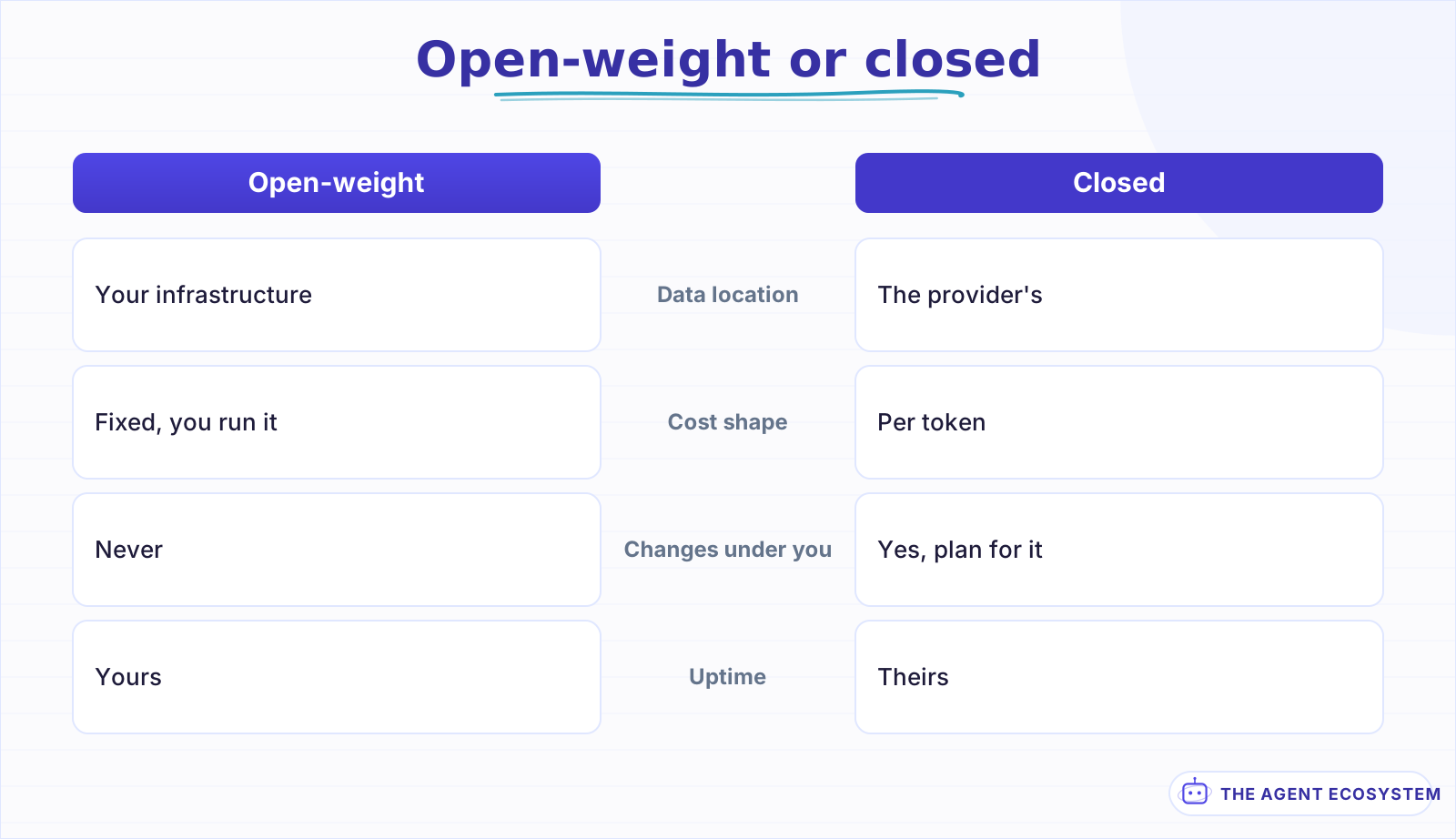 A constraint decision, not a quality one. Let the requirements settle it.
The gap between the best open-weight models and the frontier has narrowed considerably, which moves this decision for a lot of workloads that were closed-only a year ago.
The current comparison is in Open-Weight vs Closed LLMs, and the cost crossover for running locally is in Local LLM vs API: Cost Breakeven.
Lesson 9Route per job, not per application#
"Which model should I use" is the wrong shape of question. A real application has several jobs with different requirements, and forcing one model onto all of them overpays for the easy ones and underserves the hard one.
| Job | Tier | Why |
|---|---|---|
| Classify or route an input | Fast | Narrow, checkable, high volume |
| Extract fields to a schema | Fast | Structure does the work, not reasoning |
| Summarise a document | Fast to mid | Quality gain flattens quickly above mid |
| Choose which tool to call | Mid | Wrong choices are expensive downstream |
| Multi-step reasoning in a loop | Mid to flagship | Errors compound across iterations |
| Draft text a human will send | Mid | A human reviews it, so raise the floor not the ceiling |
| Long-document question answering | Flagship or retrieval | Often a retrieval problem wearing a model costume |
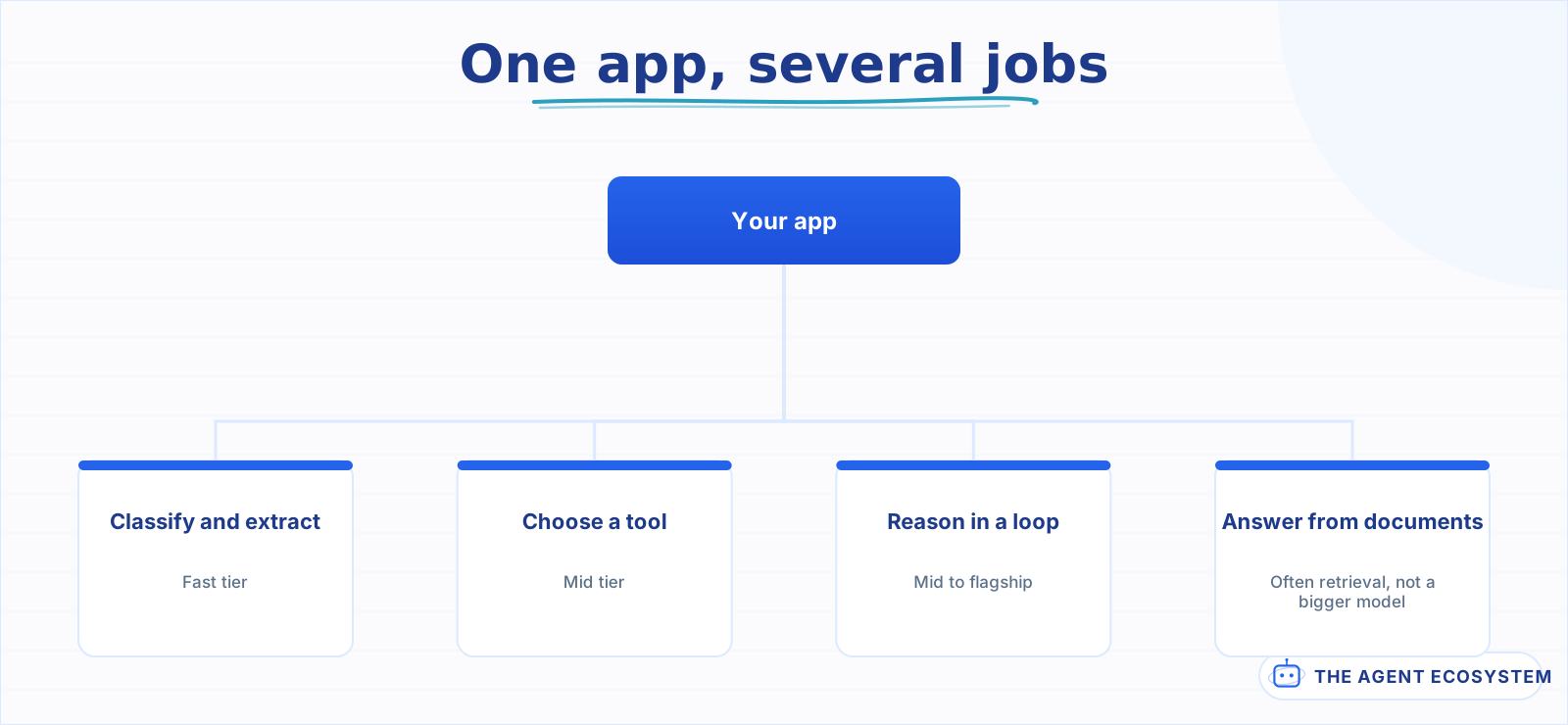 Forcing one model on every job overpays for the easy ones and underserves the hard one.
The routing itself does not need to be clever. A switch on the job name, set where the workflow already knows what it is doing, covers almost every real case. Adaptive routing that picks a model per request based on predicted difficulty is a real technique and it is almost never where the money is: the win comes from not sending classification work to a flagship, and a static rule does that.
That last row is the important one. Reaching for a bigger context window is frequently the expensive answer to a question that retrieval solves more cheaply and more accurately.
The retrieval alternative is in Contextual Retrieval for RAG, and the context-window mechanics are in LLM Context Windows Explained.
One caution on routing: every branch you add is a path that needs its own evaluation. Three jobs routed to three tiers means three sets of cases, or you are only measuring one third of your system. This is the real cost of routing and it is why "one model everywhere" survives longer than it should in most codebases.
Lesson 10Plan for the model changing under you#
A hosted model is not a fixed dependency. Versions are deprecated, defaults move, and behaviour shifts within the same name. If your quality depends on a model you do not control, that dependency needs managing like any other.
- Pin an explicit model version wherever the provider allows it. Never ship pointing at "latest".
- Re-run the evaluation on a schedule, not only when something looks wrong.
- Keep a second provider wired and tested, from lesson 7.
- Subscribe to the provider's deprecation notices, and treat them as dated work.
Aside 10.5The deprecation that will happen#
Every provider retires models, usually with a date and usually with less notice than you would like. The teams this hurts are the ones who find out from an error rather than from a calendar.
The pattern that works is unexciting:
when a deprecation lands:
  1. run the eval against the successor      <- do this the week you hear
  2. note the delta, especially any NEW confident-wrong cases
  3. swap in a low-traffic window, keep the old version pinned until the deadline
  4. re-run the eval a week later on real traffic shape
Step 4 is the one people skip. Your evaluation is thirty cases; production is thousands, and the difference shows up in the tail.
Two real migrations, written up with what actually broke, are in Gemini API Migration Playbook and DeepSeek Model Migration.
Lesson 11Cut the bill without changing the model#
Before you downgrade on quality, take the free money. Four levers reduce cost without touching which model you chose.
- Cache the stable prefix. System prompt, tool schemas, long shared context. The repeated part of a prompt is usually the large part.
- Shorten the input, not the model. Trim retrieved context and memory windows. Most prompts carry material the task does not use.
- Batch anything that can wait. Roughly half price where the provider offers it.
- Cache the whole answer for repeated questions. A semantic cache costs nothing when it hits.
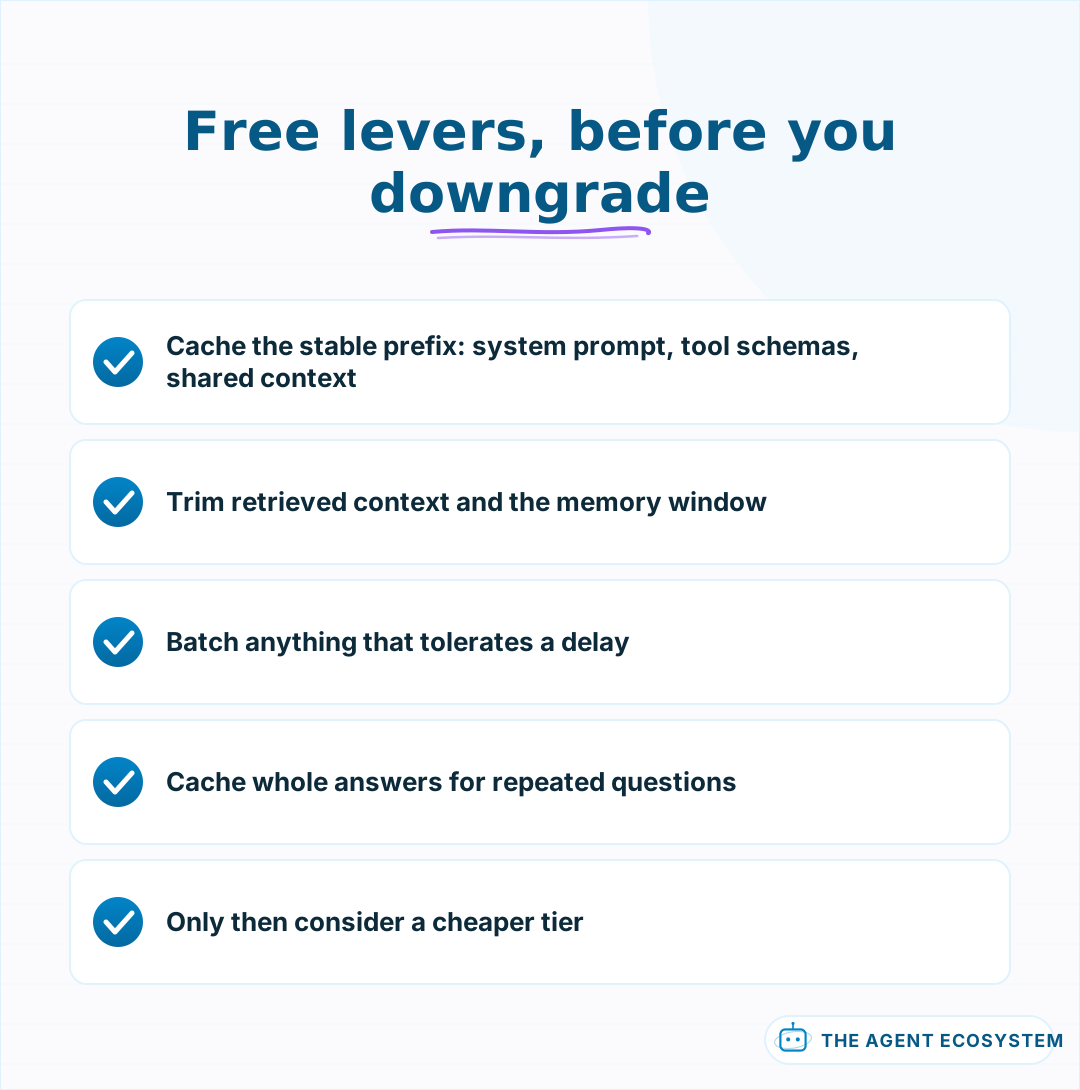 All four cut cost without trading quality. A cheaper tier does.
The order matters more than the individual items. Teams reach for a cheaper model first because it is the most visible lever, and then discover they gave up quality to save less than caching would have saved for free.
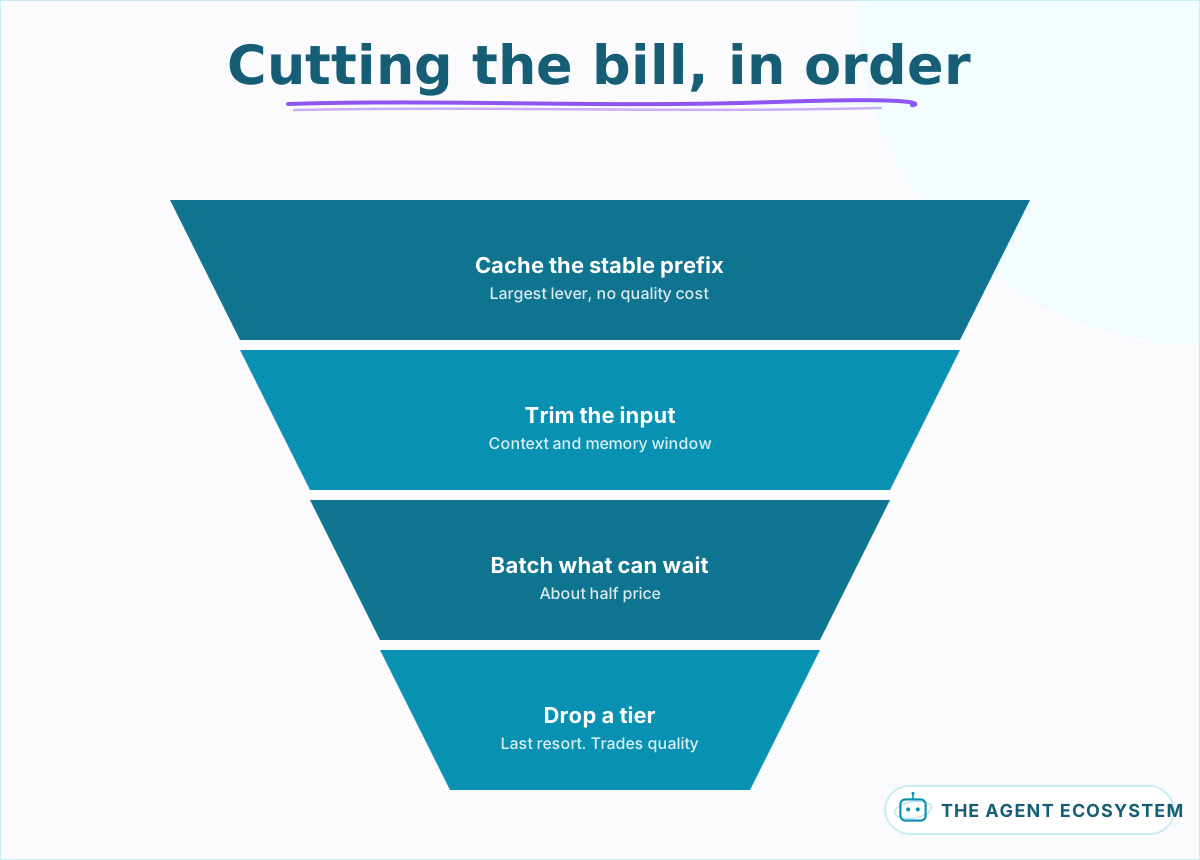 The first four cost nothing in quality. Only the last one trades it.
Only after those four should you consider a cheaper tier, because that is the lever that trades quality, and the other four do not.
The semantic-cache pattern is in LLM Semantic Cache, and the broader list is in Reduce AI API Costs: 7 Levers.
Lesson 12Re-run the decision on a schedule#
The right model six months ago is not the right model now, and nothing tells you when it changed. Put it on a calendar rather than waiting for a reason.
Quarterly is enough for most workloads:
- Re-run the evaluation against your current model, to catch silent drift.
- Add whatever shipped since as a fresh candidate.
- Re-check the price. Tiers get cheaper more often than they get better.
- Change nothing unless the numbers say so.
There is one trigger that should jump the queue rather than wait for the quarter: a provider deprecation notice with a date on it. Those arrive on the provider's schedule, not yours, and the work is the same either way. Doing it in the week you hear costs an hour; doing it in the week of the deadline costs whatever else you had planned.
Point 4 is the discipline that makes the rest sustainable. The purpose of the review is a decision you can defend, and "no change" is a perfectly good outcome that you now have evidence for.
The recurring read on what shipped is in July 2026 Model Wave for Builders.
What I would do differently#
Build the evaluation before comparing anything. The failure mode is comparing first, choosing on an impression, and being unable to reconstruct the reasoning a month later, which is what happens every time the test set feels like the boring part.
It is the boring part. It is also the only part that produces an answer rather than an impression.
The second thing is tier discipline. The flagship gets defaulted to on anything that feels important, and "feels important" usually means "makes me nervous", which is not a technical criterion. Most of those jobs are classification and extraction, which the fast tier handles at a fraction of the price, and the difference gets paid for months in exchange for feeling safer.
Third, smaller but sharper: pin the version. When a default moves underneath a workflow the output changes subtly, and the instinct is to look at the prompt first. That is a day gone to something a single line prevents.
One note on ordering. The four free levers in lesson 11 come before any tier change, because they cut cost without touching quality and a cheaper model does not. Teams reach for the model first because it is the most visible lever, then discover they traded quality to save less than caching would have saved for nothing.
What I am still unsure about is how often to re-run the decision. Quarterly is what I do, and it is a guess dressed as a policy. The tiers have been getting cheaper faster than they have been getting better, which argues for checking price more often than capability, but I have not found a cadence I can defend with anything more than "it has not burned me yet".
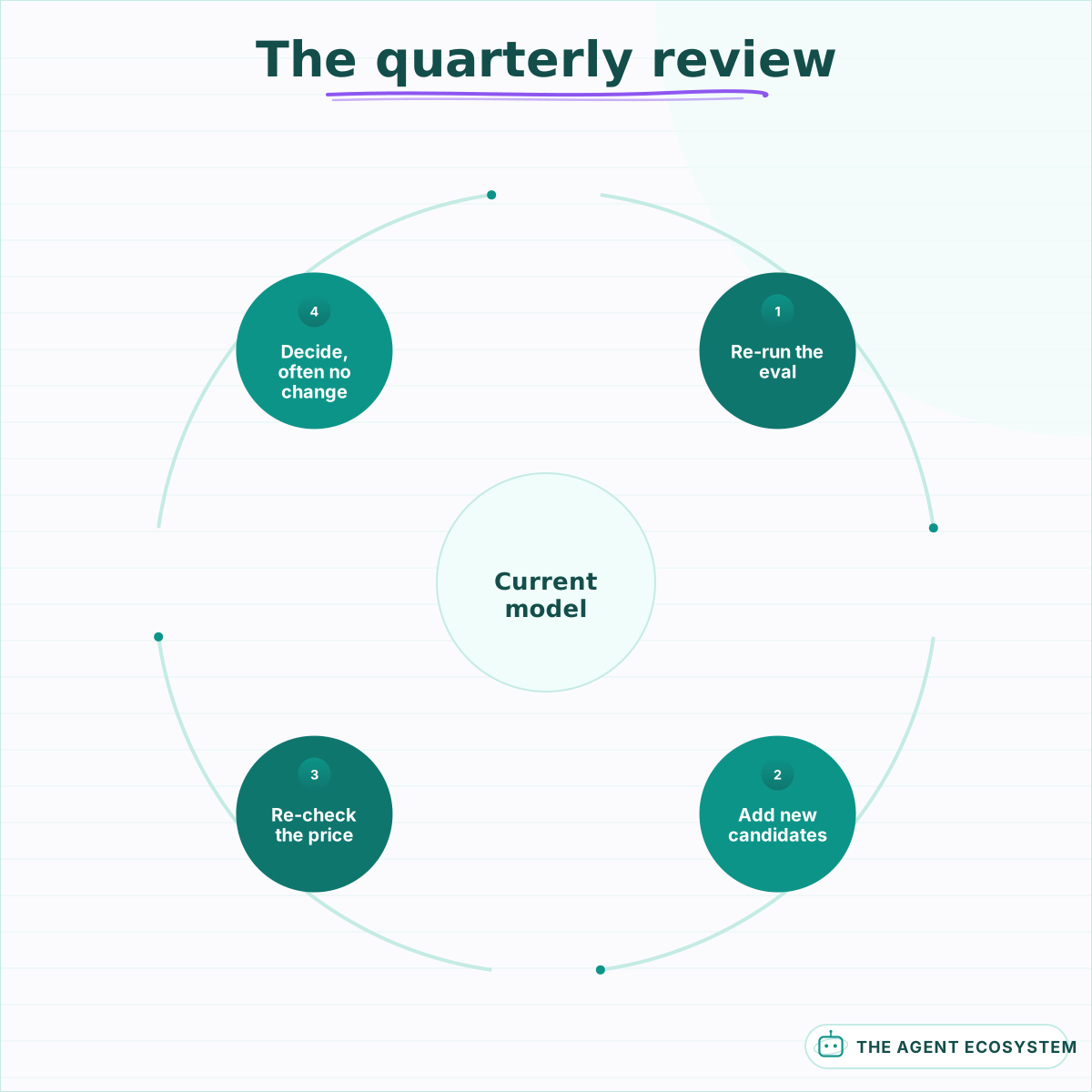 Changing nothing is a valid outcome, and now it is an evidenced one.
Where to go next#
If you have no evaluation yet, lesson 3 is the only place to start; every other lesson depends on having a number.
If you have a model running and the question is cost, start at Reduce AI API Costs. If the question is whether to run it yourself, Local LLM vs API: Cost Breakeven has the crossover. And if the model is going inside an agent loop rather than a single call, the cost shape changes enough that How to Build an AI Agent covers it from the other side.
Frequently asked questions
How do I choose an LLM for production?
Are LLM benchmarks useful for picking a model?
How much does model choice actually change the cost?
Should I use an open-weight or a closed model?
How do I switch models without breaking anything?
How often should I revisit which model I use?
Sources
Primary references and vendor documentation used while drafting and reviewing this article.
Written by

Muhammad Qasim Hammad is an AI agent and automation expert and the founder of Cart Gaze LLC (cartgaze.com). He builds product for the love of it: when an idea lands, a working prototype is usually running within hours, built with the same AI agents and automations he sells. He puts his own output at roughly 20× what it was before agents, and the Agentic OS behind this site is the working proof, documented in public with the tools he actually ran and what they really cost.
AI & Automation Services
Want a pipeline like this running in your business?
I'm Qasim — I design and ship AI agents and n8n automations for solo operators and small teams. Tell me what's eating your team's week, and I'll scope a fix.
Related reading
Claude vs GPT vs Gemini in n8n: Tested Cost and Speed
There is a 25x cost spread between the cheapest and priciest LLM tier for the exact same n8n AI Agent workflow. This post prices all three providers across 11 model tiers so you can pick the right Chat Model sub-node and stop overpaying.

How to Choose an LLM for Your n8n AI Agent (2026)
Kimi K3, GLM-5.2, DeepSeek V4, Claude, and GPT all plug into an n8n AI Agent, and they are not interchangeable. Here are the 5 questions that decide the pick for your agent, and why the honest answer for most workflows is to route by task, not standardize on one.
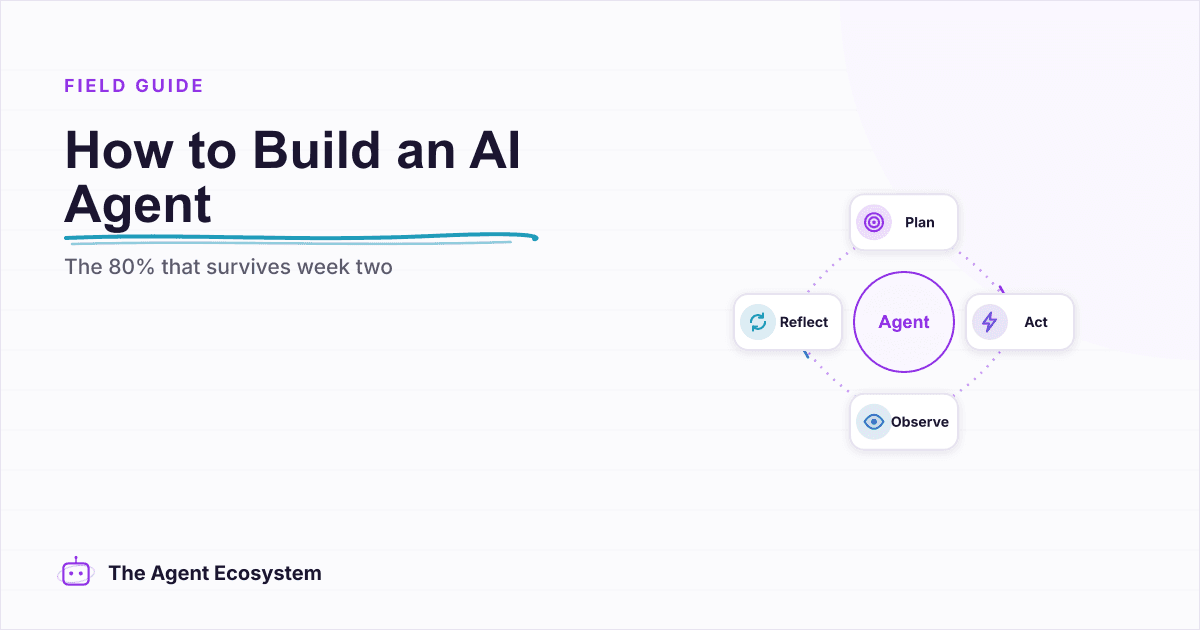
How to Build an AI Agent: The 80% That Survives Week Two
Most tutorials get you a working agent in ten minutes and skip what breaks it in week two. Sixteen lessons covering the loop, tool descriptions, memory, fallbacks, guardrails, evaluation, and the cost levers that decide your bill.
Cut Your AI API Bill: 7 Levers That Actually Work
To reduce AI API costs you need levers that change the bill by a verifiable mechanism, not vague advice. This hub names all seven, right-size the model, prompt caching, the Batch API, routing and fallback, local versus API, token discipline, and RAG over long-context, with a
LLM Gateways Sound Smart. Most Routing Is Just a Fallback Chain.
An LLM gateway is a proxy layer that gives your app one stable endpoint across several model providers, then decides which one answers each request. Most of what ships as "smart routing" is really 2 jobs, automatic fallback and cost-based rules, not model choice driven by
Cheapest AI API in 2026: DeepSeek vs Claude vs GPT vs Gemini
The cheapest AI API by published token rate in June 2026 is DeepSeek V4 Flash, but the lowest sticker rate is rarely the lowest bill. Here is a dated, source-linked price table for DeepSeek, Gemini, GPT, and Claude, the cost-per-task math that output tokens dominate, and the