n8n AI Agent Too Slow? Latency and Cost Fixes
Slow agents and expensive agents have the same cause: too many, too large model calls. Here is how to measure it and the levers that cut both.
AI-drafted, reviewed by Muhammad Qasim Hammad on July 27, 2026. See our AI disclosure.
Table of contents
An n8n AI Agent that takes 30 seconds to answer, or quietly runs up a bill, is usually not a broken model. It is an agent doing more work than the task needs: too many tool loops, too big a context, or too heavy a model for a simple step. Latency and cost in an agent come from the same place, the number and size of model calls, so the fixes overlap.
This guide covers why agents get slow and expensive, how to measure where the time and tokens go, and the specific levers that cut both. If your agent is not slow but failing outright, the agent debugging guide is the better place to start.
Why is my n8n AI agent so slow?#
An agent is slow because each reasoning step is a full model call, and an agent chains several. If it loops through 5 tool calls, that is 5 round-trips to the model, in sequence, before you see an answer. A large context on every call, a heavy model, and slow tools each add to the wait on top of that.
Here is where the time usually goes, and the lever for each.
| What makes it slow | Why | The lever |
|---|---|---|
| Many tool loops | Each loop is a model round-trip | Reduce steps, cap iterations |
| Big context every call | More tokens to process each time | Trim memory and inputs |
| Heavy model for easy steps | Frontier speed on trivial work | Route easy steps to a small model |
| Slow tools | The agent waits on each one | Cache or speed up the tool |
| Retries on failure | A failed call repeats the work | Repair the failing tool |
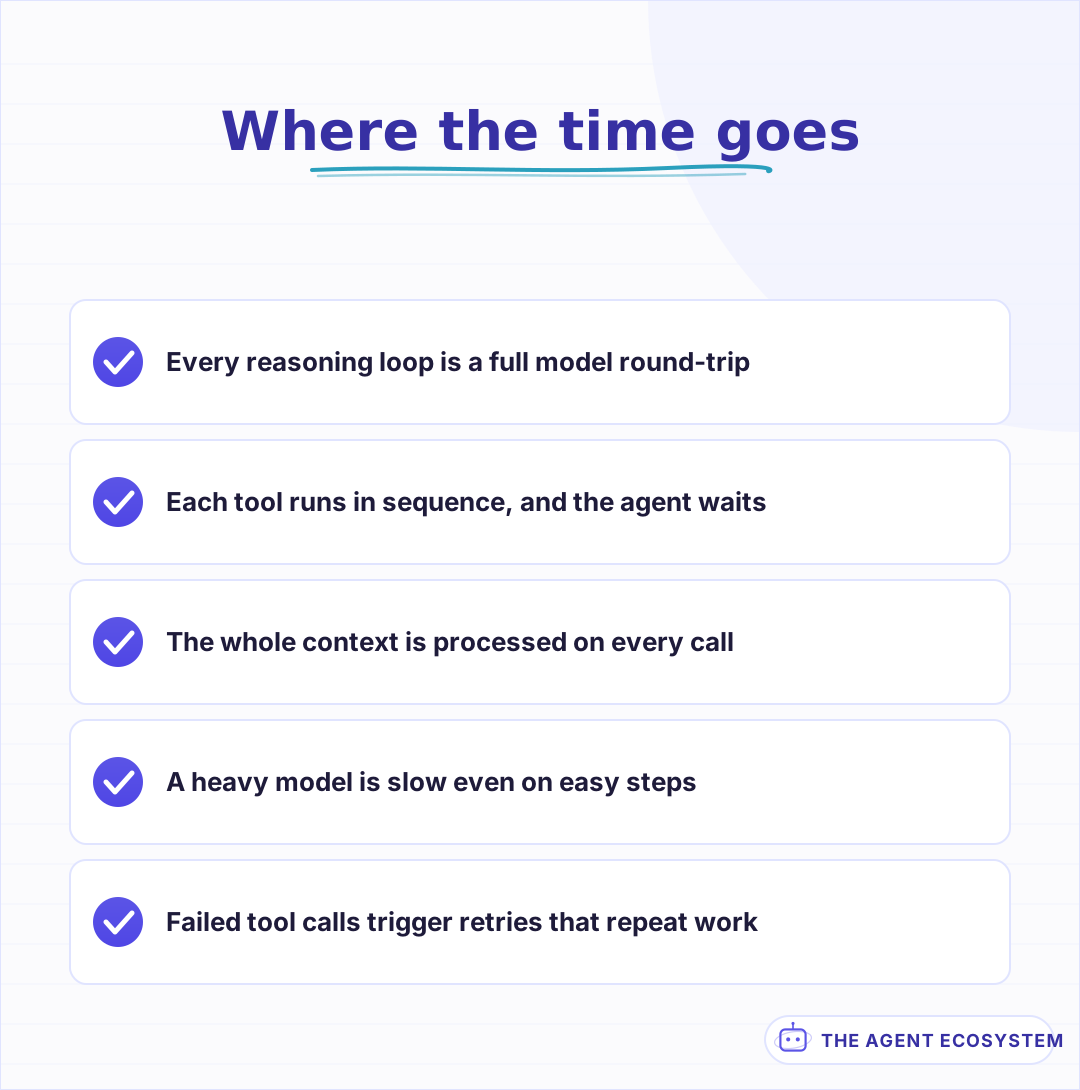 Most of the wait is model round-trips, not n8n itself. Each loop, each big context, and each slow tool adds to the total.
How many model calls is your agent actually making?#
You cannot fix latency you have not measured. Turn on Return Intermediate Steps and count the tool calls in one real run. Most people are surprised: an agent they thought made 1 call is making 6, because each tool use and each re-plan is another round-trip. That count is the single biggest driver of both time and cost.
Once you can see the calls, the slow parts become obvious. Note which tool call took longest, whether the agent re-planned more than needed, and how big the context was on each call. This is the same intermediate-steps view used to debug agents, pointed at speed instead of correctness. Fix the biggest contributor before you touch anything smaller.
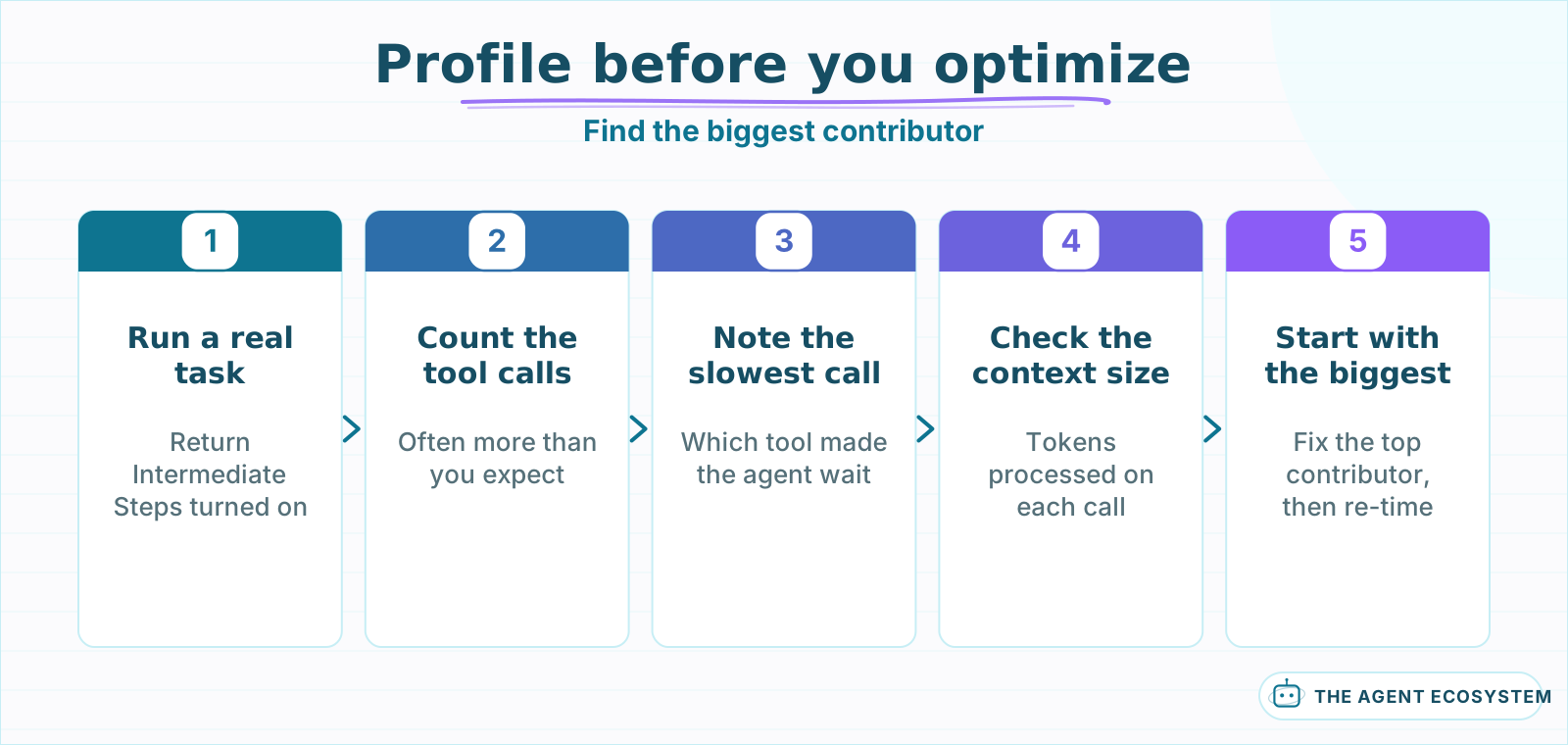 Measure before you optimize. The call count and the slowest tool tell you which lever will actually move the number.
Does the model fit the task, or is it overkill?#
A frontier model on a trivial step is slow and expensive for no gain. If a step just classifies text or extracts a field, a small fast model does it in a fraction of the time and cost. Right-size per step: keep the strong model for the reasoning that needs it, and hand the easy calls to something lighter.
This is where choosing the model per task pays off directly in latency. A multi-model fallback lets a small model handle the routine calls and a frontier model handle the hard ones, so you are not paying frontier latency on work a light model finishes instantly. The tested speed numbers tell you which cheap model is fast enough to trust with the routine work.
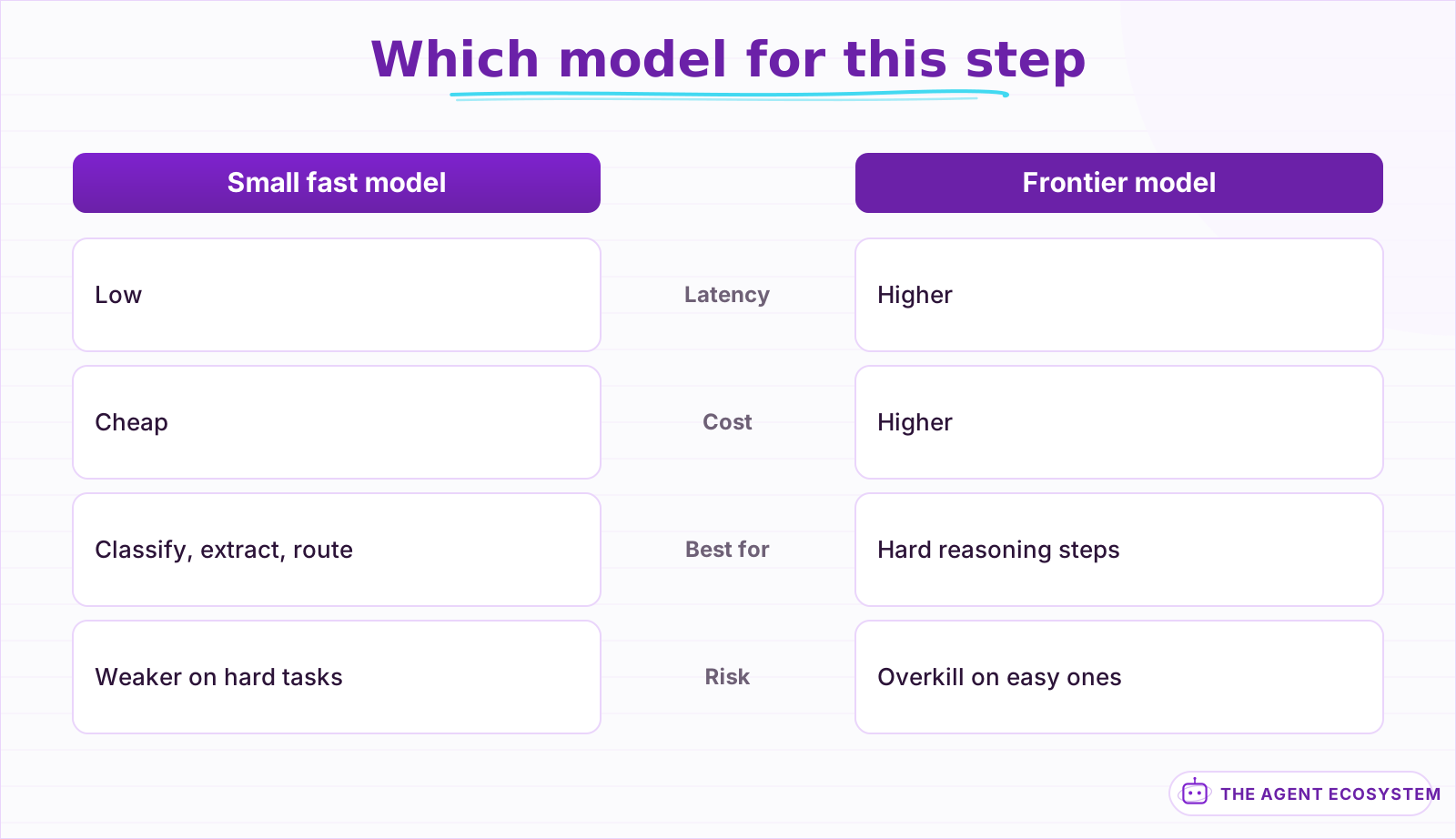 Match the model to the step. A small model handles classify-and-extract work fast and cheap; keep the frontier model for hard reasoning.
Is your context bloating every call?#
Every token in the context is processed on every model call, so a bloated system prompt, a huge memory window, or raw tool output pasted back all slow the agent and raise the bill. Trim the memory window to the turns you truly need, summarize long histories, and strip tool output down to the fields the model uses.
The memory window is the usual offender. A window of 50 turns feels safe, but it means every call re-processes 50 turns of history, most of which the model does not need. Set the memory window to the shortest span that keeps the thread coherent, and remember that context is not free: a bigger window is a bigger bill and a longer wait on every single call.
Can you cache or parallelize to cut the wait?#
Two levers cut time without removing steps. Prompt caching makes a repeated system prompt and tool list almost free after the first call, so cache-friendly models reward a stable prompt. And where an agent gathers independent facts, running those tool calls in parallel instead of one after another collapses several round-trips into one wait.
Caching and parallelizing attack different parts of the problem. Prompt caching mostly cuts cost and the time to first token on repeated calls, so it rewards a stable system prompt you do not rewrite every run. Parallel tool calls cut wall-clock time when the calls do not depend on each other, which you can structure with sub-workflows. Both stack on top of the general cost levers.
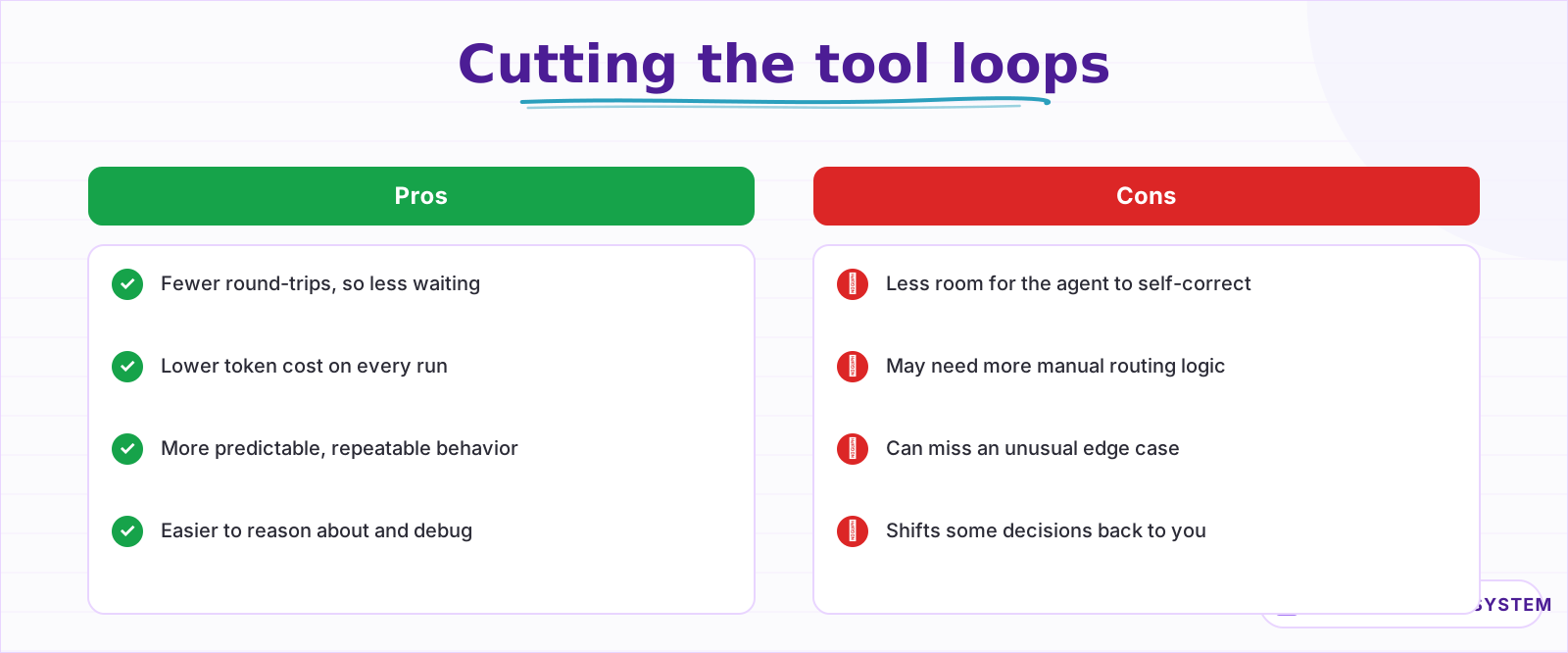 Fewer loops means less waiting and lower cost, but the agent has less room to self-correct, so you take on more of the routing.
Latency or cost: which are you actually fixing?#
The levers overlap but not perfectly. Fewer loops and a smaller model cut both time and cost. A bigger context cuts loops but raises cost. Caching cuts cost more than time, while parallel calls cut time more than cost. Decide which one hurts more for your agent, then pull the lever that moves it, using the path below.
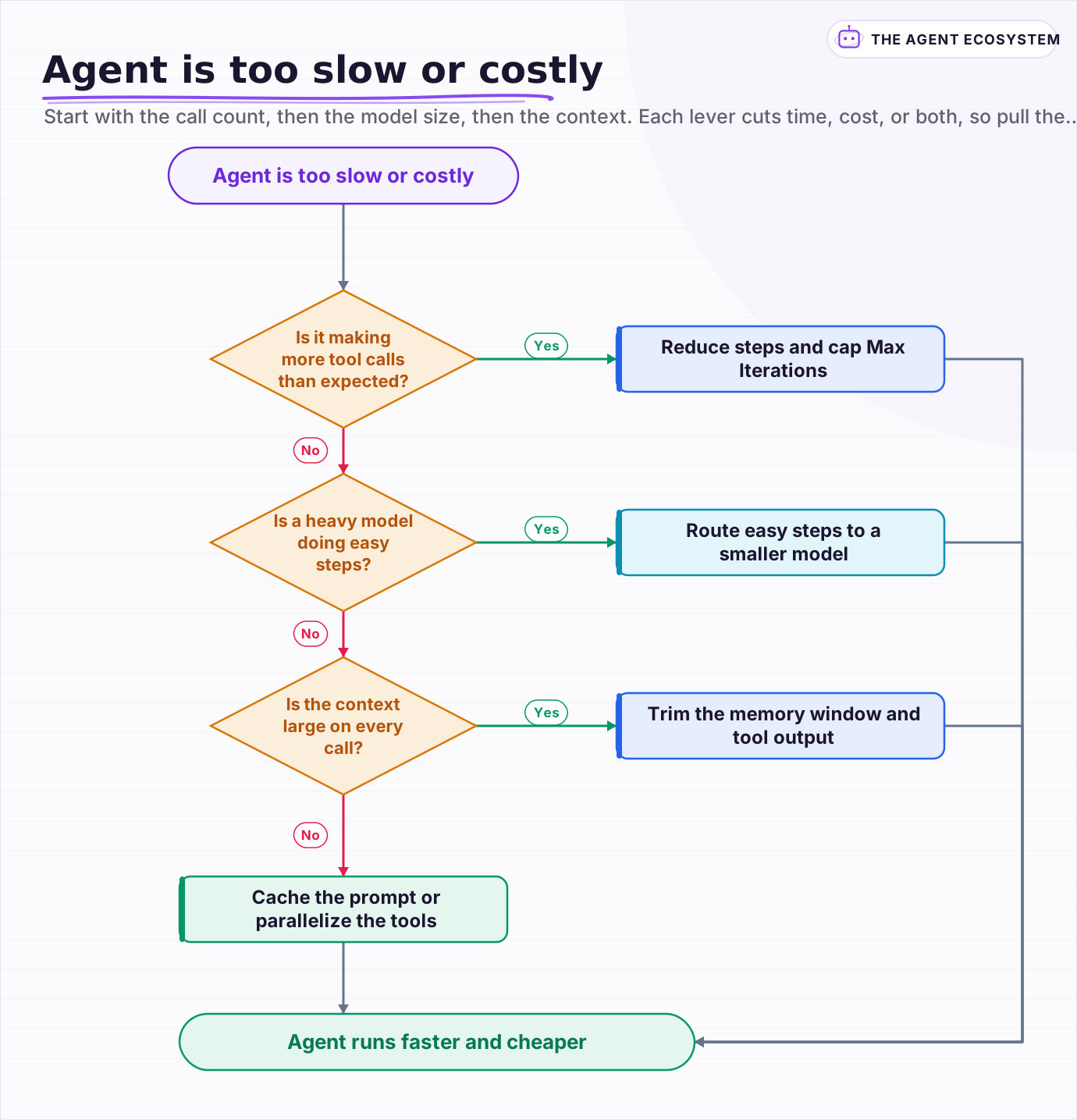 Start with the call count, then the model size, then the context. Each lever cuts time, cost, or both, so pull the one your agent needs.
Frequently asked questions
Why is my n8n AI Agent so slow?
How do I make an n8n AI Agent faster?
How do I reduce the cost of an n8n AI Agent?
Does a bigger context window make an agent slower?
Should I use a smaller model to speed up my agent?
Sources
Primary references and vendor documentation used while drafting and reviewing this article.
Written by

Muhammad Qasim Hammad is an AI agent and automation expert and the founder of Cart Gaze LLC (cartgaze.com). He builds product for the love of it: when an idea lands, a working prototype is usually running within hours, built with the same AI agents and automations he sells. He puts his own output at roughly 20× what it was before agents, and the Agentic OS behind this site is the working proof, documented in public with the tools he actually ran and what they really cost.
AI & Automation Services
Want a pipeline like this running in your business?
I'm Qasim — I design and ship AI agents and n8n automations for solo operators and small teams. Tell me what's eating your team's week, and I'll scope a fix.
Related reading
How to Build an AI Agent: The 80% That Survives Week Two
Most tutorials get you a working agent in ten minutes and skip what breaks it in week two. Sixteen lessons covering the loop, tool descriptions, memory, fallbacks, guardrails, evaluation, and the cost levers that decide your bill.

How to Choose an LLM for Your n8n AI Agent (2026)
Kimi K3, GLM-5.2, DeepSeek V4, Claude, and GPT all plug into an n8n AI Agent, and they are not interchangeable. Here are the 5 questions that decide the pick for your agent, and why the honest answer for most workflows is to route by task, not standardize on one.
Cut Your AI API Bill: 7 Levers That Actually Work
To reduce AI API costs you need levers that change the bill by a verifiable mechanism, not vague advice. This hub names all seven, right-size the model, prompt caching, the Batch API, routing and fallback, local versus API, token discipline, and RAG over long-context, with a
n8n AI Agent Pricing: What It Really Costs to Run
An n8n AI agent has two bills that behave nothing alike: a flat n8n platform fee and a per-run LLM token cost. Here is what each one comes to, with modeled per-run math across Claude, GPT, and Gemini, and the levers that actually lower the total.
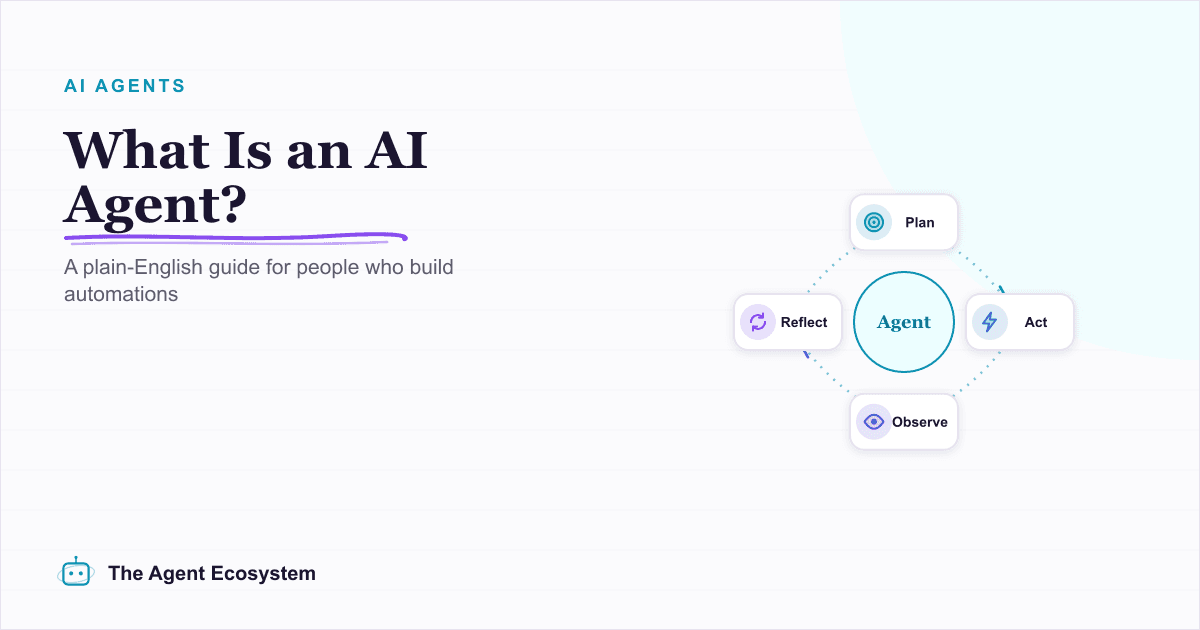
What Is an AI Agent? A Plain-English Guide for Builders
An AI agent is a language model running in a loop that decides its own next action, not a chatbot and not a chain. Here is how the perceive-decide-act-observe loop works, how an agent differs from a chatbot, chain, and workflow, and a checklist for when you actually need one.
n8n AI Agent vs Chain: Which Should You Use? (2026)
Every n8n builder reaches for the AI Agent by reflex, but a Basic LLM Chain costs roughly 5x less per 1,000 runs on Haiku 4.5. Learn the one mechanical rule that decides which node to use.