How to Choose an LLM for Your n8n AI Agent (2026)
Kimi K3, GLM-5.2, DeepSeek V4, Claude, GPT: the 5 questions that decide the model for your agent, and why routing beats picking one.
AI-drafted, reviewed by Muhammad Qasim Hammad on July 29, 2026. See our AI disclosure.
Table of contents
Your n8n AI Agent is only as good as the model behind it, and in 2026 the list of models worth considering is longer than ever. Kimi K3, GLM-5.2, DeepSeek V4, Claude, and GPT all plug into n8n, and they are not interchangeable. The right choice depends on 5 things about your agent, not on which model tops a leaderboard this week.
This guide covers the 5 questions that actually decide the pick: tool-calling reliability, context size, cost, hosting, and how you weigh them together. Then it shows why the honest answer for most n8n workflows is to route by task rather than crown one model. Model specifics move fast, so treat the named models as examples and verify current details before you commit.
What actually decides the model for an n8n agent?#
Five things decide it: whether the model calls tools reliably, whether its context window fits your inputs, what it costs per run, how it is hosted, and how you trade those off. A model can win on benchmarks and still lose on the one criterion your agent depends on most.
Here is the current landscape as a rough map. Treat the columns as starting points to verify, not fixed truth.
| Model | Tool calling | Context | Cost tier | Weights |
|---|---|---|---|---|
| Claude / GPT (frontier) | Very reliable | Large | Higher | Closed |
| Kimi K3 | Yes | 1M tokens | Mid | Open (from Jul 27) |
| GLM-5.2 | Yes | 1M tokens | Low | Open |
| DeepSeek V4 | Yes | Large | Low | Open |
| Small local model | Varies | Small | Free to run | Open |
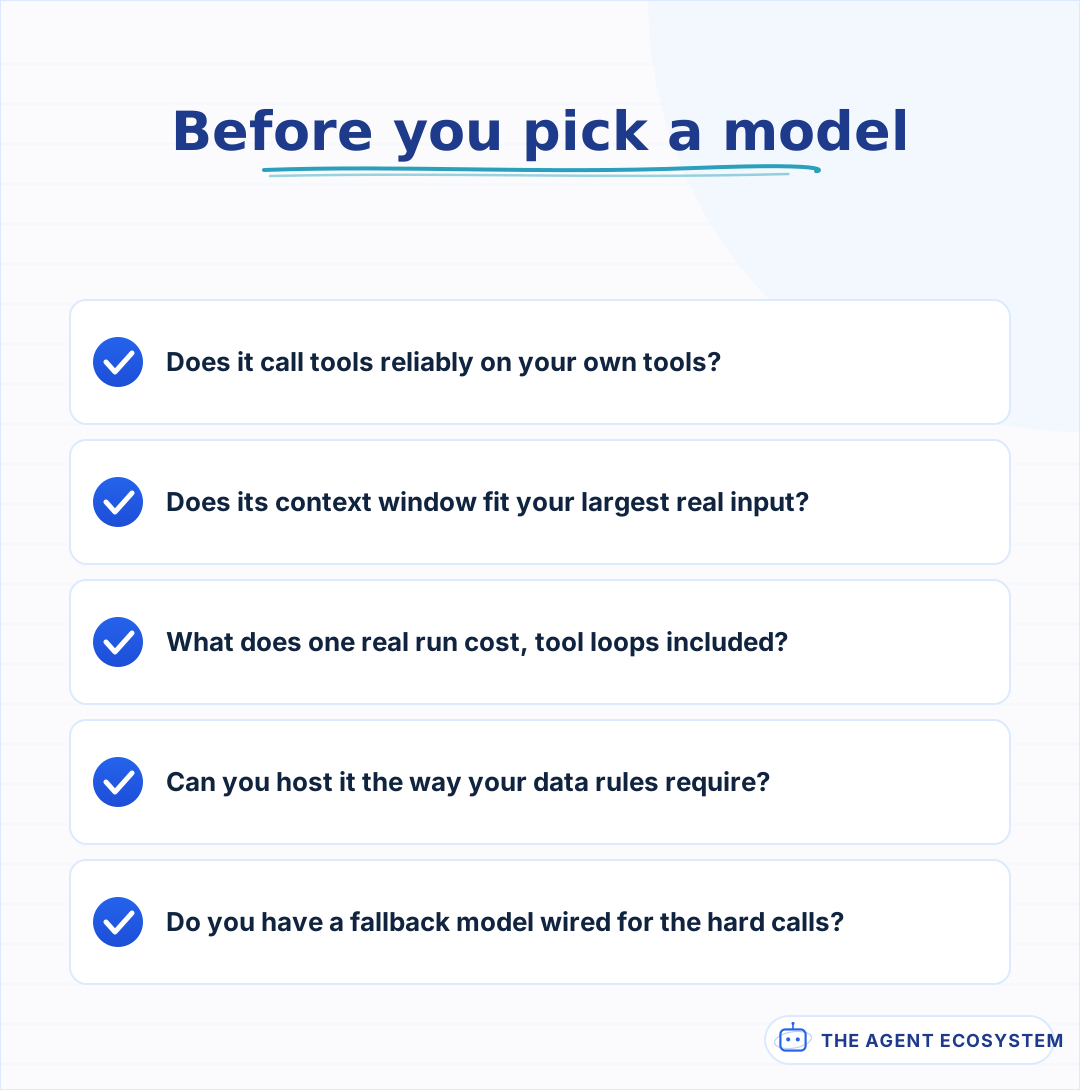 Answer these against your own workflow, not a leaderboard. The model that wins here is the one that fits the job your agent does.
Does the model call tools reliably?#
This is the first filter, because an agent that cannot call tools is just a chat box. Some model nodes do not support tool calling, and even among those that do, accuracy varies: picking the right tool, passing valid arguments, and stopping when done. Test this on your own tools before you trust a benchmark.
Frontier models like Claude and GPT are still the most consistent at multi-step tool use, which is why they are the safest starting point. Strong open models have closed much of the gap: Kimi K3 and GLM-5.2 both support function calling in the OpenAI shape the AI Agent node uses for tools. If a model ignores your tools, the cause is often the model or the tool descriptions, not n8n, and the agent debugging guide walks through isolating which.
Is the context window big enough for your agent?#
Context is the second filter. If your agent feeds in long documents, big tool outputs, or a long conversation history, a small window forces you to add retrieval or truncation. Models like Kimi K3 and GLM-5.2 now offer a 1-million-token window, which can remove a whole retrieval step for document-heavy agents, at the cost of more tokens per call.
Bigger is not automatically better. A huge context costs more on every call and can bury the important detail in the middle, so a focused prompt often beats a giant one. The long-context versus retrieval trade-off is a real decision, not a default, and how context windows actually work is worth understanding before you pay for a million tokens you do not use.
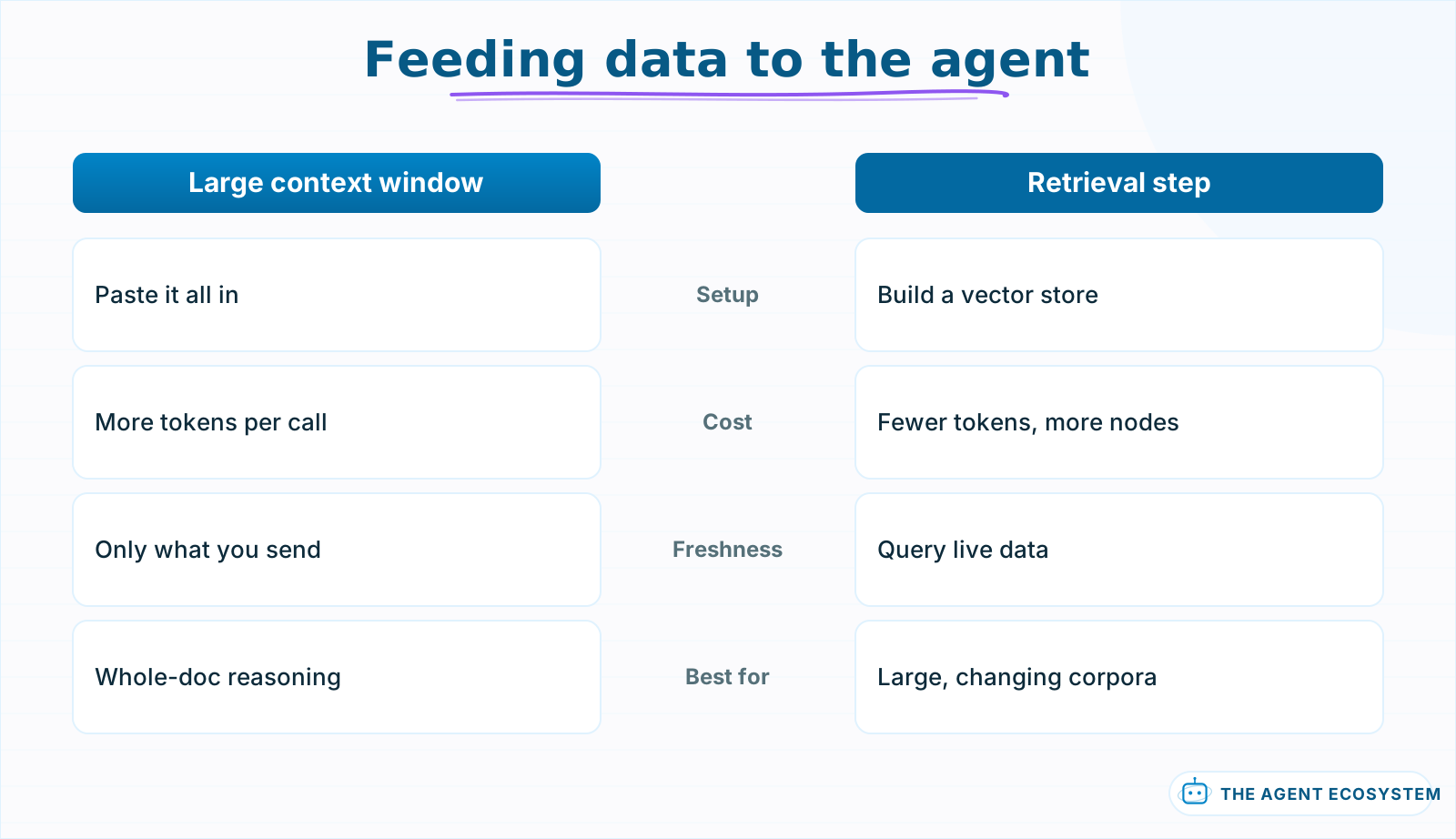 A 1M-token window can replace a retrieval step for whole-document reasoning. Retrieval still wins for large, changing corpora you cannot fit in a prompt.
What will the model cost to run?#
Cost is the third filter. Frontier models like Claude and GPT charge the most per token; open models like Kimi K3, GLM-5.2, and DeepSeek V4 charge far less, and a small local model is free to run once hosted. The real number depends on your prompt size and how many tool loops each run takes.
The only honest way to compare cost is to measure it on a task your agent actually runs. A single model call looks cheap, but an agent that loops through 6 tool calls per run multiplies that. Use token math to estimate the real figure, lean on the levers that cut cost on any model, and check the current cheapest options before you decide price rules a model out.
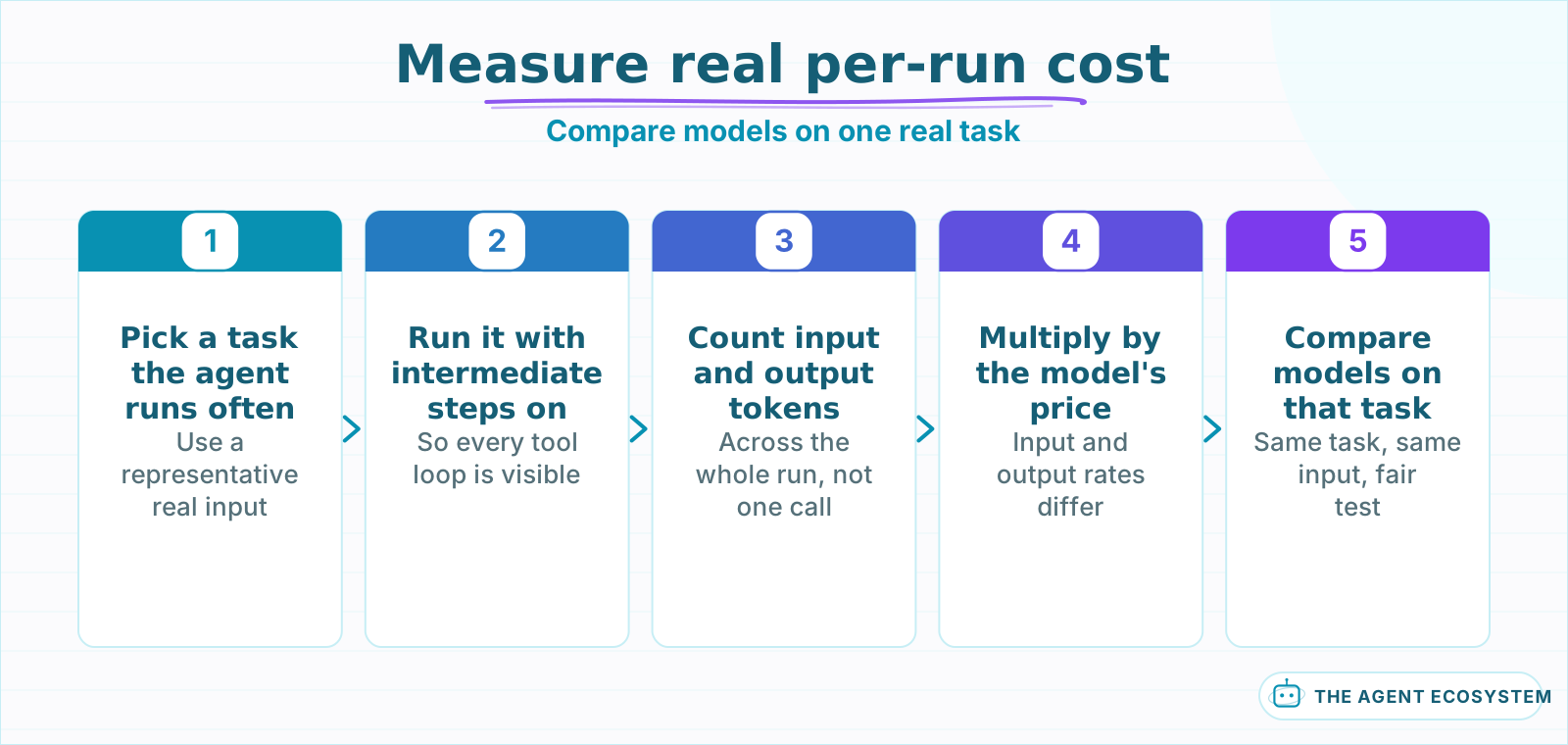 A single call looks cheap. Count the tokens across every tool loop on a real task to get the number that actually decides cost.
Open weights or a closed API: which fits you?#
The fourth filter is hosting. A closed API like Claude or GPT is the least work: you get a key and go. Open-weight models like GLM-5.2 or DeepSeek V4 let you self-host for data control or lower cost, but you take on the infrastructure. For most solo builders a hosted open model through an API is the middle path.
Weigh this by what you actually need. If a client requires data never leaving their servers, self-hosting an open model is the reason to accept the extra work. If you just want lower cost, a hosted open model gives you most of the saving with none of the ops. The open-weight versus closed-model call and the practical route to running a model locally with n8n both come down to how much control you truly require.
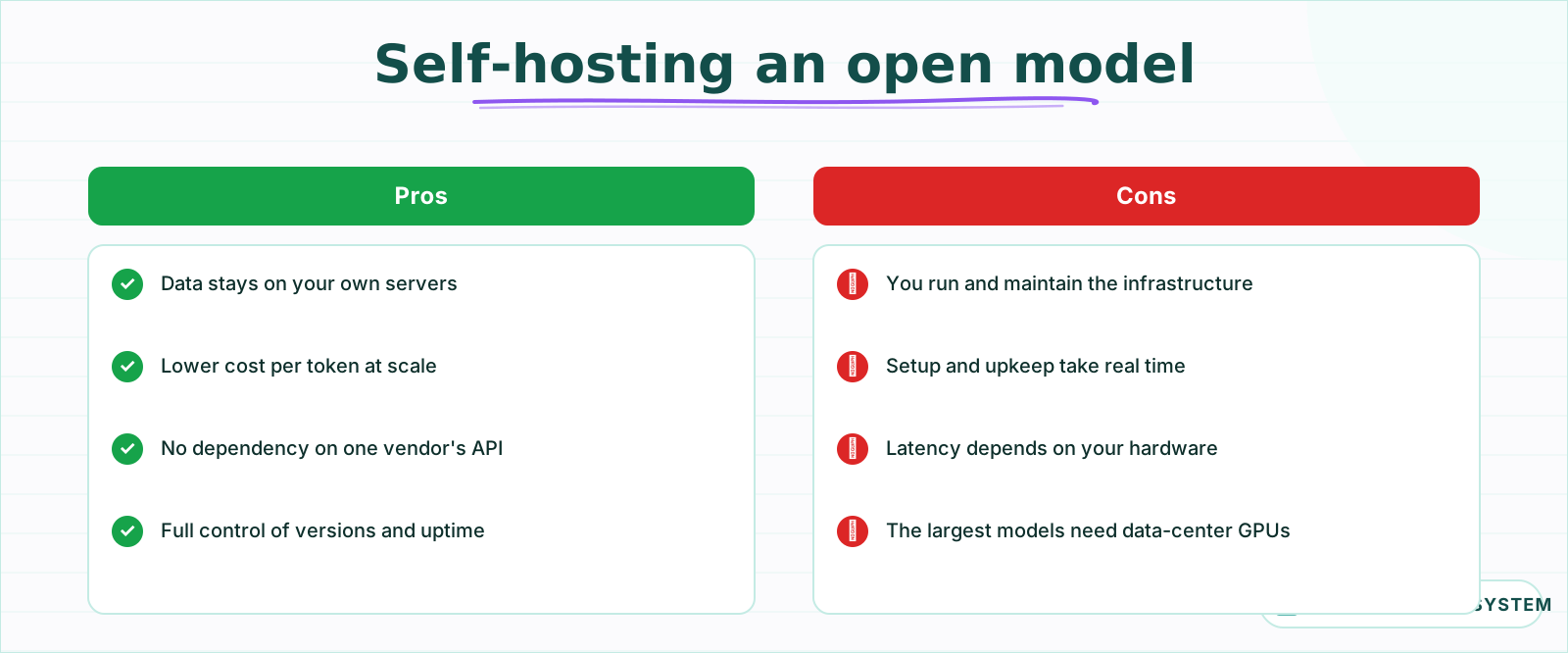 Self-hosting is the answer when data cannot leave your servers. If you only want lower cost, a hosted open model gives most of the saving with none of the ops.
So which LLM should you pick for your n8n agent?#
Do not standardize on one. Start with a frontier model to get the agent working, since that removes model quality as a variable while you debug. Once it runs, route by task: send routine calls to a cheap open model and keep the frontier model for the hard steps. A fallback makes that a small change.
This is where the tested cost and speed numbers earn their keep, because they tell you which cheap model is safe to route the routine work to. Wire it with a multi-model fallback so one model handles the easy calls and another catches the hard ones. The path below turns the 5 filters into a quick decision.
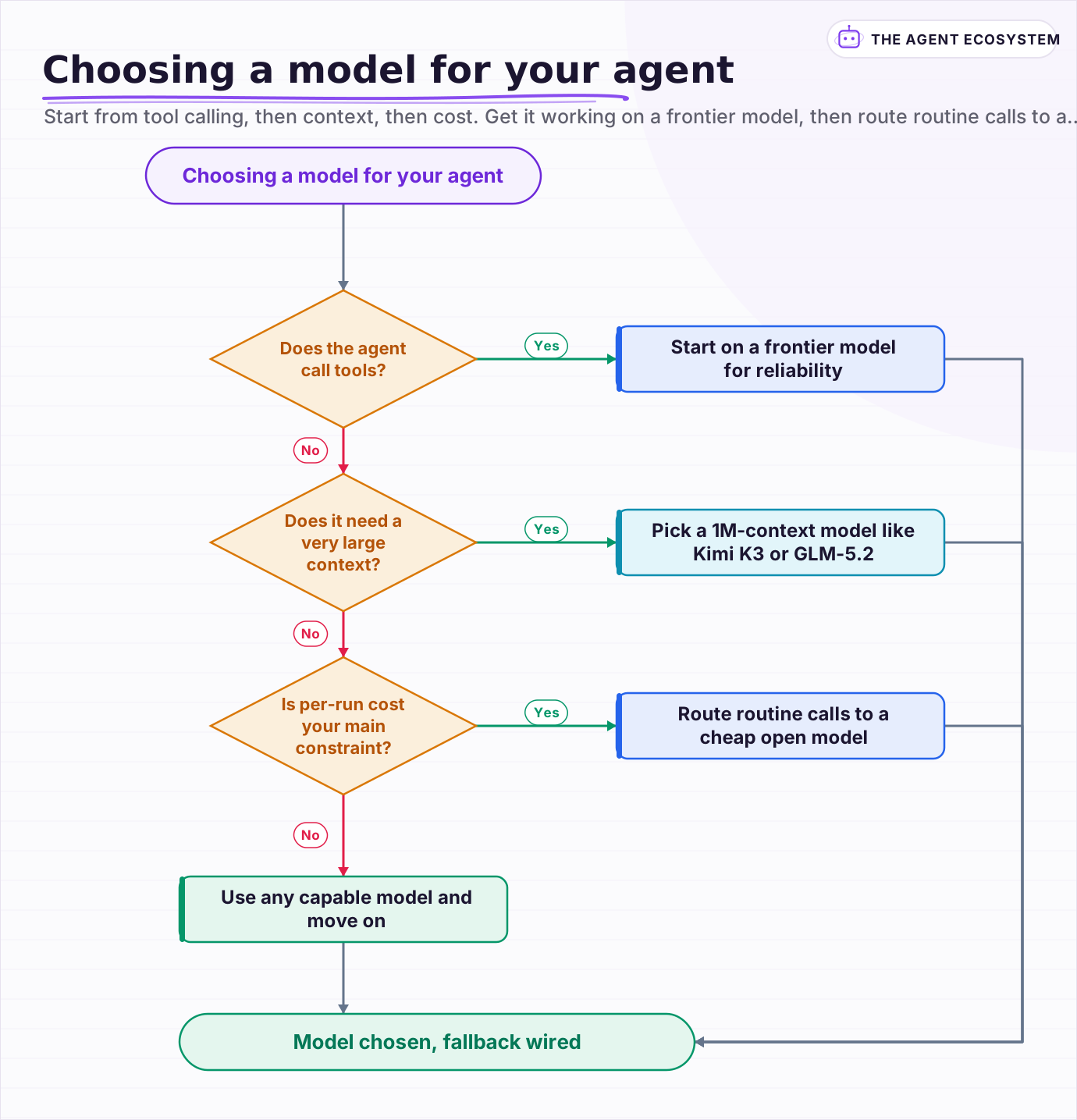 Start from tool calling, then context, then cost. Get it working on a frontier model, then route routine calls to a cheaper one.
Frequently asked questions
What is the best LLM for an n8n AI agent?
Can open-weight models like Kimi K3 or DeepSeek V4 run n8n agents?
Does a bigger context window mean a better n8n agent?
Should I use one model for my whole n8n workflow?
How do I compare the cost of two models for my agent?
Sources
Primary references and vendor documentation used while drafting and reviewing this article.
Written by

Muhammad Qasim Hammad is an AI agent and automation expert and the founder of Cart Gaze LLC (cartgaze.com). He builds product for the love of it: when an idea lands, a working prototype is usually running within hours, built with the same AI agents and automations he sells. He puts his own output at roughly 20× what it was before agents, and the Agentic OS behind this site is the working proof, documented in public with the tools he actually ran and what they really cost.
AI & Automation Services
Want a pipeline like this running in your business?
I'm Qasim — I design and ship AI agents and n8n automations for solo operators and small teams. Tell me what's eating your team's week, and I'll scope a fix.
Related reading
Kimi K3 in n8n: Using Moonshot's 2.8T Model for AI Agents
Moonshot's Kimi K3 is a 2.8-trillion-parameter model with a 1-million-token context and an OpenAI-compatible API. That last part means it drops into an n8n AI Agent today. Here is how to wire it up, what it costs, and when it beats a frontier model.

n8n AI Agent Pricing: What It Really Costs to Run
An n8n AI agent has two bills that behave nothing alike: a flat n8n platform fee and a per-run LLM token cost. Here is what each one comes to, with modeled per-run math across Claude, GPT, and Gemini, and the levers that actually lower the total.
Claude vs GPT vs Gemini in n8n: Tested Cost and Speed
There is a 25x cost spread between the cheapest and priciest LLM tier for the exact same n8n AI Agent workflow. This post prices all three providers across 11 model tiers so you can pick the right Chat Model sub-node and stop overpaying.
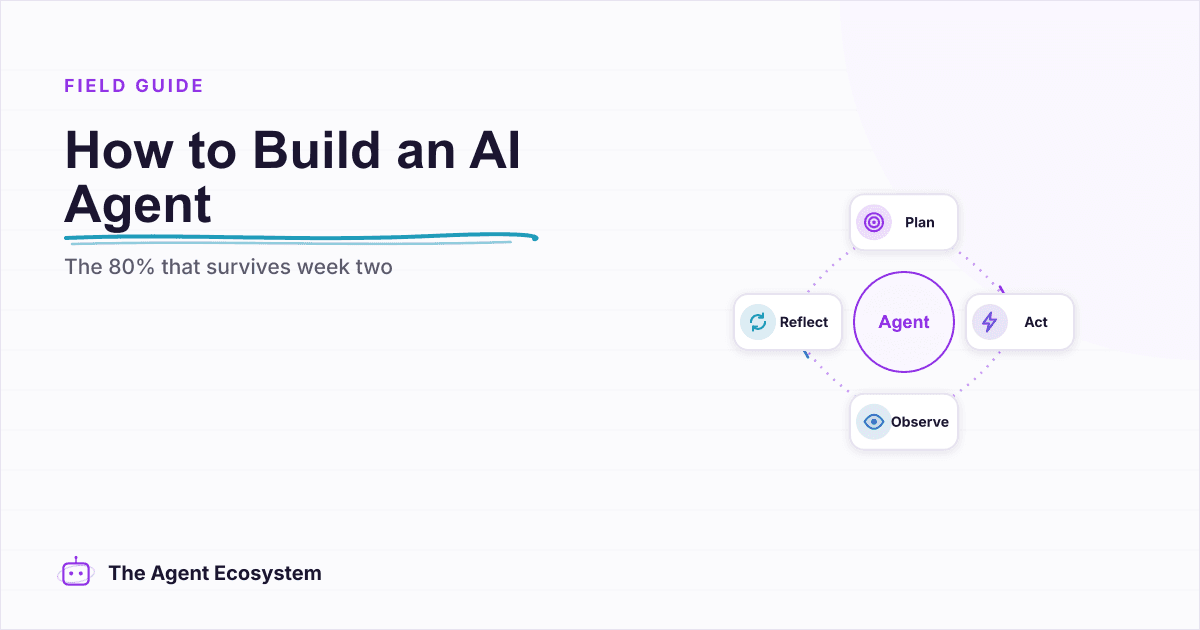
How to Build an AI Agent: The 80% That Survives Week Two
Most tutorials get you a working agent in ten minutes and skip what breaks it in week two. Sixteen lessons covering the loop, tool descriptions, memory, fallbacks, guardrails, evaluation, and the cost levers that decide your bill.
Open-Weight vs Closed LLMs in 2026: Cost, Quality, Control
Should you call a closed API like Claude or GPT, or self-host an open-weight model like DeepSeek or Qwen? Skip the hot takes. This is a four-axis framework (cost, quality, control, privacy) plus a decision flowchart, using dated June 2026 facts.
The 2026 Model Wave: What It Changes for Automation Builders
Three model releases landed in two weeks in June 2026: Fable 5, open-weight GLM-5.2, and limited-preview GPT-5.6. Skip the leaderboard drama. Here is the builder's take on which model belongs on which workflow step, with every price and benchmark dated and attributed.