How to Connect Ollama to n8n (Free Local AI Agent, Step by Step)
The exact Base URL fix for native, Docker Desktop, and Linux server setups
AI-drafted, reviewed by Muhammad Qasim Hammad on June 7, 2026. See our AI disclosure.
Table of contents
- What is the fastest way to connect Ollama to n8n?
- Which Ollama Base URL should you use in n8n?
- How do you install Ollama and pull a model?
- How do you create the Ollama credential in n8n?
- How do you build the first local AI Agent workflow?
- Why does host.docker.internal fail on Linux?
- When should you use Ollama instead of the Claude API in n8n?
- What should you do next?
The credential test fails because n8n is looking inside the container, not at Ollama on your host. Fix it by choosing the right Base URL for where n8n actually runs: http://localhost:11434 for native installs, or http://host.docker.internal:11434 when n8n is in Docker.
If you have hit that gray "Connection failed" error and restarted Ollama three times without result, you are not alone. The networking mismatch between Docker containers and the host machine is the single most common reason this setup breaks, and most tutorials skip it entirely.
 Running a local model through n8n costs $0 per token and keeps data on your machine.
What is the fastest way to connect Ollama to n8n?#
Install Ollama, pull one model, create an Ollama credential in n8n with the correct Base URL for your setup, attach an Ollama Chat Model sub-node to an AI Agent node, and run a test prompt. The whole process takes under 15 minutes if the networking is right. The table in the next section tells you exactly which URL to use.
For context on how this fits into a broader stack, see the solopreneur AI automation cost guide, which puts the $0 per-token cost of local models against paid API pricing.
Which Ollama Base URL should you use in n8n?#
The right Base URL depends entirely on where n8n is running, not where Ollama is running. Ollama always serves at port 11434 on the host machine. The question is whether n8n can see "the host machine" via localhost or needs a different address to escape its container.
| Setup | n8n runs where? | Ollama runs where? | Base URL in n8n | Extra step | Common failure |
|---|---|---|---|---|---|
| Local / native | n8n native on host | Same host | http://localhost:11434 | None | Ollama app not running |
| Docker Desktop (Mac/Windows) | n8n container | Same host | http://host.docker.internal:11434 | Usually none | Using localhost from inside container |
| Linux Docker / server | n8n container | Same host | http://host.docker.internal:11434 | Add extra_hosts: host.docker.internal:host-gateway | host.docker.internal not defined |
| Remote Ollama / proxy | n8n anywhere | Remote server | Remote HTTPS URL | Optional Bearer API key | Exposing Ollama without authentication |
According to the Ollama n8n integration docs, host.docker.internal is the correct address when n8n runs through Docker. On Linux it must be explicitly mapped because Docker Desktop adds it automatically on Mac and Windows, but Docker Engine on Linux does not.
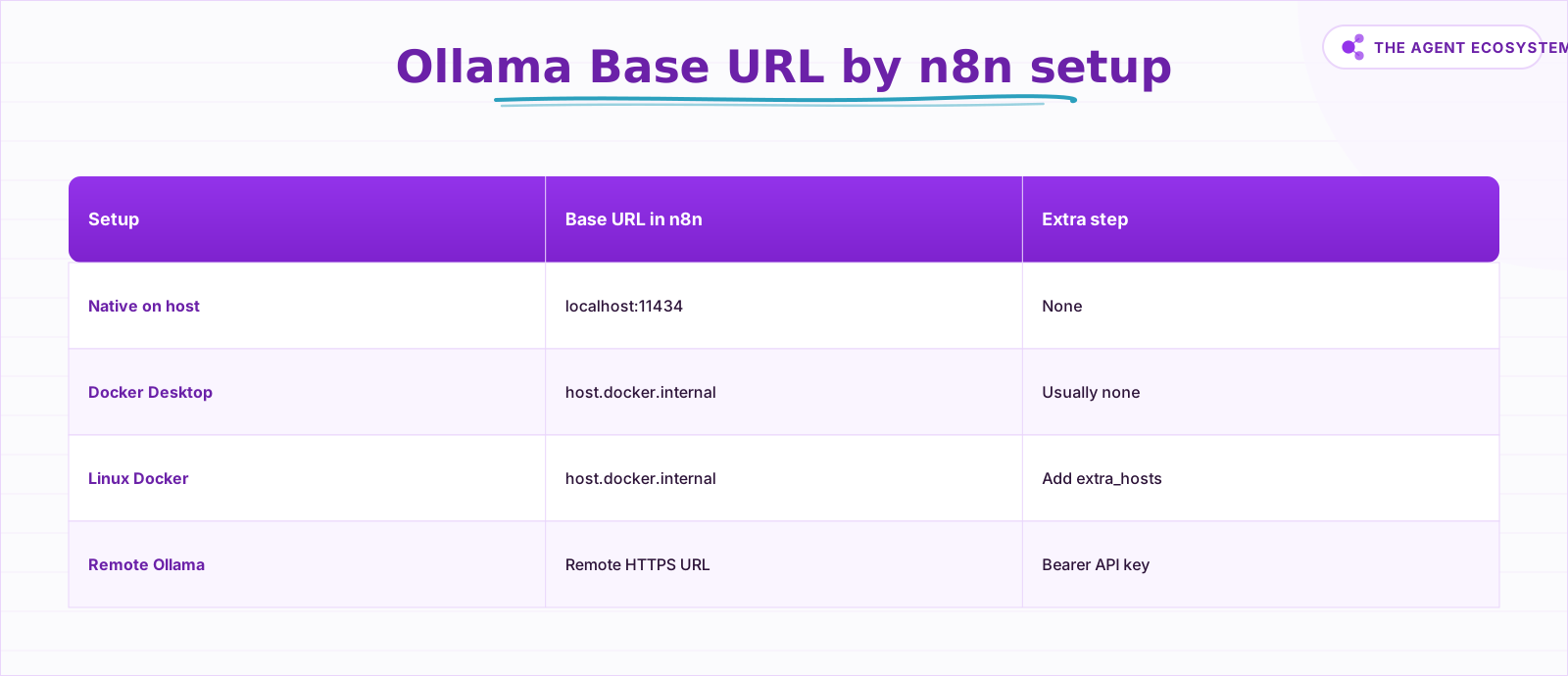 Find your row first, then set the Base URL in the n8n credential.
How do you install Ollama and pull a model?#
Download Ollama from ollama.com for your OS, then pull one small model before opening n8n. After installation, the local API listens at http://localhost:11434/api, as documented in the Ollama API introduction. If the server is not running, start the app or run ollama serve.
ollama pull llama3.1
curl http://localhost:11434/api/tags
The api/tags call returns a JSON list of every model you have pulled. If you see llama3.1 in that list, Ollama is running and the model is ready. A connection refused error means Ollama is not running. Start it with ollama serve in a terminal or launch the desktop app.
You can also test using the OpenAI-compatible endpoint that Ollama exposes at /v1/chat/completions. This is the same format n8n's OpenAI credential uses, which makes it useful for debugging:
curl -X POST http://localhost:11434/v1/chat/completions \
  -H "Content-Type: application/json" \
  -d '{
    "model": "llama3.1",
    "messages": [{ "role": "user", "content": "Write a one-sentence email summary." }]
  }'
The API key field in that endpoint is required by the OpenAI client format but ignored by the local Ollama server. Pass any string or leave it as a placeholder.
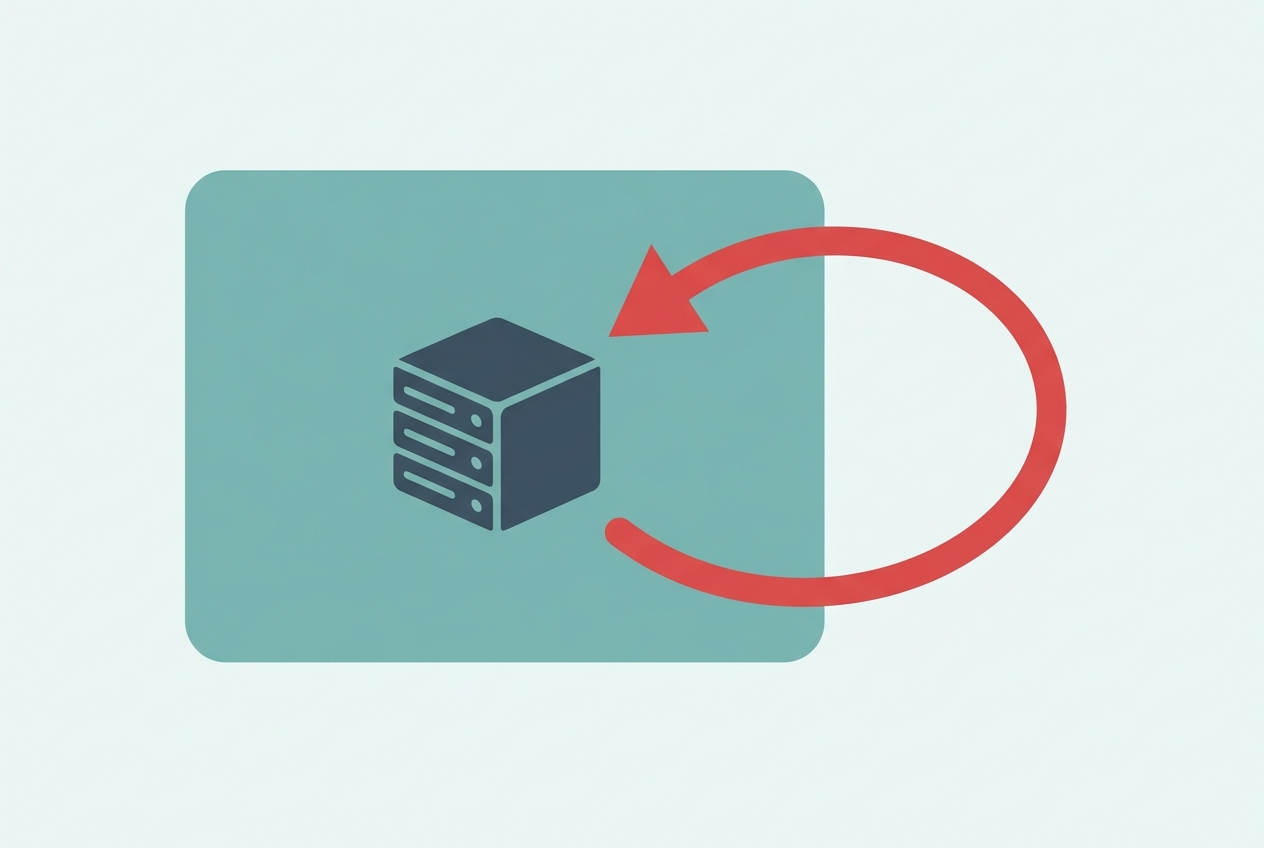 Inside Docker, localhost points to the container. Use host.docker.internal to escape it.
How do you create the Ollama credential in n8n?#
Create a new credential in n8n, select the Ollama type, and set the Base URL to match your setup from the table above. No API key is needed for local use. The n8n Ollama credentials docs confirm the only required field is the Base URL, which defaults to http://localhost:11434.
Step by step:
- Open n8n and go to Settings in the left sidebar.
- Click Credentials, then Add Credential.
- Search for "Ollama" and select it.
- Set Base URL to
http://localhost:11434(native) orhttp://host.docker.internal:11434(Docker). - Leave API Key blank for local setups.
- Click Save, then Test to confirm the connection.
A green checkmark means n8n reached the Ollama server. A red error almost always means the wrong Base URL for your setup.
How do you build the first local AI Agent workflow?#
Add a Chat Trigger or Manual Trigger node, connect it to an AI Agent node, then attach an Ollama Chat Model sub-node below the agent. The n8n AI Agent node docs require at least one tool sub-node connected alongside the model. Start with an HTTP Request or Data Table tool to satisfy that requirement.
The n8n Ollama Chat Model sub-node exposes a Model field, plus Temperature and other sampling controls. Use the exact model name you pulled in Ollama, for example llama3.1, unless your n8n version presents a fixed dropdown.
A minimal working workflow looks like this:
- Chat Trigger (receives the user message)
- AI Agent node (orchestrates reasoning and tool calls)
- Ollama Chat Model sub-node (attached to the agent's model input, using your Ollama credential)
- HTTP Request tool sub-node (attached to the agent's tool input, pointed at any API you need)
Test with a small, specific prompt first: "Summarize this text in one sentence." Once that returns clean output, wire in real tools like Google Sheets for automated lead follow-up workflows.
Why does host.docker.internal fail on Linux?#
On Linux, Docker Engine does not automatically add host.docker.internal as a resolvable hostname inside containers. Docker Desktop on Mac and Windows handles this silently, which is why tutorials written on a Mac often skip this step. On a Linux server or desktop running Docker Engine directly, the hostname simply does not exist unless you add it.
The fix is one line in your docker-compose.yml, as specified in the Ollama n8n integration guide:
services:
  n8n:
    image: n8nio/n8n:latest
    extra_hosts:
      - "host.docker.internal:host-gateway"
host-gateway is a special Docker value that resolves to the host machine's IP from inside the container. After adding this line, run docker compose down && docker compose up -d to restart with the new config. The n8n Docker installation docs show the standard container runs on 5678:5678, so your n8n instance stays at http://localhost:5678 after the restart.
If you started the container with docker run instead of Compose, pass --add-host=host.docker.internal:host-gateway as a flag.
 Local agents handle sensitive data tasks without a single byte leaving your machine.
When should you use Ollama instead of the Claude API in n8n?#
Use Ollama when volume is high, data is sensitive, or the quality bar is moderate. Use a hosted API like Claude when reasoning quality, instruction-following precision, or low latency matter most. The decision is mostly about cost and privacy, not capability at small scale.
| Criterion | Ollama (local) | Claude / OpenAI API |
|---|---|---|
| Per-token cost | $0 | Varies by model and provider |
| Data privacy | Fully local, no data leaves your machine | Data sent to third-party servers |
| Reasoning quality (complex tasks) | Moderate (depends on model size) | High |
| Max context window | Depends on pulled model and memory | Depends on model and provider |
| Setup time | 10-15 minutes | 2 minutes (API key only) |
| Offline use | Yes | No |
| Best for | Summaries, extraction, classification, high-volume drafts | Complex agents, precise instructions, client-facing outputs |
For a deeper comparison of which local tool to pick before this step, the Ollama vs LM Studio vs Jan guide covers why Ollama fits automation builders best, including its OpenAI-compatible endpoints that work directly with n8n's OpenAI credential node as an alternative path.
What should you do next?#
Get the credential test green first. The agent workflow and tool connections are straightforward once the Base URL is right. If you are on Linux and still stuck after adding extra_hosts, run docker exec -it <n8n-container-name> curl http://host.docker.internal:11434/api/tags from your terminal to confirm the container can reach Ollama before touching the n8n UI again.
The natural next build is a local AI Agent that reads from a Google Sheet, processes each row with Ollama, and writes results back, all at $0 per run. That kind of high-volume, private workflow is where local models pay for themselves.
Another build on the same foundation: local RAG over your business documents, where the same Embeddings Ollama node indexes contracts and SOPs you can then query privately for $0.
Frequently asked questions
Can n8n use Ollama for free?
What Base URL should I use for Ollama in n8n?
Why does n8n fail to connect to Ollama in Docker?
Do I need an API key for local Ollama?
Can I use Ollama with the n8n AI Agent node?
Is Ollama good enough for production automations?
Sources
Primary references and vendor documentation used while drafting and reviewing this article.
Written by

Muhammad Qasim Hammad is an AI agent and automation expert and the founder of Cart Gaze LLC (cartgaze.com). He builds product for the love of it: when an idea lands, a working prototype is usually running within hours, built with the same AI agents and automations he sells. He puts his own output at roughly 20× what it was before agents, and the Agentic OS behind this site is the working proof, documented in public with the tools he actually ran and what they really cost.
AI & Automation Services
Want a pipeline like this running in your business?
I'm Qasim — I design and ship AI agents and n8n automations for solo operators and small teams. Tell me what's eating your team's week, and I'll scope a fix.
Related reading
Ollama vs LM Studio vs Jan: Best Local LLM Tool for 2026
Running a local LLM cuts your AI API bill to $0 and keeps client data off third-party servers. This breakdown of Ollama, LM Studio, and Jan tells you exactly which tool fits a solo operator's workflow.

How to Choose an LLM for Your n8n AI Agent (2026)
Kimi K3, GLM-5.2, DeepSeek V4, Claude, and GPT all plug into an n8n AI Agent, and they are not interchangeable. Here are the 5 questions that decide the pick for your agent, and why the honest answer for most workflows is to route by task, not standardize on one.
Fully Local RAG in n8n: Private Embeddings, No Cloud APIs (2026)
Most "local RAG" setups still send your documents to a cloud embeddings API. This guide closes every leak: local embeddings via Ollama, a self-hosted Qdrant or PGVector store, and a local answering model, all in n8n.
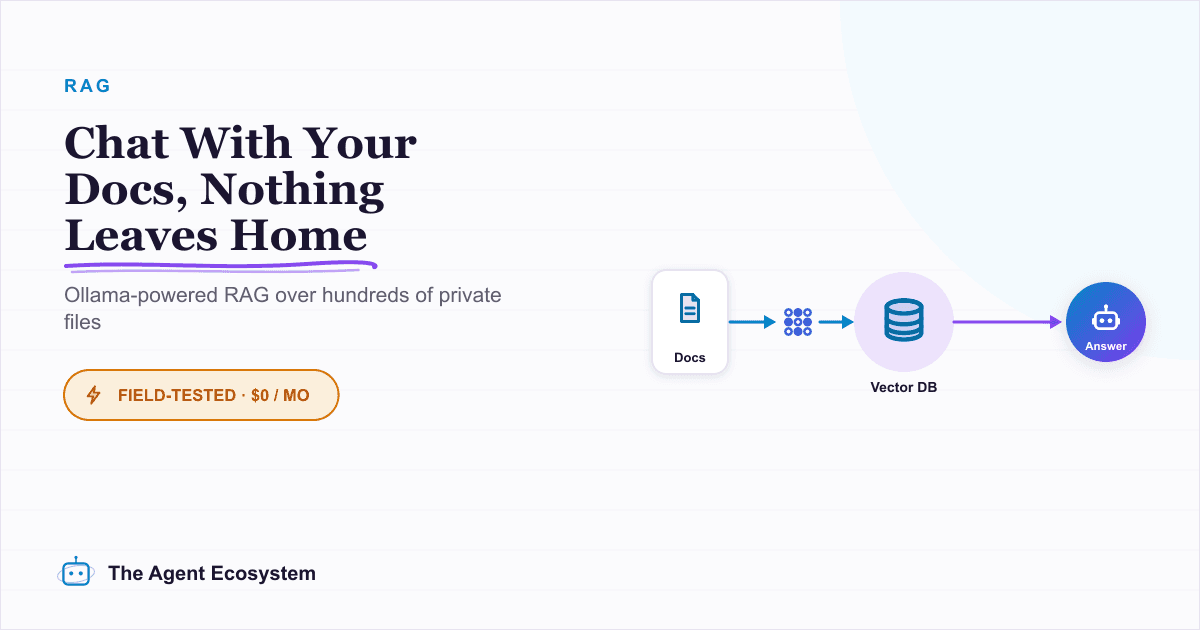
Local RAG With Ollama: Chat With Your Business Docs Privately
Local RAG with Ollama lets you ask questions across hundreds of private documents without uploading a single file to the cloud. This guide covers three paths from 20-minute desktop setup to n8n pipelines, all at $0 running cost.
Add an AI Chatbot to Your Website With n8n (Chat Trigger)
Add a working AI chat widget to any website using n8n's Chat Trigger node and the @n8n/chat embed snippet. No React, no SaaS widget, about $7.25 per 1,000 conversations on Claude Haiku 4.5.
The Exact AI Automation Stack I Use as a Solopreneur in 2026 (With Real Monthly Costs)
Most "AI stack" posts hide the bill. Mine runs under $10/month. Here is every tool, the exact tier, the real cost, and the job each layer does for my one-person content business.