Fully Local RAG in n8n: Private Embeddings, No Cloud APIs (2026)
Close every cloud leak in your RAG pipeline with Ollama, Qdrant, and PGVector
AI-drafted, reviewed by Muhammad Qasim Hammad on June 27, 2026. See our AI disclosure.
Table of contents
- What Does Fully Local RAG in n8n Actually Mean?
- Where Do Most Local RAG Builds Still Leak to the Cloud?
- How Do You Run Private Embeddings with the Embeddings Ollama Node?
- Which Self-Hosted Vector Store Should You Use, Qdrant or PGVector?
- How Do You Wire the Full Pipeline in n8n?
- The ingestion workflow
- The query workflow
- What Do You Give Up by Going Fully Local?
- How Do You Verify Nothing Leaves Your Server?
- Where to Go from Here
You followed a "local RAG" tutorial, got Ollama running, and felt safe. Then you opened your network monitor and noticed the embeddings step was still calling api.openai.com, and your vectors were sitting in a hosted Pinecone cluster. Every line of every client contract had already left the building. A fully local RAG in n8n pipeline closes that leak by running embeddings, the vector store, and the answering model all on hardware you control.
For a solopreneur handling client contracts, HR records, or anything under GDPR, this distinction is not academic. The embedding step reads every sentence of every document. A hosted embeddings API or a cloud vector DB holds a searchable copy of that text indefinitely. One misconfigured Base URL and the leak is invisible in your workflow but very visible to anyone watching the wire.
I run Ollama on a 16GB Mac and n8n self-hosted on a small Hetzner VPS. The VPS handles n8n and even Qdrant or Postgres fine, but it cannot load an LLM with any real capacity. The honest deployment note: either co-locate n8n with Ollama on the machine that has the RAM, or keep Ollama on your workstation and point n8n at it over your LAN.
What Does Fully Local RAG in n8n Actually Mean?#
A fully local RAG pipeline in n8n means every node that touches your text points at a service on your own hardware, not a third-party API. Data can leave at exactly three points: embedding documents, embedding the question, and generating the answer. All three must point at localhost or an internal address.
n8n has native nodes for all three layers. The Embeddings Ollama node generates embeddings by calling an Ollama instance you control, with no remote endpoint hard-coded. The vector store nodes (Qdrant and PGVector) connect to whatever URL you configure. The Ollama Chat Model node uses the same Ollama credential. Point all three at internal addresses and the pipeline is genuinely local.
The n8n Community edition runs on your own infrastructure with no license fee, so the self-hosted path costs nothing beyond your hardware.
Where Do Most Local RAG Builds Still Leak to the Cloud?#
Most "local RAG" builds fix only the answering layer. They swap GPT-4 for a local Ollama chat model and call it done, while the embedding step still calls OpenAI or Cohere and the vectors still land in a hosted Pinecone cluster. The full text of every document you index has already left twice.
The table below maps each pipeline stage to the cloud service that usually handles it and the local n8n node that closes the leak.
| Pipeline stage | What usually leaks it | Local n8n node that closes it | Stays local when |
|---|---|---|---|
| Embed documents (index) | OpenAI / Cohere embeddings API | Embeddings Ollama | Base URL = localhost:11434 |
| Store vectors | Pinecone / Qdrant Cloud | Qdrant or PGVector Vector Store | URL or DB host is internal |
| Embed the question | Same embeddings API again | Embeddings Ollama (same model) | Same local model is reused |
| Generate the answer | OpenAI / Anthropic chat API | Ollama Chat Model | Base URL = localhost:11434 |
| Orchestration | n8n Cloud | n8n Community self-hosted | Runs on your own server |
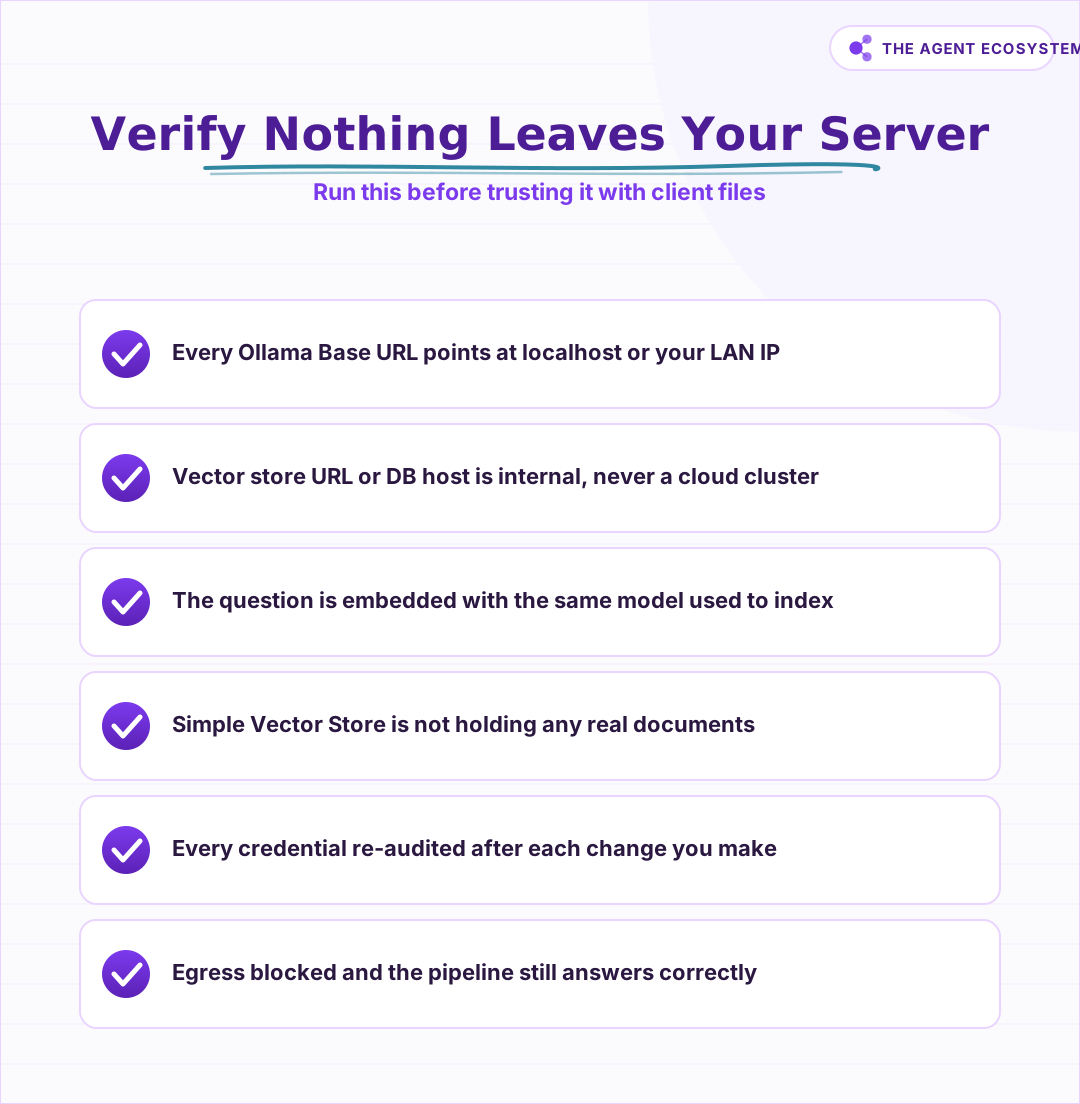 Run this check before trusting the pipeline with real client data.
How Do You Run Private Embeddings with the Embeddings Ollama Node?#
Private embeddings in n8n work by pointing the Embeddings Ollama node at a local Ollama instance via the Ollama credential. The credential takes an instance Base URL, which defaults to http://localhost:11434 unless your OLLAMA_HOST environment variable overrides it. On IPv6 machines, use http://127.0.0.1:11434 instead of localhost to avoid resolution issues.
The Ollama embeddings docs recommend three models for semantic search and RAG: embeddinggemma, qwen3-embedding, and all-minilm. For parameter size reference, Ollama's embedding models blog post lists mxbai-embed-large at 334M parameters, nomic-embed-text at 137M parameters, and all-minilm at 23M parameters. Bigger means richer vectors and more RAM. Embedding vector dimensions typically range from 384 to 1024, per Ollama's docs.
The Embeddings Ollama node makes no external call beyond the Base URL set in the credential. If that URL is a local address, the text being embedded never leaves the machine.
Which Self-Hosted Vector Store Should You Use, Qdrant or PGVector?#
For a fully local build, the right vector store depends on what you already run. Pick PGVector if you already have Postgres: it adds SQL metadata filtering. Pick Qdrant for a purpose-built database that runs in Docker on port 6333. Both cost $0 in license fees.
The Simple (In-Memory) Vector Store is also fully local, but n8n's docs are explicit: data is lost when n8n restarts and the store may be purged under memory pressure. Use it only to prototype wiring, never for documents you need to keep.
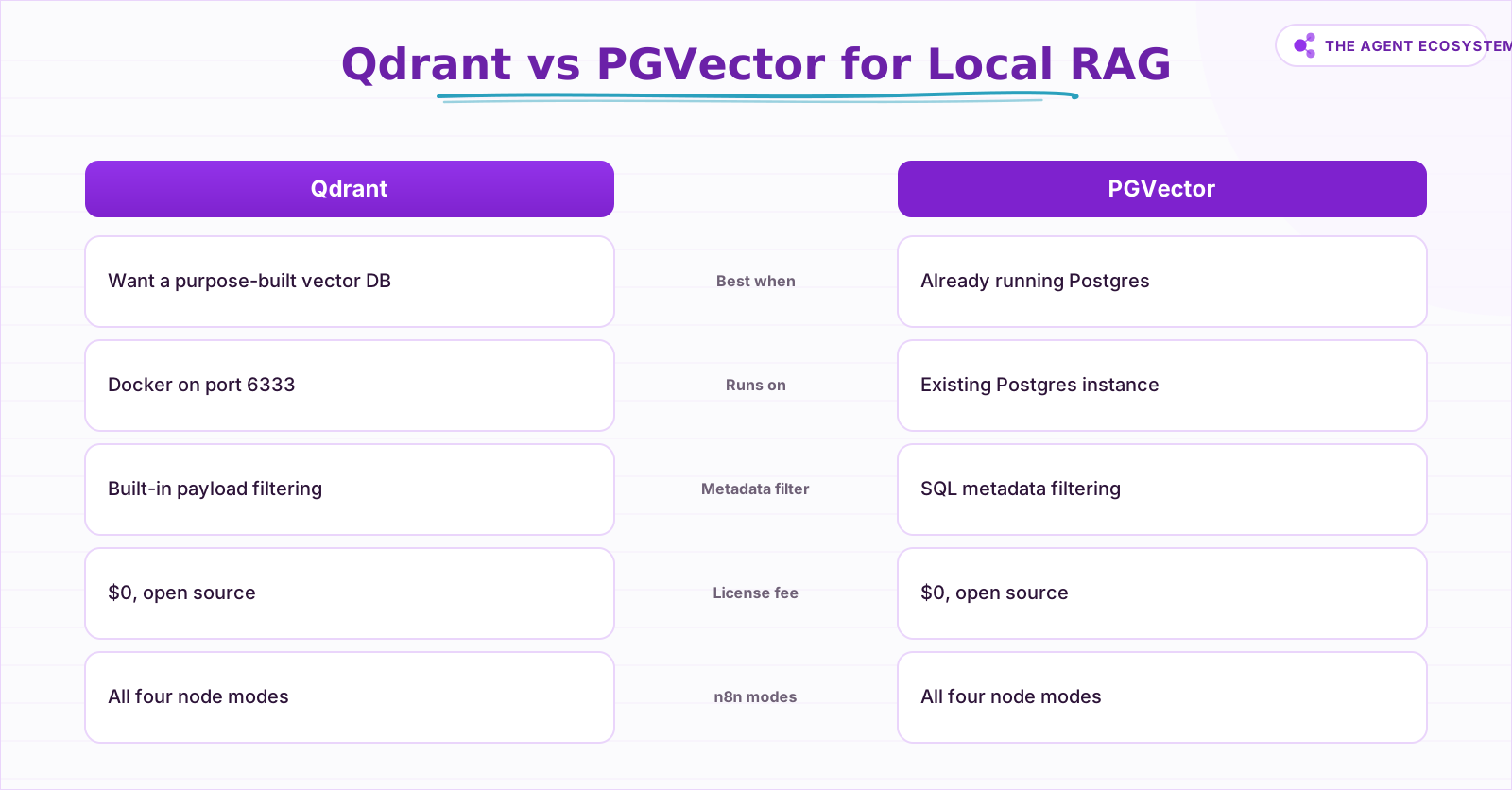 Both are open-source and cost $0 in license fees.
Both the Qdrant Vector Store node and the PGVector node support four modes: Get Many, Insert Documents, Retrieve (as vector store for chain), and Retrieve (as tool for AI Agent). The mode you choose depends on whether you use a Question and Answer Chain or an AI Agent for the answering step.
How Do You Wire the Full Pipeline in n8n?#
Wiring a fully local RAG pipeline in n8n takes two separate workflows: one for ingestion (loading and indexing documents) and one for querying (answering questions). Both share the same Embeddings Ollama node pointing at the same local model. That shared model is the key constraint that keeps retrieval coherent.
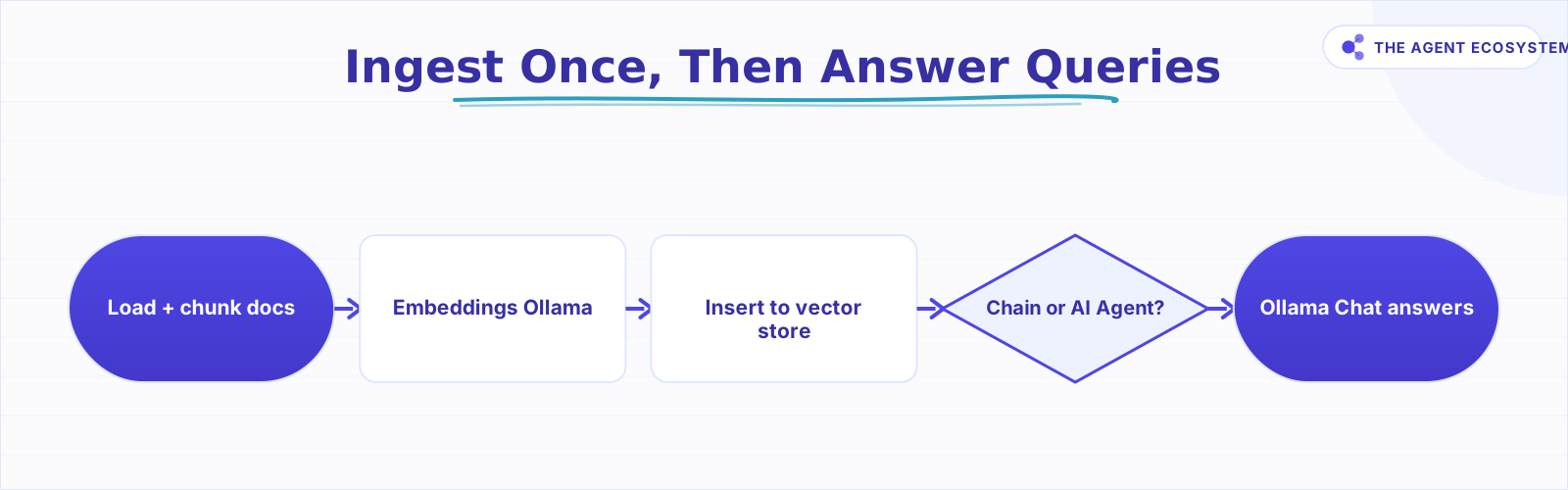 The same Embeddings Ollama model must be used to index and to query.
The ingestion workflow#
- Bring your document into n8n (from disk, HTTP, or a trigger node).
- Connect a Default Data Loader sub-node. In Simple mode, it uses the Recursive Character Text Splitter with a default chunk size of 1000 and overlap of 200.
- Feed the chunks into the Embeddings Ollama node with your chosen local embedding model.
- Connect the Qdrant Vector Store or PGVector Vector Store node in Insert Documents mode.
The query workflow#
- Take the user's question as input.
- Pass it to the same Embeddings Ollama node with the identical model used during indexing.
- Connect the vector store node in Retrieve (as vector store for chain) mode.
- Feed the retrieved chunks into the Ollama Chat Model node via a Question and Answer Chain or an AI Agent node set to use the vector store as a tool.
The Ollama Chat Model common-issues page covers all four deployment shapes (both on one host, Ollama in Docker, n8n in Docker, both in Docker) with the correct Base URL for each: http://localhost:11434, http://host.docker.internal:11434, or the Docker container name.
What Do You Give Up by Going Fully Local?#
Going fully local is a deliberate trade, not a free lunch. You get full data privacy and $0 per-query API cost, but you carry the hardware and accept the reasoning ceiling of whatever local model you run. On hard multi-step reasoning across many documents, a frontier cloud API still outperforms a small local model.
The hardware floor is real. A small VPS handles n8n and even Qdrant or Postgres comfortably, but it cannot run Ollama with any meaningful model size. You need the RAM on the machine hosting Ollama, not the machine hosting n8n.
There is also a switching cost that catches people off guard. Change the embedding model and every vector currently in your store is stale. You must re-embed the entire document corpus from scratch because vectors from two different models are not comparable, as Ollama's embeddings docs make clear.
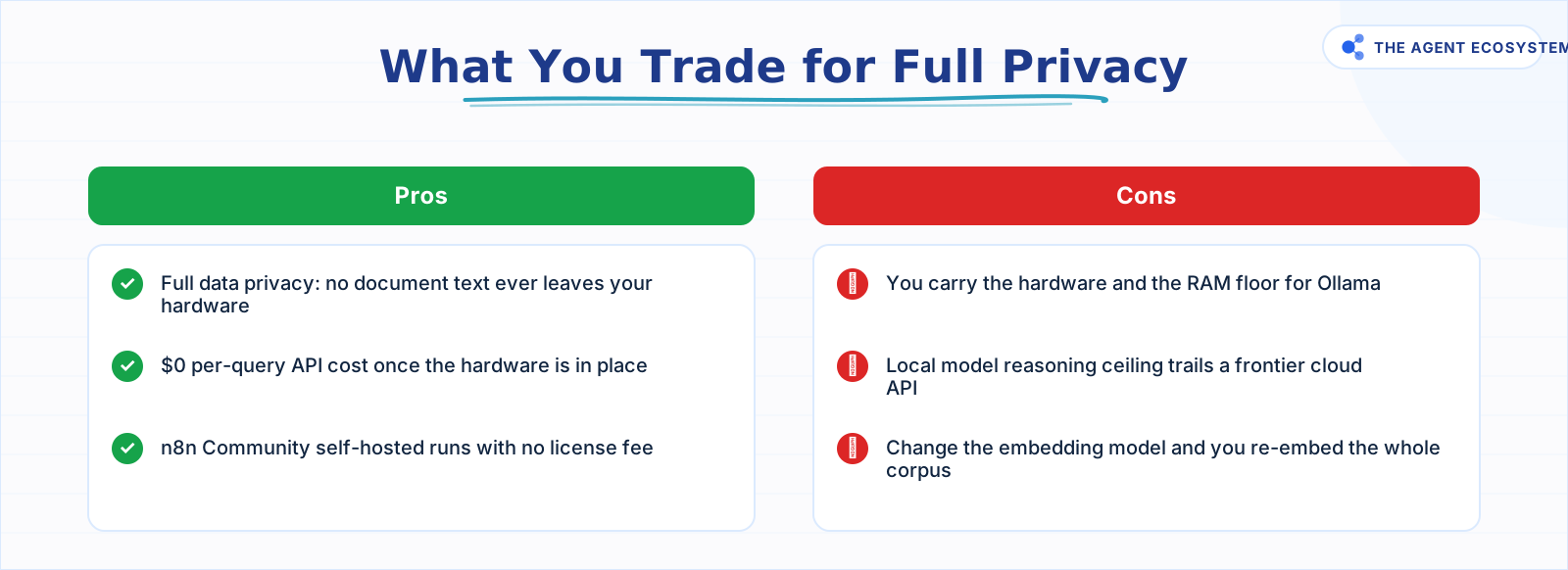 The trade is real: full privacy costs you reasoning depth and RAM.
When is a cloud API the honest fallback? When the reasoning task is complex enough that a local model produces consistently wrong answers and your data is not under a hard privacy constraint. The choice is privacy-first versus raw answer quality, and both are legitimate.
How Do You Verify Nothing Leaves Your Server?#
Verification is two steps: audit every credential, then confirm the pipeline works with the network completely blocked. Open every Ollama credential in n8n and confirm the Base URL is a local address. Check every vector store credential and confirm the Qdrant URL or Postgres host is internal, never a cloud cluster address.
Then pull the cable (or block egress via your firewall). Ask the bot a real question about a document you indexed. If it returns the correct snippet with no network access, the pipeline is genuinely local. If it times out or errors, something in the chain is still phoning home.
Do this every time you make a credential change or add a new node to the pipeline. It takes 30 seconds and it is the only test that actually proves privacy.
Where to Go from Here#
If you have not wired Ollama into n8n yet, start with connecting Ollama to n8n for a local AI agent to get the credential and Base URL right first. Then compare PGVector, Chroma, and Qdrant for self-hosted RAG to decide whether to migrate stores as your corpus grows.
Frequently asked questions
Can I build a RAG pipeline in n8n with no cloud APIs at all?
How do I generate embeddings locally in n8n?
Which self-hosted vector store works best with n8n, Qdrant or PGVector?
Is a fully local RAG pipeline as accurate as one using OpenAI embeddings?
Does going fully local cost anything?
How do I prove nothing is leaving my server?
Sources
Primary references and vendor documentation used while drafting and reviewing this article.
- n8n Embeddings Ollama node documentation
- n8n Ollama credential documentation
- n8n Ollama Chat Model node documentation
- n8n Ollama Chat Model common issues
- Ollama embeddings capabilities documentation
- Ollama embedding models blog post
- n8n Qdrant Vector Store node documentation
- n8n Qdrant credential documentation
- Qdrant open-source repository (Apache-2.0, Docker, port 6333)
- n8n PGVector Vector Store node documentation
- pgvector open-source PostgreSQL extension
- n8n In-Memory Vector Store node documentation
- n8n Default Data Loader sub-node documentation
- n8n Recursive Character Text Splitter sub-node documentation
- n8n Question and Answer Chain node documentation
- n8n AI Agent node documentation
- n8n Community edition features
- n8n pricing (Cloud vs self-hosted)
Written by

Muhammad Qasim Hammad is an AI agent and automation expert and the founder of Cart Gaze LLC (cartgaze.com). He builds product for the love of it: when an idea lands, a working prototype is usually running within hours, built with the same AI agents and automations he sells. He puts his own output at roughly 20× what it was before agents, and the Agentic OS behind this site is the working proof, documented in public with the tools he actually ran and what they really cost.
AI & Automation Services
Want a pipeline like this running in your business?
I'm Qasim — I design and ship AI agents and n8n automations for solo operators and small teams. Tell me what's eating your team's week, and I'll scope a fix.
Related reading
Self-Hosted n8n RAG Pipeline: The Private Stack
A fully self-hosted RAG pipeline keeps your documents and compute in-house: n8n orchestrates, Ollama serves a local model, and pgvector stores embeddings in Postgres. Here is the end-to-end node graph, the modeled cost, and when self-hosting beats a managed stack.

Local RAG With Ollama: Chat With Your Business Docs Privately
Local RAG with Ollama lets you ask questions across hundreds of private documents without uploading a single file to the cloud. This guide covers three paths from 20-minute desktop setup to n8n pipelines, all at $0 running cost.
Best Embedding Model for n8n RAG: OpenAI vs Gemini vs Local (2026)
Choosing between n8n RAG embeddings comes down to four verifiable axes: dimensions, price per 1M tokens, max input context, and cloud vs local. This guide compares OpenAI, Gemini, and Ollama options so you pick the one you can live with.
pgvector vs Chroma vs Qdrant: Choosing a Vector Database for RAG
Compare pgvector, Chroma, and Qdrant for local RAG pipelines. Get the three-line decision: already on Postgres, use pgvector; prototyping locally, use Chroma; need scale or heavy filtering, use Qdrant.
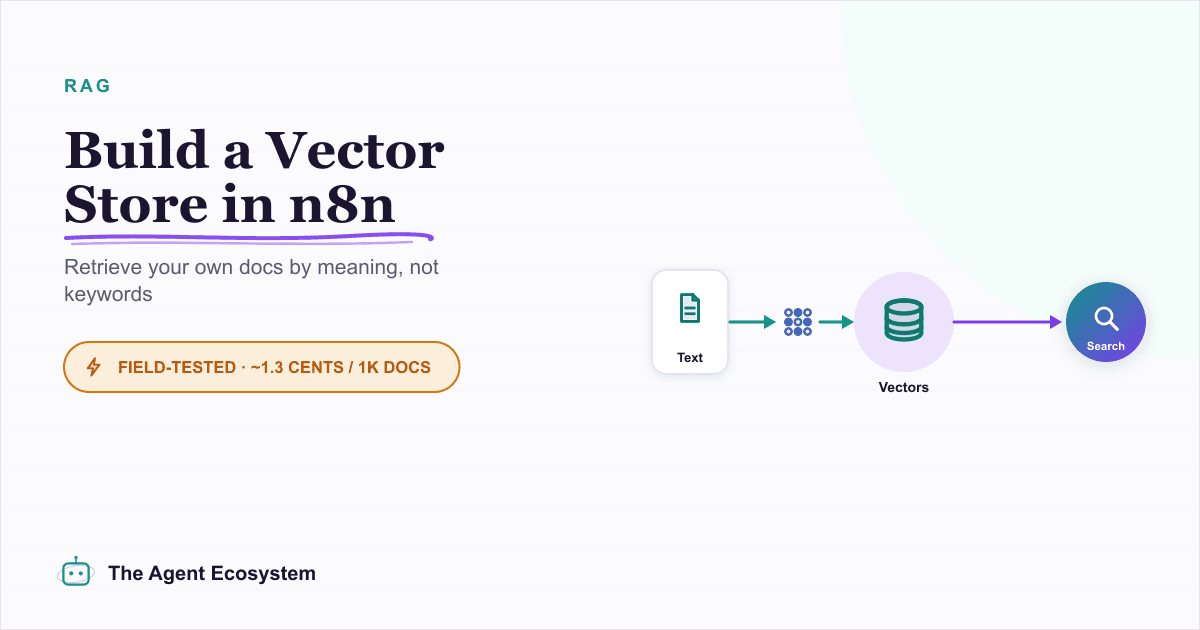
Build a Vector Store in n8n (Embeddings for RAG)
Build an n8n vector store that retrieves your own documents by meaning, not keywords. Embedding 1,000 docs costs ~1.3 cents; Supabase free-tier storage costs $0. Full node wiring and step-by-step setup inside.
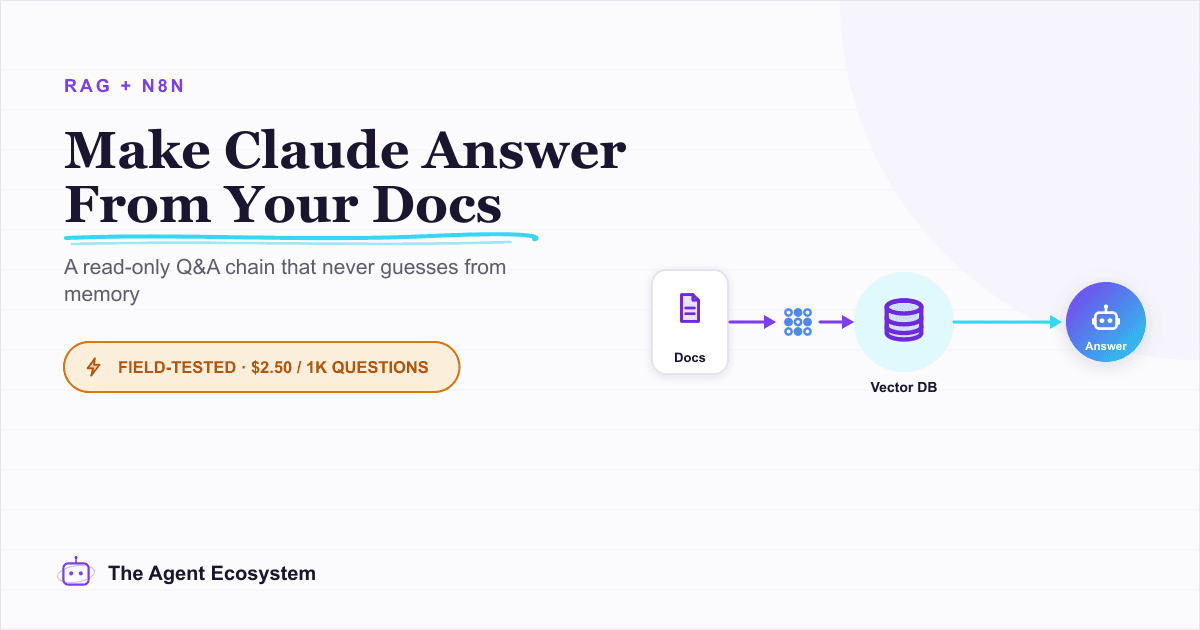
Build a Question and Answer Chain in n8n (Answer From Your Docs)
The n8n Question and Answer Chain retrieves passages from your own vector store and answers from them, not from the model's memory. Index once for about $0.01, then answer 1,000 questions for about $2.50 on Claude Haiku 4.5.