Field guide · Automation
AI Automation for Solopreneurs: What to Build First
Twelve lessons on the order of operations: which job to automate first when you are the only person in the business, and what it costs.
- Lessons
- 12
- Read
- 22 min
- Figures
- 7
AI-drafted, reviewed by Muhammad Qasim Hammad on October 6, 2026. See our AI disclosure.
Table of contents
- What you will end up with
- 1. Pick the one job, and make it small
- 1.5 The jobs that look automatable and are not
- 2. Count what it costs you today
- 3. Choose the platform once, then stop shopping
- 4. Build the first one end to end
- 4.5 The trigger that actually fires
- 5. Automate the inbox second
- 6. Automate onboarding third
- 7. Add AI only where a rule cannot decide
- 7.5 What adding a model does to the bill
- 8. Find out before the client does
- 9. Keep a backup you can restore
- 10. Measure what you actually got back
- 10.5 The hours you cannot bank
- 11. Know when to stop
- 12. What to run this week
- What I would do differently
- Where to go next
You do not have an automation problem. You have a "which of these forty things is worth automating" problem, and every tool you evaluate assumes you already solved it. This guide is the order of operations: what to automate first when you are the only person in the business, and what it costs.
The symptom is a Zapier account with nine half-built zaps, an n8n instance you set up in a burst of enthusiasm, and a working week that looks exactly like it did before. The tools were never the constraint.
What you will end up with#
Three automations running unattended, a number for what each one saves you, and a rule for deciding whether the fourth is worth building. Thirteen lessons, and each one maps to a decision you make before you touch a canvas.
What this does not cover: hiring, agencies, or anything that assumes a team. The whole premise is that there is one of you.
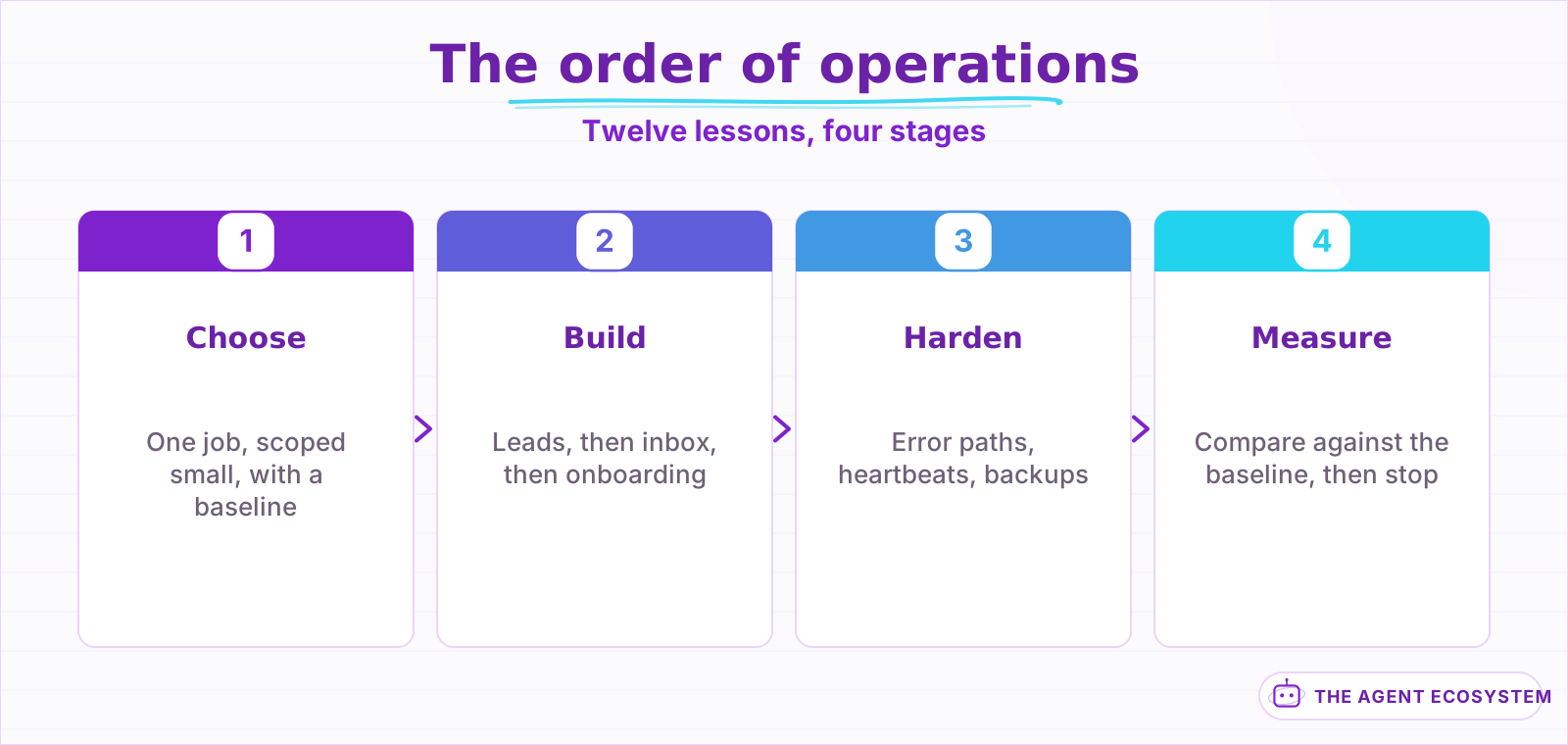 Each stage assumes the one before it. The rework comes from skipping ahead.
| Lessons | What you get | Roughly |
|---|---|---|
| 1 to 3 | The one job worth automating, and its baseline | 15 min |
| 4 to 7 | Three working automations | 25 min |
| 8 to 13 | Keeping them alive and knowing what they returned | 20 min |
Lesson 1Pick the one job, and make it small#
Scope is the lever here exactly as it is everywhere else. The instinct is to automate the thing that annoys you most. The correct answer is to automate the thing that is most repetitive, most rule-shaped, and least visible to the client if it breaks in week one.
Those three tests rule out most candidates immediately, which is the point.
- Does it happen at least weekly? Below that you will never recover the build time.
- Can you write down the decision rule in one sentence? If it needs judgement, it needs lesson 7, not lesson 4.
- If it silently failed for two days, would a client notice? Start with something where the answer is no.
Lead follow-up passes all three. Invoicing passes the first two and fails the third, so it is a later automation with a human gate. "Write my newsletter" fails all three and is not an automation at all.
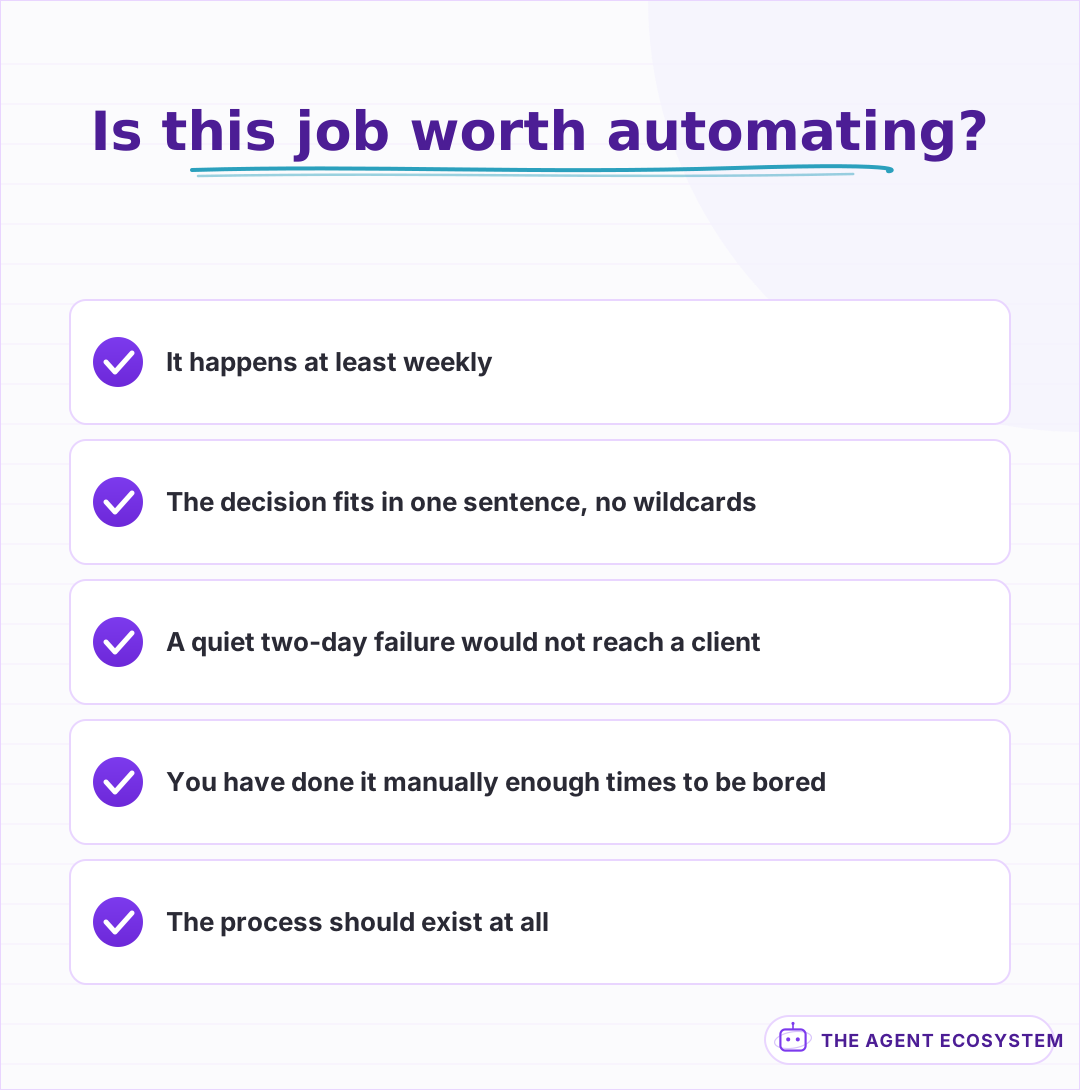 All three must pass. Most candidates fail the second or third.
Write the job down as a sentence with a failure case in it, the same way you would scope an agent:
Weak  : "Automate my leads."
Better: "When a form is submitted, add the lead to the CRM and send
         the intro email. If the email is missing or invalid, drop it
         in a review queue and notify me."
That second version is buildable in an evening and every part of it can be checked.
Aside 1.5The jobs that look automatable and are not#
Three keep coming up, and all three burn a weekend before you find out.
| Looks automatable | Actually is | Because |
|---|---|---|
| Clients send info however they like | A parsing problem | The input has no fixed shape |
| A ten-minute monthly task | A hobby project | Four-hour build, two-year payback |
| Something you have done five times | Premature | You have not met the edge cases yet |
| "Write my newsletter" | Not a workflow | The output is judgement, not a field |
Anything where the input format changes. If clients send you information in whatever shape they like, you are not automating a workflow, you are building a parser. That is lesson 6's problem and it needs a model, not a rule.
Anything you do fewer than four times a month. The arithmetic almost never works. A four-hour build against a ten-minute monthly task pays back in two years.
Anything you have not done manually twenty times. You do not yet know the edge cases, so you will encode the happy path and discover the rest in production, on a client.
The last one is the one people argue with. Do it manually until it is boring. Boredom is the signal that the rules are stable.
Lesson 2Count what it costs you today#
You cannot tell whether an automation paid off without a number from before it existed, and "it feels faster" is not a number. This takes twenty minutes and it is the only measurement in the guide that you cannot reconstruct later.
For the job you picked in lesson 1, write down three things over one normal week:
- How many times it ran.
- How long one run takes you, timed, not estimated.
- What it costs when you get it wrong, in refunds, apologies, or a lost lead.
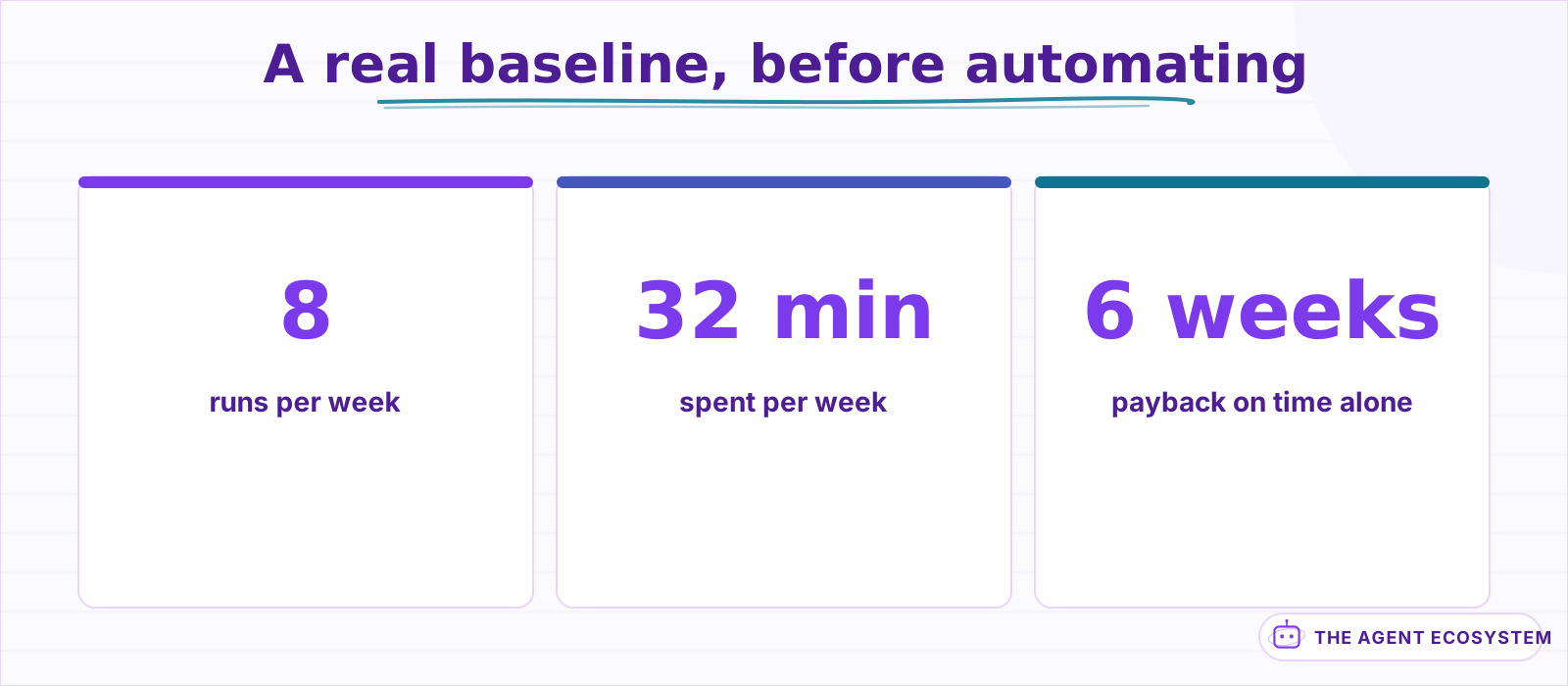 Measured over one normal week. The failure cost is the line that usually decides it.
The third number is the one people skip and the one that usually justifies the build. A lead follow-up that takes four minutes and happens eight times a week is 32 minutes. That alone is a weak case. One lead lost per month because you replied on Thursday instead of Monday is a much stronger one, and it is the same automation.
A real one, written out, so the shape is obvious:
Job     : reply to inbound enquiry form
Runs    : 8 per week
Time    : 4 min each, timed          -> 32 min/week
Failure : ~1 lead/month replied to late enough that they went elsewhere
Build   : ~4 hours
Payback : 6 weeks on time alone, immediately if the lost lead is real
Notice which line does the work. The 32 minutes pays the build back in a month and a half, which is fine but not compelling. The lost lead makes it obvious, and you only have that line because you wrote down the third number.
Keep the note. Lesson 11 is where you compare against it, and by then you will not remember what the week looked like.
Lesson 3Choose the platform once, then stop shopping#
There are three real options for a one-person business and the differences that matter are not the feature lists.
| Option | Real cost | Good when | The catch |
|---|---|---|---|
| Zapier | Per task, scales with volume | You want it working tonight | Gets expensive exactly as it gets useful |
| Make.com | Per operation, cheaper at volume | Multi-step scenarios | Steeper canvas, more concepts |
| n8n (self-hosted) | Server cost only, roughly EUR 0 in fees | You will run a lot of volume, or want AI in the loop | You own the uptime |
The measured cost comparison across all three, with the crossover point, is in n8n vs Make vs Zapier: Cost Comparison.
The same lead-follow-up wired on each:
Pick on cost shape, not features. A per-task price is fine at ten runs a day and painful at a thousand, and the thing you are building in lesson 4 will run more often than you expect.
Then stop evaluating. Tool comparison is the most comfortable form of procrastination available to a solopreneur, because it feels like work and produces nothing.
Lesson 4Build the first one end to end#
Build the whole path before you make any part of it good. A rough automation that runs start to finish teaches you more in ten minutes than a beautifully built first node teaches you in an hour.
The lead follow-up, in the order to wire it:
- Trigger on the form submission and log the raw payload somewhere you can read it.
- Validate the fields you depend on. Route anything missing to a review queue rather than dropping it.
- Write to the CRM.
- Send the email.
- Notify yourself that it ran, for the first week only.
Form -> validate -> CRM -> email -> notify me
                 \
                  -> review queue (missing or invalid)
Step 5 comes off after a week. Notifications for successful runs are how you stop reading notifications.
The full build with the branching is in How Solopreneurs Automate Lead Follow-Up, and the CRM-side scoring variant is in n8n HubSpot Lead Scoring.
Aside 4.5The trigger that actually fires#
Half of all broken first automations are trigger problems, not logic problems, and they fail silently because a trigger that never fires produces no error.
Three that bite:
- Polling instead of webhooks. A five-minute poll means a lead waits five minutes and your run count multiplies by however often you poll, whether or not anything happened.
- Form tools that change their payload. Ship a validation step (lesson 4, step 2) and it becomes visible instead of silent.
- Test mode. Plenty of form builders send test submissions to a different endpoint than live ones. It works in testing and never fires in production.
Confirm the trigger by submitting a real form from a real browser in an incognito window, not by pressing the platform's "test" button. Those are different code paths and only one of them is the one your clients use.
Lesson 5Automate the inbox second#
The inbox is the second automation because it is high-frequency, rule-shaped for most of its volume, and invisible to clients when it misfires. It is also where you will first be tempted to reach for a model, and mostly you should not.
Sort before you summarize:
- Route by sender and subject pattern first. Rules handle most of the volume for free.
- Send only the leftovers to a model for classification.
- Never let either one send a reply unattended. Draft, do not send.
The ladder that keeps the bill near zero:
| Volume | Handled by | Cost |
|---|---|---|
| Newsletters, receipts, notifications | Sender rules | Free |
| Known clients | Sender rules plus a label | Free |
| Everything else | One model call, classify only | Cents |
| Anything it is unsure about | You | Your time, deliberately |
Most inboxes are 80% rule-shaped. Sending all of it to a model because some of it needs one is the single most common way a cheap automation turns into a monthly bill you resent.
That third rule is not caution about model quality. It is that an email sent in your name is not recoverable, and the whole point of lesson 1's third test was to start where mistakes are cheap.
One more thing about drafts. A drafted reply that you approve in two seconds is worth far more than a perfect autonomous reply you never see, because the two-second review is what keeps you aware of what is arriving. The moment you stop reading the drafts, you have lost the signal that told you which new thing is worth automating next.
The triage build is in Claude Email Triage Agent in n8n, and the ticket-shaped version is in n8n Zendesk Ticket Triage.
Lesson 6Automate onboarding third#
Onboarding is where automation stops saving you minutes and starts saving you reputation, because the failure mode is a client sitting in silence wondering whether you forgot them.
It is also the first automation with real branching, which is why it is third and not first:
- Contract signed triggers the run.
- Create the folder, the project, and the invoice.
- Send the welcome sequence on a schedule, not all at once.
- Anything that needs a decision goes to you, with the context attached.
Step 4 is the pattern from the agent guide's approval gate, applied to a workflow with no model in it. The gate is not about AI, it is about irreversibility.
›The branches that actually come up in onboarding
The happy path is four steps. These are the ones that break it, and all four showed up within the first ten clients:
- Contract signed by someone whose email is not the billing contact.
- A client who is already in the CRM from a previous project.
- Payment that fails after the welcome sequence has started.
- A signature that arrives at 2am on a Saturday, so the schedule fires at a bad time.
Each one wants the same treatment: detect it, stop, and hand it to a human with the context attached. Do not try to resolve them automatically. There are four of them and they are all different, which is the definition of a job that is not rule-shaped.
The full build is in Automate Client Onboarding with n8n.
Lesson 7Add AI only where a rule cannot decide#
By now you have three automations and none of them need a model. That is the correct state. A model is the most expensive and least predictable node you can add, so it earns its place only where the input genuinely varies.
The test: can you write the decision as an if-statement without a wildcard? If yes, write the if-statement.
| Job | Rule or model | Why |
|---|---|---|
| Route by sender domain | Rule | Deterministic, free, debuggable |
| Assign to a project by keyword | Rule | You control the keyword list |
| Flag invoices over a threshold | Rule | It is a number comparison |
| Deduplicate a lead by email | Rule | Exact match, no judgement |
| Detect an angry customer | Model | Tone has no if-statement |
| Extract a total from a PDF invoice | Model | Layout varies per supplier |
| Summarize a call transcript | Model | Output is prose, not a field |
| Decide whether a reply needs you | Model | The input is unbounded |
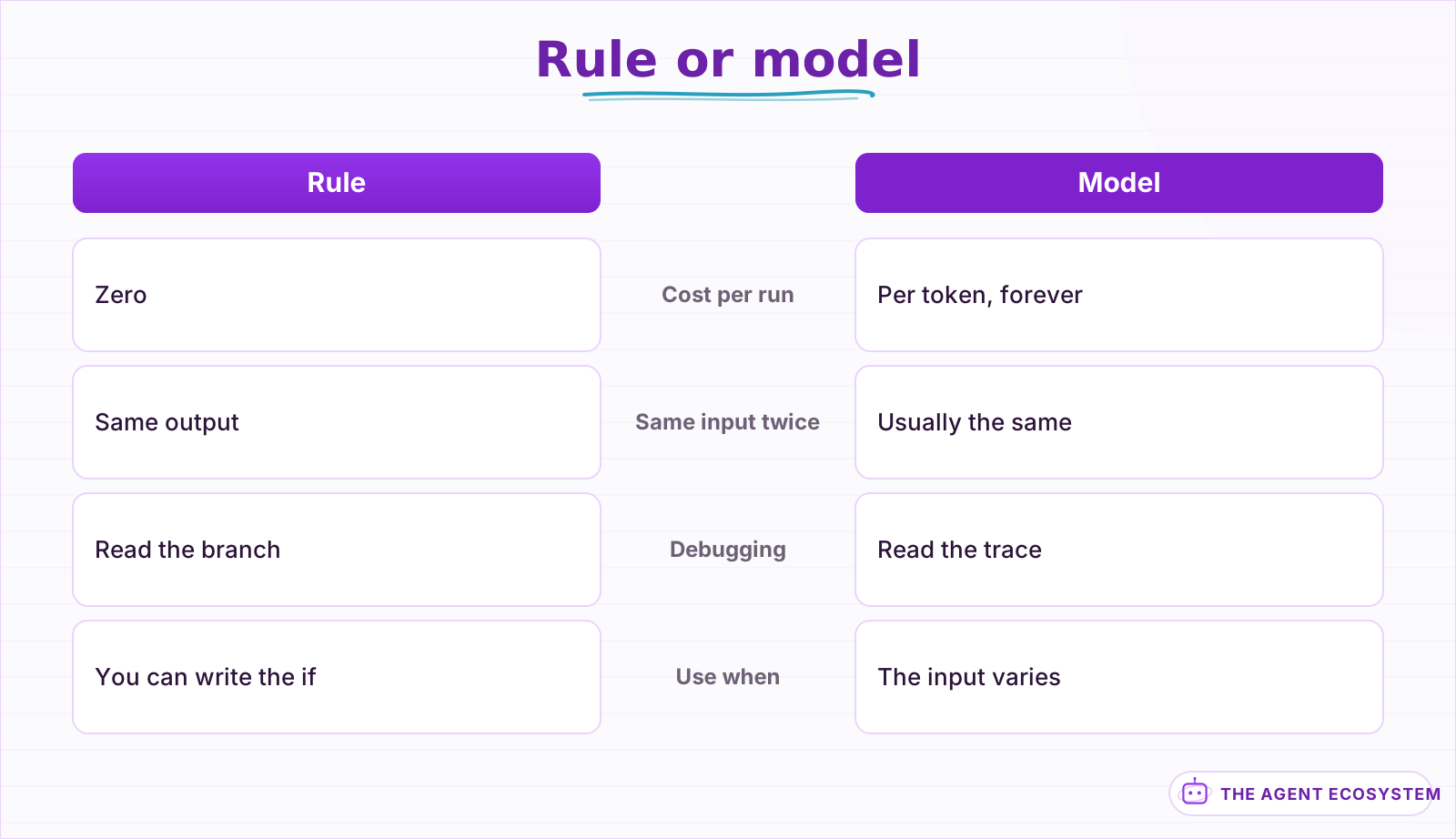 A model is the most expensive and least predictable node available. Make it earn the slot.
Where a model does earn it, the pattern is the same every time: constrain the output to a schema, give it an honest failure case, and validate before anything downstream runs. That is lesson 8 in the agent guide and it applies unchanged here.
Worked examples of the model-shaped jobs: n8n AI Document Extraction, n8n AI Sentiment Analysis, and n8n AI Content Moderation.
Aside 7.5What adding a model does to the bill#
The moment you add a model node, your automation stops costing a flat platform fee and starts costing per run, forever, in proportion to volume.
Estimate your own agent cost
Whole run: 3,000 input + 500 output tokens
| Model | Per run | Per 1,000 runs |
|---|---|---|
| Gemini 2.5 Flash | $0.0022 | $2.15 |
| Haiku 4.5 | $0.0055 | $5.50 |
| Sonnet 4.6 | $0.017 | $16.50 |
Modeled, not billed. Context is re-sent every iteration, so input scales with the loop. Prices are per million tokens and move; check your provider before planning against these.
That calculator is sized for an agent loop. A single classification step is the cheap end of it: one call, small input, no iteration. The expensive shape is the one that loops, and lesson 1 of the agent guide is about not reaching for a loop when a single call will do.
Two levers apply immediately:
- Route the volume through rules first, so the model only sees the leftovers.
- Use the cheapest tier that passes. The spread between tiers is far larger than most people assume.
The measured spread is in Claude vs GPT vs Gemini in n8n, and the token arithmetic is in Estimate LLM API Cost.
Lesson 8Find out before the client does#
An automation that fails loudly is a nuisance. One that fails silently is the reason people stop trusting automation entirely, because the first sign is a client asking why they never heard back.
Three things, in the order they pay off:
- An error path on every workflow. Not per node. One handler that catches anything and tells you which run, which step, and with what input.
- A heartbeat on anything scheduled. A workflow that should run daily and has not run in two days is a failure, but nothing errors, because nothing ran.
- A dead-letter queue. Failures go somewhere you can replay them from once you fix the cause, rather than being lost.
Number 2 is the one almost nobody builds and the one that catches the worst failures. Silence is not success.
every workflow -> on error -> capture {run_id, step, input, message}
                           -> notify one channel you actually read
                           -> park the payload for replay
The heartbeat is the cheap half and almost nobody builds it:
- Every scheduled workflow writes a timestamp somewhere on success.
- One separate workflow runs daily and checks those timestamps.
- Anything older than its expected interval plus a margin gets reported.
That second workflow is the only one whose failure is invisible, so give it the simplest possible job and check it manually once a month. Watching the watchman is not free, but it is one calendar reminder against a category of failure that otherwise never surfaces.
The reusable error workflow is in n8n Error Handling for Reliable Workflows.
Lesson 9Keep a backup you can restore#
Your automations are now business logic that exists in one place, owned by a vendor, editable by a mis-click. Treat them like code.
- Export the workflow definitions on a schedule.
- Commit them somewhere with history, so you can see what changed and when.
- Restore one, once, deliberately, so you know the backup works.
Step 3 is the whole point. An untested backup is a belief, not a backup.
What a real restore test looks like, once, on a quiet afternoon:
1. Duplicate a live workflow and rename the copy.
2. Delete the copy.
3. Restore it from your export.
4. Check the credentials reconnected. They usually do not.
Step 4 is why this test exists. Most export formats do not carry credentials, so a restore gives you the logic back and leaves every connection broken. Better to learn that on a duplicate than during an outage.
The git-backed version is in n8n Workflow Backup with Git.
Lesson 10Measure what you actually got back#
Go back to the note from lesson 2. For each automation, compute the same three numbers and compare.
| Measure | Before | After | Honest question |
|---|---|---|---|
| Runs per week | your count | platform count | Is it firing as often as you expected? |
| Minutes per run | timed | near zero | Did the time move, or move to reviewing output? |
| Errors caught late | your count | dead-letter count | Are failures visible now? |
The third row is the one that changes minds. Most first automations do not save dramatic time; they convert invisible failures into visible ones, which is worth more than the minutes.
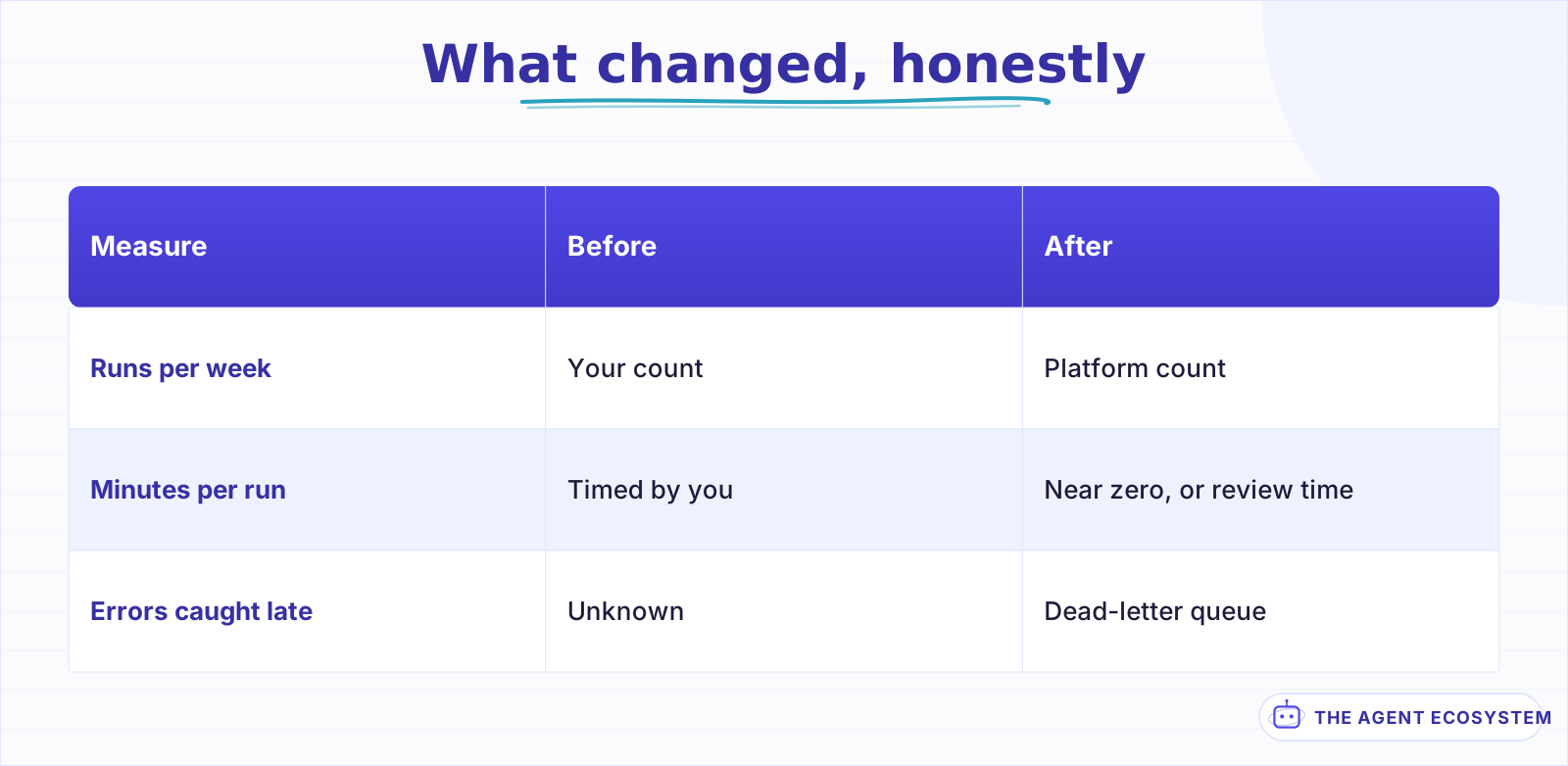 The third row moves most. Automation converts invisible failures into visible ones.
Aside 10.5The hours you cannot bank#
Here is the thing nobody says in an automation case study. Saving four hours a week does not give you four hours. It gives you fragments: six minutes here, twenty there, scattered across days.
Fragments are not the same as a block, and if you do not deliberately consolidate them, the time is absorbed and you will genuinely wonder where the benefit went.
What to actually do with the fragments:
- Name the slot the automation freed, in the calendar, the day you turn it on.
- Put one thing in it that was previously getting squeezed: the follow-ups, the writing, the pipeline.
- Check after a month whether that thing actually happened in that slot.
If step 3 says no, the automation did not give you time back. It gave you a slightly less compressed week, which is worth something but is not what you told yourself you were buying.
The fix is boring and it works: when an automation takes a recurring task off your calendar, put something else in that slot the same day. An automation that frees Tuesday morning and leaves Tuesday morning empty gives back nothing you can point at.
Lesson 11Know when to stop#
There is a point where the next automation costs more than it returns, and it arrives earlier than most people expect. Three signals that you have reached it:
- The build time exceeds a year of the task. Four hours to save five minutes a month is a hobby, and there is nothing wrong with that as long as you are honest about which one it is.
- You are automating around a process you should delete. The fastest automation is not doing the thing. Check that first, every time. A weekly report nobody reads does not need generating automatically; it needs cancelling, and you will know within two weeks of stopping whether anyone missed it.
- Maintenance is compounding. Every workflow is a small ongoing tax: API changes, credential rotations, schema drift. Ten workflows is a system you maintain.
A rough figure worth carrying: assume each live workflow costs you an hour a quarter in maintenance you did not plan for. Credentials expire, an API deprecates a field, a form tool changes its payload shape. Ten workflows is a working day a quarter before anything new gets built.
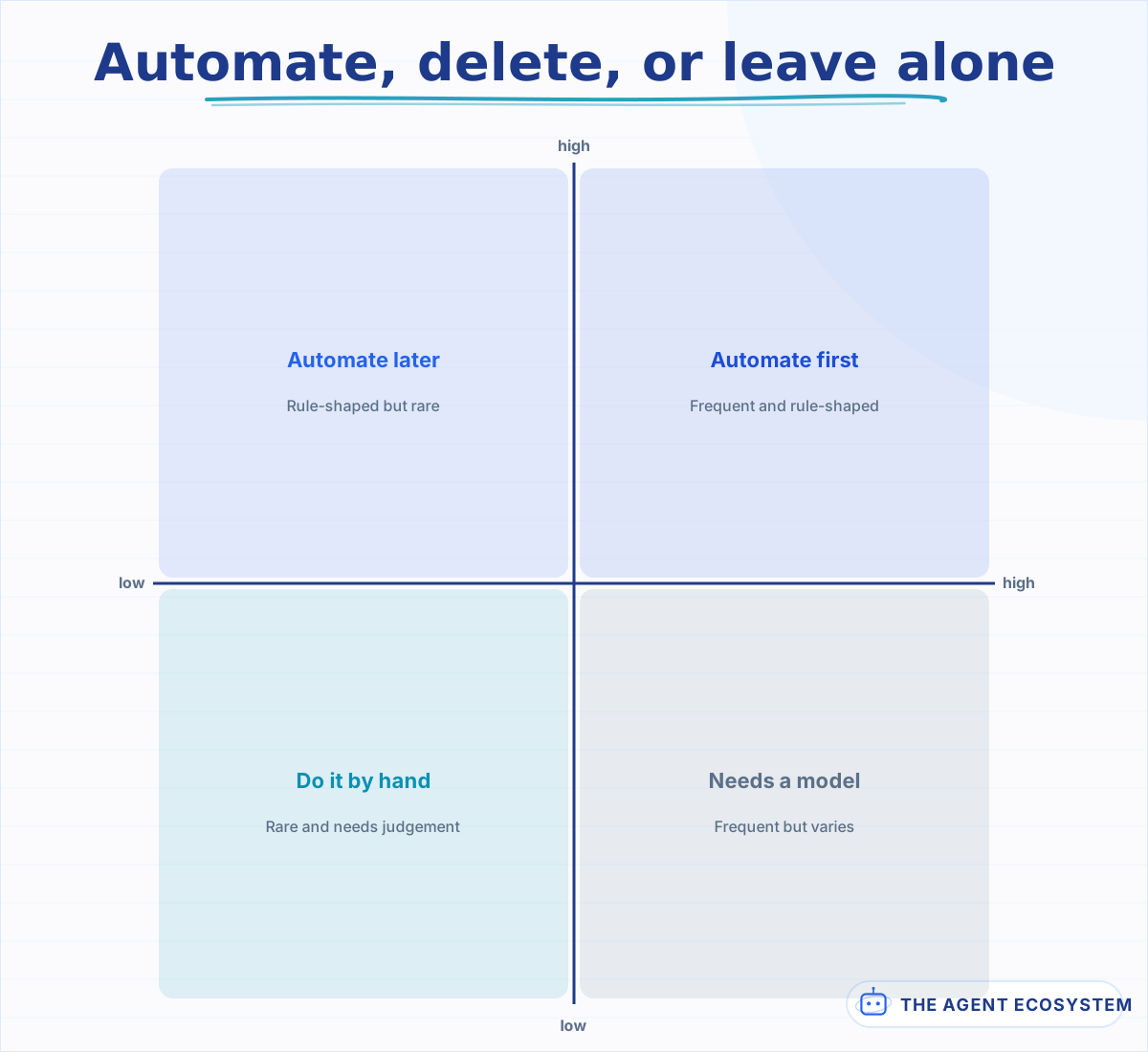 Frequency alone does not justify a build. The vertical axis is what decides the method.
That third one is the real ceiling for a one-person business. It is not how many automations you can build, it is how many you can keep alive while doing the actual work.
Lesson 12What to run this week#
One automation, end to end, from lesson 1's list. Not three.
- Write the job down as a sentence with its failure case in it.
- Spend twenty minutes counting the baseline.
- Build the whole path rough, including the error handler.
- Run it live for a week with the success notification on.
- Turn the notification off and leave it alone.
If a whole automation feels like too much for one week, the honest smaller version is lesson 2 alone: spend twenty minutes counting the baseline for the job you would automate. That is the step that decides whether the rest is worth doing, and it is the one nobody does.
If you get through that and it is still running in two weeks, do the second one. The compounding here comes from automations that survive, not from automations that got built.
What I would do differently#
Build the second automation only after the first has survived two weeks. The temptation is to start the next one the day the first works. Failure modes only appear on real input, and the same failure found once is cheaper than the same failure found in three places at once.
The second thing is the baseline in lesson 2, the step most often skipped and the only one that cannot be reconstructed later. Without it the question that actually matters, whether any of this was worth the weekends, has no answer but a feeling. Twenty minutes of counting up front, and the feeling becomes a number.
Third, smaller: success notifications. They go on in the first week for good reason and then stay on, and within a month they are filtered to a folder, which means the failures are filtered too. Notify on failure, never on success, past the first week.
What I am still unsure about is the model question in lesson 7. The default here is rules, with a model only where the input genuinely varies, and I think that is right on cost and on debuggability. But the price of the cheap tiers has fallen fast enough that the line has moved twice in a year, and it will move again. I have not changed the default. I have started checking it more often.
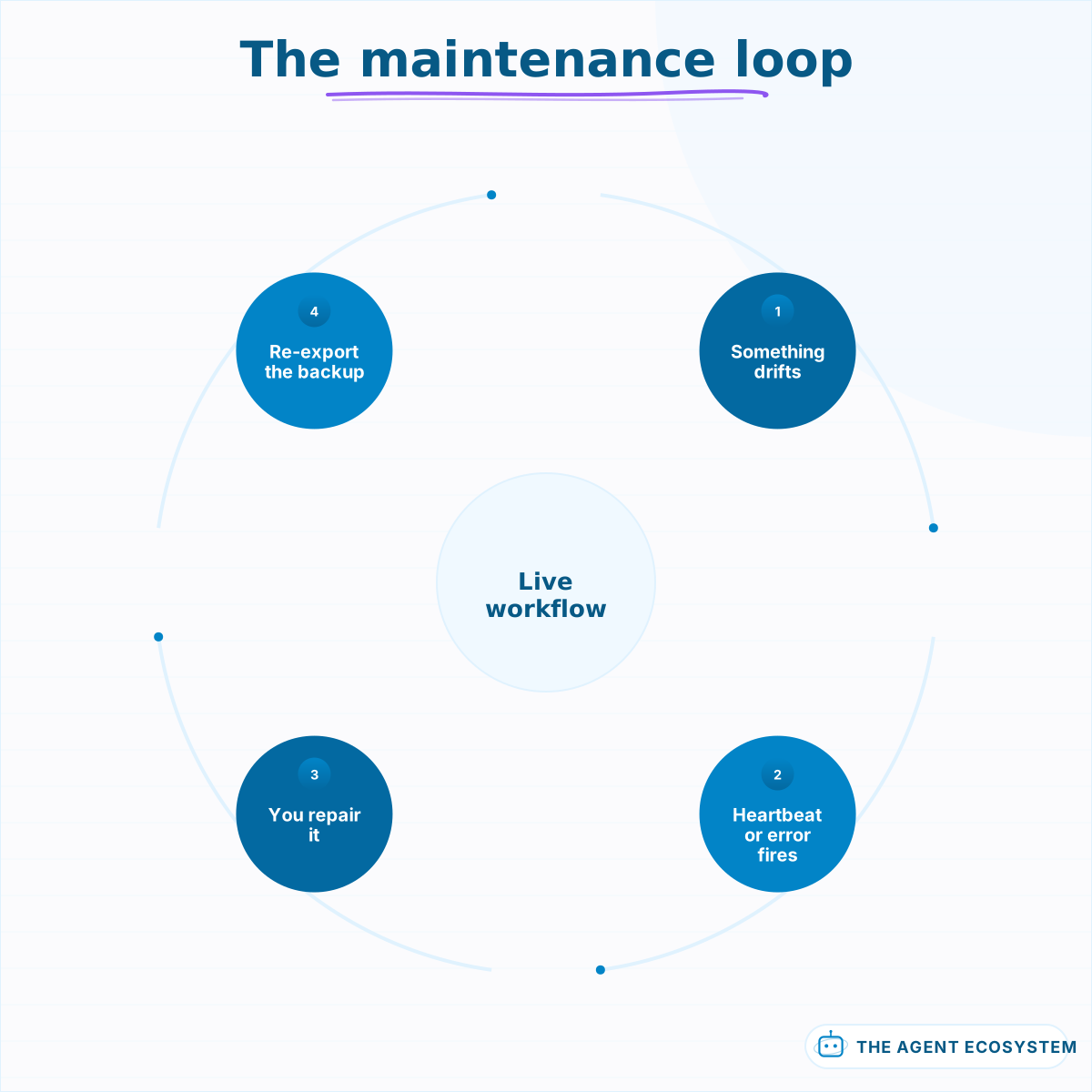 Roughly an hour a quarter, per live workflow. This is the real ceiling, not build time.
Where to go next#
If you have nothing running yet, lesson 1 is the honest starting point, and the most common outcome is discovering the job you wanted to automate should be deleted instead.
If something is running and the question is cost, start at AI Automation Stack: Real Costs. If you are deciding whether a job needs a model at all, the chain-versus-agent test in How to Build an AI Agent is the same decision one level down. And if you are ready to give an automation the ability to decide rather than follow, n8n AI Agent vs Chain is where that starts.
Frequently asked questions
What should a solopreneur automate first?
Is n8n, Make, or Zapier better for one person?
When is an automation not worth building?
Do I need AI in my automations at all?
Why do my automations keep breaking silently?
How many automations can one person maintain?
Sources
Primary references and vendor documentation used while drafting and reviewing this article.
Written by

Muhammad Qasim Hammad is an AI agent and automation expert and the founder of Cart Gaze LLC (cartgaze.com). He builds product for the love of it: when an idea lands, a working prototype is usually running within hours, built with the same AI agents and automations he sells. He puts his own output at roughly 20× what it was before agents, and the Agentic OS behind this site is the working proof, documented in public with the tools he actually ran and what they really cost.
AI & Automation Services
Want a pipeline like this running in your business?
I'm Qasim — I design and ship AI agents and n8n automations for solo operators and small teams. Tell me what's eating your team's week, and I'll scope a fix.
Related reading
AI Automation ROI: How to Tell If It Actually Paid Off
Almost every AI automation ROI claim is unfalsifiable. Twelve lessons on the four cost meters people miss, why time saved is the weakest number you have, computing payback instead of a percentage, and deciding the kill threshold before you need it.

n8n AI Automation Ideas: 8 Agent Workflows Worth Building (2026)
Finished the n8n AI tutorial and wondering what to actually build? These 8 n8n AI automation ideas come with the exact nodes, the honest Chain-vs-Agent call, and the right Claude model for each job.
How Solopreneurs Use AI to Automate Lead Follow-Up and Client Onboarding
Two hidden time-sinks bookend every solo deal: chasing leads before they say yes, and onboarding clients after. Here's how solopreneurs use AI to automate both ends of the journey, from first inquiry to kickoff call.
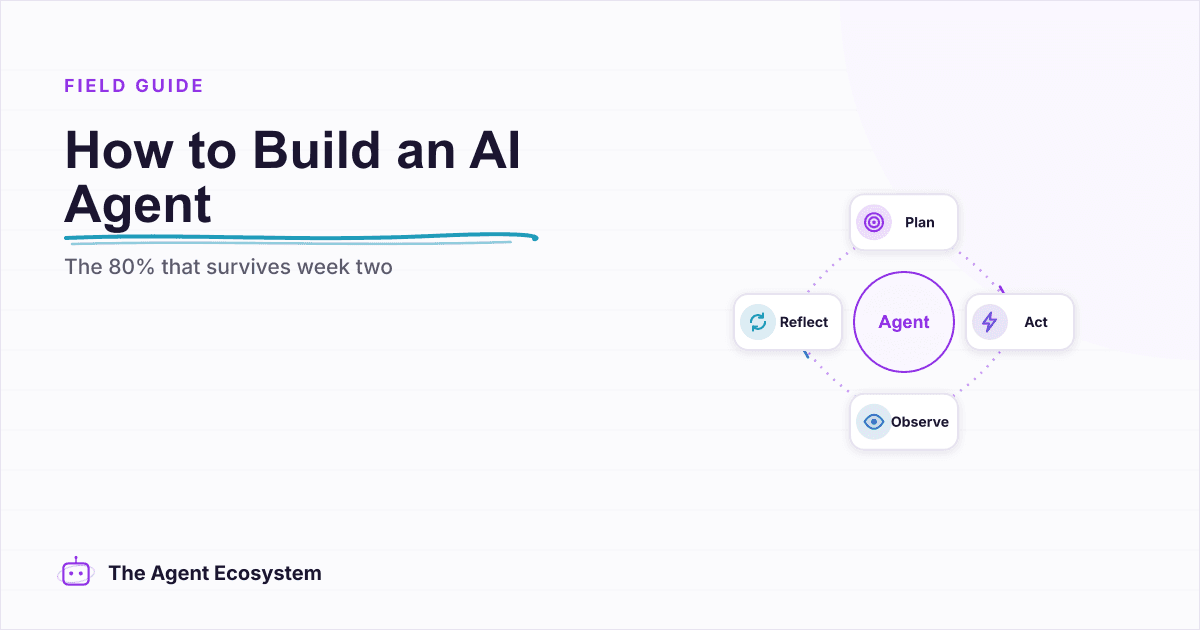
How to Build an AI Agent: The 80% That Survives Week Two
Most tutorials get you a working agent in ten minutes and skip what breaks it in week two. Sixteen lessons covering the loop, tool descriptions, memory, fallbacks, guardrails, evaluation, and the cost levers that decide your bill.
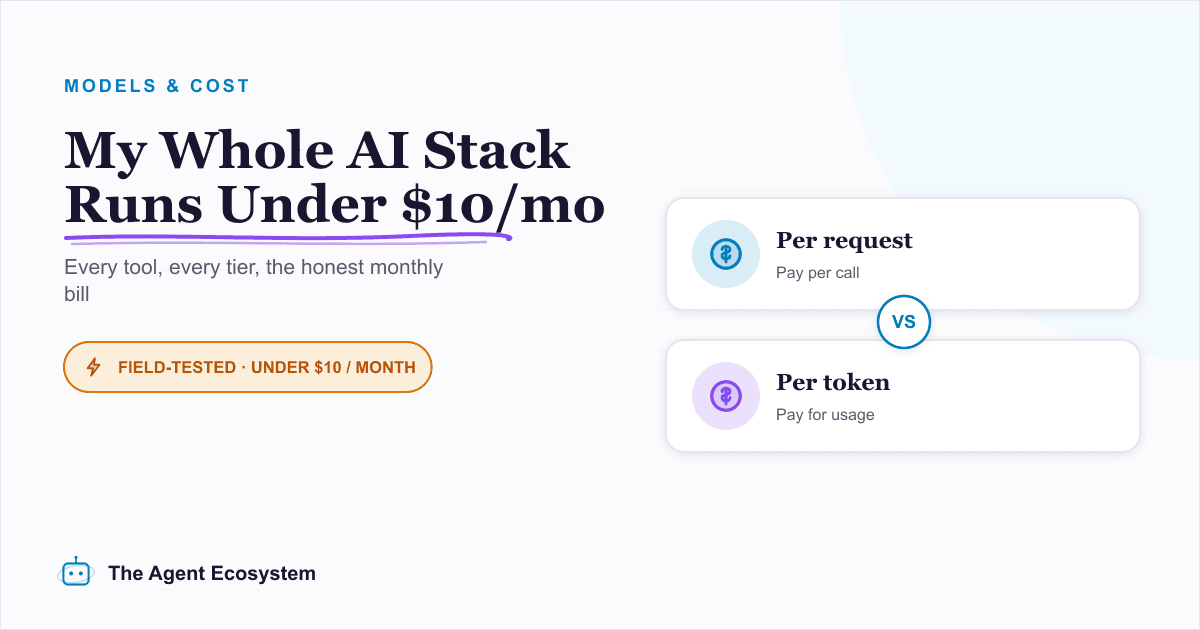
The Exact AI Automation Stack I Use as a Solopreneur in 2026 (With Real Monthly Costs)
Most "AI stack" posts hide the bill. Mine runs under $10/month. Here is every tool, the exact tier, the real cost, and the job each layer does for my one-person content business.
n8n vs Make vs Zapier in 2026: The Real Cost Math for Solopreneurs
Zapier, Make, and n8n meter completely different units. The same 6-step workflow at 1,000 runs/month can cost 5x more on one platform than another. Here is the exact math for solopreneurs in 2026.