Field guide · Automation
AI Automation ROI: How to Tell If It Actually Paid Off
Eleven lessons on making the claim checkable: every cost meter, a benefit you can defend, honest attribution, and the threshold at which you turn it off.
- Lessons
- 11
- Read
- 22 min
- Figures
- 7
AI-drafted, reviewed by Muhammad Qasim Hammad on October 11, 2026. See our AI disclosure.
Table of contents
- What you will end up with
- 1. Write the number down before you build
- 1.5 The claim that cannot be checked
- 2. Count the build cost properly
- 3. Count the running cost, all four meters
- 3.5 The cost that arrives in month three
- 4. Measure the benefit in something countable
- 4.5 Time saved is the weakest number you have
- 5. Ask whether the automation actually caused it
- 6. Compute payback, not a percentage
- 7. Decide the kill threshold before you need it
- 8. Track the portfolio, not the automation
- 9. Review on a schedule, briefly
- 10. Know which numbers you are allowed to claim publicly
- 11. What to measure this week
- What I would do differently
- Where to go next
Almost every AI automation ROI claim is unfalsifiable. "It saves me ten hours a week" cannot be checked, was never measured against anything, and survives precisely because nobody can prove it wrong. This guide is how to make the claim checkable: what to count, what to ignore, and the threshold at which you turn the thing off.
The symptom is a stack of running automations, a monthly bill that has crept up, and no way to answer whether any individual piece is worth keeping. Not because the answer is bad, but because nothing was measured at the start.
What you will end up with#
A cost model with all four meters in it, a benefit measured in something countable, an honest view of what the automation actually caused, and a written threshold for killing it. Twelve lessons, in the order the numbers get lost.
What this does not cover: enterprise business cases, headcount arguments, or anything that assumes a finance function. This is for one person deciding whether to keep something running.
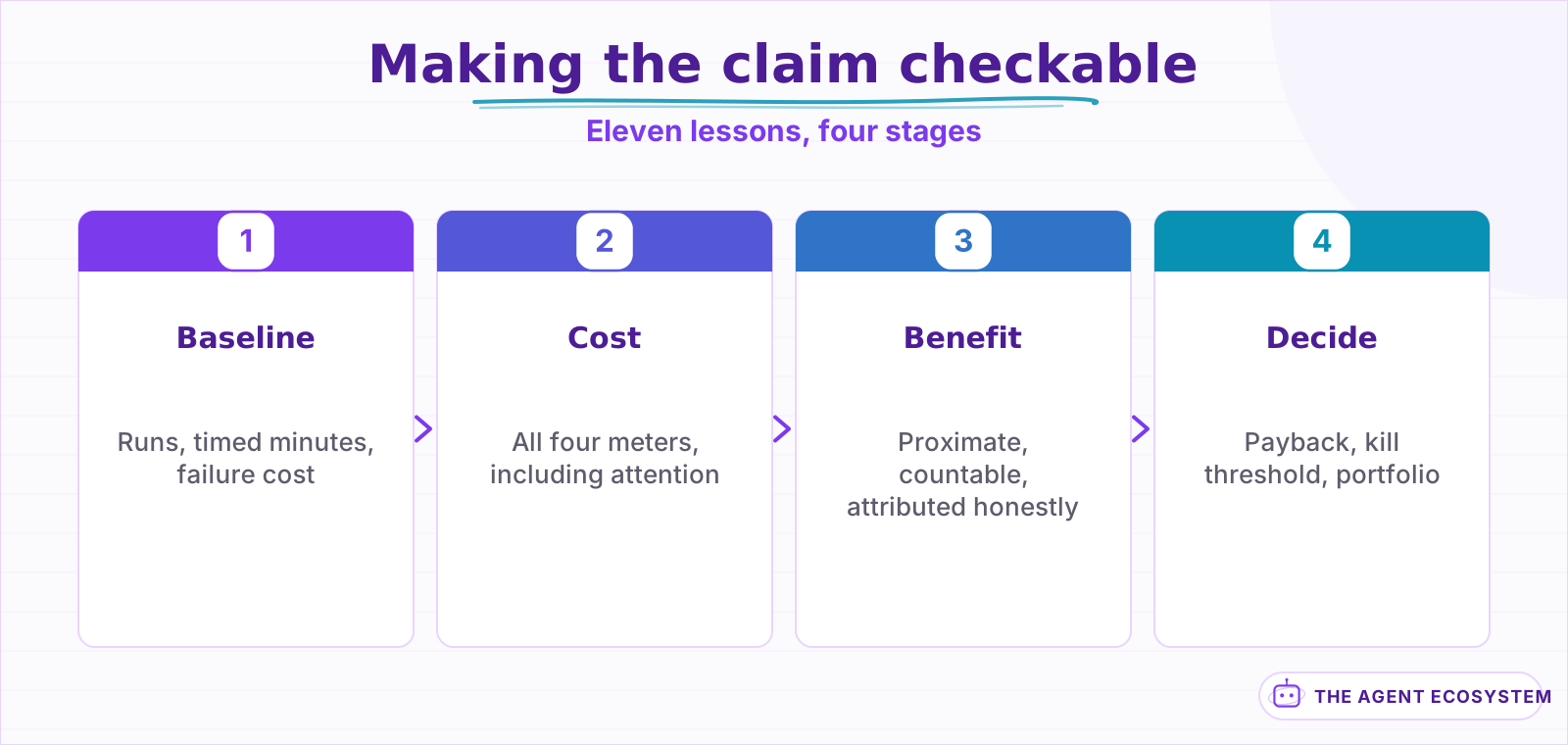 The baseline has to exist before the thing it measures. Everything else follows.
One framing to carry through: you are not building a business case to convince anyone. You are building one to convince yourself in six months, when you have forgotten what the old way cost and the invoice has grown. Every number below is written for that future reader.
| Lessons | What you get | Roughly |
|---|---|---|
| 1 to 4 | Every cost, including the three nobody counts | 20 min |
| 5 to 8 | A benefit you can actually defend | 20 min |
| 9 to 12 | Payback, kill thresholds, and portfolio view | 20 min |
Lesson 1Write the number down before you build#
The measurement has to exist before the thing you are measuring, because afterwards you will reconstruct it from memory and memory is generous about how bad the old way was.
Twenty minutes, one normal week, three numbers:
- How many times the task runs.
- How long one run takes, timed with a clock rather than estimated.
- What a failure costs, in money or in a relationship.
Task : chase unpaid invoices
Runs : 12 per month
Time : 6 min each, timed -> 72 min/month
Failure : ~1 invoice/quarter chased 3 weeks late
Build est: 5 hours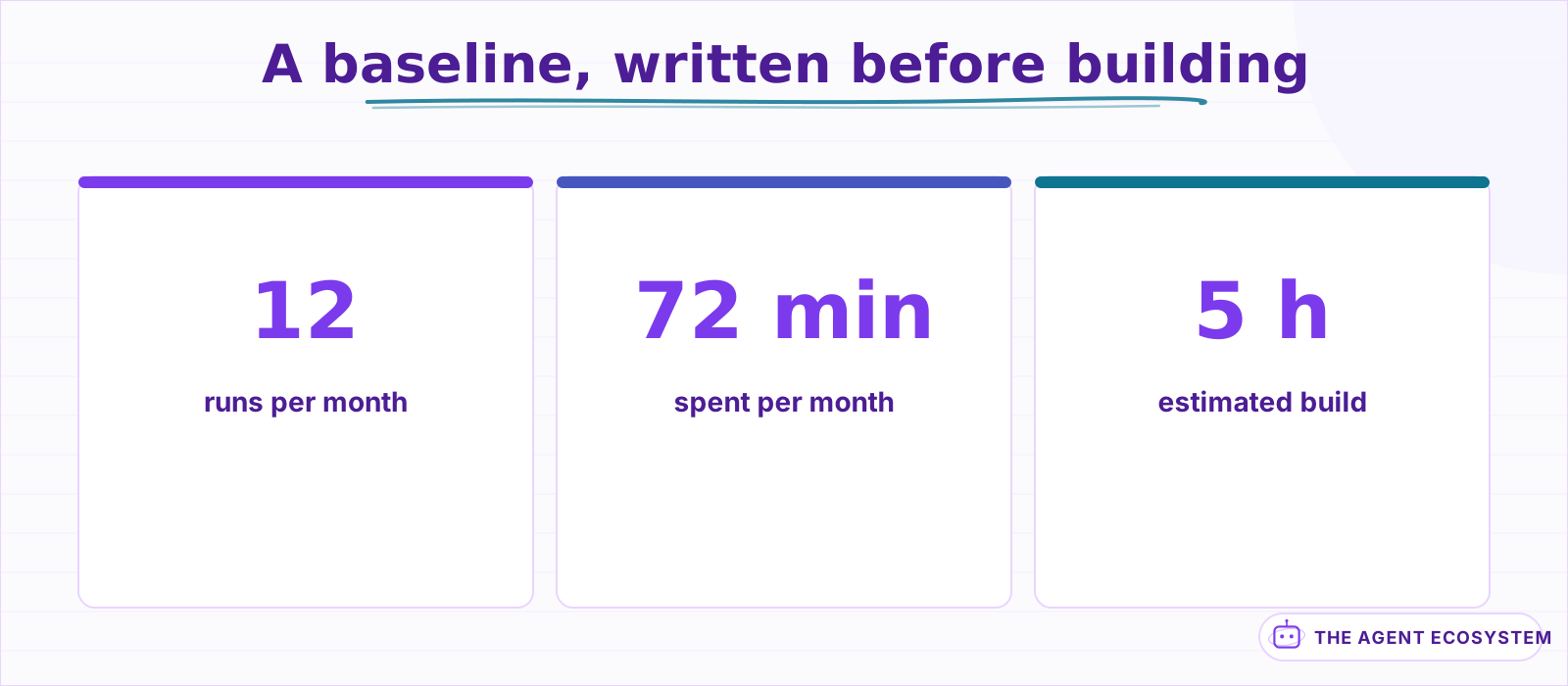 Measured over one normal week. The failure cost is the line that usually decides it.
That fourth line is where most of the value usually is, and it is the line people leave out because it is uncomfortable to quantify. An invoice chased three weeks late is not a time cost, it is a cash-flow cost, and it is the reason the automation is worth five hours.
There is a shortcut that works when the task is too irregular to time cleanly: count the artefacts instead. Invoices sent, emails replied to, tickets closed, leads entered. Those are countable after the fact from records that already exist, which means you can reconstruct a baseline for something you did not think to measure. It is weaker than a timed one, and it is far better than nothing.
If you cannot fill in all four lines, you are not ready to decide. That is a useful outcome in itself: it means the case rests on a feeling, and feelings are fine right up until the bill arrives.
Aside 1.5The claim that cannot be checked#
Three shapes of claim show up constantly, none of them can be tested, and all three sound entirely reasonable when you say them out loud. Learning to recognise them in your own writing is most of the discipline here, because they are the default way people describe automation to themselves.
| The claim | Why it cannot be checked | What to say instead |
|---|---|---|
| "Saves me 10 hours a week" | No before-measurement exists | "Ran 47 times, 6 min each, previously manual" |
| "Pays for itself" | Against what cost, over what period | "Cost 5 hours, returns 72 min/month, payback 4 months" |
| "Frees me up for higher-value work" | The higher-value work is never named | "Freed Tuesday mornings, used for pipeline calls" |
The right-hand column is not pedantry. Each of those is a number you can look at in six months and say yes or no to, which is the entire difference between a decision and a story you tell yourself.
Lesson 2Count the build cost properly#
Build cost is not the hours you spent in the editor. It is every hour between deciding to build and the thing running unattended, and three of those categories are routinely omitted.
| Cost | Typically counted | Actual |
|---|---|---|
| Building the workflow | Yes | The smallest part |
| Learning the platform | No | Often larger than the build |
| Debugging the first two weeks | No | 30-50% of the build again |
| Documenting it for future-you | No | An hour you will wish you spent |
The second row is the one that distorts a first automation badly. If you spend six hours learning n8n to build a two-hour workflow, the honest build cost of that first automation is eight hours, and the honest cost of the second one is two, because the learning does not repeat.
That asymmetry is an argument for building a second automation, not against building the first. Just do not let the first one carry a payback calculation that includes tuition.
›Why the first automation always looks like a bad deal
Run the arithmetic on a realistic first build and the answer is uncomfortable:
| First automation | Third automation | |
|---|---|---|
| Platform learning | 6 h | 0 h |
| Build | 2 h | 2 h |
| First-fortnight debugging | 1 h | 0.5 h |
| Honest build cost | 9 h | 2.5 h |
Same workflow, same benefit, and a payback period nearly four times longer on the first one. If you judge automation as a practice by your first attempt, you will conclude it is not worth it, and you will be measuring the tuition rather than the tool.
The fix is not to ignore the learning cost. It is to amortise it across everything you will build in the next year, and to decide up front whether you intend to build more than one.
- Count hours from decision to unattended running.
- Split out platform learning, and amortise it across everything you will build.
- Add the first fortnight of debugging, because it always happens.
Lesson 3Count the running cost, all four meters#
Automations bill on more meters than people track, and the ones that surprise you are rarely the model. Two of the four arrive without an invoice at all, which is exactly why a monthly cost that looks flat on the platform dashboard has usually grown somewhere else.
| Meter | Who bills it | When it bites |
|---|---|---|
| Platform tasks or operations | Zapier, Make, n8n Cloud | Scales with volume, not with value |
| Model tokens | Your LLM provider | The moment you add a model node |
| Storage and vectors | Vector store, database | Slowly, then all at once |
| Your attention | You | Every failure, every change, forever |
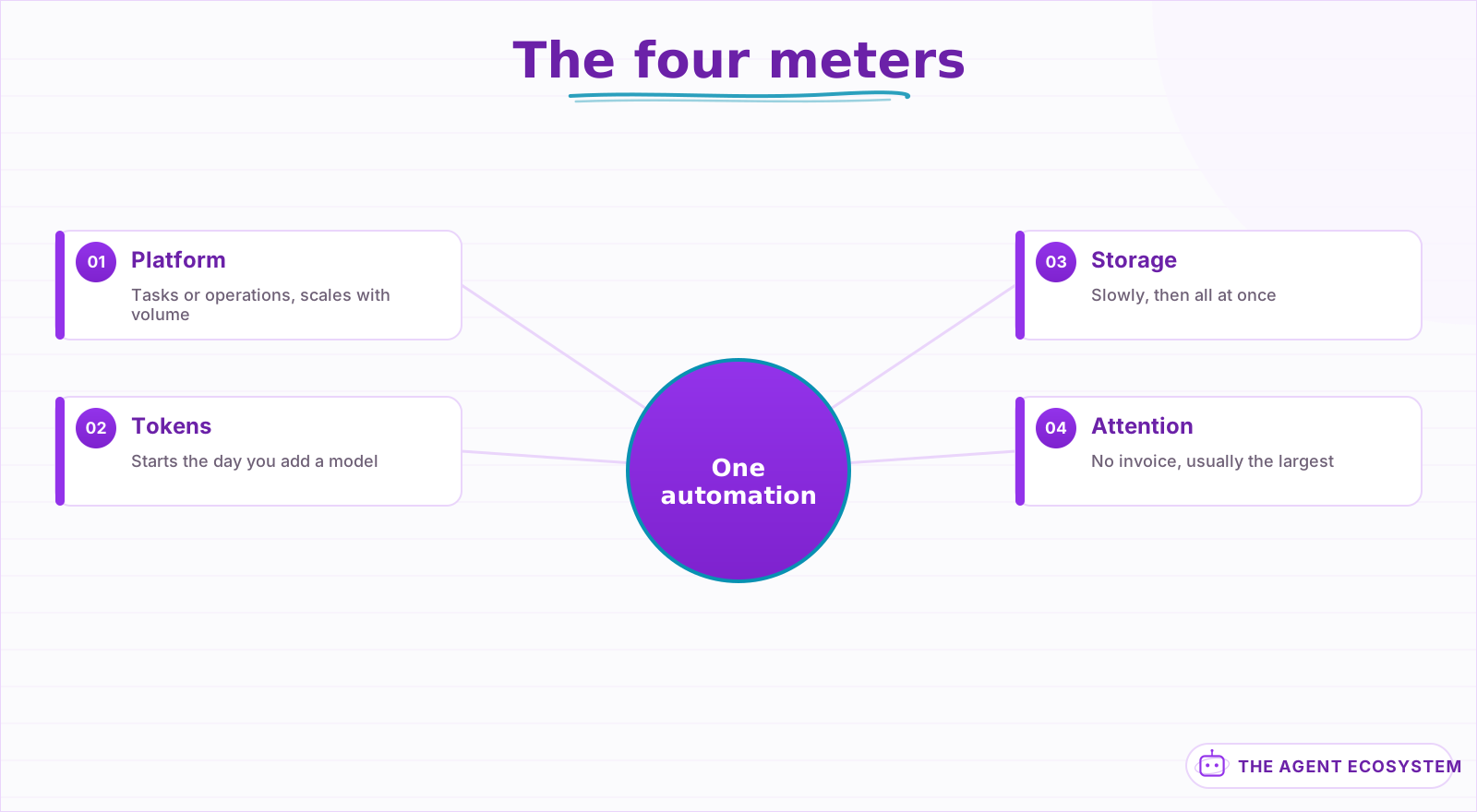 Two of the four send no invoice, which is exactly why they get missed.
Two of those four have no invoice attached, which is exactly why they get missed. Storage creeps because vectors and logs accumulate without anyone deciding to add them. Attention creeps because each individual interruption is small.
The fourth meter is the one that decides whether an automation is worth keeping, and it is the only one with no invoice. An automation that saves 72 minutes a month and demands 60 minutes of maintenance is not saving you an hour, it is moving twelve minutes and adding a thing to worry about.
For the platform side, the cost shapes differ enough to change the decision at volume; the comparison is in n8n vs Make vs Zapier: Cost Comparison. For the model side, the token arithmetic is in Estimate LLM API Cost.
Aside 3.5The cost that arrives in month three#
The first invoice is not the cost, it is the floor. Three things reliably push it upward in the weeks after you stop watching, and none of them announce themselves because each is individually small and none produces an error.
- Volume grows. Automations get pointed at more sources, more clients, more triggers. Per-run pricing turns a success into a bill.
- Retries multiply silently. A flaky upstream API that fails twice before succeeding triples that run's cost, and nothing reports it as a problem because the run eventually succeeded.
- Context creeps. Someone adds a field, a longer prompt, a bigger memory window. Input tokens are re-sent every call, so a small addition is charged on every run forever.
Estimate your own agent cost
Whole run: 3,000 input + 500 output tokens
| Model | Per run | Per 1,000 runs |
|---|---|---|
| Gemini 2.5 Flash | $0.0022 | $2.15 |
| Haiku 4.5 | $0.0055 | $5.50 |
| Sonnet 4.6 | $0.017 | $16.50 |
Modeled, not billed. Context is re-sent every iteration, so input scales with the loop. Prices are per million tokens and move; check your provider before planning against these.
Change the iteration count in that calculator and watch the input side climb faster than the output side. That shape is exactly why month three costs more than month one on identical logic.
The levers that pull it back down are in Reduce AI API Costs: 7 Levers and Prompt Caching to Cut LLM Cost.
Lesson 4Measure the benefit in something countable#
Benefits come in four kinds and they are not equally trustworthy, which matters because the weakest kind is also the easiest to claim. Rank them honestly and lead with the strongest one you actually have evidence for, rather than the one that sounds largest.
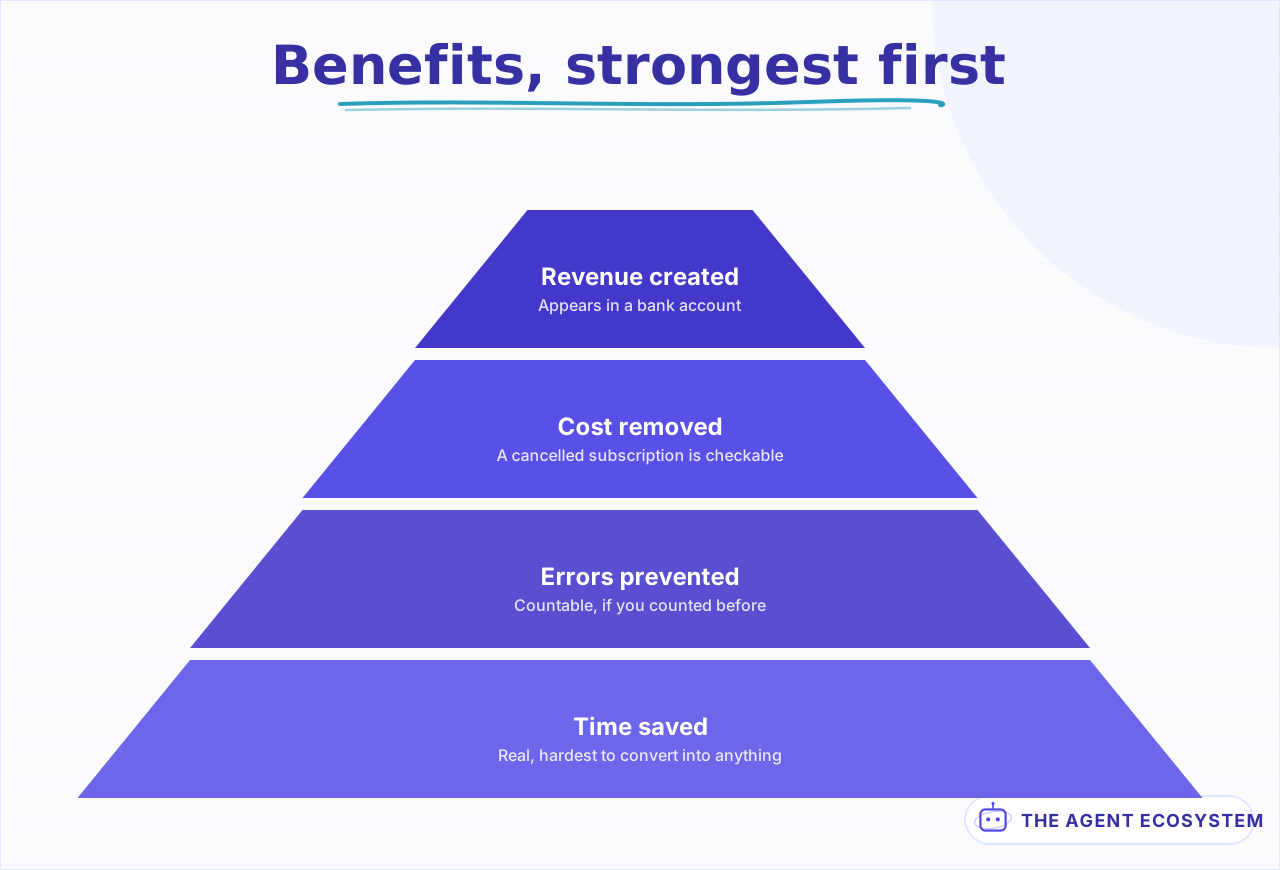 Most cases lean on the widest, weakest row because it is easiest to estimate.
| Benefit | Strength | Why |
|---|---|---|
| Revenue that would not exist | Strongest | Directly attributable, appears in a bank account |
| Cost removed | Strong | A cancelled subscription is checkable |
| Errors prevented | Medium | Countable, but you must have counted before |
| Time saved | Weakest | Real, and the hardest to convert into anything |
Most automation cases are written on the weakest row because it is the easiest to estimate and the hardest to disprove. If your case rests entirely on time saved, that is a signal to look harder for a row above it, not a reason to stop.
Aside 4.5Time saved is the weakest number you have#
This is worth being blunt about, because time saved is the number everybody reaches for and the one that survives the least scrutiny. It is real, it is worth having, and it is almost never worth what the case study says it is.
Saved time only becomes value if it is spent on something you can name. Four hours a week returned as fragments across five days is not four hours; it is a slightly less compressed week, and you will not be able to point at what it bought.
The test: name the thing the freed time went to, and check a month later whether that thing actually happened. If it did, the time saving is real and you can say what it produced. If it did not, the automation bought you comfort, which is a legitimate thing to buy but should not be written down as ROI.
Weak : "saves 4 hours a week"
Real : "saves 4 hours a week, which became 2 client calls a week,
        which became 1 additional project in Q3"
That second form is checkable, and it is also the version that tells you whether to build the next one.
One more distinction inside the weakest row, because it changes what the time is worth. Time removed from a task you had to do at a specific moment is worth more than the same minutes removed from a task you could batch. Ten minutes freed from something that interrupted you mid-work is worth more than ten minutes freed from something you did in a block on Friday, because the interruption cost more than the ten minutes.
That is not measurable with any precision. It is worth knowing when you are ranking two candidates that look identical on the clock.
Lesson 5Ask whether the automation actually caused it#
The number moved. That is not the same as the automation moving it, and for a one-person business the confounders are large, constant, and mostly invisible. You changed several things that quarter, and only one of them is the workflow you are trying to justify.
Three checks before you attribute anything:
- What else changed in that window? New pricing, a busy season, one large client. Any of those swamps an automation effect.
- Did the thing you automated actually change? Response time is a good proxy; revenue is not, because revenue moves for a hundred reasons.
- Would it have happened anyway? If leads were already converting at that rate, faster follow-up did not cause the conversion.
The practical move is to measure as close to the automation as possible. Response time, error rate, and runs completed are directly caused by the automation. Revenue and satisfaction are downstream of everything you do, and attributing them to one workflow is a story rather than a measurement.
A worked version, because the distinction is easy to nod along to and hard to apply. You automate lead follow-up and revenue rises 20% that quarter. Proximate metric: median response time fell from 6 hours to 4 minutes, and that is unambiguously the automation. Distal metric: revenue, which also moved because you raised prices and one referral landed. The honest write-up claims the response time and mentions the revenue as context.
- Measure the proximate metric, always.
- Note the distal metric, but do not claim it.
- If you want to claim causation, turn the automation off for two weeks and watch the proximate metric. That is the only honest test available at this scale.
Point 3 sounds drastic and is the single most informative thing in this guide. Most people have never turned one off, which is why so many keep running long past the point of usefulness.
Lesson 6Compute payback, not a percentage#
Percentage ROI needs a time period, an investment base, and a benefit figure, and at this scale all three are estimates. Multiplying three estimates produces a number with false precision and no information.
Payback period needs two numbers and answers the actual question:
payback (months) = build_cost_hours * your_hourly_value
                 + monthly_running_cost * months
                 ---------------------------------------
                 monthly_benefit

worked:
  build     5 hours, valued at whatever an hour is worth to you
  running   platform share + tokens + ~30 min/month attention
  benefit   72 min/month + one invoice chased 3 weeks earlier per quarter
Then apply one rule: if payback is longer than a year, it is a hobby. That is not a criticism. Plenty of worthwhile things are hobbies. But a hobby should not be defended with a business case, and knowing which one you are building changes how much time it deserves.
| Payback | Verdict |
|---|---|
| Under 3 months | Build it, then build the next one |
| 3 to 12 months | Fine, but do not build three of these at once |
| Over 12 months | A hobby, or the scope is wrong. Revisit lesson 1 |
| Cannot compute it | You skipped the baseline. Go back |
One number in that formula is doing more work than it looks: what an hour of your own time is worth. Pick it once, write it down, and use the same figure everywhere, because varying it per automation is how you talk yourself into whichever answer you already wanted.
One caveat on the table above, because payback is not the only lens. An automation with a twenty-month payback that removes a failure you cannot afford is still worth building: the calculation is about time, and some automations are bought for reliability rather than for hours. Say which one you are buying when you write the case, because a reliability purchase judged on payback always looks like a mistake.
Lesson 7Decide the kill threshold before you need it#
Every automation should be written down with the condition under which you would turn it off, decided while you are still objective about it. The day you build something is the last day you will be neutral about whether it deserves to keep running.
Write it at build time, in one line:
Kill this if: it needs more than 30 min of maintenance in any month,
              OR the underlying task stops happening weekly,
              OR the monthly cost exceeds the benefit for 2 months running.
Two conditions are worth putting in almost every kill line, because they catch the two most common deaths. The first is the task disappearing: automations outlive the process they served, and nobody notices because they keep running quietly. The second is maintenance crossing the benefit, which is gradual and never announces itself.
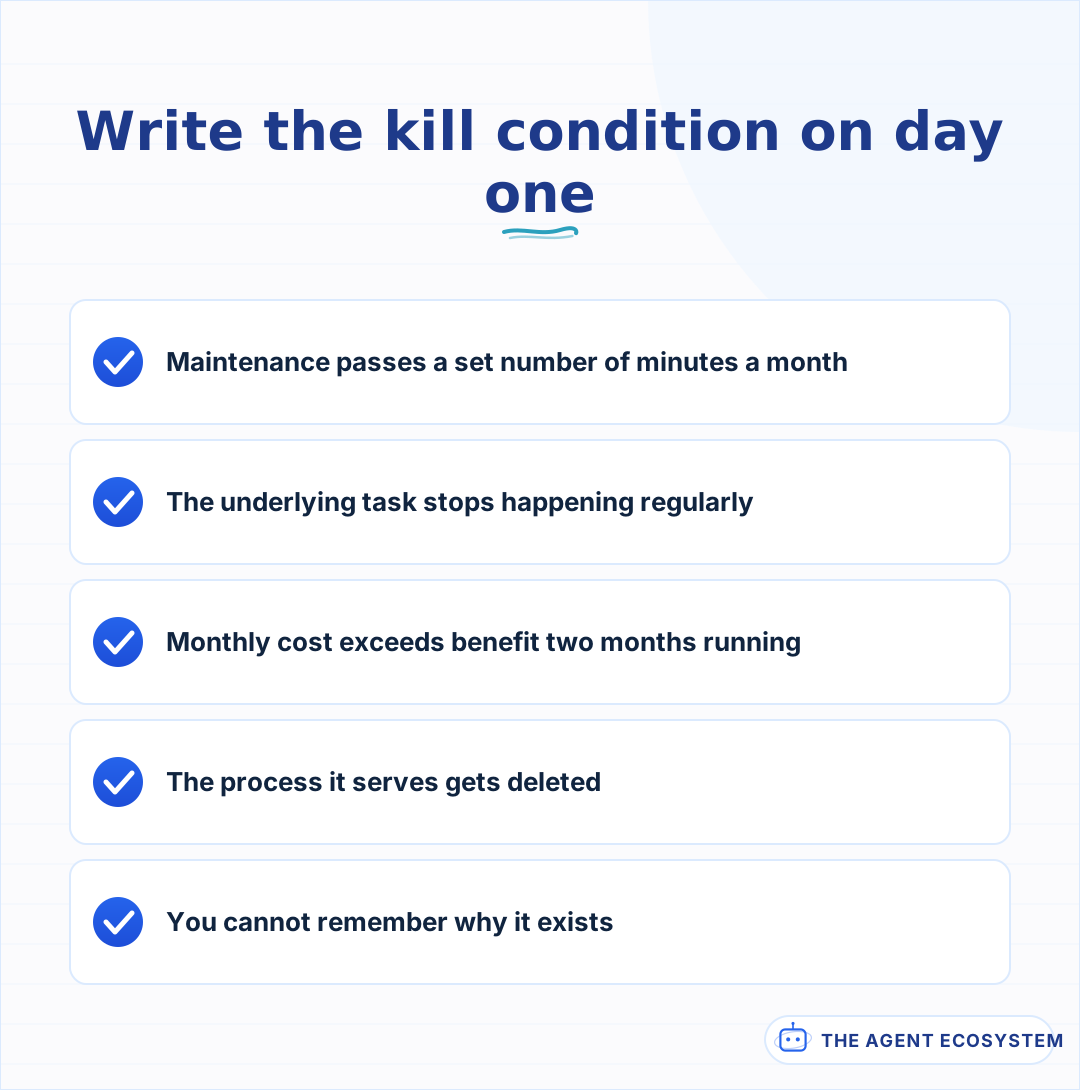 Written by the version of you who has not yet spent a weekend on it.
The reason to write it early is sunk cost. Six months in, having spent a weekend on it, you will argue for keeping something that is no longer earning. A threshold written by the version of you who had not yet spent the weekend is a better judge.
- Write the kill condition the day you build it.
- Put it somewhere you will actually see, next to the workflow.
- When it trips, turn the thing off rather than negotiating with it.
Turning one off is not a failure. It is the mechanism that keeps the portfolio in lesson 8 from quietly consuming a day a quarter.
Lesson 8Track the portfolio, not the automation#
Individual automations look cheap. The portfolio is what actually costs you, and nobody sees it because there is no single place where it adds up.
Keep one sheet. Five columns, updated when something changes:
| Automation | Monthly cost | Monthly benefit | Maintenance | Kill condition |
|---|---|---|---|---|
| Invoice chasing | platform share + tokens | 72 min + cash flow | ~10 min | task stops weekly |
| Lead follow-up | platform share | 32 min + 1 lead/mo | ~15 min | conversion unchanged 2 mo |
| Inbox triage | tokens only | 90 min | ~20 min | over 30 min/mo |
Two things become visible immediately on a sheet like this and are invisible without it. First, the maintenance column adds up to a real number, and it is usually the largest cost in the table. Second, one automation is nearly always subsidising the others in your head: the good one makes the whole stack feel worth it, and the sheet shows you which three are riding along.
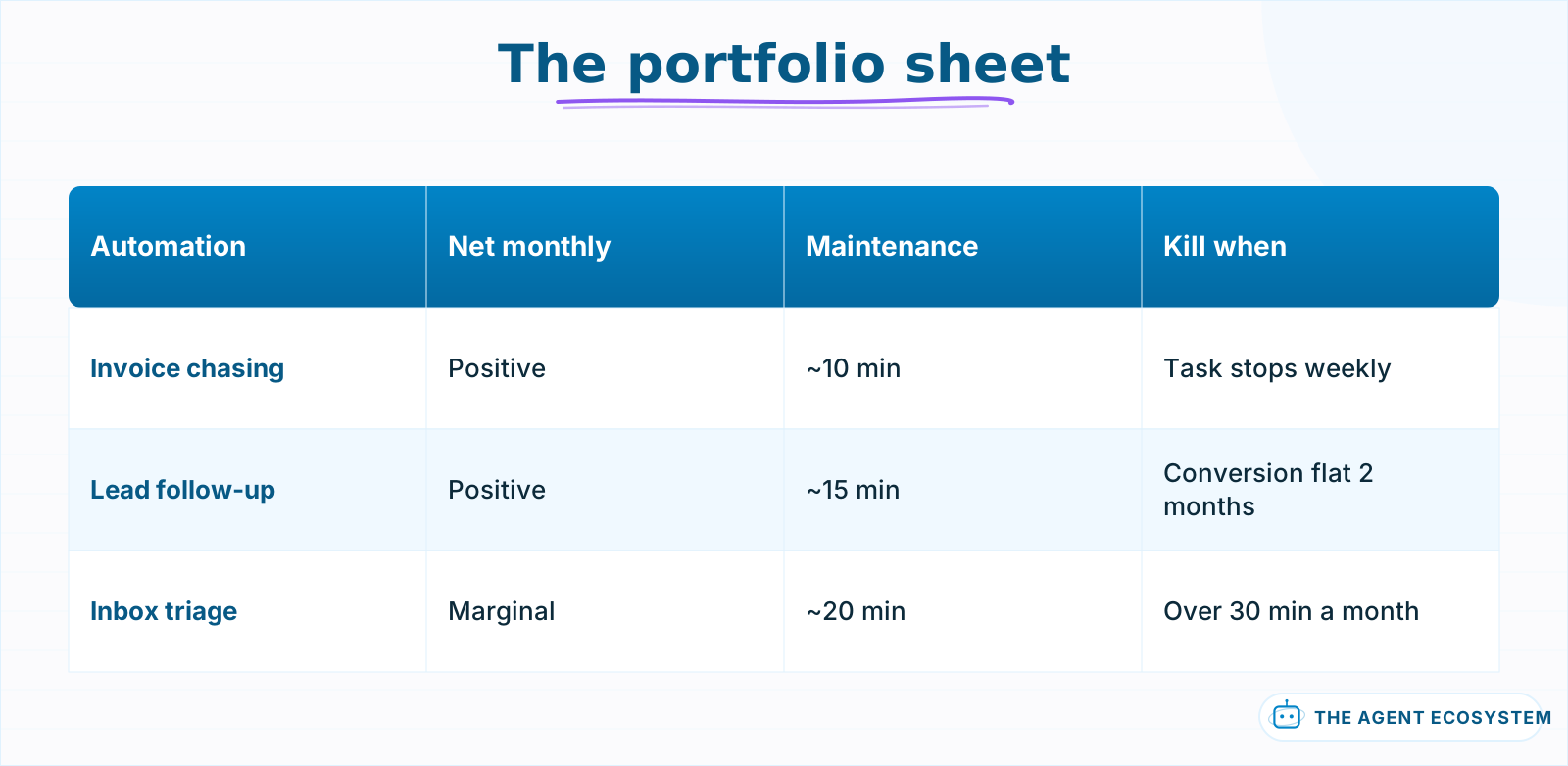 The maintenance column adds up to a real number and is invisible without this.
There is a second thing the sheet does that is harder to notice. It caps how many automations you run, because filling in a row is mildly annoying and you will not do it for something marginal. That friction is useful. The failure mode for a one-person stack is not building too few automations, it is accumulating too many marginal ones until maintenance eats a day a quarter.
Lesson 9Review on a schedule, briefly#
Quarterly, thirty minutes, against the sheet. Not because much changes in a quarter, but because nothing else will ever prompt you and the drift is slow enough to be invisible month to month. Slow drift is exactly the kind a scheduled review catches.
- Update actual cost from the invoices, not from memory.
- Check each kill condition. Trip any that trip.
- Note anything whose volume grew, because per-run pricing turns growth into a bill.
- Change nothing else.
Point 4 keeps the review short enough that it actually happens. A review that turns into a refactoring session gets skipped next quarter.
Lesson 10Know which numbers you are allowed to claim publicly#
If any of this ends up in a case study, a landing page or a proposal, the bar changes and it changes sharply. Some numbers are yours to state plainly, and some are downstream of too many other things for you to claim honestly, however good they look.
| Claim | Safe to publish |
|---|---|
| "Runs 47 times a month unattended" | Yes, it is a count from a log |
| "Replies in under 2 minutes, was 4 hours" | Yes, both were measured |
| "Saves 10 hours a week" | Only with the before-measurement to back it |
| "Increased revenue 30%" | Almost never; revenue has too many causes |
The pattern is simple. Publish the proximate metric you measured directly, and describe the distal outcome as context rather than as a result. It is more credible anyway: a specific, checkable, modest number reads as real, and a large unattributed one reads as marketing.
One more note on publishing numbers, since it comes up whenever a case study gets written. Ranges read as more honest than point estimates and are usually more accurate: "cut reply time from about four hours to under five minutes" is both truer and more persuasive than a precise-sounding average you computed from six runs. Precision you did not earn is the fastest way to lose a reader who knows the domain.
Lesson 11What to measure this week#
Pick the automation you are least sure about, the one you would struggle to defend if someone asked, and fill in a single row of the sheet for it. One row, thirty minutes, and you will know more about your stack than the last six months of running it taught you.
- Pull the actual run count from the platform, not from memory.
- Pull the actual cost from last month's invoices, all meters.
- Estimate the maintenance honestly, including the times you looked at it and it was fine.
- Write its kill condition, today, even though it is running.
Most people discover one of two things. Either it is comfortably worth it and they stop worrying about it, or it has been costing more attention than it returns for months and nobody had ever added it up. Both outcomes are worth thirty minutes.
What I would do differently#
Turn one off to test it. That is the gap in almost every ROI claim written at this scale, including careful ones: without an off period, every attribution is correlational, and everybody writing the numbers down knows it.
Two weeks off, watching the proximate metric, is the only real experiment available to a business this size, and it costs close to nothing. It is worth doing on anything you are unsure about, and the uncomfortable outcome, where the metric does not move, is the most valuable result it can produce.
The second thing is the maintenance column. Build cost and running cost get counted from the beginning because they arrive as invoices; attention does not appear on any invoice and so gets left out entirely. On a mature sheet it is usually the largest line, and it is the reason automations get switched off rather than repaired.
Third, and this one is about honesty rather than accounting: "saves me X hours" written before anyone can name what those hours became. Sometimes they became client calls, which is real ROI. Sometimes they became a slightly less compressed week, which is fine and is not ROI. Both are acceptable outcomes; only one of them belongs in a business case.
One note on ordering. Inventory the costs before measuring the benefits, because the maintenance line changes which automations look worthwhile and it is the line most likely to be missing.
What I am still unsure about is how to value an hour of your own time in the payback formula. Every number is arbitrary, and the choice changes which automations qualify. I use a rate I would charge a client, which overvalues admin hours and undervalues focused ones, and I have not found better.
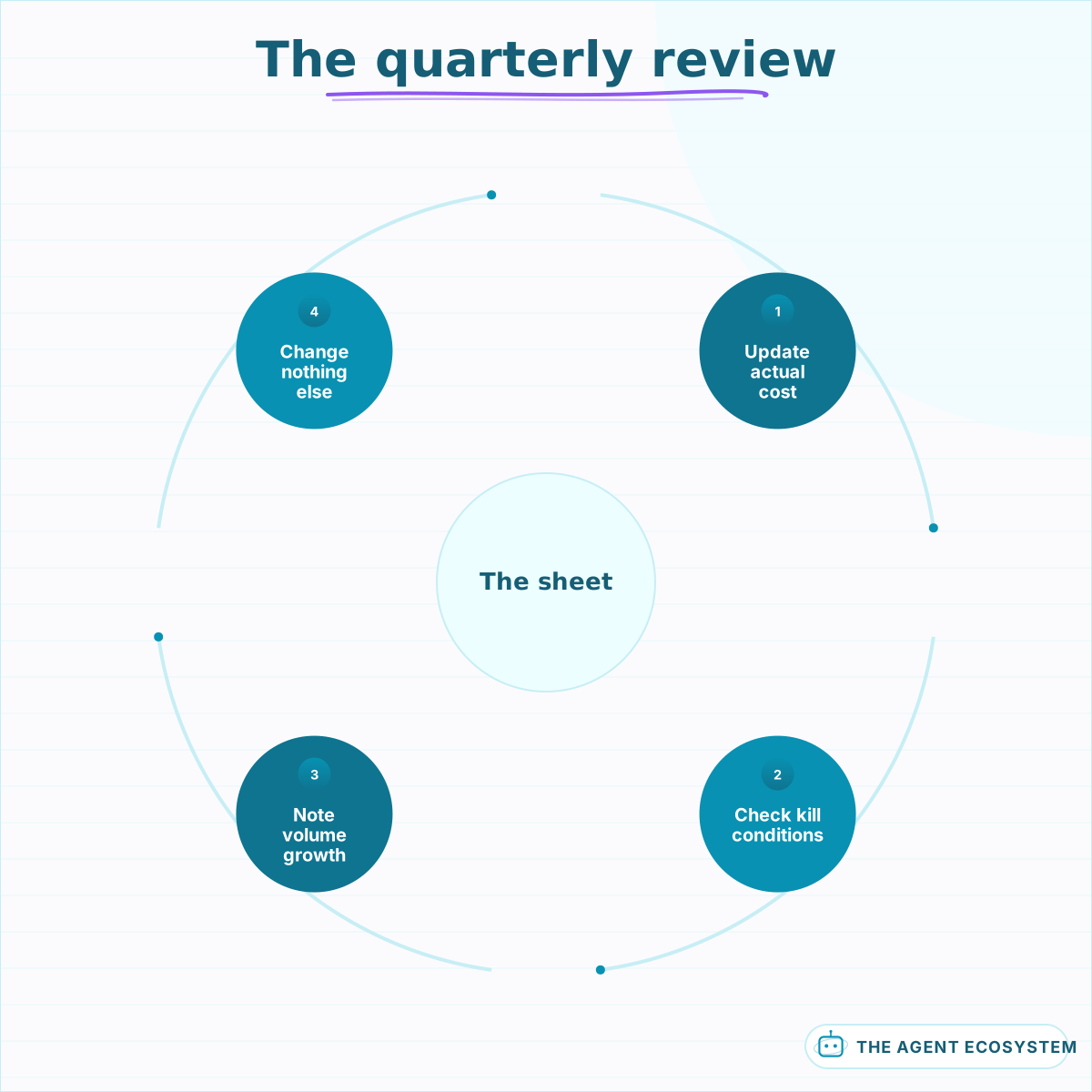 Thirty minutes. A review that becomes a refactor gets skipped next quarter.
 Hours saved times what an hour is worth, minus what it costs to run and review. The last term is the one that gets skipped.
Where to go next#
If you have nothing measured, lesson 1 is the whole guide compressed into a single exercise: twenty minutes, one normal week, four lines written down before anything gets built. Every other lesson here depends on that baseline existing, and none of them can be reconstructed later.
If you are deciding what to automate next rather than judging what exists, AI Automation for Solopreneurs covers the order of operations. If the cost you are worried about is the model rather than the platform, Reduce AI API Costs is the shorter path, and Local LLM vs API: Cost Breakeven has the crossover for running it yourself.
Frequently asked questions
How do I calculate ROI on an AI automation?
What costs do people forget when budgeting automation?
Why is 'saves me 10 hours a week' a weak claim?
How do I know the automation caused the improvement?
When should I turn an automation off?
Why does my automation cost more in month three?
Sources
Primary references and vendor documentation used while drafting and reviewing this article.
Written by

Muhammad Qasim Hammad is an AI agent and automation expert and the founder of Cart Gaze LLC (cartgaze.com). He builds product for the love of it: when an idea lands, a working prototype is usually running within hours, built with the same AI agents and automations he sells. He puts his own output at roughly 20× what it was before agents, and the Agentic OS behind this site is the working proof, documented in public with the tools he actually ran and what they really cost.
AI & Automation Services
Want a pipeline like this running in your business?
I'm Qasim — I design and ship AI agents and n8n automations for solo operators and small teams. Tell me what's eating your team's week, and I'll scope a fix.
Related reading
AI Automation for Solopreneurs: What to Build First
You do not have an automation problem, you have a which-of-these-forty-things problem. Thirteen lessons on picking the first job, counting the baseline, building three automations that survive, and knowing when to stop.

AI Automation Maintenance Cost: What Nobody Budgets For
The build estimate was 3 weeks and it was roughly right. The maintenance is the part nobody quoted, and it is predicted by a number you can count before committing.
Why AI Pilots Fail to Reach Production, and What Works
A pilot that answered 40 questions correctly in a demo is not evidence of anything yet. It is a controlled test on data somebody picked, and production asks a different question entirely.
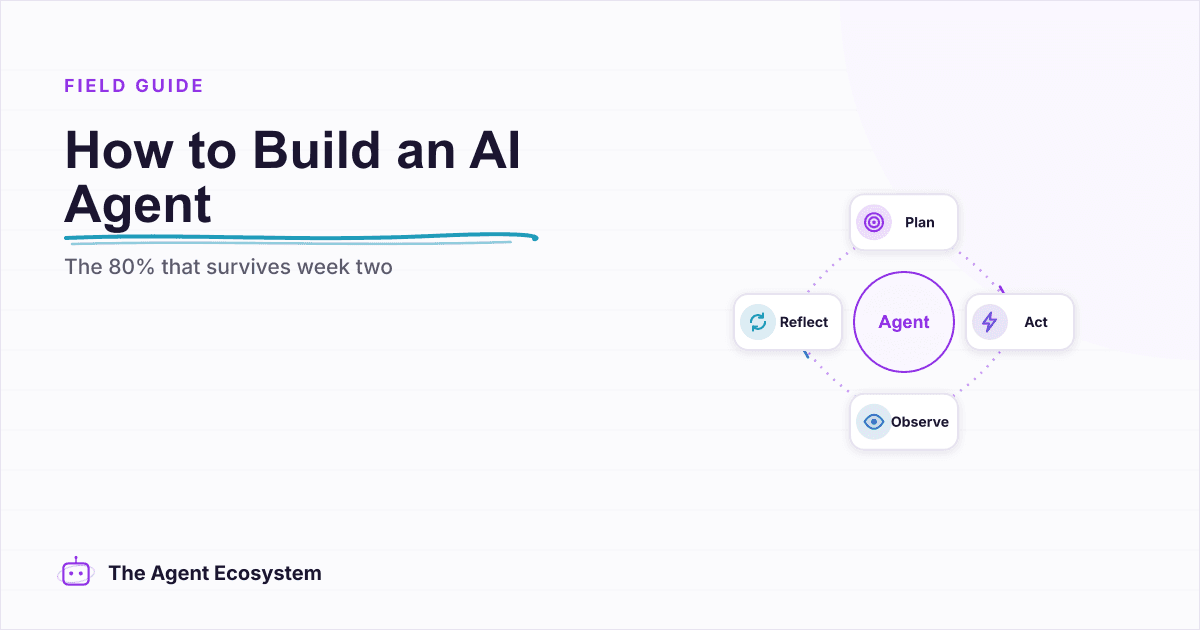
How to Build an AI Agent: The 80% That Survives Week Two
Most tutorials get you a working agent in ten minutes and skip what breaks it in week two. Sixteen lessons covering the loop, tool descriptions, memory, fallbacks, guardrails, evaluation, and the cost levers that decide your bill.
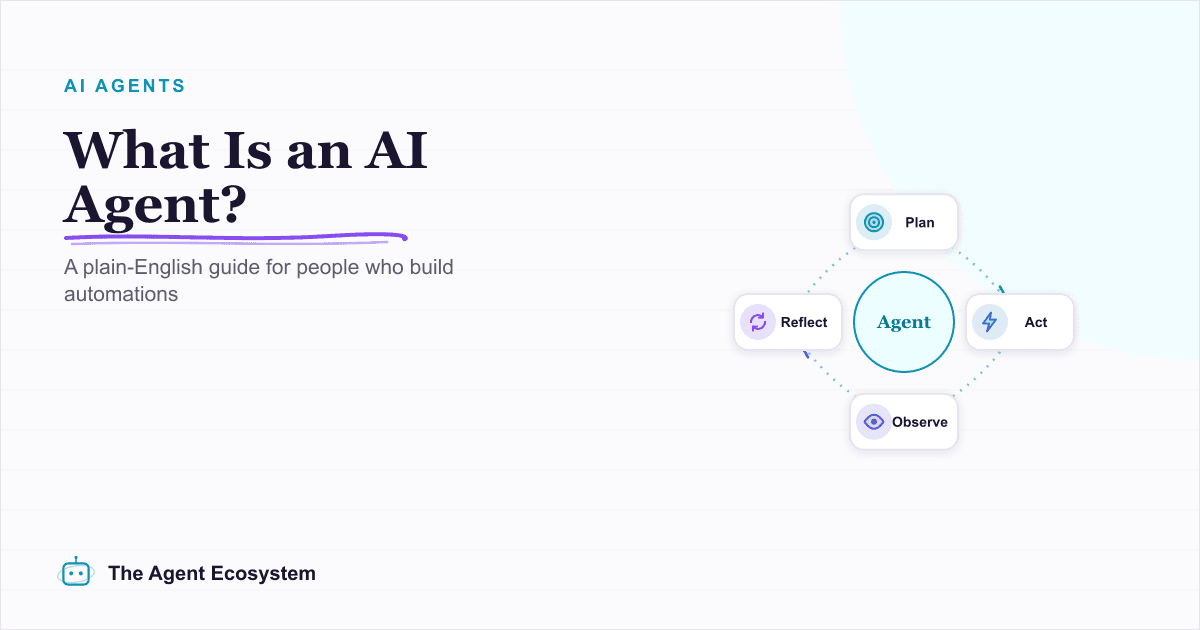
What Is an AI Agent? A Plain-English Guide for Builders
An AI agent is a language model running in a loop that decides its own next action, not a chatbot and not a chain. Here is how the perceive-decide-act-observe loop works, how an agent differs from a chatbot, chain, and workflow, and a checklist for when you actually need one.
n8n vs Make vs Zapier in 2026: The Real Cost Math for Solopreneurs
Zapier, Make, and n8n meter completely different units. The same 6-step workflow at 1,000 runs/month can cost 5x more on one platform than another. Here is the exact math for solopreneurs in 2026.