Run AI Sentiment Analysis in n8n (Reviews, Feedback & Support)
Classify every review, comment, and support reply automatically, then route each one to the right action in seconds.
AI-drafted, reviewed by Muhammad Qasim Hammad on June 19, 2026. See our AI disclosure.
Table of contents
- What is the n8n Sentiment Analysis node, and what can it read?
- How does it work inside n8n? (one output per sentiment)
- How much does AI sentiment analysis cost?
- Should you trust the confidence scores?
- How do you build it in n8n, step by step?
- Step 1: Connect your feedback source
- Step 2: Add and configure the Sentiment Analysis node
- Step 3: Attach Claude Haiku 4.5 as the Chat Model
- Step 4: Optionally enable Include Detailed Results
- Step 5: Wire each output pin to a handler
- Where can this go wrong?
- What should you set up this weekend?
Feedback arrives faster than any solo operator can read it: product reviews, survey replies, support follow-ups, and social comments all pile up at once, and the angry ones, the very messages you most need to catch, get buried. n8n sentiment analysis reads each piece of feedback, labels it positive, neutral, or negative, and routes it so the negatives reach you in seconds.
That pile is the real cost. Not the volume itself, but the time spent triaging manually, or worse, the time spent not triaging and discovering a string of one-star reviews three days too late.
What is the n8n Sentiment Analysis node, and what can it read?#
The n8n Sentiment Analysis node reads any text field, classifies its emotional tone, and produces one output pin per category so each sentiment routes to a different action. It works on product reviews, support replies, survey answers, social comments, or any free-text field you can pipe into n8n. Default categories are Positive, Neutral, and Negative, and all three are configurable.
Because the node outputs a separate pin per category, routing is structural, not scripted. Wire the Negative pin to a Slack alert. Wire the Positive pin to a testimonial-ask email. The workflow branches automatically, no IF node required.
The node accepts any text source: a Google Sheets row from a form submission, a webhook payload from Typeform, a Zendesk ticket body, or a scraped review. If it is text, the node can classify it.
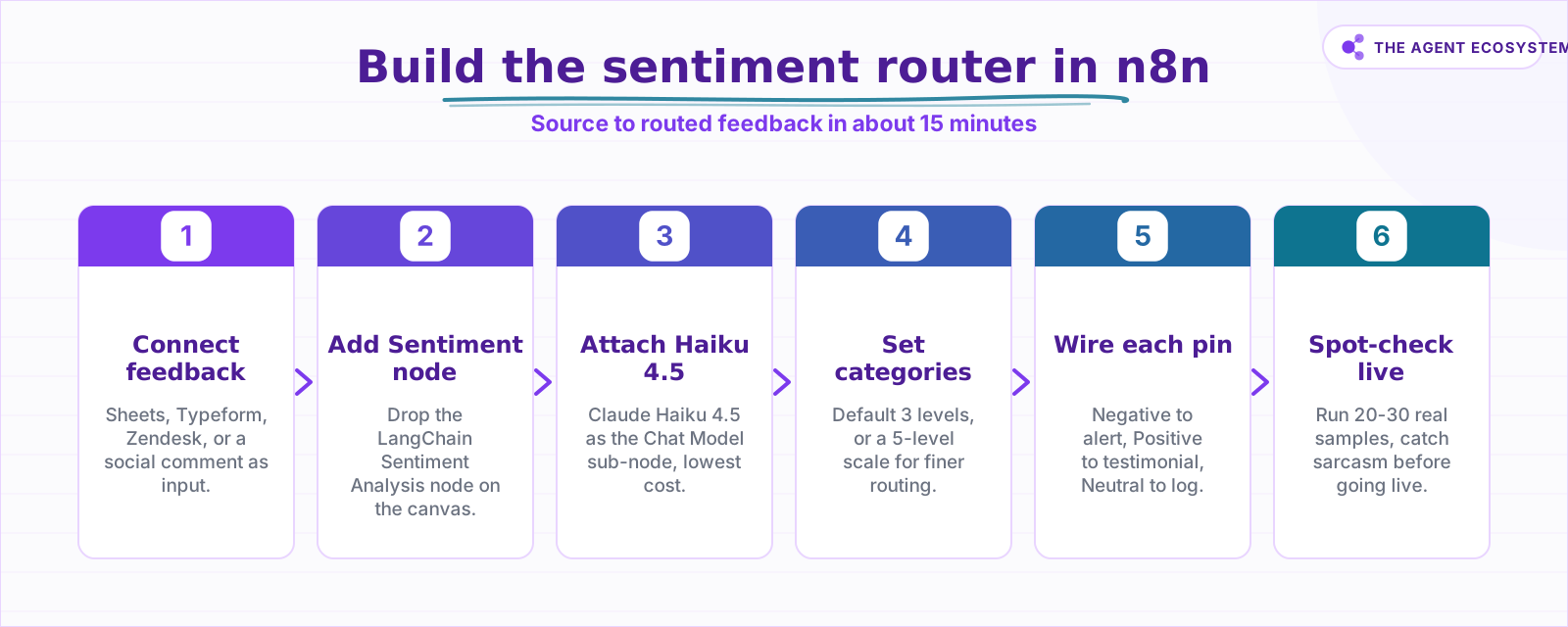 Six steps from raw feedback to routed sentiment in n8n.
How does it work inside n8n? (one output per sentiment)#
The core wiring is: feedback source node, then Sentiment Analysis node with a Chat Model sub-node attached, then one handler node per output pin. Each sentiment category becomes a labeled output on the Sentiment Analysis node, so the flow branches at the classification step without any additional logic node.
Two options do most of the practical work. Include Detailed Results adds a sentiment strength and a rough confidence score to each output item. System Prompt Template lets you customize the prompt using a {categories} placeholder, which is useful when your feedback domain has specific language the default prompt does not cover.
Enable Auto-Fixing is worth turning on. When the model returns a malformed output, the node automatically re-sends it with the parsing error attached so the model can self-correct, keeping the workflow running without manual intervention on edge cases.
The node also supports configurable categories. Instead of three levels you can expand to five: Very Positive, Positive, Neutral, Negative, Very Negative. Each extra category adds an output pin and a routing branch. More on when that trade-off is worth it below.
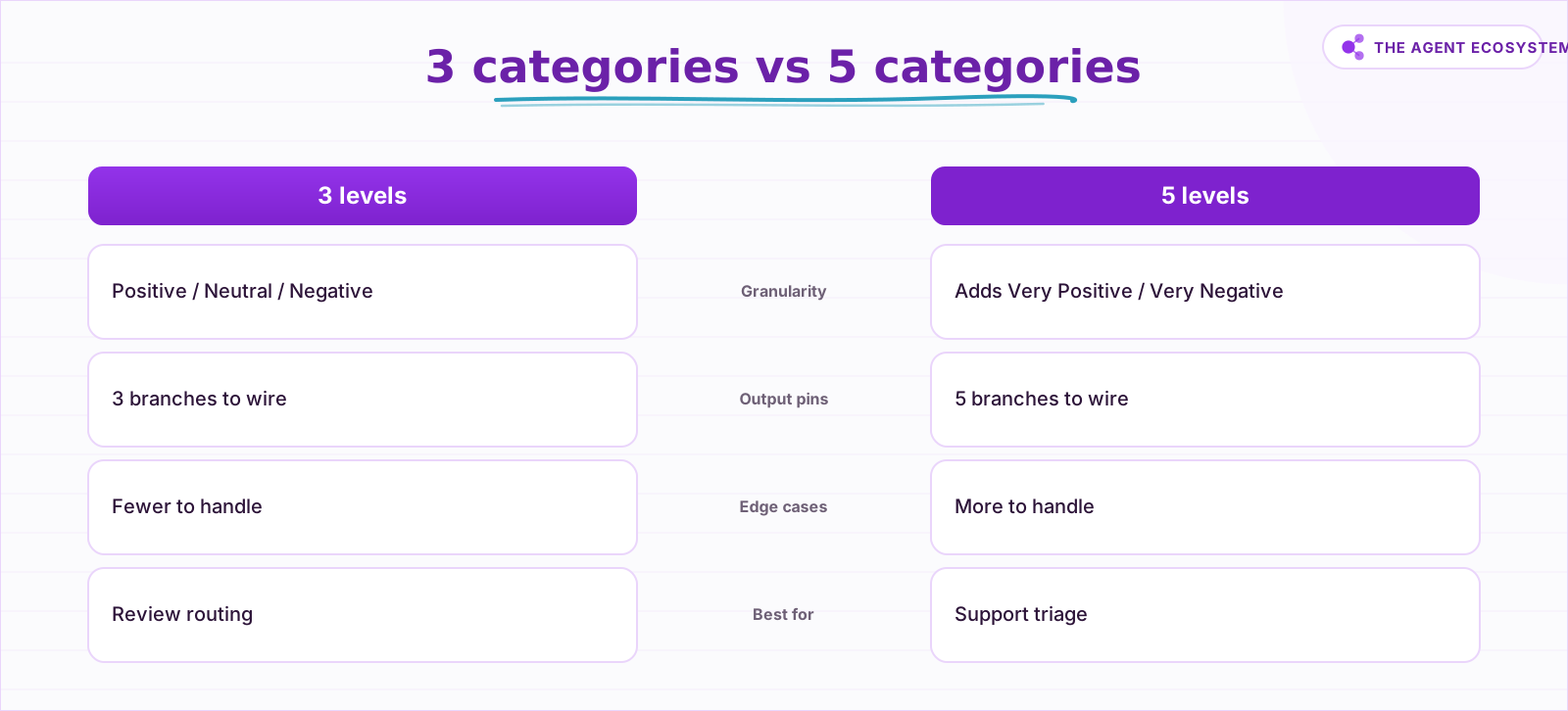 More categories give finer routing but more edge cases to handle.
How much does AI sentiment analysis cost?#
Sentiment analysis is one of the cheapest AI tasks you can run. One item takes roughly 400 input tokens (system prompt, category list, and the review text) and about 10 output tokens (the label). Running 1,000 items through Claude Haiku 4.5 costs about $0.45 in model tokens as of mid-2026 list prices.
The output is tiny by design. A sentiment label is a single word or short phrase, so output tokens barely register in the bill. Prompt caching helps further because the system prompt and category list repeat across every item in a batch.
Self-hosting n8n via the Community edition adds $0 platform cost on top of the model bill. n8n Cloud Starter runs at €20/month if you prefer managed hosting. See the self-host n8n on a VPS guide if you want to keep costs at the floor.
| Model | Input $/1M | Output $/1M | Cost per 1,000 items | Best for |
|---|---|---|---|---|
| Claude Haiku 4.5 | $1.00 | $5.00 | $0.45 | Default choice for sentiment |
| Claude Sonnet 4.6 | $3.00 | $15.00 | $1.35 | Complex mixed-language text |
| Claude Opus 4.8 | $5.00 | $25.00 | $2.25 | Not recommended here |
Prices from Anthropic's Claude pricing page as of mid-2026 (June 2026). Arithmetic: 0.4M input tokens x model input rate + 0.01M output tokens x model output rate. Numbers are checkable by hand.
For a deeper look at keeping your Claude token bill under control at scale, see the Claude API cost control agent workflow.
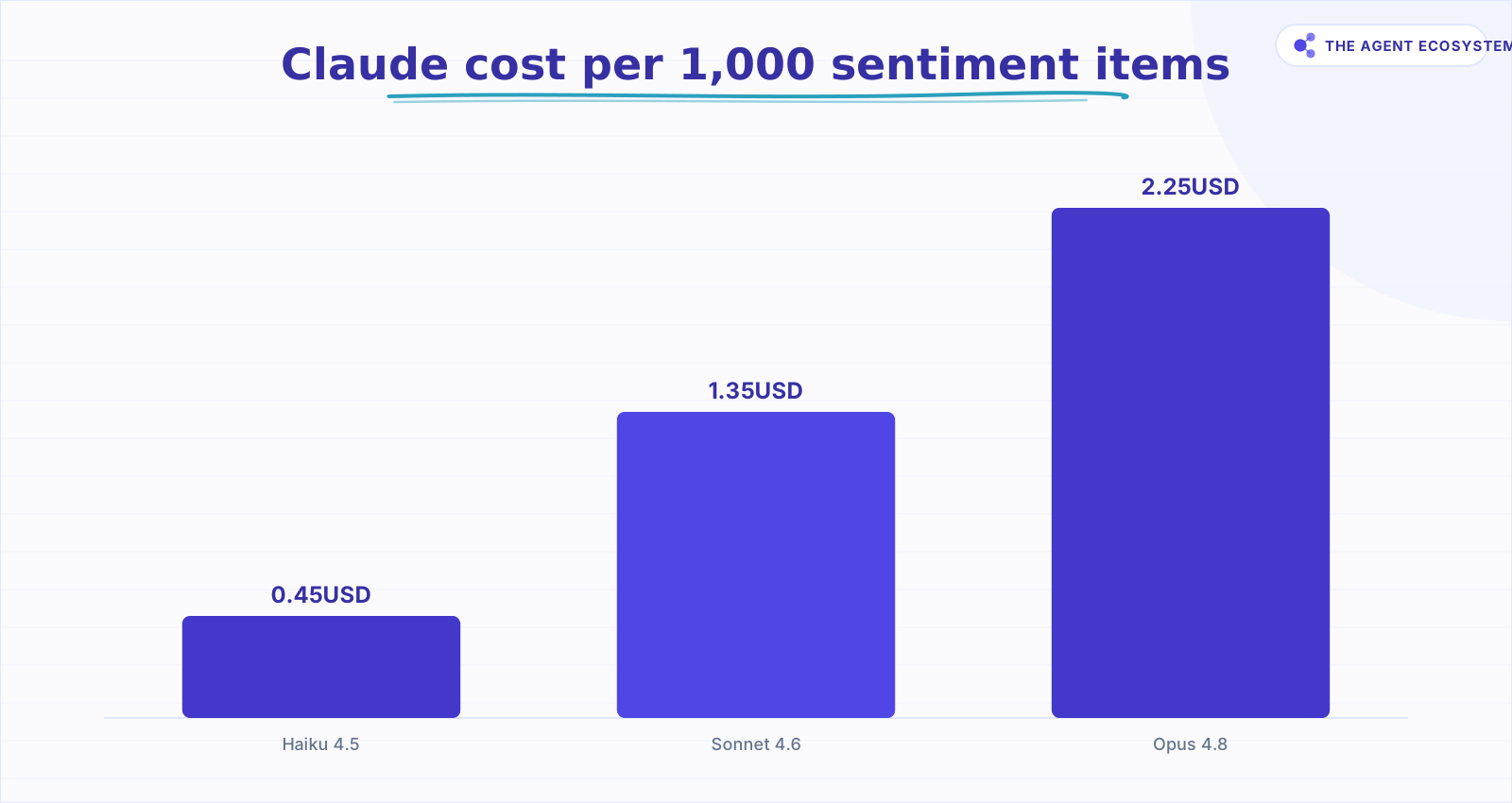 Haiku 4.5 is the cheapest fit for a short-label task.
Should you trust the confidence scores?#
The confidence scores from the Sentiment Analysis node are rough LLM estimates, not calibrated probabilities. n8n's own documentation states this directly: the strength and confidence values the model returns are indicators, not precise measurements. Treat them as a relative signal for sorting, not a threshold you can rely on blindly.
What the scores are useful for: sorting a batch of 200 reviews so the strongly negative ones surface first for human review. What they are not useful for: automatically closing a support ticket as resolved because the model returned a "Positive" label with 0.9 confidence.
Sarcasm is the main failure mode. "Oh great, another update that breaks everything" will often score as mildly positive because the word "great" appears. Domain jargon is the second failure mode: industry-specific terms the model was not trained on can produce neutral labels for clearly negative feedback.
The practical fix is a regular spot-check. Every week or two, pull 20 to 30 classified items and verify the labels manually. When you find systematic errors, adjust the System Prompt Template to add domain context.
How do you build it in n8n, step by step?#
Building n8n sentiment analysis takes about 15 minutes if you already have a feedback source connected. The full wiring goes: a source node feeds the Sentiment Analysis node, which has a Claude Chat Model sub-node attached, and each output pin connects to its own handler. The six steps below walk through it.
Step 1: Connect your feedback source#
Pull in text from wherever it lives. A Google Sheets trigger works well for form responses (see the Google Sheets as database in n8n guide for the setup). A webhook trigger handles real-time events from Typeform, Tally, or Zendesk. Map the specific text field you want to classify into the workflow item.
Step 2: Add and configure the Sentiment Analysis node#
In the n8n canvas, add the Sentiment Analysis node from the LangChain section. Open its settings and set the input field to the text field from your source. Set your categories: start with the default three unless you already know you need finer routing.
Step 3: Attach Claude Haiku 4.5 as the Chat Model#
Inside the Sentiment Analysis node, click Add Chat Model and select Claude Haiku 4.5. You will need your Anthropic API key stored as an n8n credential. For guidance on which model to pick for which task, see the Claude vs GPT vs Gemini in n8n cost and speed comparison.
Step 4: Optionally enable Include Detailed Results#
Toggle on Include Detailed Results in the node settings if you want sentiment strength and a confidence score in the output. You can use these to sort items within a sentiment bucket. Remember: they are estimates.
Step 5: Wire each output pin to a handler#
Connect the Negative output to a Slack message node or a ticket-creation node so you are alerted within seconds. Connect the Positive output to an email sequence that asks for a testimonial or a review (the automate client onboarding in n8n guide covers the email trigger pattern). Connect the Neutral output to a logging step.
The email triage agent with Claude and n8n uses the same branch-by-result structure, so if you have already built that workflow, the pattern here is identical.
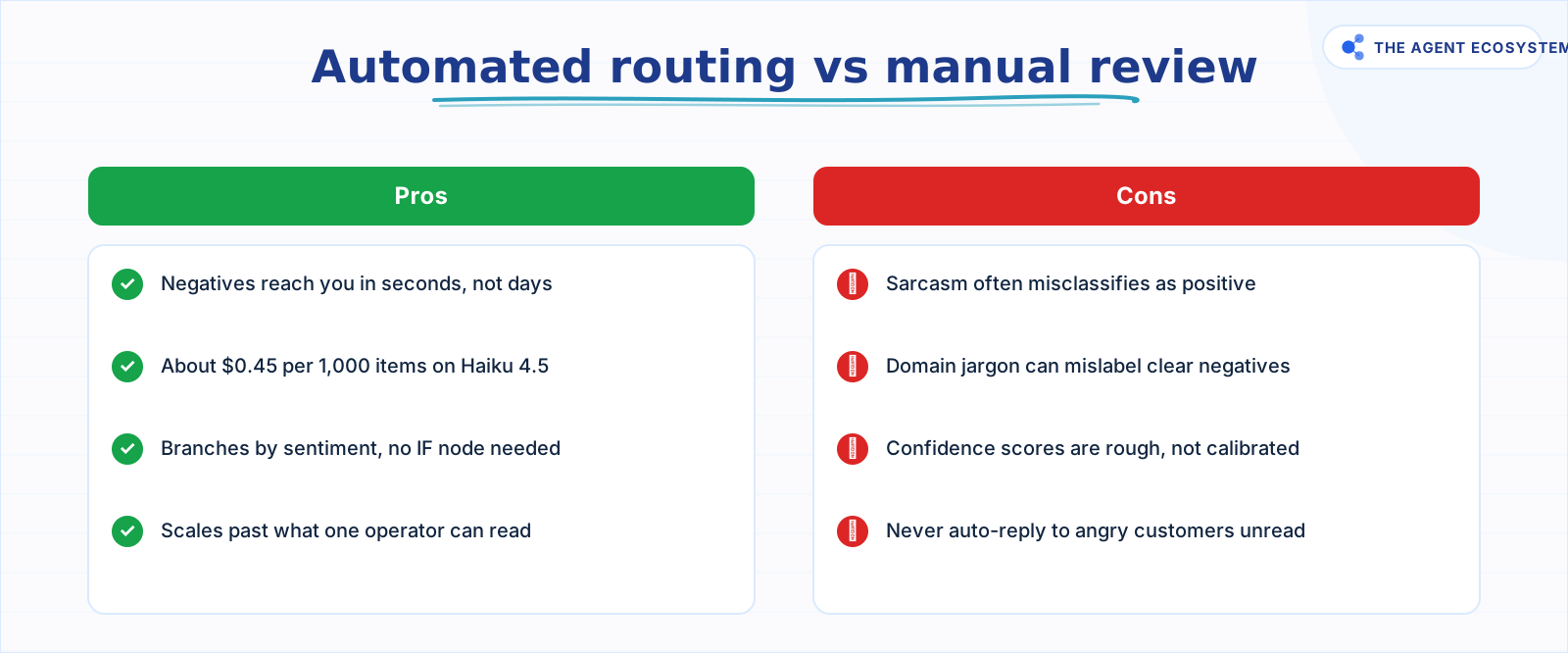 Automation wins on speed and scale; humans still own replies.
Where can this go wrong?#
The most common mistake in sentiment routing workflows is treating the node output as ground truth and skipping the spot-check entirely. Within the first week of running this on real feedback, you will almost certainly find at least one batch where sarcastic one-star reviews classify as Neutral.
Four specific failure modes to watch:
- Over-trusting the confidence score. A high score does not mean the label is correct. It means the model was not uncertain in its generation. Those are different things.
- Choosing the wrong category granularity. Three categories are often too coarse for support triage but fine for review routing. Five categories add routing complexity. Pick the scale that maps to actions you will actually take differently per bucket.
- Auto-replying to negative feedback. Alerting on a negative review is safe. Sending an automated reply to an angry customer without a human reading it first is a real reputational risk. Use the negative branch to alert, not to respond.
- Skipping the system prompt customization. If your feedback comes from a specialized domain, the default prompt may miss context entirely. Use the System Prompt Template field to add a one-sentence domain description.
The n8n AI lead generation agent guide covers the same branching pattern for scoring leads, so if you have already dealt with edge cases there, apply the same spot-check discipline here.
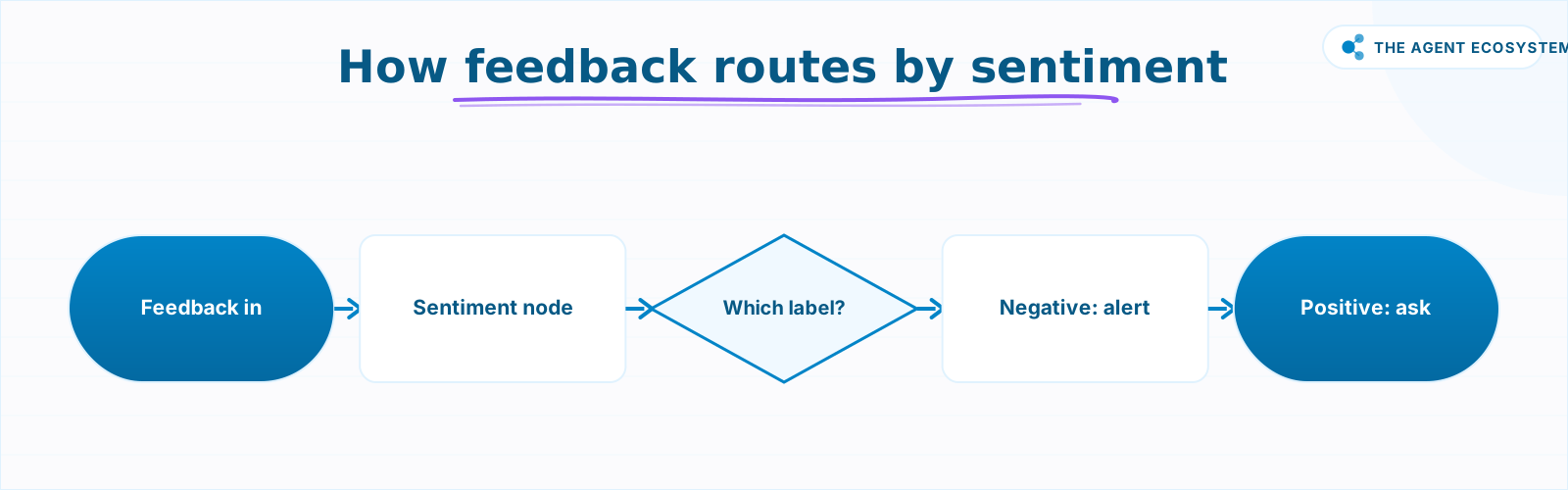 Each piece of feedback reaches the right handler automatically.
What should you set up this weekend?#
Pick one feedback source you are currently reading manually: your Google reviews, your post-purchase survey, or your support inbox replies. Connect it to n8n, add the Sentiment Analysis node with Claude Haiku 4.5, set three categories, and wire the Negative pin to a Slack message.
Run it on your last 50 real items. Spot-check 10 of the results. You will have a working sentiment router in under an hour, and you will know within the first batch whether the default categories are fine or whether you need a five-level scale.
The total cost for that batch: under a cent. The ongoing cost for 1,000 items per month: $0.45 in model tokens. The cost of missing an angry customer buried in your inbox: considerably more.
Frequently asked questions
What is the n8n Sentiment Analysis node?
How much does AI sentiment analysis cost in n8n?
Are the confidence scores from the Sentiment Analysis node accurate?
Can I use more than three sentiment categories in n8n?
Which Claude model is best for sentiment analysis in n8n?
Can the Sentiment Analysis node handle sarcasm?
Sources
Primary references and vendor documentation used while drafting and reviewing this article.
Written by

Muhammad Qasim Hammad is an AI agent and automation expert and the founder of Cart Gaze LLC (cartgaze.com). He builds product for the love of it: when an idea lands, a working prototype is usually running within hours, built with the same AI agents and automations he sells. He puts his own output at roughly 20× what it was before agents, and the Agentic OS behind this site is the working proof, documented in public with the tools he actually ran and what they really cost.
AI & Automation Services
Want a pipeline like this running in your business?
I'm Qasim — I design and ship AI agents and n8n automations for solo operators and small teams. Tell me what's eating your team's week, and I'll scope a fix.
Related reading
Auto-Categorize Emails & Tickets in n8n with the AI Text Classifier
The n8n AI Text Classifier node reads each inbound message, picks the right category, and branches your workflow automatically. Costs $0.65 per 1,000 emails on Claude Haiku 4.5. Here is exactly how to build it.

n8n AI Feedback Analysis: Classify Sentiment and Route Urgent Complaints Automatically
Customer feedback arrives from five places and nobody reads most of it. An n8n workflow with an AI agent classifies every piece by sentiment and theme, routes urgent complaints immediately, and builds a weekly digest your product team can act on.
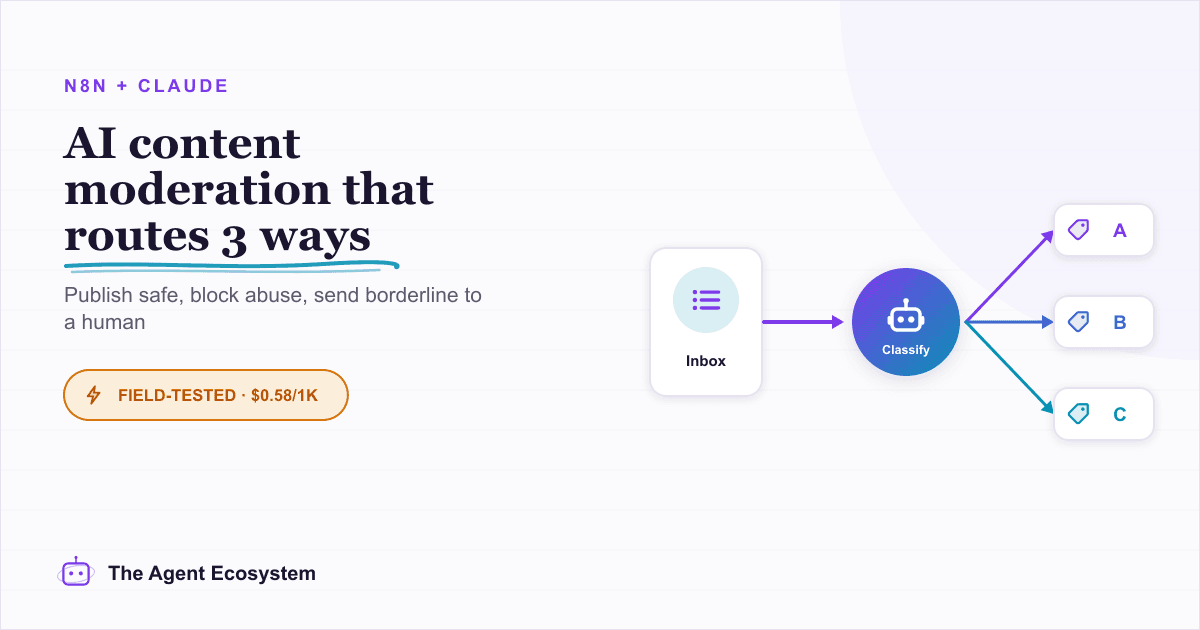
Automate Content Moderation in n8n With an AI Classifier
Build an n8n AI content moderation workflow using the Text Classifier node: safe content publishes instantly, unsafe gets blocked and logged, and uncertain submissions route to a human queue for about $0.58 per 1,000 items.
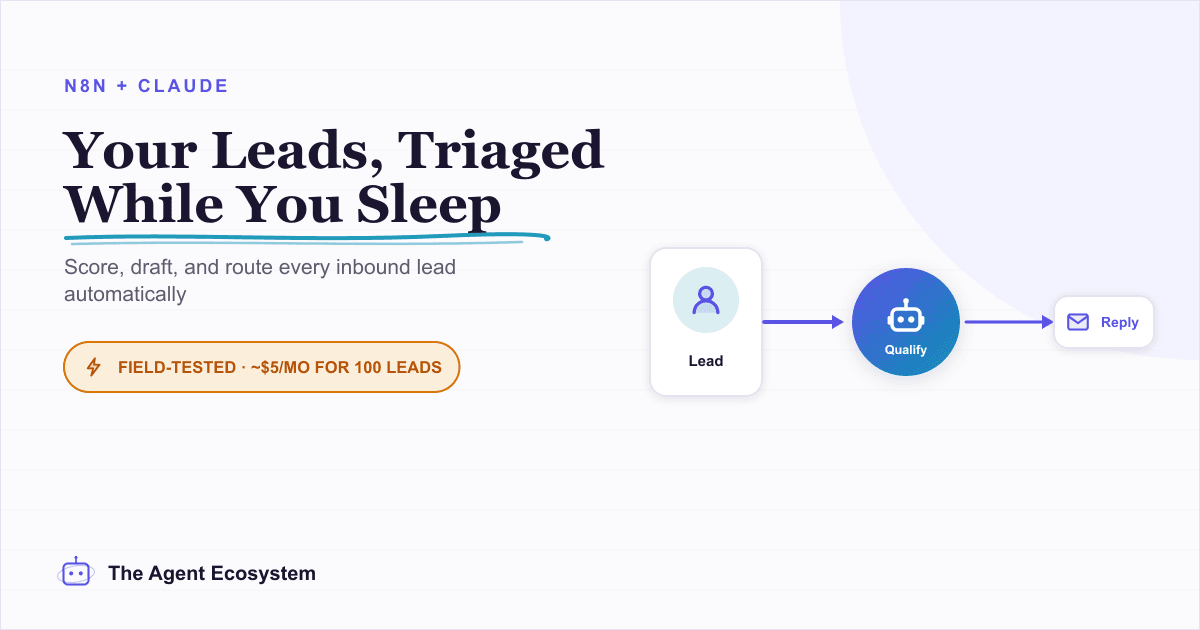
Build an AI Lead-Generation Agent in n8n (With Real Monthly Cost)
An n8n AI lead generation agent triages every inbound lead the moment it lands: scoring intent, drafting a personalized reply, and pinging you on the hot ones. Real cost: about $5/month for 100 leads on Claude Sonnet 4.6.
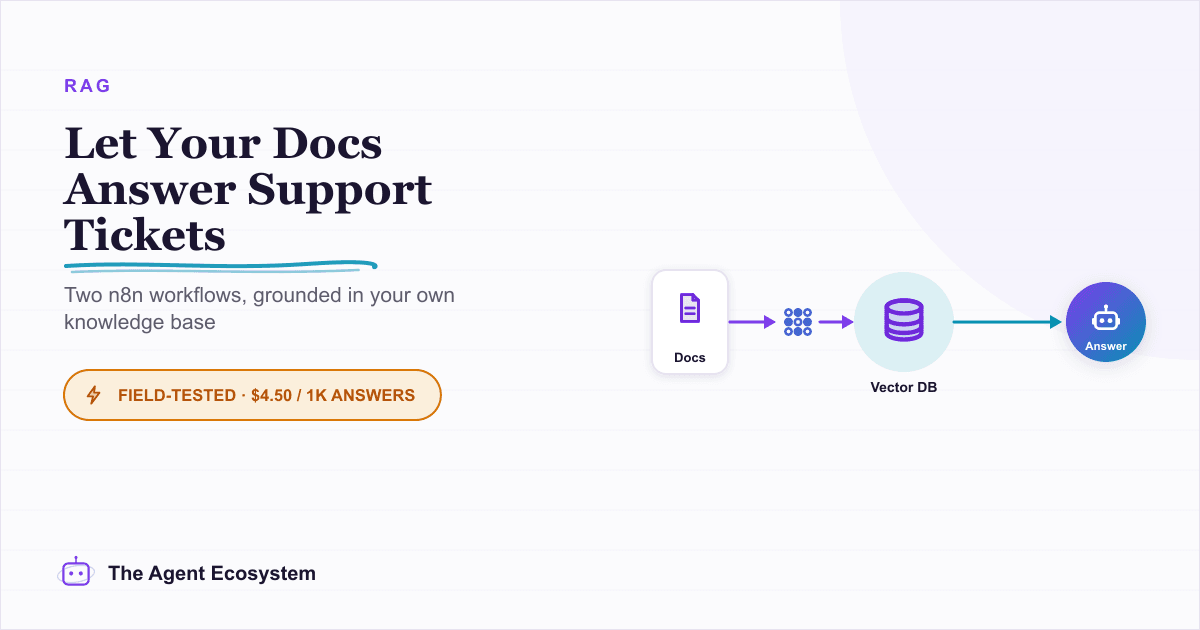
Build an AI Customer-Support Bot in n8n (RAG, With Real Monthly Cost)
Build an n8n AI customer support bot that answers repeat questions from your own docs using RAG. Two workflows, about $4.50 per 1,000 answers on Claude Haiku 4.5, and $0 platform cost if you self-host.
n8n AI Automation Ideas: 8 Agent Workflows Worth Building (2026)
Finished the n8n AI tutorial and wondering what to actually build? These 8 n8n AI automation ideas come with the exact nodes, the honest Chain-vs-Agent call, and the right Claude model for each job.