How to Self-Host n8n on a VPS in 2026 (Full Setup Guide)
Run your own automation server for under $10/month and own every workflow you build
AI-drafted, reviewed by Muhammad Qasim Hammad on June 7, 2026. See our AI disclosure.
Table of contents
- Why Self-Hosting n8n Is Worth It for Solopreneurs
- What You Need Before Starting
- Step 1: Provision the VPS and Install Docker
- Step 2: Set Up Your Docker Compose File
- Step 3: Configure Nginx and SSL
- Step 4: Start the Stack and Verify
- Step 5: Set Up Backups Before You Do Anything Else
- How Solopreneurs Get This Wrong
- Where to Go From Here
Your n8n Cloud bill just hit the $20/month plan cap and your 2,500 executions ran out four days before the billing cycle ended. Self-hosting n8n on a VPS fixes this in an afternoon and cuts your monthly cost to under $10.
The symptom is familiar: a webhook misses a trigger because you hit the execution limit, a client order goes unprocessed, and you spend 30 minutes manually patching what your automation should have handled. Solopreneurs running lean, AI-assisted workflows with Claude, Stripe, or Airtable integrations cannot afford that kind of silent failure.
This guide covers the exact steps I used to move a 17-workflow stack off n8n Cloud and onto a Hetzner VPS. It is the automation layer of my full AI automation stack, the one that runs this whole business for under $10 a month. The setup took about 90 minutes the first time. Subsequent servers take under 30.
 Self-hosting moves your automation stack from a SaaS platform to a server you control.
Why Self-Hosting n8n Is Worth It for Solopreneurs#
Self-hosting n8n on a VPS gives you unlimited executions and zero per-workflow fees for about $4.90 a month, against the $20 n8n Cloud Starter cap of 2,500 executions. You trade a managed service for owning updates, backups, and uptime, which is a fair deal for most solo automations.
The n8n Cloud Starter plan costs $20/month and caps you at 2,500 executions; the next tier jumps to $50/month for 10,000 executions. A Hetzner CX22 VPS with 2 vCPUs and 4 GB of RAM runs n8n and a Postgres container comfortably for about $4.90/month, according to Hetzner's current pricing.
The trade-off is maintenance responsibility. You own updates, backups, and uptime monitoring. For most solo operators running internal automations, a 99.9% uptime guarantee from a solid VPS provider is more than enough.
One more practical reason: self-hosted n8n lets you use the full n8n AI node suite with your own Claude or OpenAI API keys, free of any Cloud plan restrictions.
What You Need Before Starting#
You need four things before you touch a terminal: a VPS account, a domain with DNS access, an SSH key pair on your local machine, and about 90 minutes. The server floor is 1 vCPU and 1 GB RAM, but n8n plus Postgres runs far more reliably on 2 GB.
The full checklist:
- A VPS account (Hetzner, DigitalOcean, or Vultr all work)
- A domain name with DNS access (even a cheap Namecheap domain at around $1-2/year works)
- An SSH key pair already generated on your local machine
- About 90 minutes of focused time
The Hetzner CX22 at $4.90/month is the sweet spot I keep returning to.
| Provider | Plan | vCPU | RAM | Monthly Cost |
|---|---|---|---|---|
| Hetzner | CX22 | 2 | 4 GB | ~$4.90 |
| DigitalOcean | Basic Droplet | 1 | 2 GB | $6.00 |
| Vultr | Cloud Compute | 1 | 2 GB | $6.00 |
| n8n Cloud | Starter | N/A | N/A | $20.00 |
Hetzner wins on price-to-resource ratio. DigitalOcean and Vultr are solid alternatives if you prefer their dashboards or need specific data-center regions.
 A $4.90/month VPS replaces the $20/month n8n Cloud plan.
Step 1: Provision the VPS and Install Docker#
Provision your VPS, then SSH in the moment it boots and install Docker with a single command. Docker is the runtime that runs n8n and Postgres as isolated containers, so this one install is the foundation for everything that follows. The whole step takes about three minutes.
curl -fsSL https://get.docker.com | sh
sudo usermod -aG docker $USER
Log out and back in so the group change takes effect. Confirm Docker is running:
docker --version
docker compose version
Check both commands. Docker ships with Compose as a plugin since version 23, so you should see output for both. If Compose is missing, install it with sudo apt install docker-compose-plugin.
Step 2: Set Up Your Docker Compose File#
Your entire stack is defined in one docker-compose.yml file: an n8n container, a Postgres container for persistent storage, and named volumes so your data survives restarts. Create a working directory, drop this file in, and Compose pulls and wires both services together when you start it. Here is the config I run in production:
version: "3.8"

services:
  postgres:
    image: postgres:16
    restart: unless-stopped
    environment:
      POSTGRES_USER: n8n
      POSTGRES_PASSWORD: ${DB_POSTGRESDB_PASSWORD}
      POSTGRES_DB: n8n
    volumes:
      - postgres_data:/var/lib/postgresql/data

  n8n:
    image: n8nio/n8n:latest
    restart: unless-stopped
    depends_on:
      - postgres
    environment:
      DB_TYPE: postgresdb
      DB_POSTGRESDB_HOST: postgres
      DB_POSTGRESDB_USER: n8n
      DB_POSTGRESDB_PASSWORD: ${DB_POSTGRESDB_PASSWORD}
      DB_POSTGRESDB_DATABASE: n8n
      N8N_ENCRYPTION_KEY: ${N8N_ENCRYPTION_KEY}
      WEBHOOK_URL: https://n8n.yourdomain.com
      N8N_HOST: n8n.yourdomain.com
      N8N_PROTOCOL: https
    volumes:
      - n8n_data:/home/node/.n8n
    ports:
      - "5678:5678"

volumes:
  postgres_data:
  n8n_data:
Create a .env file in the same directory with real values:
DB_POSTGRESDB_PASSWORD=a_strong_random_password
N8N_ENCRYPTION_KEY=a_32_char_random_string
The N8N_ENCRYPTION_KEY protects stored credentials. Generate a random 32-character string with openssl rand -hex 16. Write it down somewhere safe. Changing it later requires re-entering every credential in every workflow.
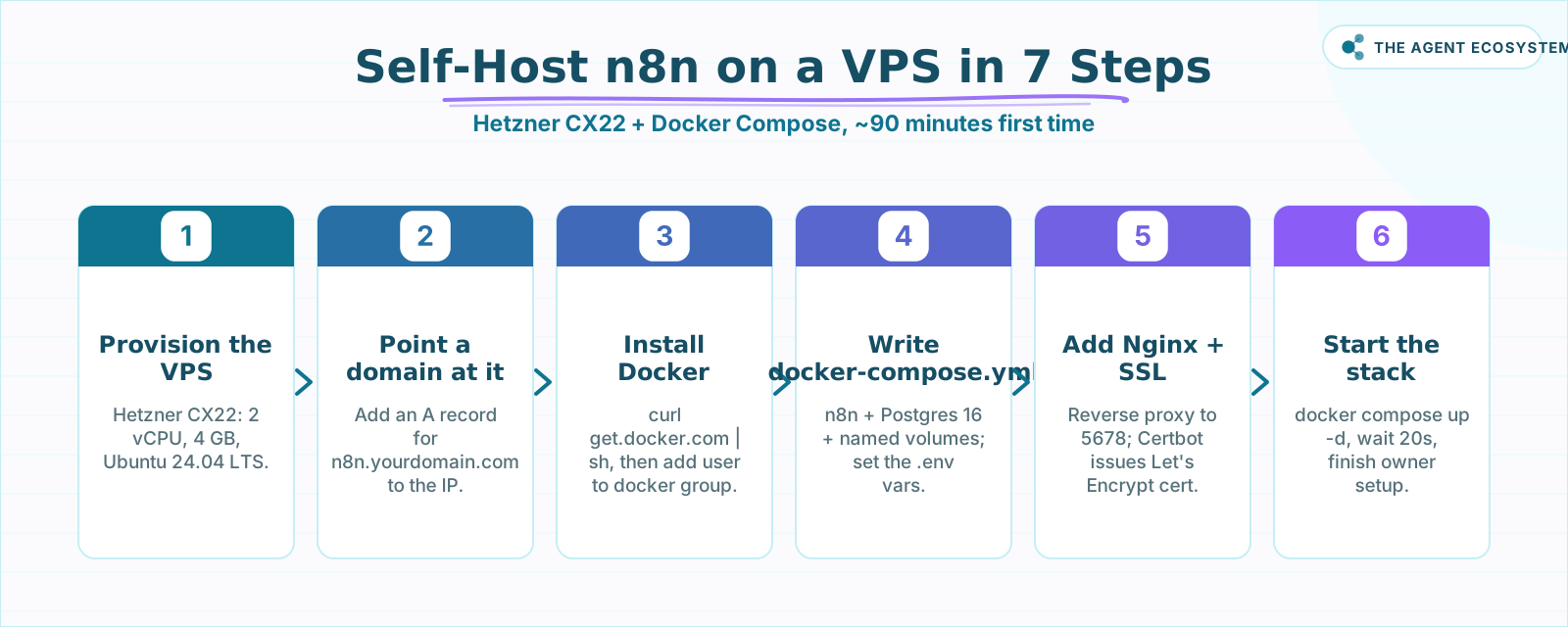 The end-to-end setup: from a fresh VPS to a live n8n instance in about 90 minutes.
Step 3: Configure Nginx and SSL#
Never expose n8n directly on port 5678. Put Nginx in front of it as a reverse proxy and terminate SSL there, so traffic reaches your server over HTTPS and n8n stays on the internal network. Certbot issues a free Let's Encrypt certificate and renews it for you. Install both packages first:
sudo apt install nginx certbot python3-certbot-nginx -yCreate /etc/nginx/sites-available/n8n with this config:
server {
    listen 80;
    server_name n8n.yourdomain.com;

    location / {
        proxy_pass http://localhost:5678;
        proxy_set_header Host $host;
        proxy_set_header X-Real-IP $remote_addr;
        proxy_set_header X-Forwarded-For $proxy_add_x_forwarded_for;
        proxy_set_header X-Forwarded-Proto $scheme;
        proxy_http_version 1.1;
        proxy_set_header Upgrade $http_upgrade;
        proxy_set_header Connection "upgrade";
    }
}
Enable the site and grab your certificate:
sudo ln -s /etc/nginx/sites-available/n8n /etc/nginx/sites-enabled/
sudo certbot --nginx -d n8n.yourdomain.com
Certbot modifies your Nginx config to add the SSL block and sets up an automatic renewal cron. Per the Certbot documentation, certificates renew automatically every 60-90 days with no manual action required.
Step 4: Start the Stack and Verify#
Bring the whole stack up with one command, wait about 20 seconds for Postgres to initialize, then open your domain over HTTPS. You should land on the n8n owner setup screen. Create your account and build a quick HTTP Request workflow to confirm the instance is live and webhooks fire correctly:
docker compose up -dWait about 20 seconds for Postgres to initialize, then visit https://n8n.yourdomain.com. You should see the n8n owner account setup screen. Fill it in, log in, and build a test workflow with an HTTP Request node to confirm webhooks fire correctly.
Run a quick smoke test: a simple webhook trigger that POSTs to a RequestBin URL. If the webhook delivers in under 2 seconds, the setup is solid.
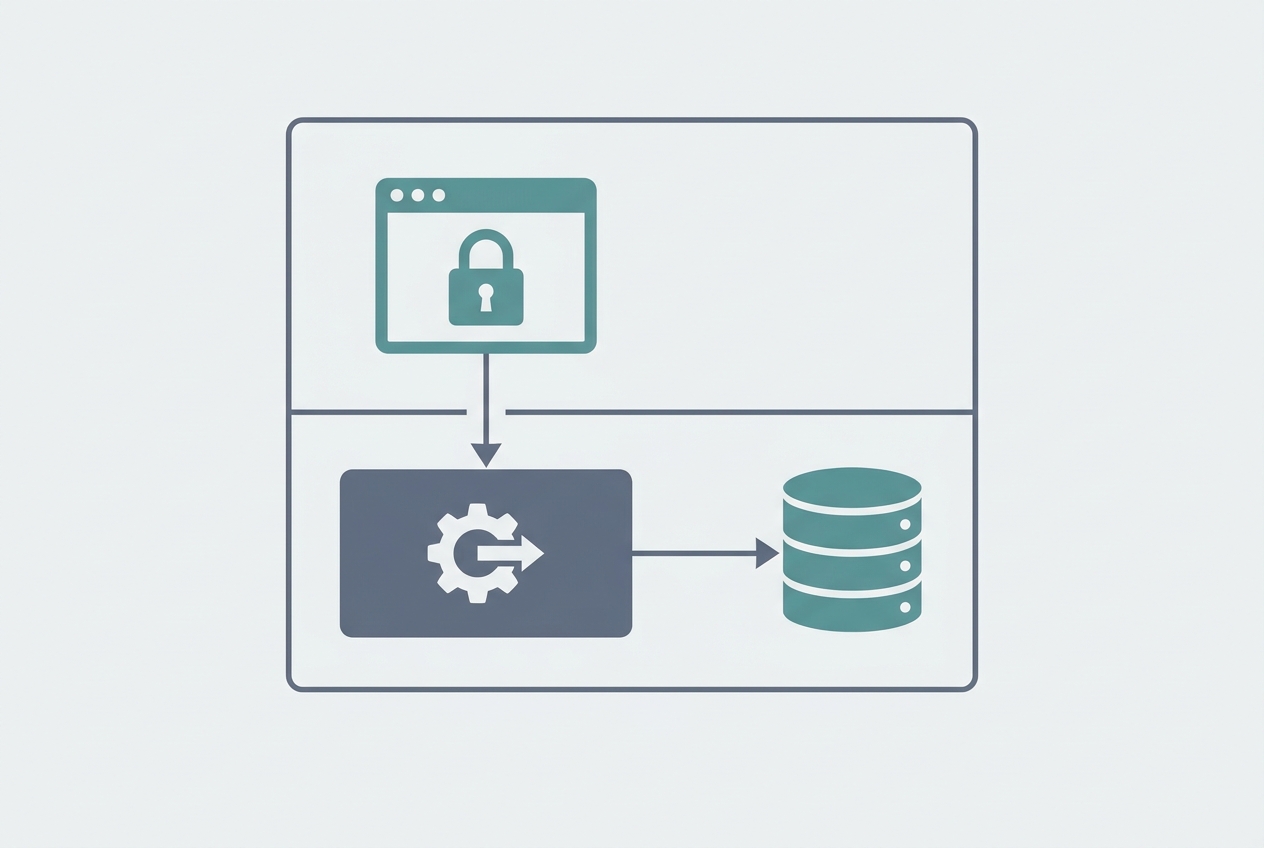 Nginx handles SSL termination; n8n and Postgres run as named Docker containers.
Step 5: Set Up Backups Before You Do Anything Else#
A single docker volume rm wipes your entire workflow library, so set up an automated nightly backup before you build anything important. The plan is simple: a cron job tars the n8n data volume every night and ships it to cheap S3-compatible object storage like Backblaze B2. You keep seven days of history:
Install the AWS CLI and point it at an S3-compatible bucket (Backblaze B2 starts at $6 per terabyte per month, making it the cheapest option here). Then add this cron job via crontab -e:
0 2 * * * docker run --rm \
  -v n8n_data:/data \
  -v /root/backups:/backup \
  alpine tar czf /backup/n8n_$(date +%Y%m%d).tar.gz /data \
  && aws s3 cp /root/backups/n8n_$(date +%Y%m%d).tar.gz s3://your-bucket/n8n/
This runs at 2 AM daily, tars the named volume, and ships it to S3. Keep 7 days of backups. The total storage footprint for a solo n8n instance is usually under 50 MB, so cost is negligible.
How Solopreneurs Get This Wrong#
Most self-hosted n8n failures are not about the server at all. They come from three avoidable configuration mistakes: leaving the encryption key unset, forgetting the webhook URL, and never testing an upgrade before it hits production. Each one fails silently, which is exactly why they cost you a debugging afternoon. Here is how to avoid all three.
Skipping N8N_ENCRYPTION_KEY in the .env file. If you start n8n without this set, it generates a random one at runtime. The next time the container restarts with the key missing from the environment, every stored credential becomes unreadable. Set it explicitly from day one.
Forgetting to set WEBHOOK_URL. n8n uses this variable to build the public URL it returns when you create a webhook trigger. Without it, n8n returns an internal Docker network address. External services like Stripe or Typeform cannot reach it, and the workflow silently never fires.
Never testing the upgrade path before production. Upgrading n8n is one docker compose pull && docker compose up -d. The risk: n8n occasionally ships breaking changes in minor versions. Check the n8n changelog before pulling a new image. I stage upgrades on a $4.90 test VPS before touching the production instance.
Where to Go From Here#
Once your self-hosted n8n instance is running, connect your Claude API key under Settings > Credentials and rebuild any AI workflows you had on Cloud. From there, connect a Supabase Postgres database as an external data store for agent memory. The n8n community forum has active threads on both integrations with real workflow exports you can import directly.
Frequently asked questions
How much does it cost to self-host n8n on a VPS?
Do I need Docker experience to self-host n8n?
Can I run n8n with SQLite instead of Postgres on a VPS?
How do I update n8n after self-hosting it?
Is self-hosted n8n suitable for production webhooks?
What happens to my workflows if the VPS goes down?
Can I use n8n's AI nodes on a self-hosted instance?
Sources
Primary references and vendor documentation used while drafting and reviewing this article.
Written by

Muhammad Qasim Hammad is an AI agent and automation expert and the founder of Cart Gaze LLC (cartgaze.com). He builds product for the love of it: when an idea lands, a working prototype is usually running within hours, built with the same AI agents and automations he sells. He puts his own output at roughly 20× what it was before agents, and the Agentic OS behind this site is the working proof, documented in public with the tools he actually ran and what they really cost.
AI & Automation Services
Want a pipeline like this running in your business?
I'm Qasim — I design and ship AI agents and n8n automations for solo operators and small teams. Tell me what's eating your team's week, and I'll scope a fix.
Related reading
The Exact AI Automation Stack I Use as a Solopreneur in 2026 (With Real Monthly Costs)
Most "AI stack" posts hide the bill. Mine runs under $10/month. Here is every tool, the exact tier, the real cost, and the job each layer does for my one-person content business.

How to Back Up and Version Your n8n Workflows With Git
Self-hosted n8n stores every workflow in one database file. This guide shows you the free CLI-to-Git backup method, the exact export commands, and the encryption key step most tutorials skip.
n8n vs Make vs Zapier in 2026: The Real Cost Math for Solopreneurs
Zapier, Make, and n8n meter completely different units. The same 6-step workflow at 1,000 runs/month can cost 5x more on one platform than another. Here is the exact math for solopreneurs in 2026.
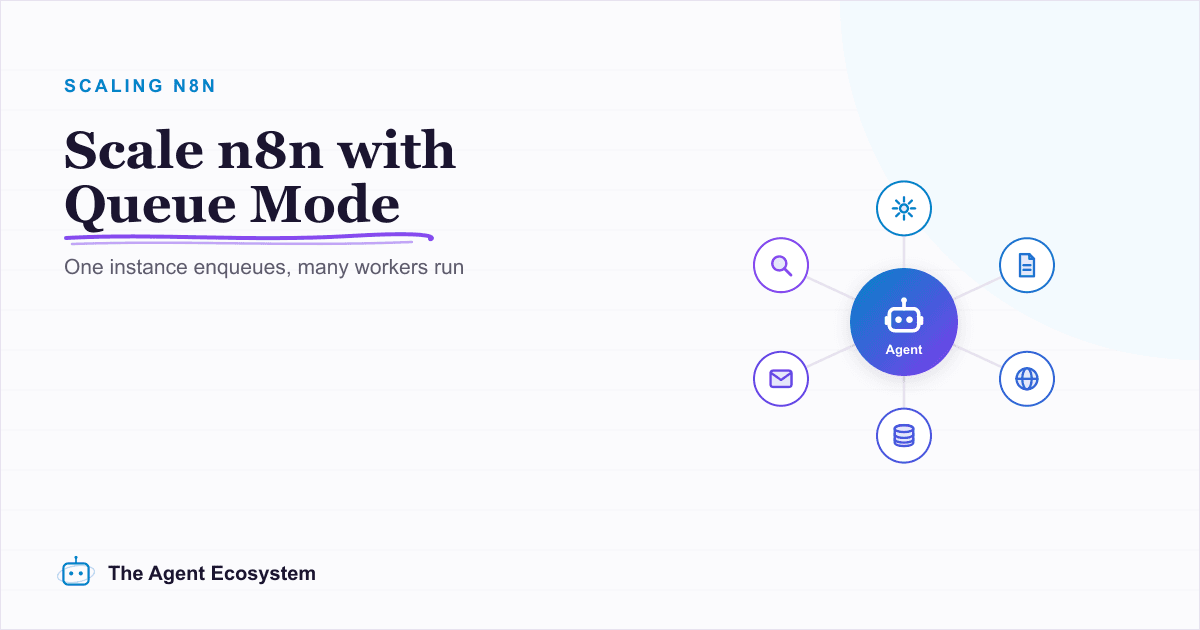
n8n Queue Mode: Scale AI Workflows with Workers and Redis
One busy hour and your single n8n instance starts queueing executions behind a slow workflow. Queue mode is the fix: set EXECUTIONS_MODE=queue, add Redis and a shared Postgres, and run separate worker processes that scale out. Here is when you need it and the exact setup.
Add an AI Chatbot to Your Website With n8n (Chat Trigger)
Add a working AI chat widget to any website using n8n's Chat Trigger node and the @n8n/chat embed snippet. No React, no SaaS widget, about $7.25 per 1,000 conversations on Claude Haiku 4.5.
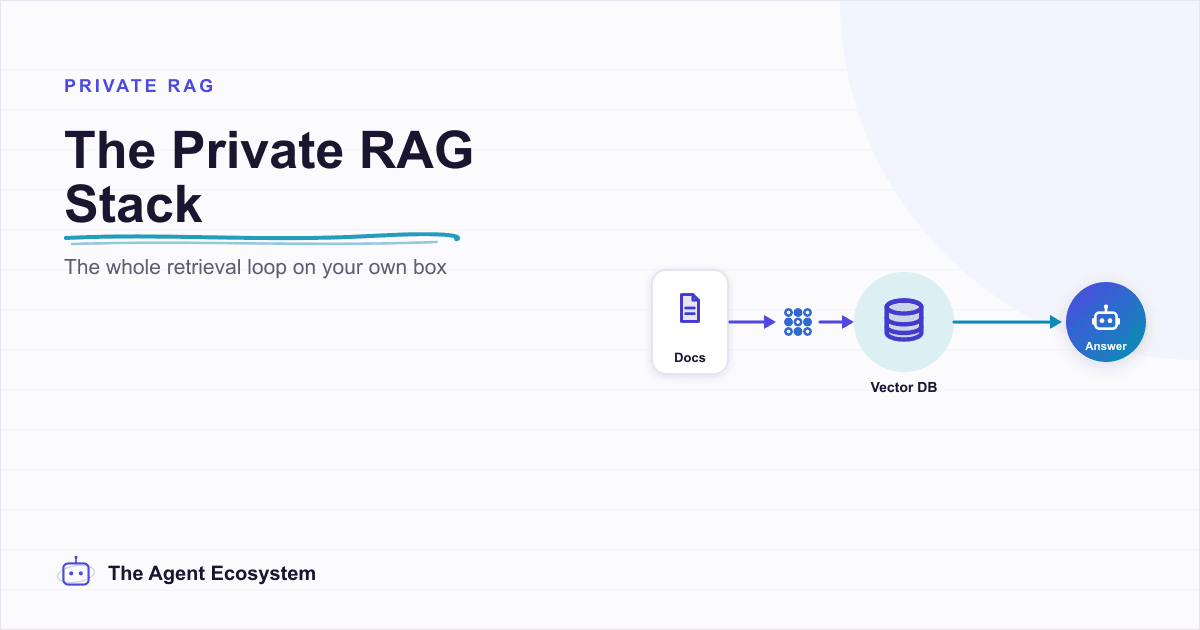
Self-Hosted n8n RAG Pipeline: The Private Stack
A fully self-hosted RAG pipeline keeps your documents and compute in-house: n8n orchestrates, Ollama serves a local model, and pgvector stores embeddings in Postgres. Here is the end-to-end node graph, the modeled cost, and when self-hosting beats a managed stack.