n8n AI Feedback Analysis: Classify Sentiment and Route Urgent Complaints Automatically
Build an n8n workflow that collects customer feedback from multiple sources, classifies sentiment with an AI agent, and routes urgent complaints to your team.
AI-drafted, reviewed by Muhammad Qasim Hammad on July 19, 2026. See our AI disclosure.
Table of contents
Customer feedback arrives from five different places and nobody reads most of it. Reviews sit in a Google Sheet, support tickets pile up in the helpdesk, and NPS responses expire in an email inbox. An n8n workflow with an AI agent reads every piece of feedback as it arrives, classifies the sentiment, extracts actionable themes, and routes urgent complaints to the right team before a one-star review becomes a churn event.
This guide builds the full pipeline: collect feedback from multiple sources, analyze it with an AI agent, tag it by theme and sentiment, and route the results. If you already run n8n automations and want to close the loop between what customers say and what your team does about it, this is the build.
What does an AI feedback analysis pipeline look like?#
The pipeline has four stages: collect feedback from each source into a single stream, analyze each piece with an AI agent for sentiment and themes, aggregate the results into a daily or weekly summary, and route urgent items for immediate action. The AI agent sits in the analysis layer where pattern recognition across hundreds of responses matters most.
The collection layer normalizes feedback from different sources into a common format. A Google Sheets trigger for review exports, a webhook for helpdesk ticket comments, and a scheduled pull from your NPS tool all feed into a single Merge node. Each item gets a standard shape: source, timestamp, customer identifier, and the raw feedback text.
The analysis layer runs each feedback item through an AI Agent that returns structured JSON with a sentiment score (-1 to 1), a primary theme tag, a secondary theme tag, and a one-sentence summary. The agent's system prompt defines your theme taxonomy so every response maps to categories your team already uses (pricing, onboarding, performance, feature request, bug report).
The routing layer handles two paths. Urgent items (negative sentiment + bug or churn-risk theme) get a Slack alert immediately. Everything else flows into a summary that aggregates theme counts and sentiment trends for a daily or weekly digest.
| Stage | Purpose | Key nodes |
|---|---|---|
| Collect | Normalize feedback from 3-5 sources | Triggers + Merge |
| Analyze | Classify sentiment, extract themes | AI Agent + Code |
| Aggregate | Count themes, track sentiment trends | Code + Google Sheets |
| Route | Alert on urgent items, digest the rest | IF + Slack + Email |
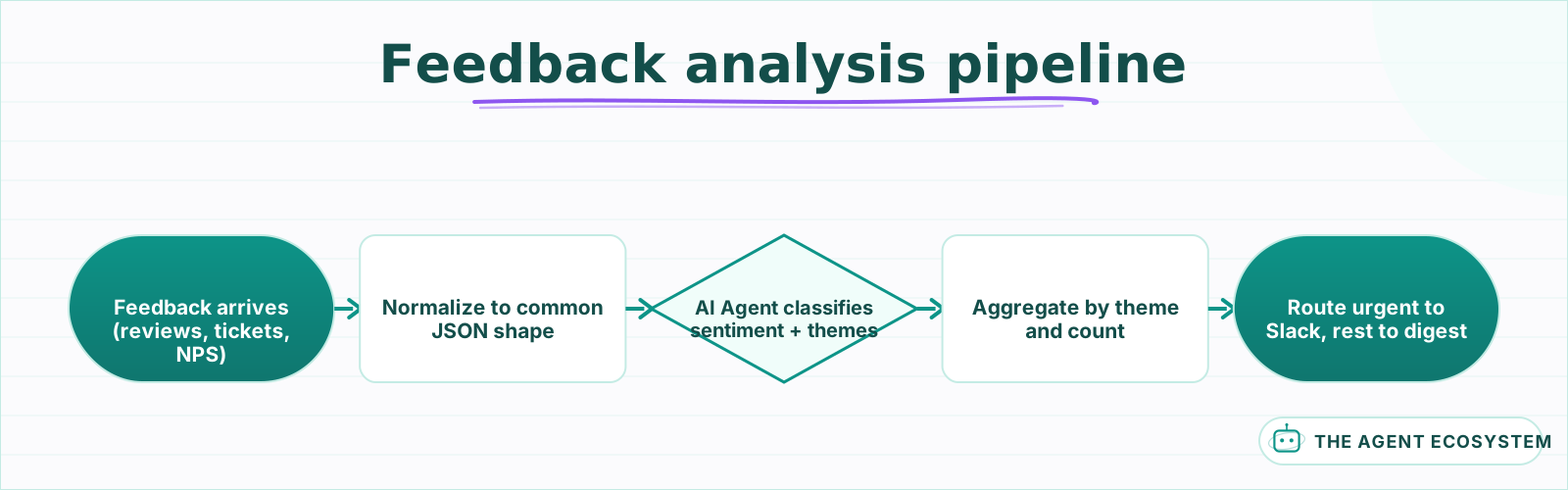 Feedback enters from multiple sources, gets classified by an AI agent, aggregated into theme counts, and routed by urgency.
How do you collect feedback from multiple sources into one stream?#
Use separate trigger nodes for each feedback source, normalize each into a common JSON shape with a Code node, and merge the streams before the analysis layer. The common shape ensures the AI agent receives consistent input regardless of whether the feedback came from a Google review, a Zendesk ticket, or an NPS survey.
Each source needs its own trigger. A Schedule Trigger that pulls new rows from a Google Sheet every hour for review exports. A Webhook node that receives events from your helpdesk when a ticket is closed or a CSAT survey is submitted. A third trigger for NPS responses via an HTTP Request to your survey tool's API.
After each trigger, a Code node reshapes the source-specific JSON into a standard format:
const items = $input.all();
return items.map(item => ({
  json: {
    source: 'google_reviews',
    timestamp: item.json.date || new Date().toISOString(),
    customerId: item.json.reviewer_email || 'anonymous',
    text: item.json.review_body,
    rating: item.json.star_rating || null
  }
}));
A Merge node combines all three streams into a single queue. Set the merge mode to "Append" so items from different sources flow through as a flat list rather than paired records. The analysis layer processes them one at a time regardless of where they came from.
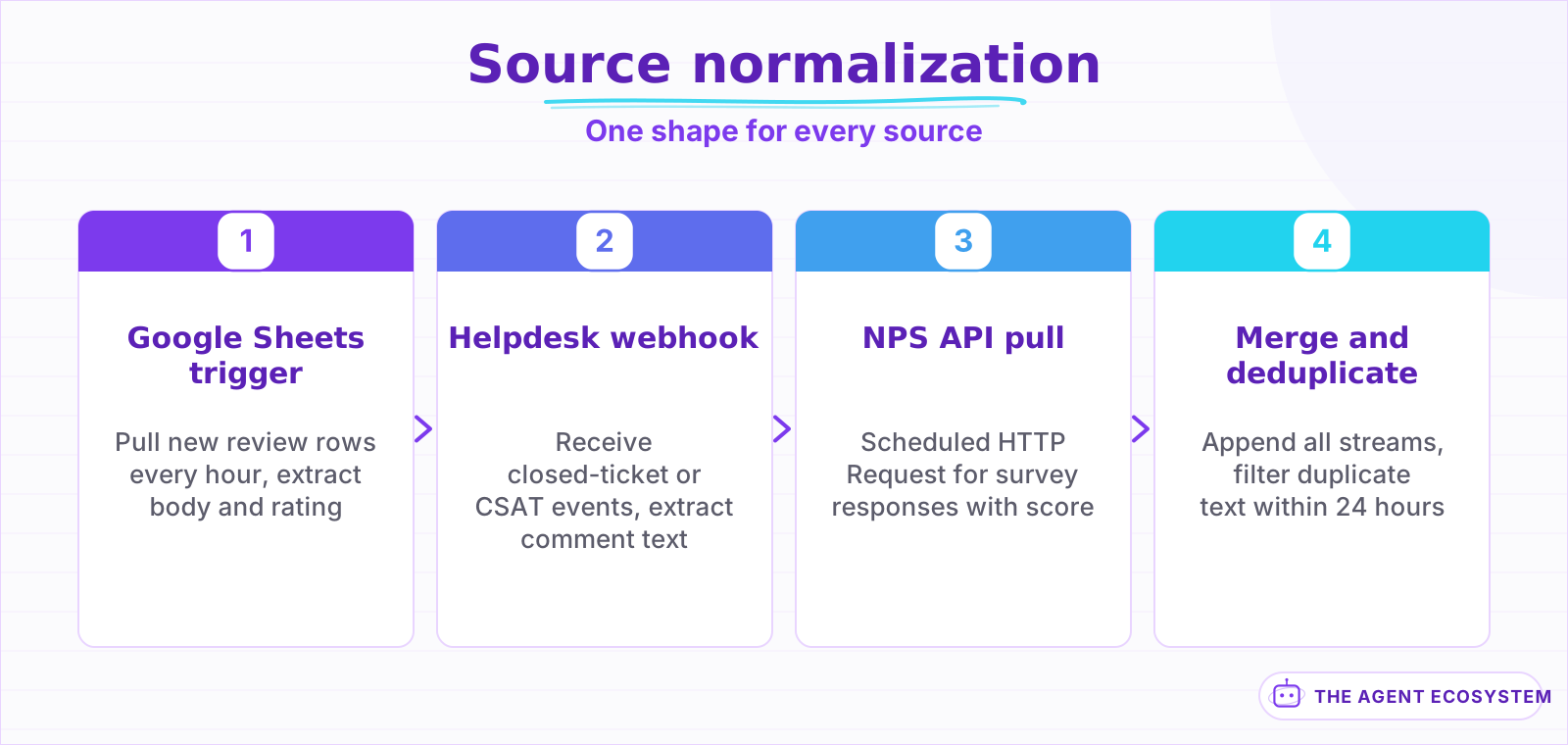 Each source gets its own trigger and normalizer. The merge node combines them into a single stream for the AI agent.
How does an AI agent classify sentiment and extract themes?#
Feed each normalized feedback item into an AI Agent node with a system prompt that defines your theme taxonomy and output format. The agent returns structured JSON with a sentiment score, theme tags, a one-sentence summary, and an urgency flag. This classification turns unstructured text into data your team can filter, count, and act on.
The system prompt drives consistency. A working example:
You are a customer feedback analyst. Classify this feedback and return valid JSON with these keys: "sentiment" (float from -1.0 to 1.0), "primaryTheme" (one of: pricing, onboarding, performance, feature_request, bug_report, praise, churn_risk), "secondaryTheme" (same options or null), "summary" (one sentence), "urgent" (boolean, true if negative sentiment AND bug_report or churn_risk theme).
The theme taxonomy must match the categories your product or support team already uses. If your team tracks "billing issues" rather than "pricing," use their language. Mismatched categories mean the summaries do not map to anything anyone acts on, and the workflow becomes noise.
Parse the agent's JSON with a Code node that wraps the parse in a try-catch. On failure, assign a default sentiment of 0 and a theme of "unclassified" so the item still reaches the aggregate step. A Structured Output Parser works here too, but a Code node gives you more control over fallback logic.
For high-volume feedback (more than 50 items per batch), add a rate limit node before the AI Agent to avoid hitting your model provider's throttle. Process items in batches of 10 with a 2-second pause between batches. The analysis quality stays the same; the throughput just spreads across a longer window.
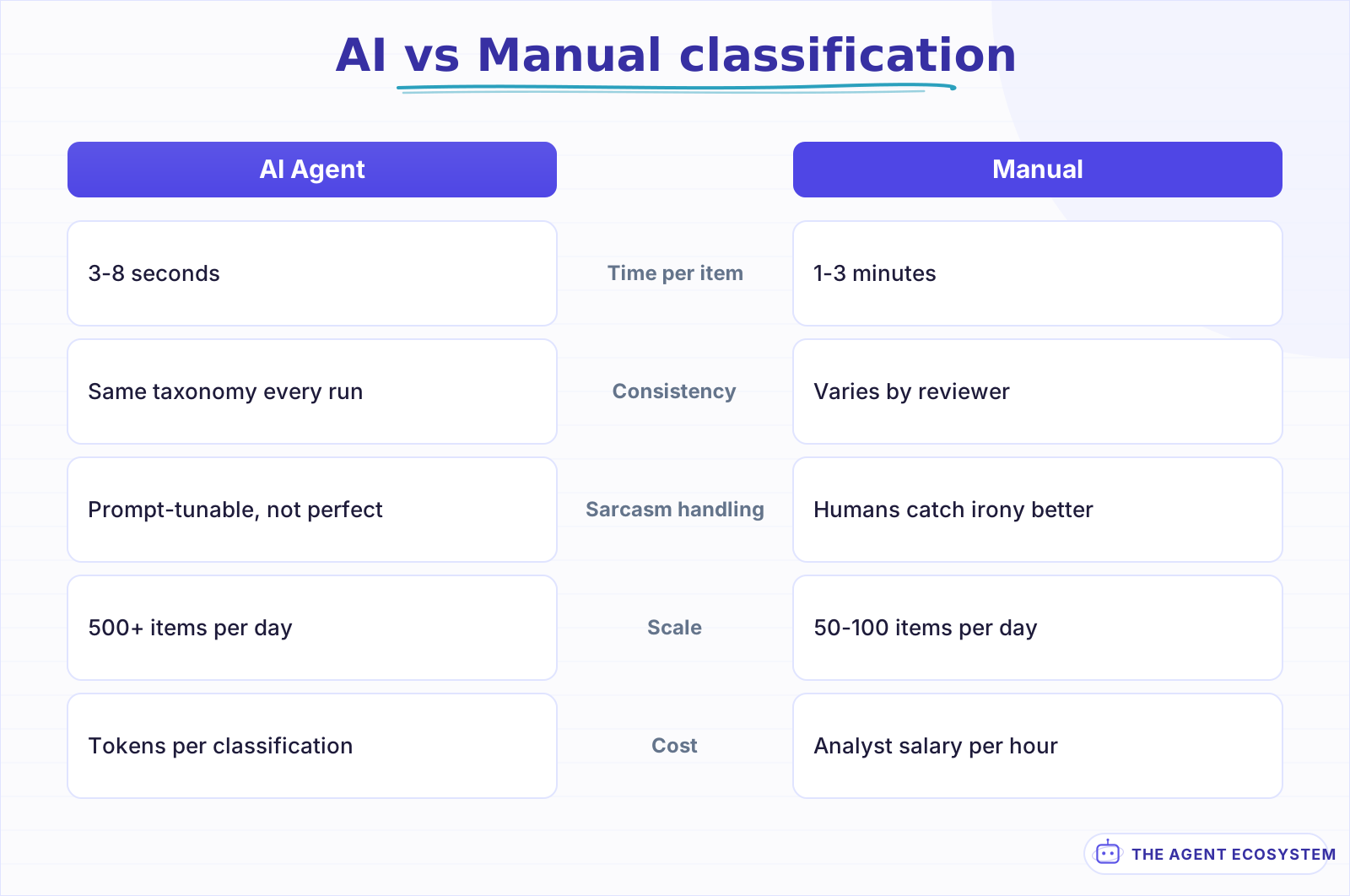 AI classification processes feedback in seconds and scales to hundreds per day. Manual tagging adds nuance but cannot keep pace with volume.
How do you aggregate results into a useful summary?#
Use a Code node after the analysis layer to group classified feedback by theme, calculate sentiment averages per theme, and count occurrences. Write the aggregated data to a Google Sheet or database row so your team has a running history of what customers are saying and how the sentiment shifts week over week.
The aggregation logic is straightforward. A Code node receives all analyzed items (use an n8n Loop node if processing in batches) and produces a summary object:
const items = $input.all();
const themes = {};
for (const item of items) {
  const t = item.json.primaryTheme;
  if (!themes[t]) themes[t] = { count: 0, sentimentSum: 0, urgent: 0 };
  themes[t].count += 1;
  themes[t].sentimentSum += item.json.sentiment;
  if (item.json.urgent) themes[t].urgent += 1;
}
const summary = Object.entries(themes).map(([theme, d]) => ({
  theme,
  count: d.count,
  avgSentiment: (d.sentimentSum / d.count).toFixed(2),
  urgentCount: d.urgent
}));
return [{ json: { date: new Date().toISOString(), summary } }];
Write the summary to a Google Sheet with one row per run. Over time, this sheet becomes a trend line your product team can reference during planning. A theme that jumps from 5 mentions to 25 in one week is a signal; a theme that holds steady at 3 per week is baseline noise.
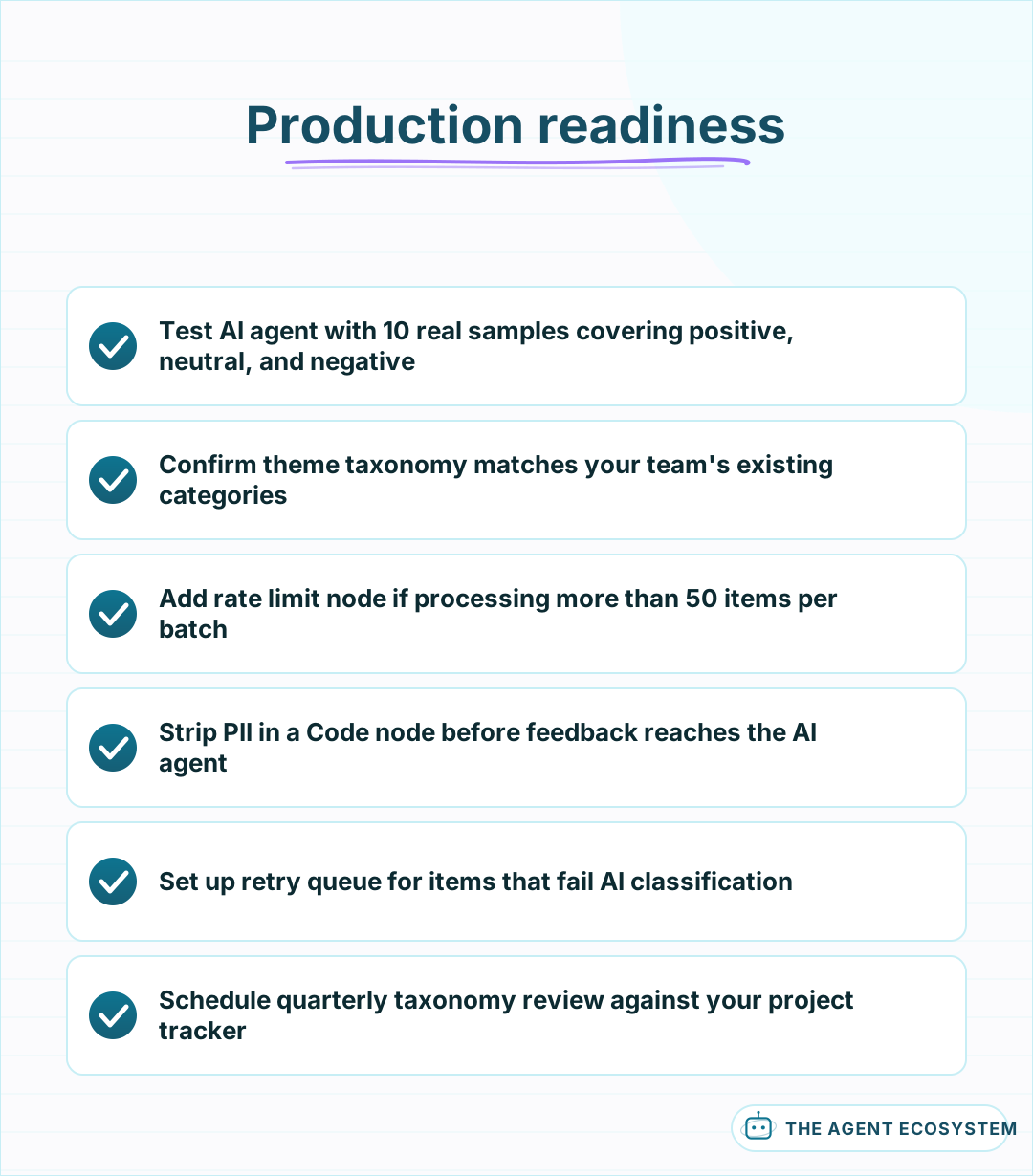 Verify these items before connecting live feedback sources to avoid misclassification noise and silent data loss.
What should you watch out for in production?#
Three failure modes show up in every feedback analysis workflow: the AI agent misclassifies sarcasm as positive sentiment, the theme taxonomy drifts away from what the team uses, and high-volume batches hit rate limits that drop items silently. Each one has a fix that keeps the pipeline trustworthy.
Sarcasm and irony confuse every language model. A review that says "love waiting 45 minutes for support" reads as positive if the model takes it at face value. Mitigate this by adding examples in your system prompt: include 2-3 sarcastic samples with their correct sentiment labels so the model calibrates on your domain. This does not eliminate misclassification, but it reduces the rate noticeably.
Theme taxonomy drift happens when your product adds features or your team renames categories in their tracker. The AI agent keeps using the old taxonomy unless someone updates the prompt. Schedule a quarterly review of the prompt against your tracker categories. If "billing" replaced "pricing" in your project board, update the prompt or the aggregation becomes useless.
Rate limits from your model provider drop items when a large batch exceeds the tokens-per-minute cap. The workflow retries, but if n8n's retry window expires before the limit resets, items vanish. Add explicit error handling on the AI Agent node that routes failed items to a retry queue instead of swallowing them. A separate scheduled workflow processes the retry queue every 15 minutes until it drains.
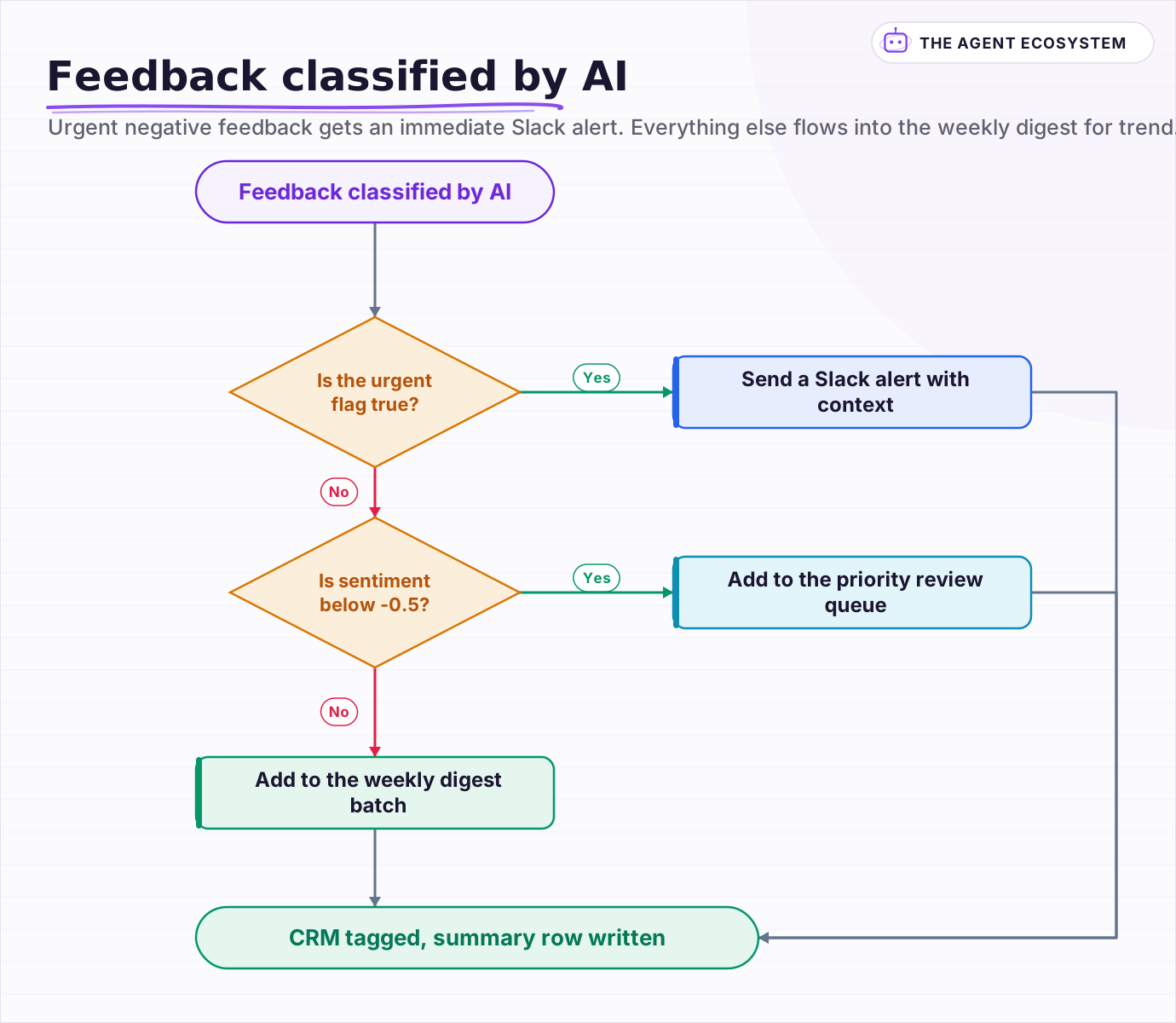 Urgent negative feedback gets an immediate Slack alert. Everything else flows into the weekly digest for trend tracking.
Frequently asked questions
How accurate is AI sentiment analysis for customer feedback?
Can this workflow handle feedback in multiple languages?
How many feedback items can this workflow process per day?
Should I use a fine-tuned model for feedback classification?
How do I handle PII in customer feedback before sending it to the AI model?
Sources
Primary references and vendor documentation used while drafting and reviewing this article.
Written by

Muhammad Qasim Hammad is an AI agent and automation expert and the founder of Cart Gaze LLC (cartgaze.com). He builds product for the love of it: when an idea lands, a working prototype is usually running within hours, built with the same AI agents and automations he sells. He puts his own output at roughly 20× what it was before agents, and the Agentic OS behind this site is the working proof, documented in public with the tools he actually ran and what they really cost.
AI & Automation Services
Want a pipeline like this running in your business?
I'm Qasim — I design and ship AI agents and n8n automations for solo operators and small teams. Tell me what's eating your team's week, and I'll scope a fix.
Related reading
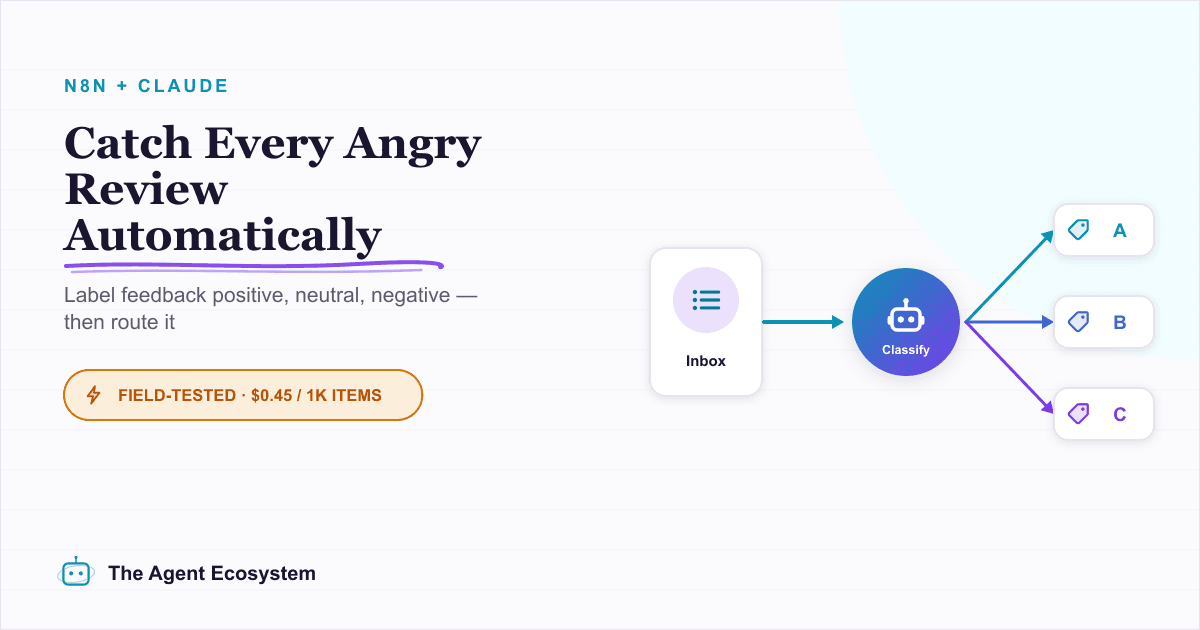
Run AI Sentiment Analysis in n8n (Reviews, Feedback & Support)
Set up n8n sentiment analysis to classify every review, survey reply, or support message automatically. Route negatives to an instant alert and positives to a testimonial ask, for about $0.45 per 1,000 items.

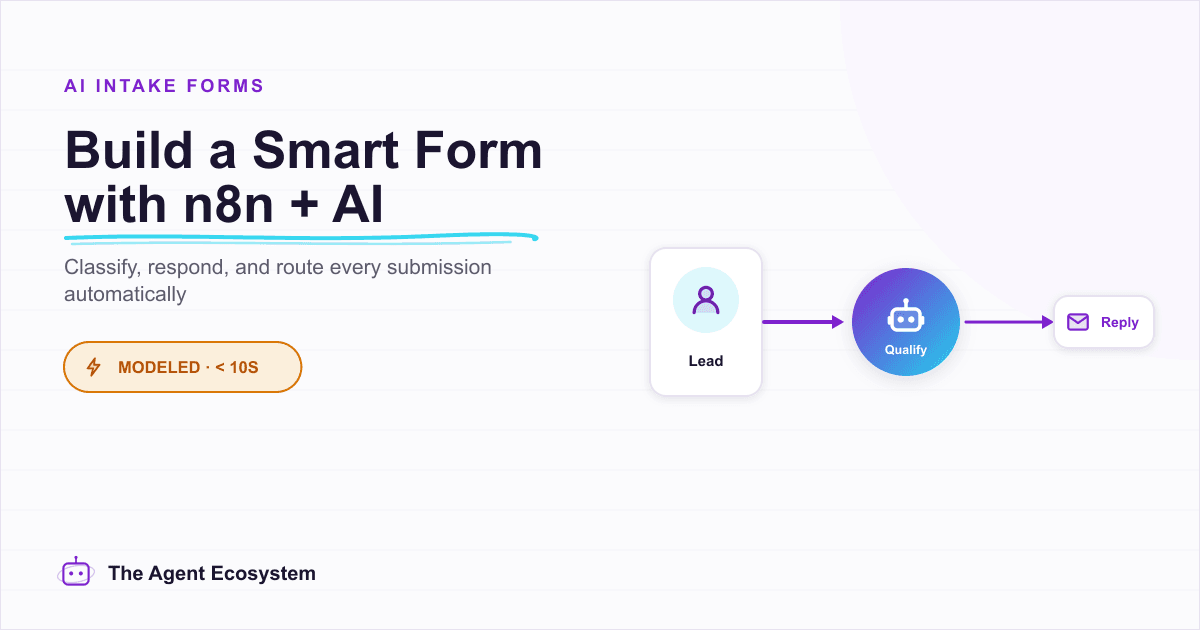
n8n Form Trigger + AI Agent: Build a Smart Intake Form
A contact form that sits in an inbox helps nobody. Wire n8n's Form Trigger to an AI agent and every submission gets classified, answered, and routed the moment it arrives.
How to Build an n8n AI Agent That Triages Zendesk Tickets
An n8n AI Agent can read a new Zendesk ticket, tag and prioritize it against rules you define, and route it to the right group, all before a human opens it. Here is how to wire Zendesk in as a tool, avoid the tag-replacement trap that silently deletes existing tags, and keep
n8n AI Lead Enrichment: Score and Route Every New Lead Automatically
A new lead arrives with nothing but a name and email. An n8n workflow pulls company data, scores the lead with an AI agent against your ICP, and routes it to the right rep or drip sequence before anyone opens a browser tab.
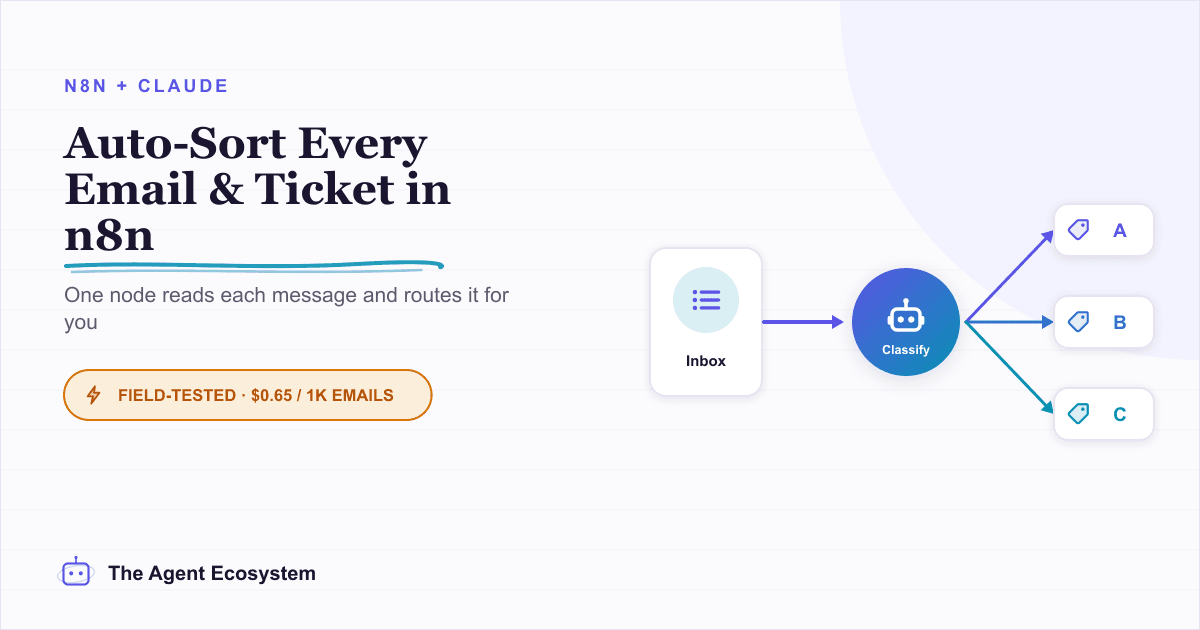
Auto-Categorize Emails & Tickets in n8n with the AI Text Classifier
The n8n AI Text Classifier node reads each inbound message, picks the right category, and branches your workflow automatically. Costs $0.65 per 1,000 emails on Claude Haiku 4.5. Here is exactly how to build it.
Build an AI Lead-Generation Agent in n8n (With Real Monthly Cost)
An n8n AI lead generation agent triages every inbound lead the moment it lands: scoring intent, drafting a personalized reply, and pinging you on the hot ones. Real cost: about $5/month for 100 leads on Claude Sonnet 4.6.