Give Your n8n AI Agent Memory (Postgres Chat Memory, Step by Step)
Why your bot forgets everything, what memory actually costs, and how to wire it right
AI-drafted, reviewed by Muhammad Qasim Hammad on June 17, 2026. See our AI disclosure.
Table of contents
- What does memory actually do for an n8n AI agent?
- Which memory node should you use? (Simple vs Postgres vs Redis)
- How much does memory add to your token bill?
- How do you set the Session Key correctly?
- How do you add memory in n8n, step by step?
- Step 1: Open your AI Agent workflow
- Step 2: Attach Postgres Chat Memory
- Step 3: Set the Session Key
- Step 4: Set Context Window Length
- Step 5: Test with two related messages
- Step 6: Monitor token usage
- Where can this go wrong?
- What should you set up this weekend?
Your n8n AI agent answers every message as if it has never spoken to the user before, because the underlying model is completely stateless between calls. When an n8n AI agent forgets previous messages, storing the recent conversation and prepending it to each new request fixes it, so the agent can follow a real thread.
The symptom is frustrating: a customer asks about their order, the agent answers, then asks a follow-up and the agent asks for the order number again. Every turn starts from scratch.
Before you drag a node onto the canvas, understand what memory does and what it costs.
What does memory actually do for an n8n AI agent?#
Memory in an n8n AI agent stores recent chat turns in a backend, then re-sends them to the model on every new call. The n8n docs describe the stateless model clearly: the LLM has no built-in recall, so n8n injects the context manually, giving the appearance of continuity without any special model capability.
Two parameters control everything: Session Key (which conversation this is) and Context Window Length (how many prior turns to re-send). Get both right and the agent remembers. Get either one wrong and the agent either forgets or leaks one user's conversation into another's.
Memory helps multi-turn tasks: a support chat that refers back to earlier messages, a lead-gen conversation that builds on what the prospect already said, or a Telegram bot tracking a thread across dozens of messages. It does nothing for one-shot tasks like "classify this email" or "extract this JSON." If you are running those, skip memory entirely.
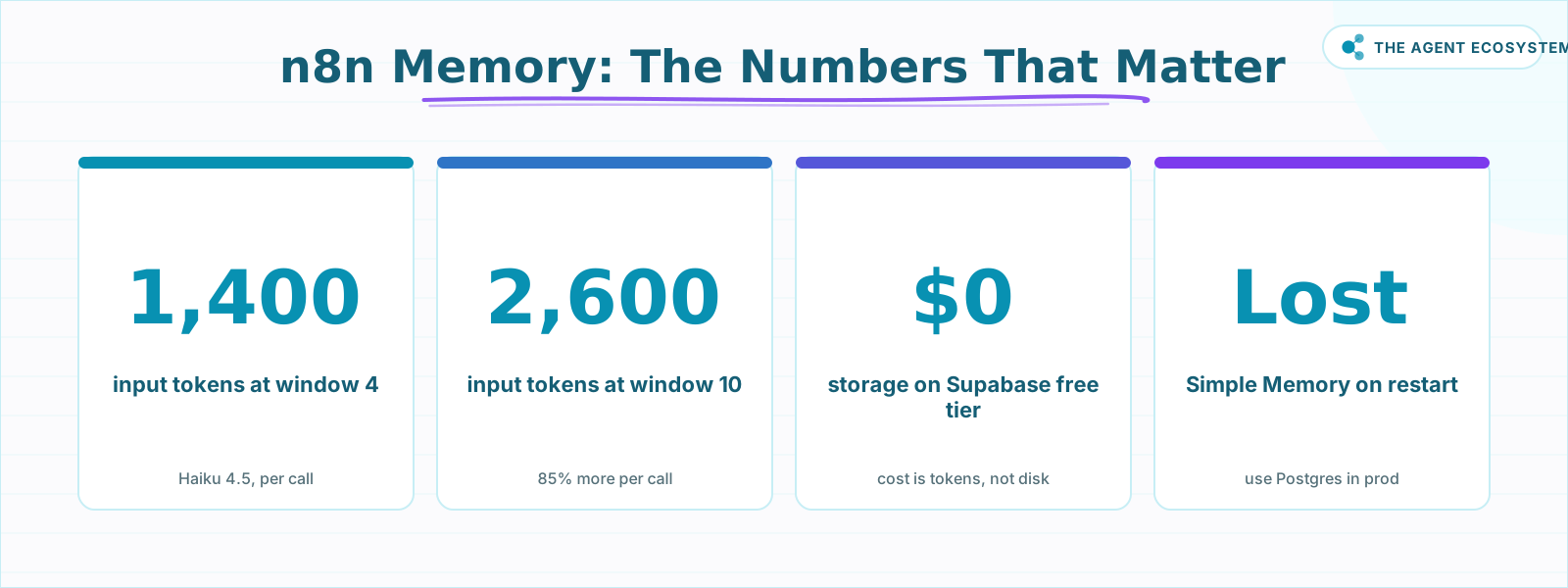 Key figures for sizing and budgeting n8n AI agent memory.
Which memory node should you use? (Simple vs Postgres vs Redis)#
Postgres Chat Memory is the right default for production: it writes to an external database and survives restarts, redeploys, and multi-worker setups. Simple Memory stores history inside the workflow process with zero setup, but the history disappears the moment n8n restarts. Redis Chat Memory is the right call when you already run Redis and need low-latency reads at scale.
| Backend | Setup | Survives restart | Scales across workers | Best for |
|---|---|---|---|---|
| Simple Memory | None | No | No | Local testing only |
| Postgres Chat Memory | Postgres credentials | Yes | Yes | Production default |
| Redis Chat Memory | Redis credentials | Yes | Yes | High-scale / existing Redis |
| MongoDB Chat Memory | MongoDB credentials | Yes | Yes | Existing MongoDB stack |
My default for any agent I ship is Postgres Chat Memory on a Supabase free-tier database: $0 storage cost, full SQL inspection of stored conversations, and it survives the restarts that happen every time I update a workflow. n8n self-hosted (Community edition) costs $0 via the fair-code license; n8n Cloud Starter is €20/month if you prefer managed hosting.
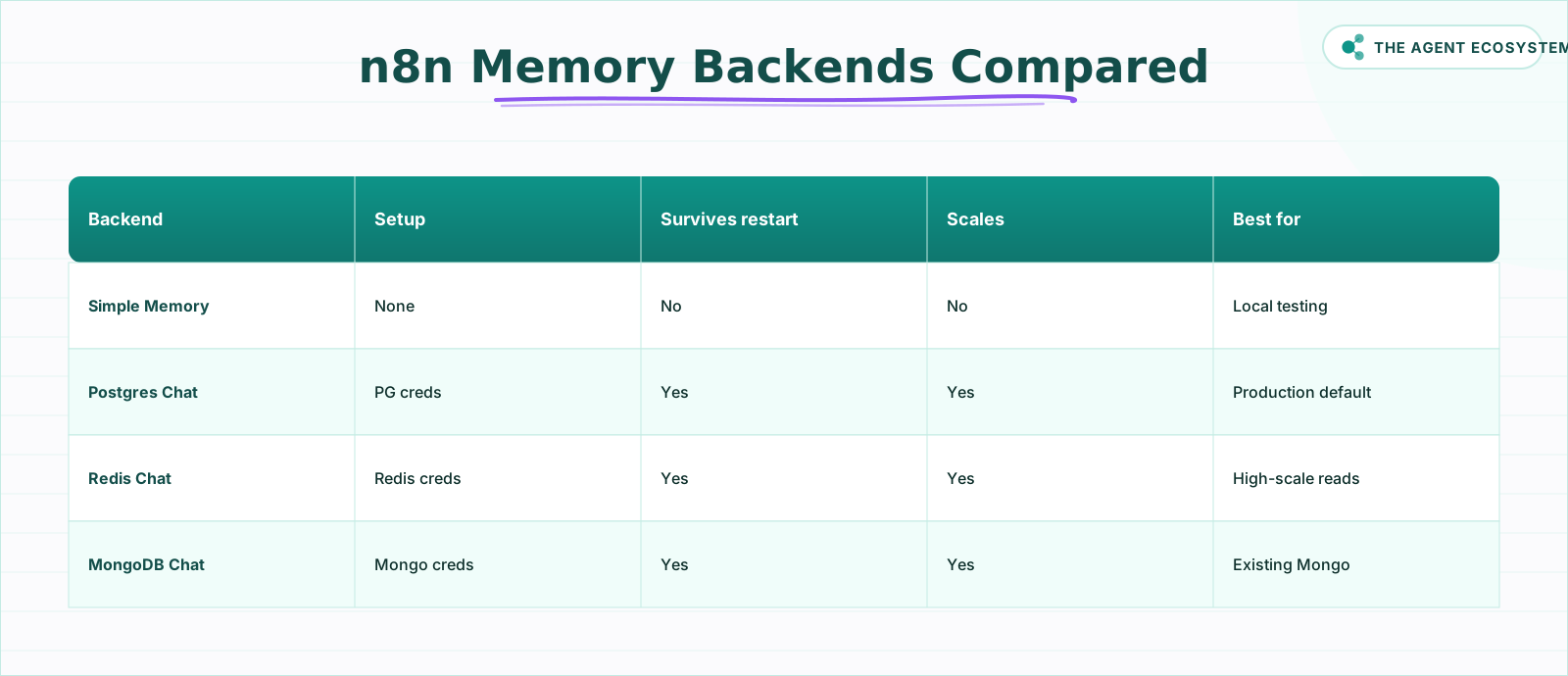 Choose your backend based on durability and scale needs.
How much does memory add to your token bill?#
Every call with memory active re-sends your system prompt, the last N turns, and the new message, so a longer window means more input tokens each time. At Claude Haiku 4.5 prices of $1.00 input / $5.00 output per 1M tokens (as of June 2026), the arithmetic below is straightforward to reproduce.
Assume 500 tokens for the system prompt, 200 tokens per turn (user + assistant), and 100 tokens for the new message. Output is roughly 300 tokens per call.
| Context Window Length | Input tokens per call | Cost per 1,000 calls (Haiku 4.5) | Trade-off |
|---|---|---|---|
| 4 turns | ~1,400 | $2.90 | Lean; may lose thread on long chats |
| 10 turns | ~2,600 | $4.10 | More coherent; 85% more input tokens |
The $2.90 figure: 1.4M input tokens x $1.00 + 0.3M output tokens x $5.00 = $1.40 + $1.50 = $2.90. The $4.10 figure: 2.6M x $1.00 + 0.3M x $5.00 = $2.60 + $1.50 = $4.10. All arithmetic is checkable by hand.
Postgres storage on a free tier is effectively $0. The cost of memory is tokens, not disk. Prompt caching helps with the fixed system prompt, but the growing history is what actually drives the bill up. Start at Context Window Length 4 and raise it only when the agent clearly loses the thread.
For a deeper look at capping the token bill, see the Claude API cost control workflow guide.
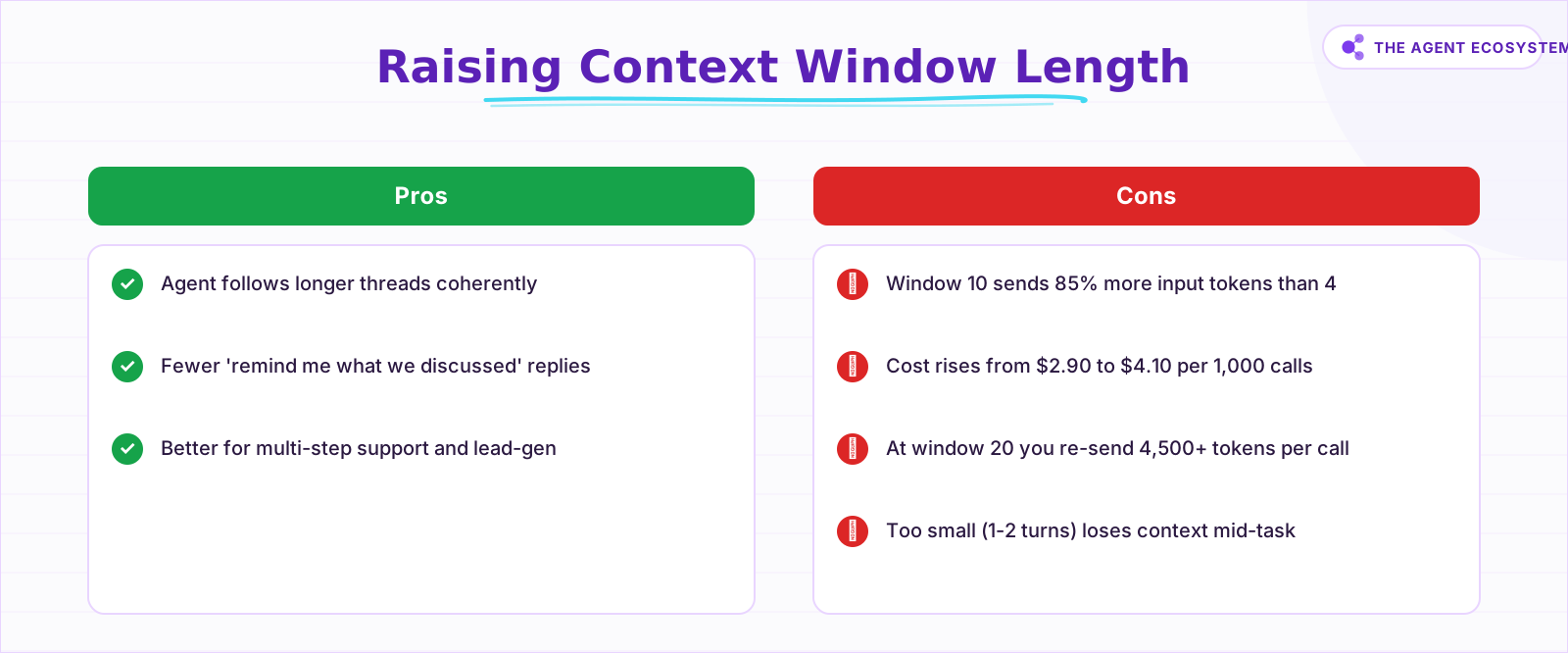 Weigh coherence gains against token cost before raising the window.
How do you set the Session Key correctly?#
The Session Key tells n8n which bucket of stored history belongs to which user. When you use the built-in Chat Trigger, the sessionId is passed automatically and you can leave the Session Key field on its default. Outside that context, you must map it yourself.
For a Telegram bot, set the Session Key to the incoming message.chat.id. For a WhatsApp agent via Twilio, use the From phone number. For a Webhook, pull whatever stable per-user identifier arrives in the payload.
The Simple Memory docs call this out directly: multiple memory nodes share one instance unless given different session IDs. One wrong setting and your support bot will answer User B with User A's order details.
How do you add memory in n8n, step by step?#
Adding memory to an existing AI Agent node takes about five minutes. Open your workflow, click the AI Agent node, find the Memory slot in the sub-node panel, and connect a memory node. The five steps below map directly to the howToSteps schema so you can follow along in the UI.
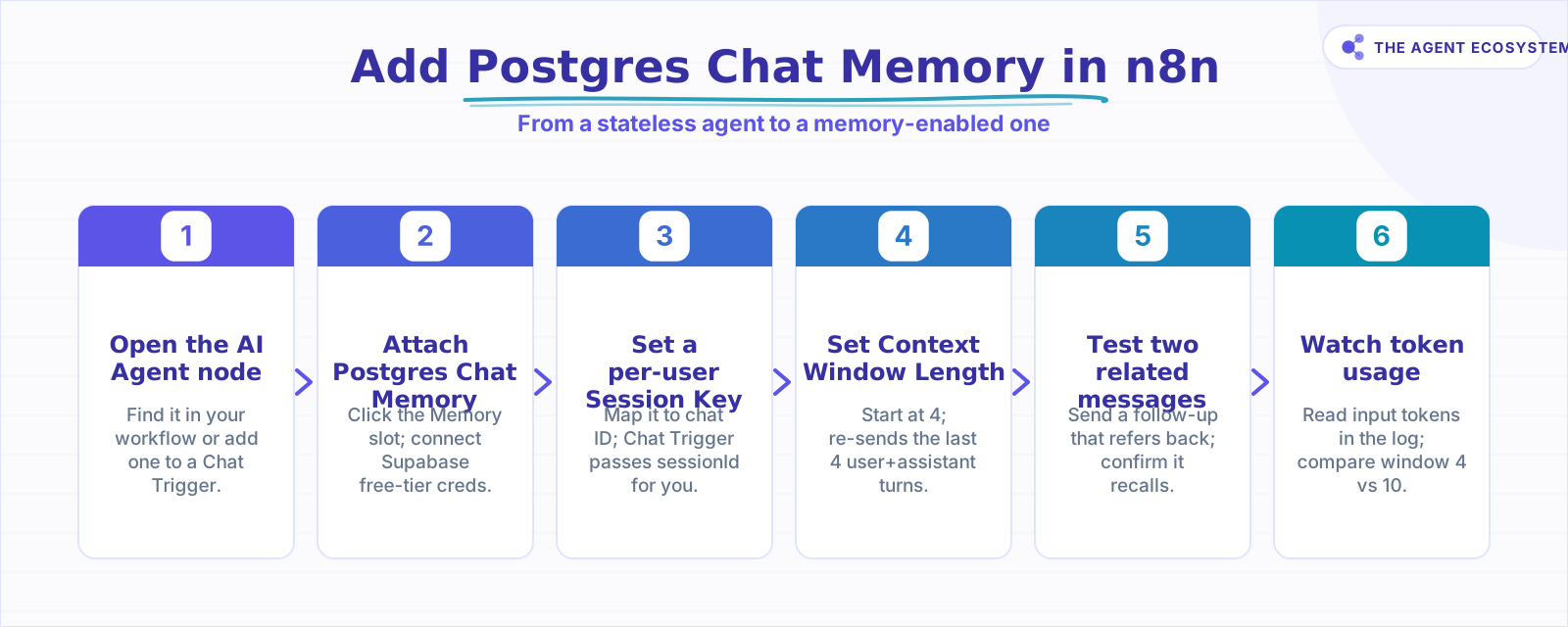 Six steps from a forgetful agent to a memory-enabled one.
Step 1: Open your AI Agent workflow#
Open the workflow that contains your AI Agent node. If you are building from scratch, add an AI Agent node and connect it to a Chat Trigger.
Step 2: Attach Postgres Chat Memory#
In the AI Agent node, click the Memory sub-node slot. Choose Postgres Chat Memory. Add your Postgres credentials. A Supabase free-tier project gives you a connection string in under two minutes. For a quick test, choose Simple Memory instead, but plan to swap it before going live.
Step 3: Set the Session Key#
Inside the Postgres Chat Memory node, set Session Key. If you are using the Chat Trigger, the {{ $json.sessionId }} expression works automatically. For Telegram or WhatsApp, map it to the per-user chat ID. For a custom Webhook, use whatever stable user identifier arrives in the payload.
Step 4: Set Context Window Length#
Set Context Window Length to 4. This re-sends the last 4 user+assistant pairs with every call, which is enough for most support and lead-gen flows. Raise it only if the agent loses the thread during a real conversation, and watch the input token counts in the execution log as you tune it.
Step 5: Test with two related messages#
Send a first message, then a follow-up that refers back to it. For the RAG support bot I run, I send "I want to upgrade my plan" followed by "What does that change about my invoice?" A working memory setup answers the second question correctly. If the agent asks for context again, check that the Session Key is populated.
Step 6: Monitor token usage#
Open the execution log, click into the AI Agent node, and read the input token count. Compare runs at window 4 vs window 10. Use the cost table above to decide whether the extra coherence is worth the extra spend per 1,000 calls.
Where can this go wrong?#
Most memory failures fall into four categories, and none of them are bugs in n8n. They come down to your Session Key, your window length, and what you store. Get those three right and memory is reliable; get them wrong and the agent leaks conversations, runs up tokens, or forgets mid-task.
A wrong or empty Session Key either merges all users into one shared conversation or makes the agent forget every previous message. A window that is too large is expensive: at a Context Window Length of 20, you are re-sending 4,500+ input tokens per call, which adds up on a busy day. A window that is too small (1 or 2 turns) loses context on any multi-step task.
The fourth category is one most tutorials skip: stored conversations contain PII. Whatever a user types gets written to your Postgres or Redis store. Apply access controls, set a retention policy, and treat that table like any other database of customer data. The lead-gen agent post and the Google Sheets as database guide both cover the data-hygiene habits worth building early.
Memory also does nothing for one-shot tasks. If your agent classifies a single input and returns, every token in the history window is wasted. Only add memory when the task genuinely requires the agent to refer back to earlier turns.
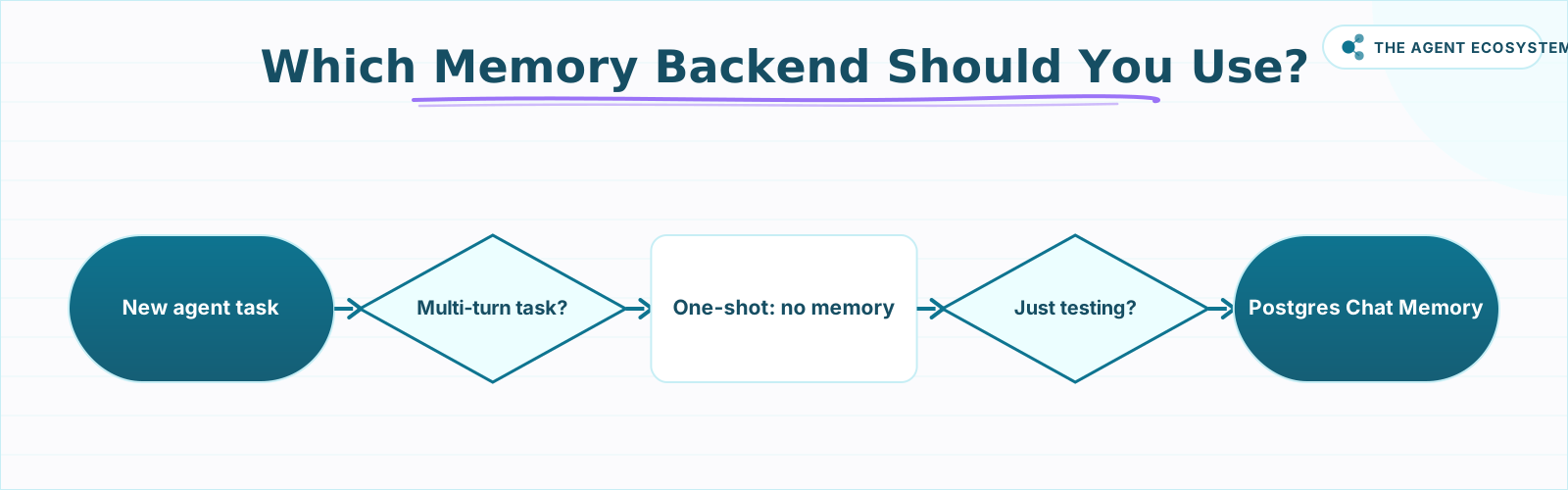 Use this flow to pick the right memory backend before you build.
What should you set up this weekend?#
If you have a working n8n agent that forgets everything, you can fix it in one session. Add Postgres Chat Memory to the AI Agent node, connect a Supabase free-tier database, set the Session Key to the per-user ID your trigger already provides, and set Context Window Length to 4. Test with two related messages.
For a production setup, pair this with the self-host n8n on a VPS guide to put the Postgres instance and n8n on the same server, and bookmark the Claude API cost control workflow to add a token-budget guard before the window grows. Memory is not magic. It is a prepend operation with a price tag. Wire it right and keep the window tight.
Frequently asked questions
What is memory in an n8n AI agent?
What is the difference between Simple Memory and Postgres Chat Memory?
Does adding memory cost more?
What is the Session Key in n8n memory?
How many messages should the context window keep?
Does my agent lose memory when n8n restarts?
Sources
Primary references and vendor documentation used while drafting and reviewing this article.
Written by

Muhammad Qasim Hammad is an AI agent and automation expert and the founder of Cart Gaze LLC (cartgaze.com). He builds product for the love of it: when an idea lands, a working prototype is usually running within hours, built with the same AI agents and automations he sells. He puts his own output at roughly 20× what it was before agents, and the Agentic OS behind this site is the working proof, documented in public with the tools he actually ran and what they really cost.
AI & Automation Services
Want a pipeline like this running in your business?
I'm Qasim — I design and ship AI agents and n8n automations for solo operators and small teams. Tell me what's eating your team's week, and I'll scope a fix.
Related reading
n8n Redis Chat Memory: Persistent Memory for Your AI Agent
Redis Chat Memory gives an n8n AI agent conversation history that survives restarts and is shared across queue-mode workers. Here is how the Session Key, Context Window Length, and TTL fields work, what it costs, and when to pick Redis over Simple Memory or Postgres.

AI Agent Memory Types: Buffer vs Window vs Summary vs Vector
Agent memory is not something the model has; it is which past turns your framework re-sends each call. This compares the four ai agent memory types, full buffer, window, summary, and vector-backed, what each costs in tokens, and which map to real n8n nodes or patterns you wire.
Build an AI Telegram Bot With n8n (No Code, No Fees)
Build an AI-powered n8n Telegram bot in under an hour using three nodes and zero platform fees. Get a shareable t.me link, no business verification required, and a bot that replies around the clock.
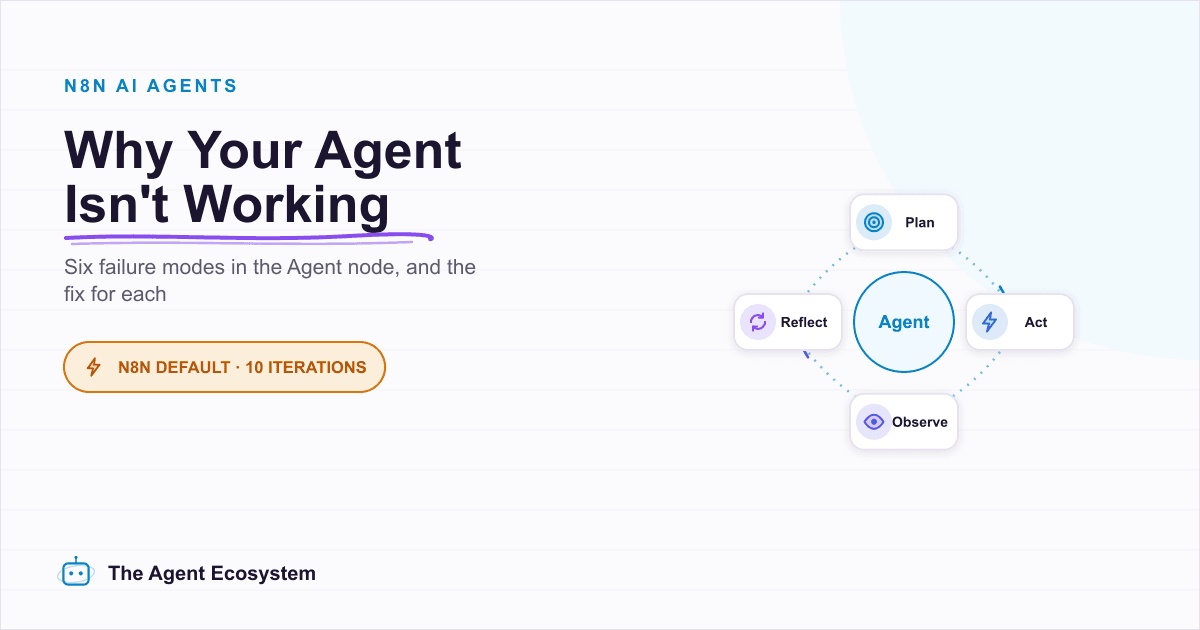
Why Your n8n AI Agent Isn't Working: 6 Failure Modes and Fixes
An n8n AI Agent that finishes without an error but ignores its tools, loops until it quits, or returns the wrong shape is almost always a configuration problem. Here are the 6 failure modes that cover most of them, and the specific node setting behind each fix.
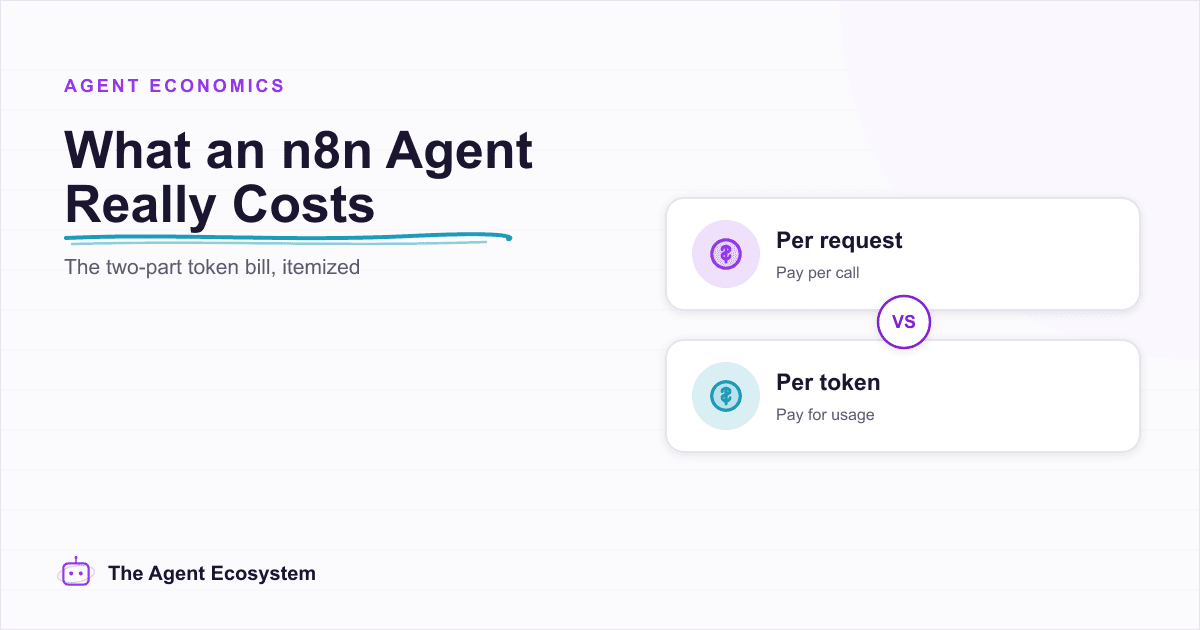
n8n AI Agent Pricing: What It Really Costs to Run
An n8n AI agent has two bills that behave nothing alike: a flat n8n platform fee and a per-run LLM token cost. Here is what each one comes to, with modeled per-run math across Claude, GPT, and Gemini, and the levers that actually lower the total.
Build a Discord AI Agent in n8n
n8n has guides for Telegram and WhatsApp AI agents, but Discord is the gap, mostly because there is no Discord Trigger node. Here is how to build a Discord AI agent from 3 parts: a Webhook trigger, the AI Agent, and the Discord node to reply.