Build an AI Telegram Bot With n8n (No Code, No Fees)
Three nodes. One shareable link. Zero platform fees.
AI-drafted, reviewed by Muhammad Qasim Hammad on June 13, 2026. See our AI disclosure.
Table of contents
- Why build a Telegram bot instead of a WhatsApp bot?
- How do you create a Telegram bot in 60 seconds?
- What does the n8n workflow look like?
- Telegram Trigger node
- AI Agent node
- Telegram Send Message node
- How do you give the bot memory?
- What are the rate limits and honest caveats?
- How do you make it production-ready?
- Set up BotFather metadata
- Use your VPS domain for the webhook
- Handle errors so the bot does not go silent
- Where to go from here
People keep asking you the same questions: "what do you charge?", "how does this work?", "are you taking clients?". An n8n Telegram bot answers every one of those questions the moment someone sends them, around the clock, through a single shareable link that costs nothing to operate.
That link is t.me/yourbotname. Anyone with Telegram can tap it, type a question, and get an AI-generated reply in seconds. No phone number exchange. No app review. No monthly platform fee.
I built my own version of this to handle inbound questions from people who find me through forums and events. The first test message showed up in my n8n execution log roughly 90 seconds after I created the bot. Here is exactly how to replicate that.
Why build a Telegram bot instead of a WhatsApp bot?#
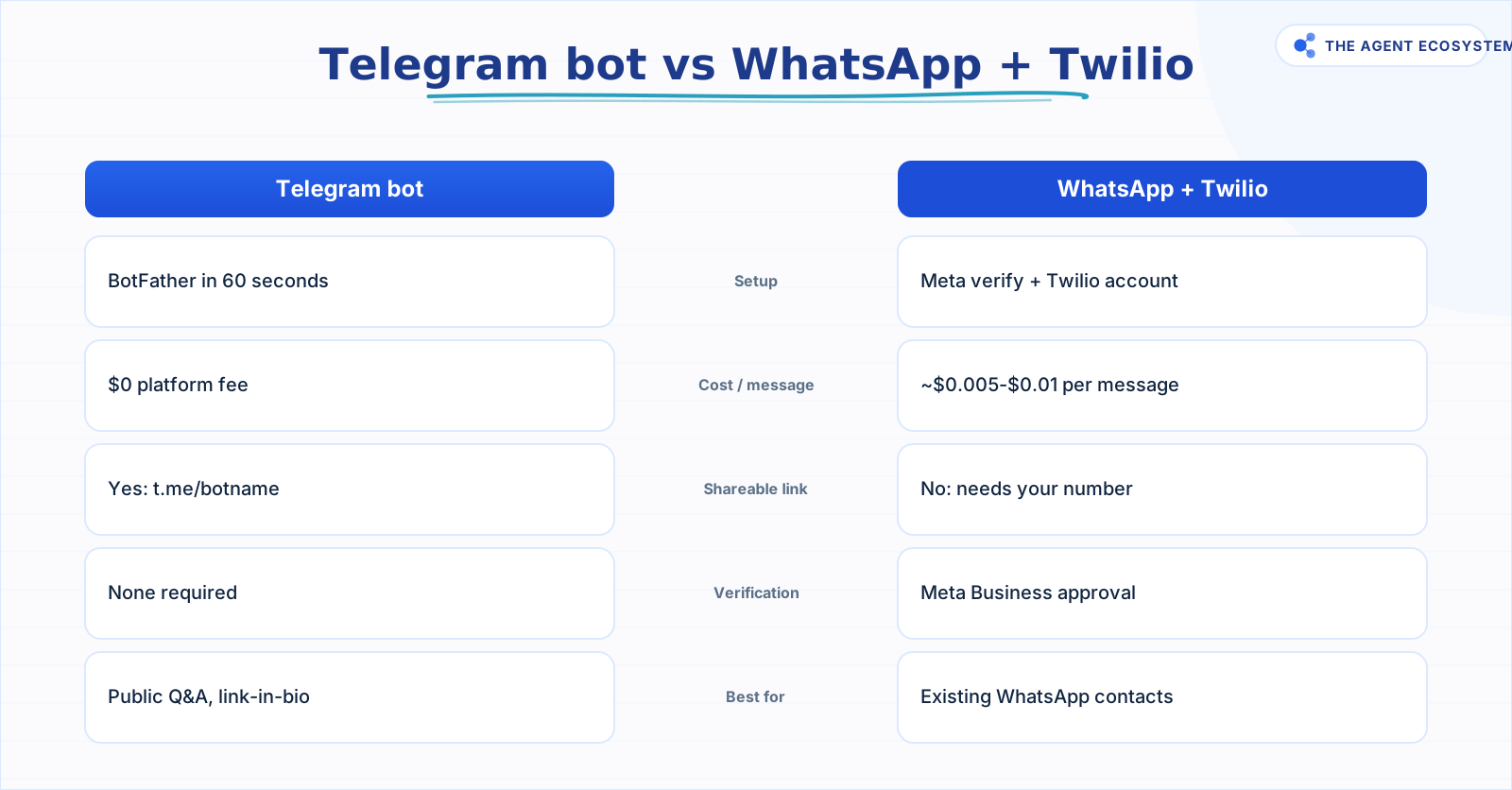
A Telegram bot takes under an hour to ship, costs $0 in platform fees, and requires no Meta business verification. The same three-node n8n pattern that powers a WhatsApp AI agent works here too, but Telegram removes every barrier that makes WhatsApp slow to start: no Twilio number, no approval queue, and a public t.me link anyone can open.
The table below puts the differences in plain terms.
| Criteria | Telegram bot (this post) | WhatsApp + Twilio | Gmail triage agent |
|---|---|---|---|
| Setup friction | Low: BotFather in 60 seconds | High: Meta Business verification + Twilio account | Medium: OAuth setup |
| Cost per message | $0 platform fee | ~$0.005-$0.01 per message (Twilio + Meta) | $0 |
| Publicly shareable link | Yes: t.me/botname | No: user must have your number | No |
| Conversation memory | Optional: Window Buffer Memory node | Optional: same node | Optional: same node |
| Best for | Public-facing Q&A, client intake, link-in-bio | Existing WhatsApp contacts, support queues | Internal email triage |
If you already have a Claude email triage agent running in n8n, the AI Agent node here is identical. You are just swapping the front door.
 Telegram wins on friction and cost for a first bot.
How do you create a Telegram bot in 60 seconds?#
Open Telegram, search for @BotFather (blue verified checkmark), and send /newbot. BotFather asks for a display name, then a username that must end in "bot". It returns an API token in the format 123456789:ABCdefGHIjklMNOpqrSTUvwxYZ. The whole process takes under 60 seconds and produces a live t.me/<username> link before you touch n8n.
That link is already public. Anyone on Telegram can open it. I dropped mine in my email signature the same afternoon and had three test messages before dinner.
BotFather also lets you set a description (/setdescription), a profile photo (/setuserpic), and a commands menu (/setcommands). These are optional for a first build, but worth doing before you share the link widely. They tell users what the bot does before they type anything.
What does the n8n workflow look like?#
The n8n Telegram bot workflow is three nodes: a Telegram Trigger that receives the message, an AI Agent that generates the reply, and a Telegram node that sends the reply back. Each node connects to the next in a straight line. No branching, no custom code, and no external service beyond your AI model.
Here is what each node needs:
Telegram Trigger node#
- Credential: your BotFather token added as a Telegram credential in n8n
- Updates: set to
messageto receive text messages - n8n auto-calls Telegram's
setWebhookAPI and registers your workflow URL the moment you activate the workflow
The trigger outputs message.text (the user's question), message.chat.id (needed to reply to the right chat), message.from.first_name, and message.from.username. You will reference these downstream.
AI Agent node#
- Chat Model: Claude Haiku 4.5 for high-volume replies; Claude Sonnet 4.6 if you want richer answers. Haiku keeps the per-reply cost minimal.
- System Prompt: one short paragraph describing what the bot should do and what topics it should decline.
- User Message:
{{ $json.message.text }}
You can personalise the prompt with {{ $json.message.from.first_name }} to address the user by name. Keep the system prompt under 200 words for predictable, fast replies.
Telegram Send Message node#
- Operation: Send Message
- Chat ID:
{{ $('Telegram Trigger').item.json.message.chat.id }} - Text: the AI Agent's output expression
- Parse Mode: Markdown or HTML if you want the bot to send formatted text
That is the full workflow. Three nodes. Save it, activate it, and your bot is live.
System prompt template:
You are [Your Name]'s assistant bot. You answer questions about
[your services / product / topic]. Keep replies under 150 words.
If a question requires a real human decision, say:
"Great question - let me get [Your Name] to follow up directly."
Decline to discuss topics outside [your area].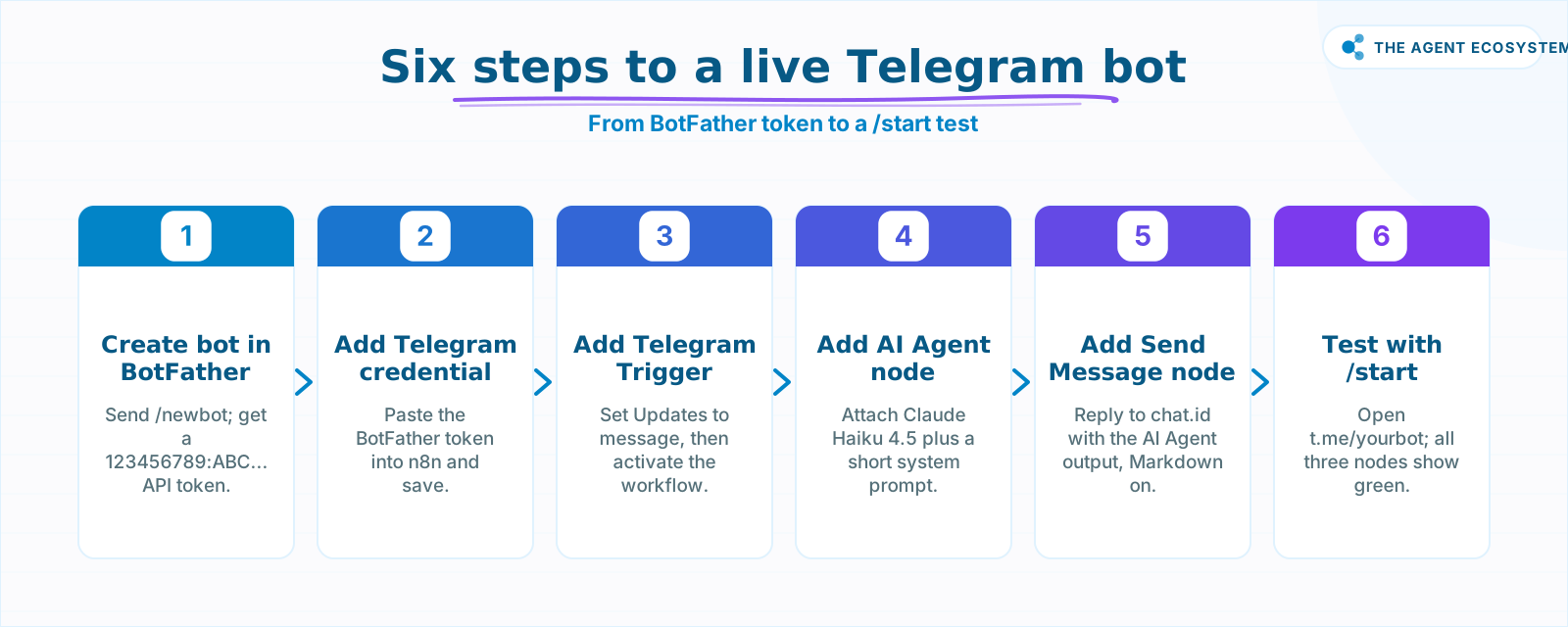 Six steps from zero to a live AI-powered bot.
How do you give the bot memory?#
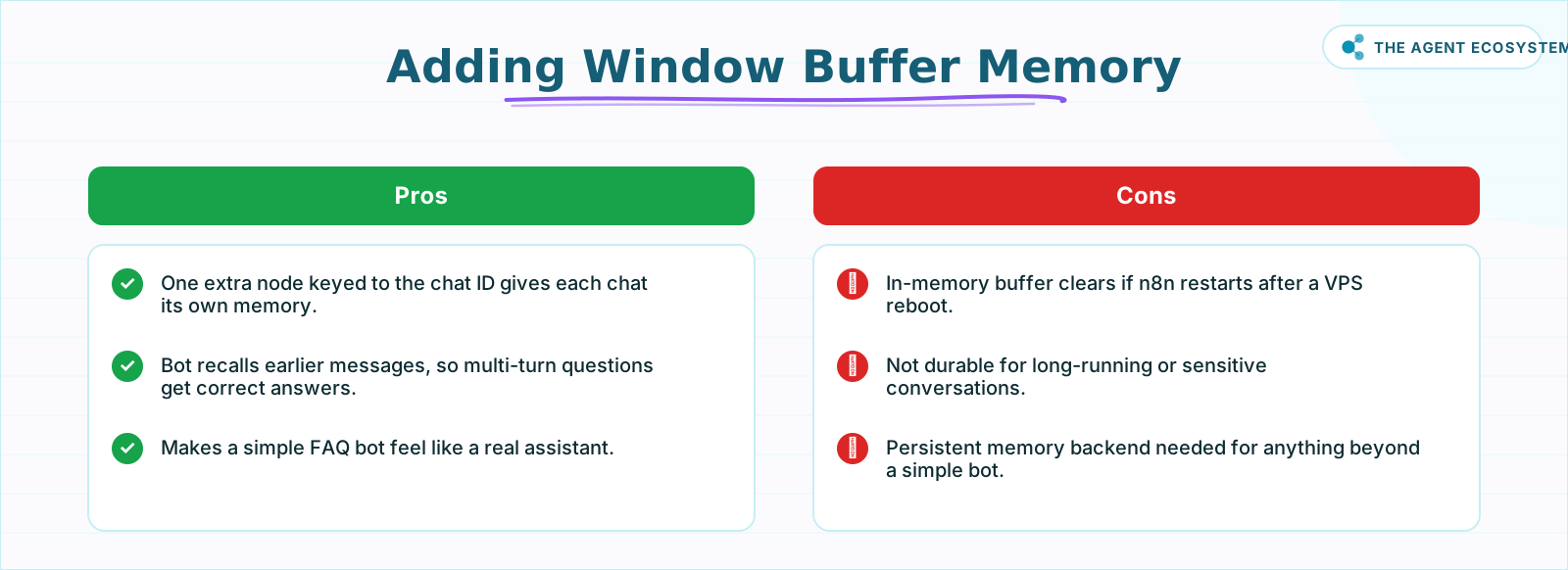
Add a Window Buffer Memory node connected to the AI Agent node and set its Session Key to {{ $('Telegram Trigger').item.json.message.chat.id }}. This gives each chat its own memory slot so the bot remembers what was said earlier in the same conversation. Without it, every message is treated as a fresh, context-free question.
In practice, memory means a user can ask "what was that price you mentioned?" two messages later and get a correct answer. Without it, the bot has no idea what price you mean.
One caveat: if n8n restarts (say, after a VPS reboot), the in-memory buffer clears. For long-running or sensitive conversations, consider a persistent memory backend. For a simple FAQ bot, the buffer is enough.
 Memory adds one node and makes replies feel continuous.
I run n8n self-hosted on a $5/month VPS so the webhook URL is always live. If you need that setup, the self-host n8n on a VPS guide covers it in full. The Telegram Trigger webhook is just another inbound URL on that server, the same as the one already handling email triage.
What are the rate limits and honest caveats?#
As of mid-2026, the Telegram Bot API enforces three hard rate limits: 1 message per second to the same chat, 30 messages per second across all chats, and 20 messages per minute inside a group. Exceed any of these and Telegram returns a 429 Too Many Requests error with a retry_after value in seconds.
One limit surprises most first-time builders: a bot cannot send the first message. The user must contact the bot first, either by opening t.me/yourbotname and sending /start, or via a deep link like t.me/<username>?start=payload. This is a deliberate Telegram privacy decision, not an n8n limitation.
Group bots have an additional step: the bot must be explicitly added to the group by an admin. It will not appear or respond in a group it has not been invited into.
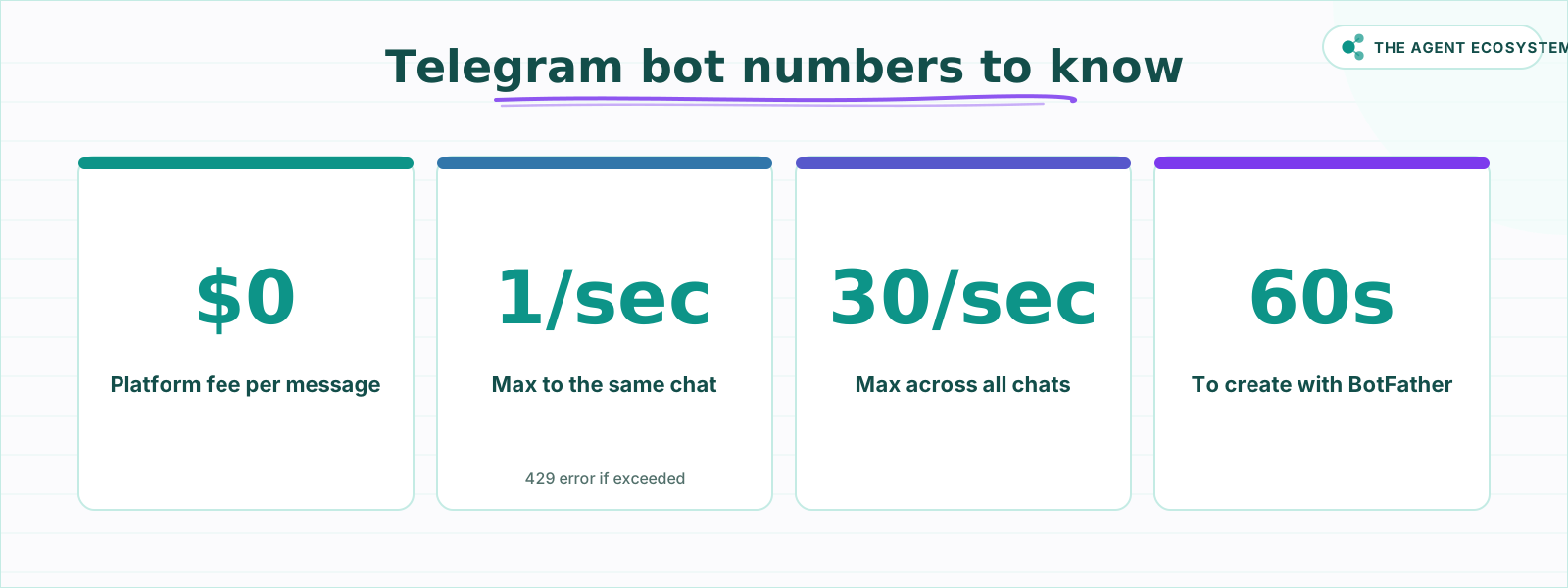 Every number you need before going live.
How do you make it production-ready?#
Before sharing the link publicly, set the bot description and commands in BotFather, point a real domain webhook at your VPS, and test at least three edge cases. A bot that silently fails when Claude returns an error is worse than no bot at all.
Set up BotFather metadata#
Send /setdescription to BotFather and write one sentence: "I answer questions about [your service]. Ask me anything." Then send /setcommands and define at least /start and /help. These appear in the Telegram UI before users type a single word.
Use your VPS domain for the webhook#
When you activate the workflow in n8n on a VPS, n8n registers a URL like https://yourdomain.com/webhook/abc123. Telegram calls that URL for every message. Make sure the domain has a valid SSL certificate. Telegram's setWebhook rejects plain HTTP endpoints.
Handle errors so the bot does not go silent#
Wrap the workflow in an error handler so any Claude API failure sends you a Telegram message instead of disappearing into the logs. The n8n error handling guide walks through the exact pattern. If your Claude API costs start climbing, the Claude API cost control workflow can add a spend cap.
Where to go from here#
You now have a working AI Telegram bot: BotFather creates it in 60 seconds, three n8n nodes power it, and a t.me link makes it publicly shareable. The natural next step is adding tools to the AI Agent node, such as a knowledge base lookup or a calendar trigger, so the bot does more than answer questions.
Frequently asked questions
Is the Telegram Bot API free?
How do I create a Telegram bot?
Can n8n build a Telegram chatbot?
How do I make the bot remember earlier messages?
What are the Telegram bot rate limits?
Can a Telegram bot start a conversation with a user?
How is a Telegram bot different from a WhatsApp bot?
Sources
Primary references and vendor documentation used while drafting and reviewing this article.
- Telegram Bots: How do I create a bot? (BotFather)
- Telegram BotFather features
- Telegram Bot API reference
- Telegram Bot FAQ: Rate limits
- Telegram Bot FAQ: Why doesn't my bot see messages from other bots?
- n8n Telegram Trigger node documentation
- n8n AI Agent node documentation
- n8n Telegram node documentation
- n8n Window Buffer Memory node documentation
- Anthropic Claude models overview
Written by

Muhammad Qasim Hammad is an AI agent and automation expert and the founder of Cart Gaze LLC (cartgaze.com). He builds product for the love of it: when an idea lands, a working prototype is usually running within hours, built with the same AI agents and automations he sells. He puts his own output at roughly 20× what it was before agents, and the Agentic OS behind this site is the working proof, documented in public with the tools he actually ran and what they really cost.
AI & Automation Services
Want a pipeline like this running in your business?
I'm Qasim — I design and ship AI agents and n8n automations for solo operators and small teams. Tell me what's eating your team's week, and I'll scope a fix.
Related reading
Build a WhatsApp AI Agent With n8n and Twilio
Connect n8n, Claude, and Twilio to build a WhatsApp AI agent that answers customer FAQs instantly. Test free on the Twilio sandbox, then go live for $0.005 per reply.

Add an AI Chatbot to Your Website With n8n (Chat Trigger)
Add a working AI chat widget to any website using n8n's Chat Trigger node and the @n8n/chat embed snippet. No React, no SaaS widget, about $7.25 per 1,000 conversations on Claude Haiku 4.5.
Give Your n8n AI Agent Memory (Postgres Chat Memory, Step by Step)
Your n8n agent forgets every message because the model is stateless. Add Postgres Chat Memory, set a per-user Session Key, and tune Context Window Length to keep conversations coherent without blowing your token budget.
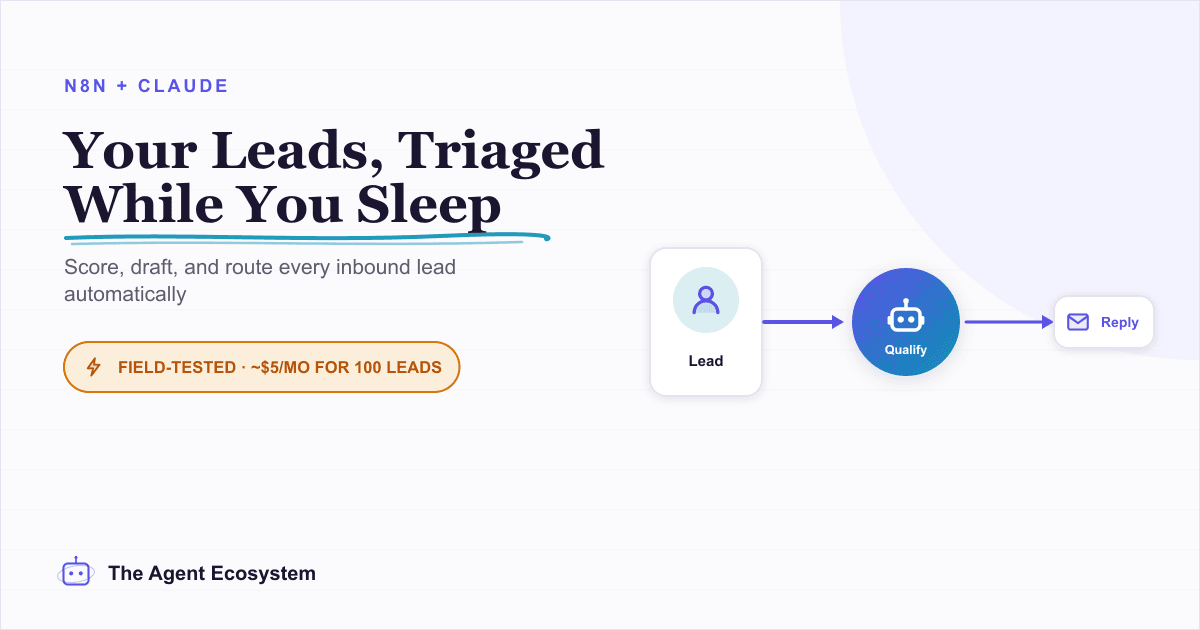
Build an AI Lead-Generation Agent in n8n (With Real Monthly Cost)
An n8n AI lead generation agent triages every inbound lead the moment it lands: scoring intent, drafting a personalized reply, and pinging you on the hot ones. Real cost: about $5/month for 100 leads on Claude Sonnet 4.6.
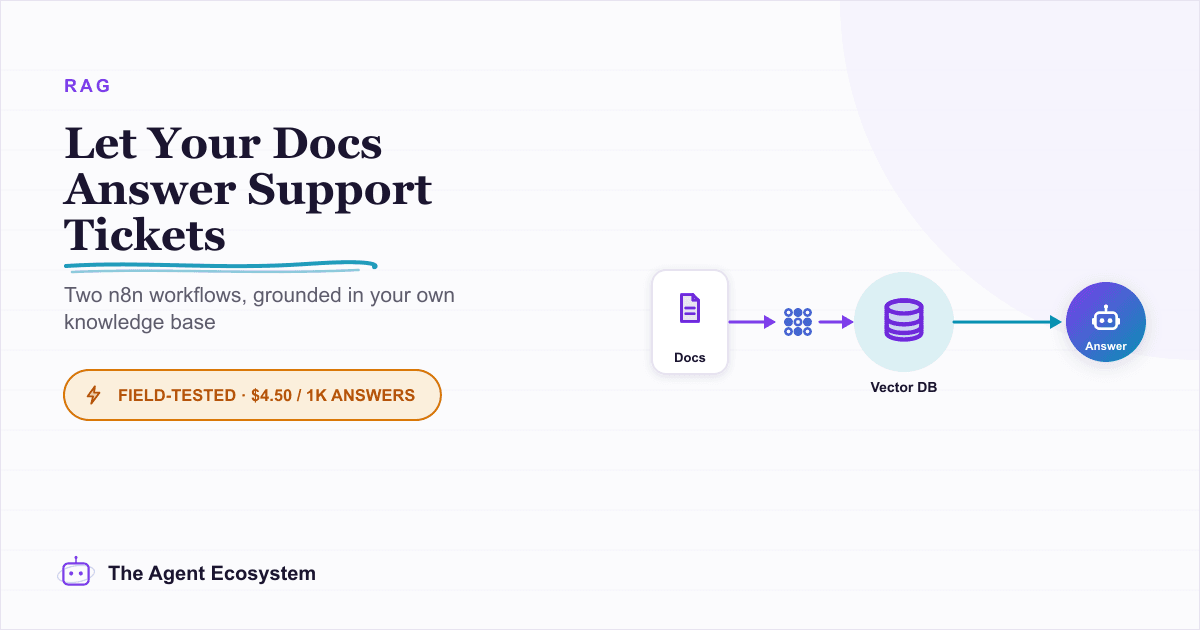
Build an AI Customer-Support Bot in n8n (RAG, With Real Monthly Cost)
Build an n8n AI customer support bot that answers repeat questions from your own docs using RAG. Two workflows, about $4.50 per 1,000 answers on Claude Haiku 4.5, and $0 platform cost if you self-host.
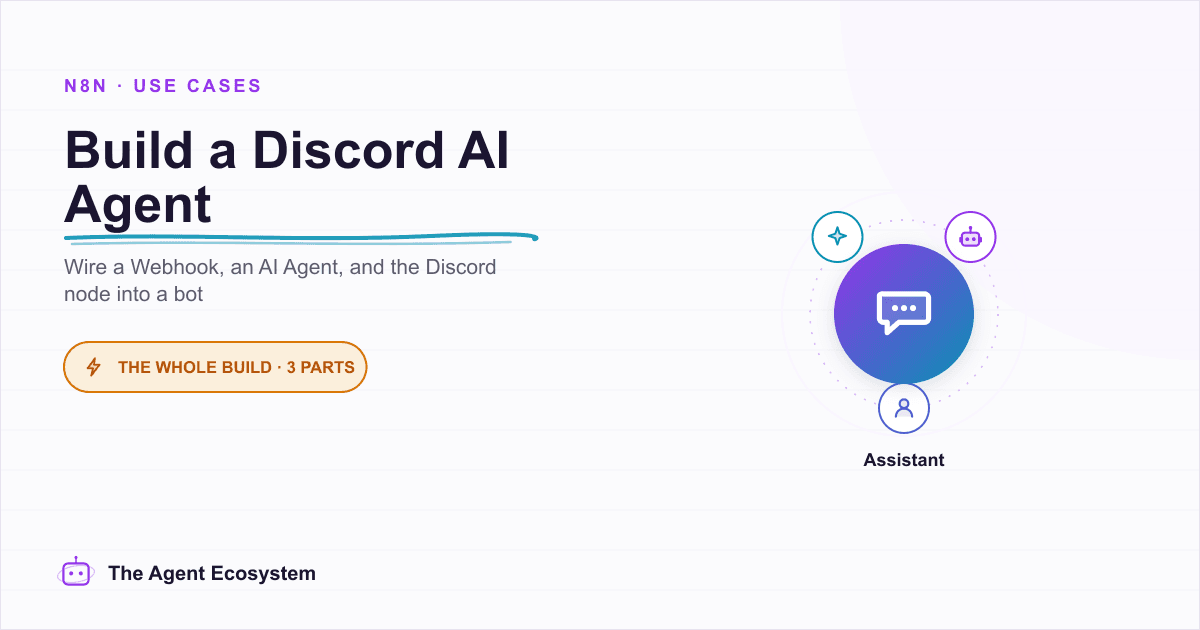
Build a Discord AI Agent in n8n
n8n has guides for Telegram and WhatsApp AI agents, but Discord is the gap, mostly because there is no Discord Trigger node. Here is how to build a Discord AI agent from 3 parts: a Webhook trigger, the AI Agent, and the Discord node to reply.