Field guide · Use-Case Playbooks
How to Automate Customer Support with AI Without Losing People
Twelve lessons on the routing problem underneath: what the bot is permitted to answer, how it escalates, and which metrics quietly count a customer giving up as a win.
- Lessons
- 12
- Read
- 22 min
- Figures
- 7
AI-drafted, reviewed by Muhammad Qasim Hammad on October 12, 2026. See our AI disclosure.
Table of contents
- What you will end up with
- 1. Decide what the bot is allowed to answer
- 2. Build the escape hatch before the answers
- 3. Triage before you answer
- 4. Use rules for most of it
- 5. Ground every answer in your own documentation
- 6. Keep the corpus honest
- 7. Give it exactly the tools it needs, and no more
- 8. Write the tone rules down
- 9. Escalate with everything the human needs
- 10. Measure what customers experienced, not what the bot did
- 10.5 The metric that will flatter you
- 11. Run it beside a human first
- 12. What to build this week
- What I would do differently
- Where to go next
The fastest way to damage a small business with AI is to put a bot in front of customers before it knows when to stop. The whole discipline of automating support is deciding what the machine is allowed to answer, and making everything else reach a human quickly and visibly.
The symptom is a support bot that deflects 70% of tickets and quietly ruins the 5% that mattered: the cancellation that could have been saved, the billing error handled with a cheerful FAQ answer, the customer who asked twice and left.
What you will end up with#
A support automation that answers the repetitive questions from your own documentation, escalates everything else with context attached, and a set of numbers that show whether customers are actually better served. Twelve lessons, in the order the decisions matter.
What this does not cover: staffing a support team, choosing a helpdesk, or voice. This is about the layer between a customer's message and your reply.
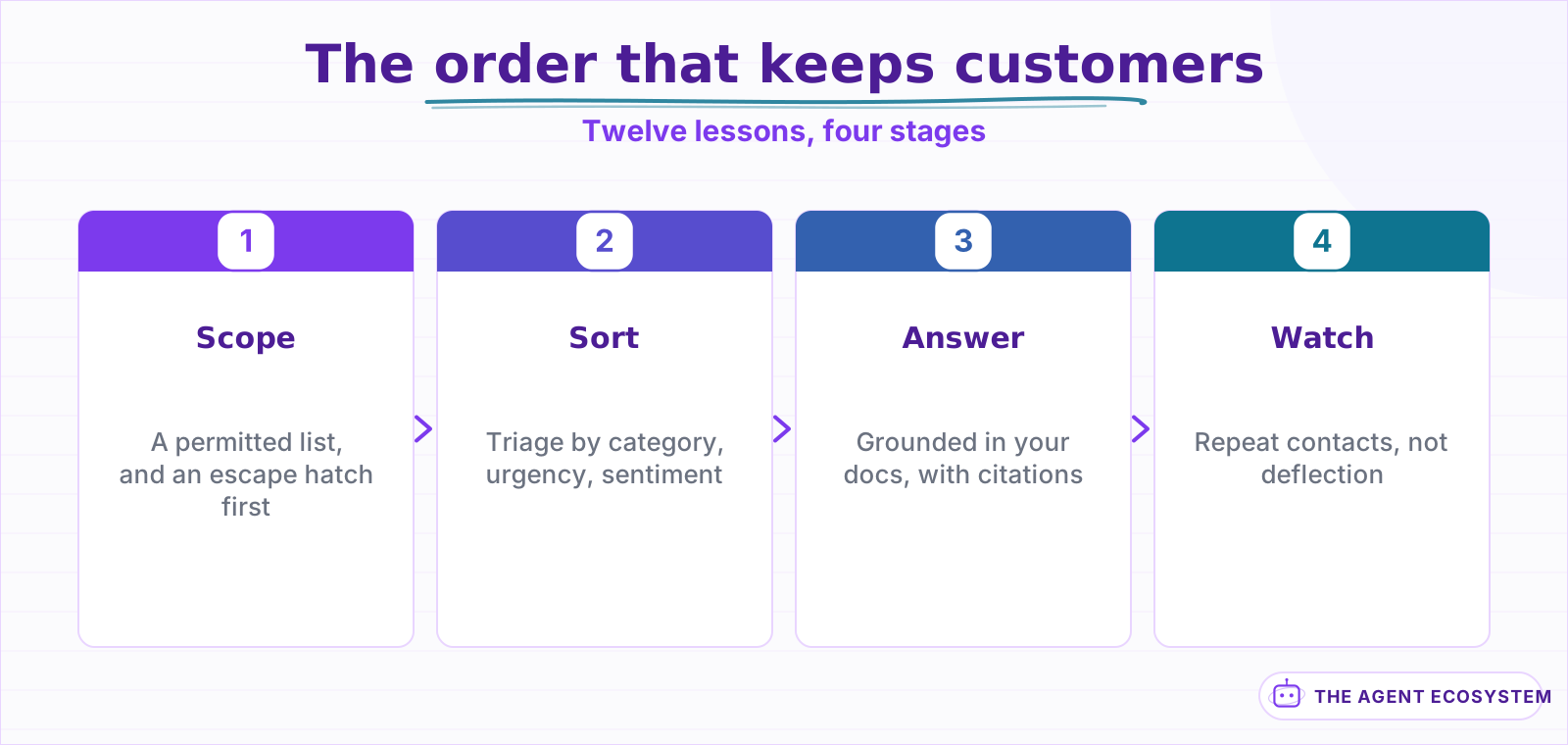 Each stage is safe in production before the next exists. The demos suggest the reverse order.
One framing to carry through: support automation is a routing problem with an answering layer attached, not an answering problem. Almost everything that goes wrong is a message reaching the wrong destination, and almost everything that works well is a message reaching the right one faster than a human could have sorted it.
| Lessons | What you get | Roughly |
|---|---|---|
| 1 to 4 | The scope, the escape hatch, and the triage layer | 20 min |
| 5 to 8 | Answers grounded in your own documentation | 20 min |
| 9 to 12 | Escalation, measurement, and the metrics that lie | 20 min |
Lesson 1Decide what the bot is allowed to answer#
Start from the opposite end of where most people start. Do not ask what the bot could handle; write down the short list of what it is permitted to handle, and route everything outside that list to a person without argument.
The permitted list for most small businesses is smaller than expected and almost entirely factual:
| Allowed | Never |
|---|---|
| Where is my order | Anything about a refund amount |
| What are your hours, terms, policies | Anything about cancelling |
| How do I do X in the product | Anything where the customer is angry |
| Password and access basics | Anything involving money moving |
The right column is not about capability. A model can produce a fluent answer about a refund. The issue is that a wrong answer there costs a customer and a right answer saves nothing, because the customer wanted a decision, not a policy quotation.
There is a second reason to keep the list short that has nothing to do with risk. A bot that answers four things well and says "let me get someone" for everything else builds trust quickly, because customers learn its edges within a couple of interactions. A bot that attempts everything teaches customers that its answers are unreliable, and that lesson generalises to the four things it was actually good at.
- List the five questions you answer most often, from your actual inbox.
- Strike any that involve money, cancellation, or an unhappy customer.
- What remains is version one. Ship that and nothing else.
One more filter worth applying to the permitted list: how much does a wrong answer cost relative to no answer at all. For "what are your hours", a wrong answer is a mild annoyance and no answer is also a mild annoyance, so automating it is nearly free of downside. For "can I get a refund", a wrong answer creates an expectation you now have to break, which is far worse than the customer waiting two hours for a person. That asymmetry, not the model's capability, is what should decide the list.
Lesson 2Build the escape hatch before the answers#
The escalation path is not the fallback. In week one it is the majority path, and it is the part that decides whether customers trust the thing at all, so it gets built first and tested hardest.
Three properties make an escape hatch work, and most bots get one of the three:
- Always available. A visible way to reach a human on every single turn, not buried after three failed attempts.
- Carries context. The human receives the conversation, the customer record, and what the bot already tried. Making someone repeat themselves is worse than never having the bot.
- Sets a real expectation. "Someone will reply within four hours" beats "we will get back to you soon", and only if it is true.
One thing to decide explicitly rather than by default: what happens outside working hours. A bot that promises a human within four hours at 11pm on a Saturday has made a promise the business cannot keep, and the customer will remember the broken promise rather than the fast bot. Either state the real window or say nothing about timing.
every reply the bot sends ends with:
  "If this did not answer it, reply HUMAN and someone will pick it up."
  -> routes to the queue with the full transcript attached
On the second point, there is a version of "carries context" that looks right and is not: pasting the transcript into a ticket body. The human then reads a wall of conversation to extract three facts. Structure it instead. Customer, what they asked, what the bot tried, why it stopped. Four fields, and the person picking it up is oriented in five seconds rather than two minutes.
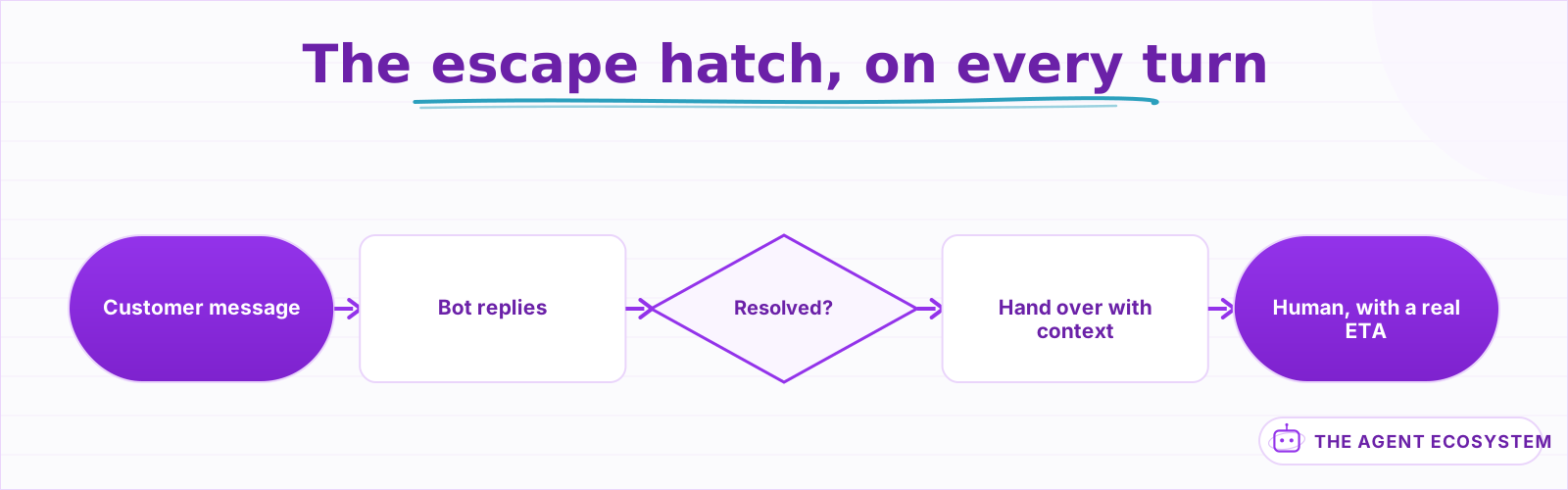 Available on every turn, not after three failed attempts.
The single worst pattern in support automation is a bot that loops a confused customer through three rounds of clarification before offering a human. Every one of those rounds is a customer deciding what they think of you.
Lesson 3Triage before you answer#
The highest-value automation in support is not answering, it is sorting. Triage is cheap, reversible, invisible to the customer when it goes wrong, and it pays off even if you never let a bot write a single reply.
Sort every incoming message on three axes before deciding anything else:
- Category. Billing, technical, sales, complaint. Rules handle most of this for free.
- Urgency. Is someone blocked, or is this a question about next month?
- Sentiment. Anger is a routing signal, not a thing to respond to.
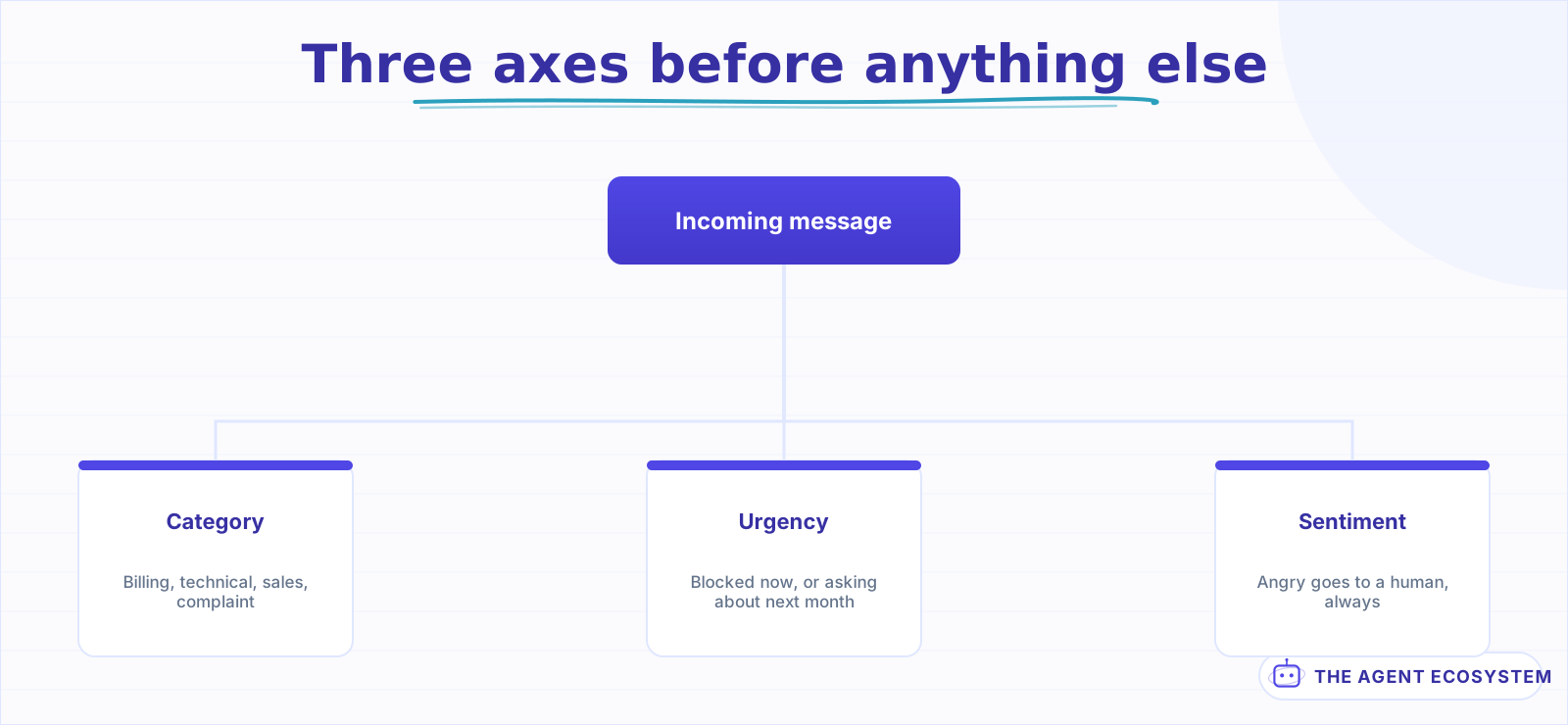 Anger is a routing signal, not a thing to respond to.
Sentiment deserves the emphasis. An angry message should never receive an automated answer, however well the bot could handle the topic, because the customer is not asking a question, they are telling you something is wrong. Route it to a person and mark it.
Triage also has a property none of the other lessons have: it is useful before it is accurate. A sorting layer that is right 80% of the time still saves you most of the sorting, because you are correcting a pre-sorted inbox rather than sorting a raw one. An answering layer that is right 80% of the time is a liability, because the other 20% went to a customer.
That asymmetry is the whole argument for building triage first.
The triage builds are in n8n Zendesk Ticket Triage and Claude Email Triage Agent. The sentiment layer is in n8n AI Sentiment Analysis.
Lesson 4Use rules for most of it#
A large share of support volume is rule-shaped, and every message a rule handles is one that costs nothing, behaves identically every time, and can be debugged by reading a branch rather than a trace.
| Volume | Handled by | Cost |
|---|---|---|
| Auto-replies, receipts, notifications | Sender and subject rules | Free |
| Known customers, known order IDs | Lookup on an identifier | Free |
| Everything else | One model call to classify | Cents |
| Anything ambiguous or angry | A human | Deliberate |
A useful diagnostic before building anything: take one week of real messages and mark each as rule-handleable or not. Most small-business inboxes come out around three-quarters rule-shaped, and seeing that proportion in your own data changes what you build. It also tells you the true size of the model bill before you commit to it, rather than after.
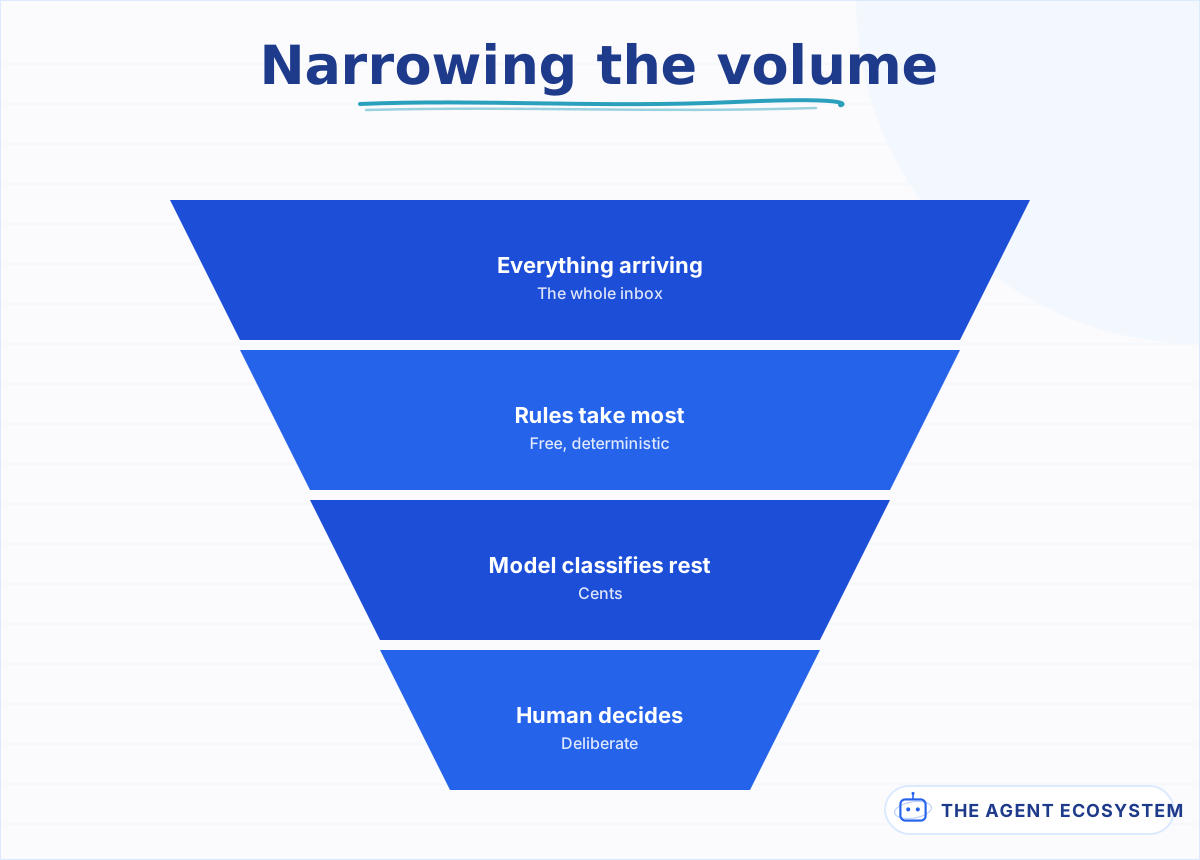 Most small-business inboxes come out around three-quarters rule-shaped.
Reaching for a model on the whole inbox because part of it needs one is the most common way a cheap support automation becomes a monthly bill you resent. Sort with rules, spend the model on the remainder.
Lesson 5Ground every answer in your own documentation#
A support bot answering from the model's general knowledge is a liability. It will describe a refund window that sounds plausible, invent a feature you do not have, and cite a policy from a company that is not yours.
Every answer must come from your material and nothing else:
- Index your help centre, policies, and product docs. That is the corpus, and nothing outside it is allowed.
- Retrieve before answering, and pass only the retrieved passages.
- Require a citation on every answer, linked back to the source page.
- If retrieval finds nothing above the threshold, escalate rather than answer.
There is a subtlety in point 3 worth getting right. A citation that links to the top of a 40-page help centre article is technically a citation and practically useless; the customer still has to find the paragraph. Link to the section. The difference between "here is the article" and "here is the answer, and here is where it came from" is the difference between a citation that builds trust and one that looks like deflection.
Point 4 is the one that matters most and the one instructions alone will not enforce. Set a similarity floor and skip the model call entirely below it. An instruction to refuse is a request; not calling the model is a guarantee.
The full retrieval build is in n8n RAG Customer Support Bot, and the failure mode it prevents is in n8n RAG Chatbot Wrong Answers.
Lesson 6Keep the corpus honest#
A grounded bot is only as correct as the documents behind it, which turns your help centre from a nice-to-have into production infrastructure. Most support bots that go wrong were built on documentation nobody had audited in two years.
Before connecting anything, read your own docs as though you were the bot:
- Find every page that contradicts another page. Pick a winner and delete the loser.
- Find every page with an out-of-date price, policy, or feature name.
- Delete drafts, internal notes, and anything not meant for customers.
- Date every page, so a stale answer is visible rather than confident.
›The contradiction problem, and why it is worse for a bot
A human reading two conflicting policy pages notices the conflict and asks someone. A retrieval system does not: it returns both, and the model picks one, usually the one that reads more confidently rather than the one that is current.
The customer then receives a definitive answer drawn from a superseded document, with a citation that makes it look verified. That is worse than no bot, because the citation transfers your authority onto the wrong answer.
Two fixes, both cheap. Deduplicate the corpus before indexing, and surface the source date in every answer so the customer can see they are reading something from 2024.
A practical way to do the audit without reading everything: pull the twenty questions your bot will be permitted to answer, search your own documentation for each one as the retrieval system would, and read what comes back. Twenty searches surfaces the contradictions and the stale pages far faster than reading the corpus front to back, and it tests exactly the paths the bot will use.
This lesson is unglamorous and it is where most of the quality actually comes from. Tuning retrieval on a contradictory corpus is polishing the wrong thing.
Lesson 7Give it exactly the tools it needs, and no more#
A support bot that can look things up is far more useful than one that only reads documentation, and far more dangerous if the tools are wide.
The order to add them, and where to stop:
| Tool | Risk | Verdict |
|---|---|---|
| Look up order status by ID | Read-only | Add first |
| Look up account or plan | Read-only | Add second |
| Create a ticket or note | Additive, reversible | Fine |
| Update an address | Writes customer data | Behind approval |
| Issue a refund, cancel a plan | Irreversible, money | Never unattended |
Give each tool the narrowest permission that works. A lookup tool with a read-only credential cannot cause an incident even if someone talks the bot into misusing it, and that costs nothing to set up.
One more consideration on the read-only rows: what the tool returns is now in the model's context, and anything in the context can end up in a reply. A lookup that returns the full customer record including internal notes will eventually surface an internal note to a customer. Return the narrowest projection the answer needs, not the whole row.
The approval pattern for the bottom two rows is in n8n AI Human Approval.
One operational note on tools that only shows up later: every tool you add is a dependency whose failure the bot has to handle gracefully. An order lookup that times out should produce "I cannot reach the order system right now, let me get someone" rather than a confident answer from whatever else was in context. Tool failures are not rare, and a bot that answers around a failed lookup is worse than one that admits it.
Lesson 8Write the tone rules down#
A support bot's tone is a product decision, not a style preference, and if you do not specify it the model will default to a chirpy register that reads badly next to an actual problem.
Four rules cover most of it:
- Match the customer's register. Someone writing three terse words does not want a warm paragraph.
- Never apologise for something you have not established happened.
- Never promise a timeline the business cannot keep.
- Say the answer first, context after. Support is not the place for a preamble.
Bad : "Thanks so much for reaching out! I completely understand how
       frustrating this must be. Let me look into that for you!"
Good: "Order 40912 shipped on 2 September and is due Thursday.
       Tracking: <link>. If that date has passed, reply HUMAN."
Rule 2 deserves expanding, because it is the one that causes real damage. A bot that opens with an apology has conceded that something went wrong before anyone established that it did. In a billing dispute, that concession is on the record and a human now has to walk it back. Acknowledge the message, do not apologise for a fault you have not confirmed.
The second version answers, cites, and offers the exit in three lines. The first one has not said anything yet.
Lesson 9Escalate with everything the human needs#
A handover that arrives as a bare notification wastes the automation entirely, because the human restarts from zero and the customer waits twice. Escalation is a data problem, not a routing problem.
What has to travel with it:
- The full conversation, in order, including what the bot tried.
- The customer record: who they are, what they bought, when.
- The reason for escalation, stated plainly: low confidence, angry, out of scope, tool failed.
- Anything the bot already looked up, so nobody repeats a query.
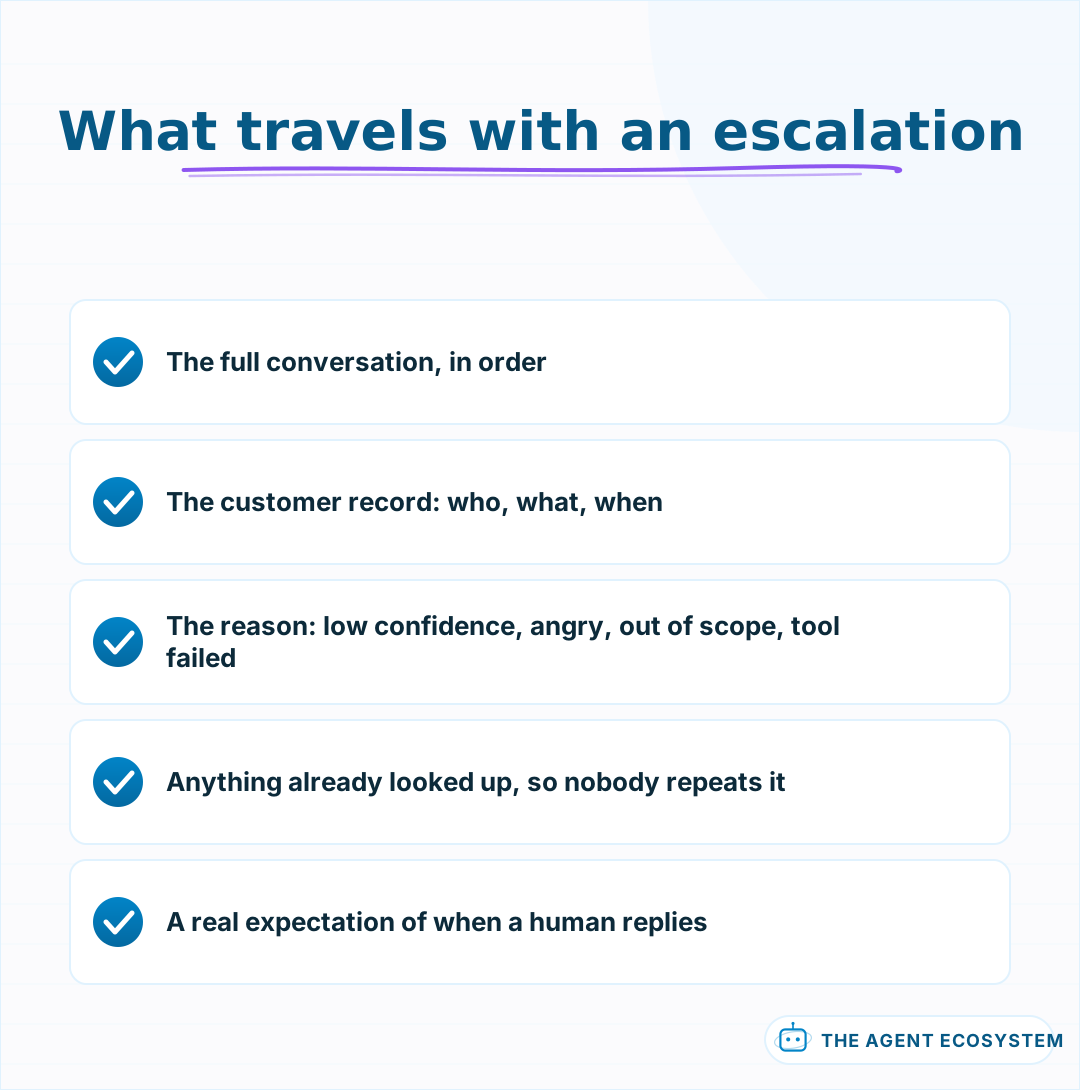 Structure it as fields. A pasted transcript makes the human do the extraction.
There is a timing detail that matters more than it sounds. Escalate on the FIRST signal, not after a retry. A bot that detects low confidence and then tries one more rephrasing before handing over has added thirty seconds and one more unhelpful message to a conversation that was already going badly. If the signal says stop, stop.
Point 3 is what turns escalation into a signal rather than a chore. Escalation reasons aggregated over a month tell you exactly what to build next, and they are free to collect.
Lesson 10Measure what customers experienced, not what the bot did#
Deflection rate counts a customer giving up as a success, which is why every vendor leads with it. Measure the things that describe the customer's experience instead.
| Metric | What it tells you | The trap |
|---|---|---|
| First response time | Speed, honestly | Fast wrong answers still count |
| Resolution without rework | Whether it actually worked | Needs a follow-up window |
| Escalation rate by reason | What to build next | High is fine; unexplained is not |
| Repeat contacts in 48h | The real failure signal | Nobody tracks it |
| Deflection rate | What the vendor charges on | Counts giving up as success |
Pick two of those and ignore the rest for the first month. Tracking five metrics on a system that handles forty conversations a week produces noise, not insight. First response time and repeat contacts are enough to tell you whether this is working.
The fourth row is the one to watch. A customer who contacts you twice about the same thing was not helped the first time, whatever the bot logged. That number moving up is the earliest warning you get, and it moves before satisfaction scores do.
Aside 10.5The metric that will flatter you#
Deflection is not merely imperfect, it is actively misleading, and it is worth understanding exactly why before you put it in a report or a proposal. The mechanism is simple once you see it, and it explains why teams optimising deflection often make support worse while the dashboard improves.
Every conversation that ends without a human counts as a deflection. That includes the customer who found their answer, and equally the customer who read two unhelpful replies, closed the tab, and bought elsewhere. Both appear in the same number, and the second one is invisible.
| The conversation ended because | Logged as | Actually was |
|---|---|---|
| They found their answer | Deflection | A success |
| They gave up and left | Deflection | A lost customer |
| They gave up and emailed instead | Deflection | A repeat contact |
| They were escalated | Not a deflection | Working as designed |
Three of those four rows are indistinguishable in the metric, and one of them is the outcome you most need to know about.
The only way to separate them is to look at what happened after. Did they come back within 48 hours? Did they convert? Did they churn that month? If you cannot join support conversations to those outcomes, treat deflection as a cost metric, which is what it honestly is, rather than a quality one.
Lesson 11Run it beside a human first#
Never ship a support bot straight to customers. Run it in shadow mode for a week, where it drafts and a human sends, and read every draft.
- The bot drafts, a human reads and edits, the human sends.
- Log every edit. The edits are your evaluation set.
- After a week, count how many drafts went out unchanged.
- Go live only for the categories where that number is high.
The edit log from step 2 is worth more than the go-live decision it produces. Every edit is a recorded gap between what the bot said and what you would have said, categorised for free by whoever made it. After a week you have an evaluation set built from real traffic, which is the thing lesson 11 of most guides tells you to construct artificially.
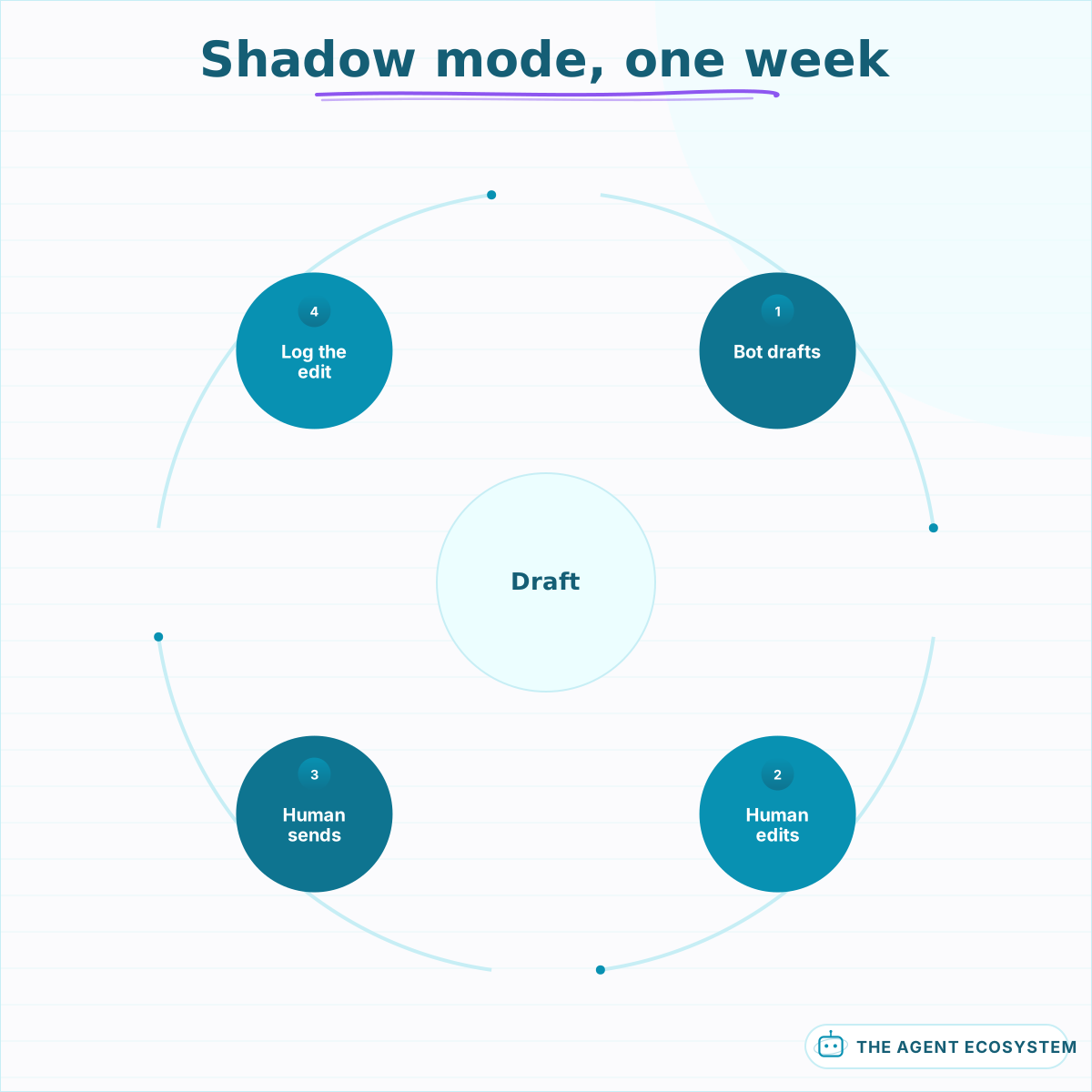 Every edit is a recorded gap. After a week you have an eval set from real traffic.
Step 4 is the important one, and it is why lesson 1 asked for a permitted list. Going live is not one decision, it is one decision per category, and the shadow week tells you which categories are ready.
The drafting pattern applies to any channel; the builds are in n8n Slack Bot AI Agent, WhatsApp AI Agent with n8n and Twilio and n8n Website AI Chatbot.
Lesson 12What to build this week#
One triage layer, and no customer-facing answers at all. That is deliberately less than you want to build, and it is the version that cannot damage anything while teaching you the most about your own inbox. It also happens to be the piece that keeps paying off even if you never go further.
- Sort incoming messages by category, urgency and sentiment.
- Route angry or ambiguous ones to yourself, marked.
- Log the categories for two weeks.
- Read the log, and let it tell you which single category is worth answering automatically.
That log is the honest version of the permitted list from lesson 1. Most people discover the category they assumed was biggest is third, and the biggest one is something they never considered automating.
What I would do differently#
Stop optimising deflection before understanding what it counts. The number goes up, which feels like progress, while repeat contacts climb alongside it because a share of those deflections were customers giving up. Nobody complains, which is the whole problem: the failure mode of support automation is silence.
Treat deflection as a cost metric and watch repeat contacts within 48 hours as the quality one. It moves earlier than satisfaction scores and it is much harder to fool.
There is a related effect worth expecting. Once the bot handles the easy volume, every ticket reaching a human is a hard one, so the subjective experience of support gets worse even as the aggregate improves. That is easy to misread as the automation failing, and it is the opposite.
The second thing is the corpus. Retrieval connected to a help centre nobody has read in a year will confidently cite a page that was superseded twice, and the citation makes the wrong answer look verified, which is worse than no citation at all. Reading your own documentation as though you were the bot is an afternoon, and it is the highest-value afternoon in this guide.
Third: triage before answering. Triage is cheaper, safer, invisible to customers when it errs, and it pays off even if the bot never writes a word. It belongs first, which is why it is first here.
One note on sequencing, because the order is deliberate and cheap to get wrong. Triage, then grounding, then answering, then tools. Each stage is safe in production before the next exists. Building in the reverse order, which is the order the demos suggest, means the first thing customers meet is the least tested thing you have.
What I am still unsure about is how much personality to allow. Terse and factual is safer and reads slightly cold; warmer copy tests better in isolation and ages badly when the answer turns out to be wrong. I default to terse, and I am not confident that is right for every business.
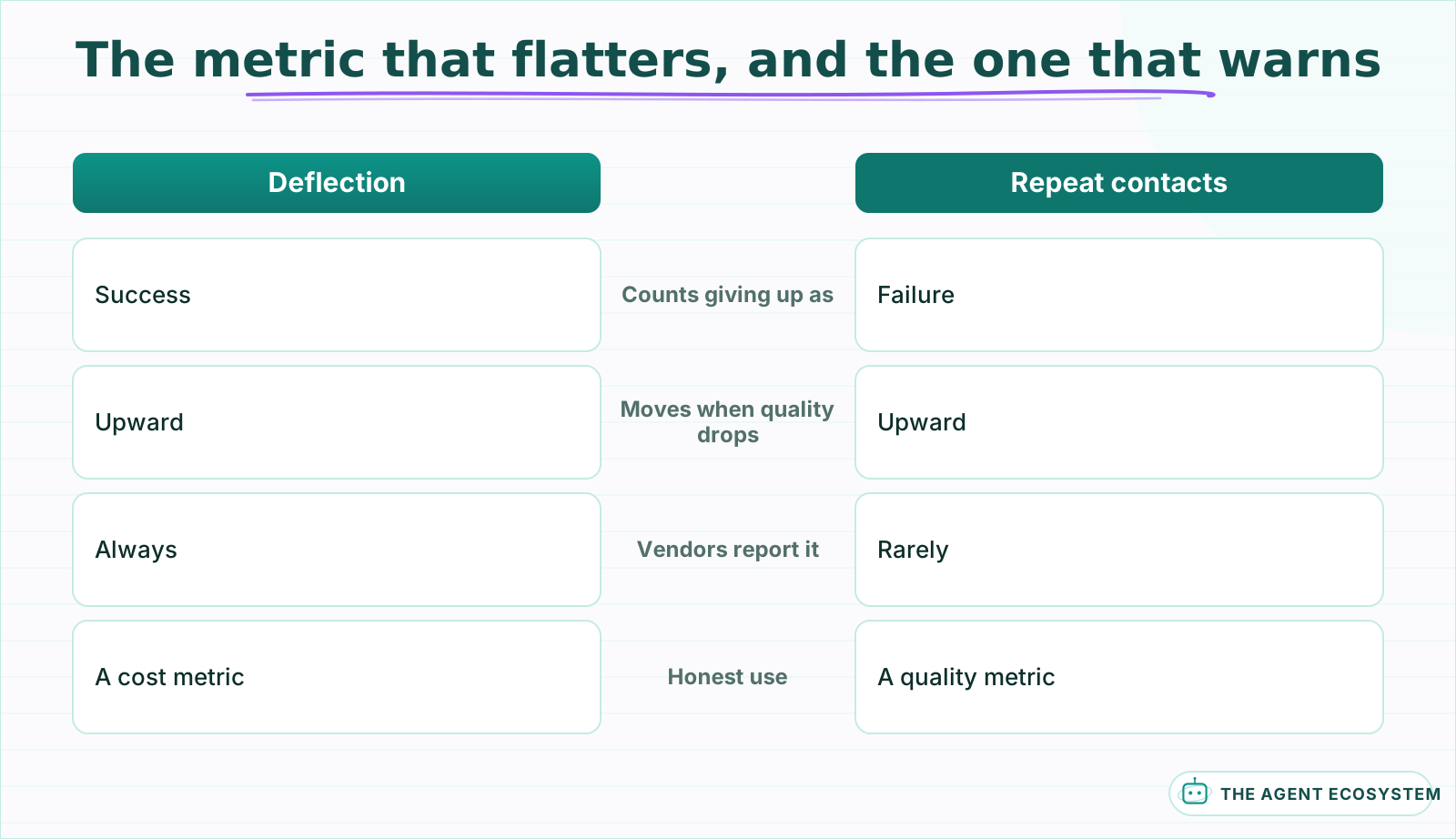 One counts a customer giving up as a win. The other notices.
One last note on sequencing, because the order in this guide is deliberate and cheap to get wrong. Triage, then grounding, then answering, then tools. Each stage is safe to run in production before the next exists, and each one makes the next easier to evaluate. Building in the reverse order, which is the order the demos suggest, means the first thing customers meet is the least tested thing you have.
Where to go next#
If nothing is running yet, lesson 12 is the whole guide compressed: build triage only, log the categories for two weeks, and let the log choose what to automate.
If you are ready for grounded answers, n8n RAG Customer Support Bot is the build, and How to Build a RAG System covers why retrieval quality caps answer quality. If the bot exists and gives wrong answers, n8n RAG Chatbot Wrong Answers is the diagnostic. And for the approval gate on anything involving money, n8n AI Human Approval.
Frequently asked questions
What should an AI support bot be allowed to answer?
Should I automate support answers or triage first?
Why is deflection rate a bad metric?
How do I stop a support bot inventing answers?
What should an escalation include?
How do I test a support bot before customers see it?
Sources
Primary references and vendor documentation used while drafting and reviewing this article.
Written by

Muhammad Qasim Hammad is an AI agent and automation expert and the founder of Cart Gaze LLC (cartgaze.com). He builds product for the love of it: when an idea lands, a working prototype is usually running within hours, built with the same AI agents and automations he sells. He puts his own output at roughly 20× what it was before agents, and the Agentic OS behind this site is the working proof, documented in public with the tools he actually ran and what they really cost.
AI & Automation Services
Want a pipeline like this running in your business?
I'm Qasim — I design and ship AI agents and n8n automations for solo operators and small teams. Tell me what's eating your team's week, and I'll scope a fix.
Related reading
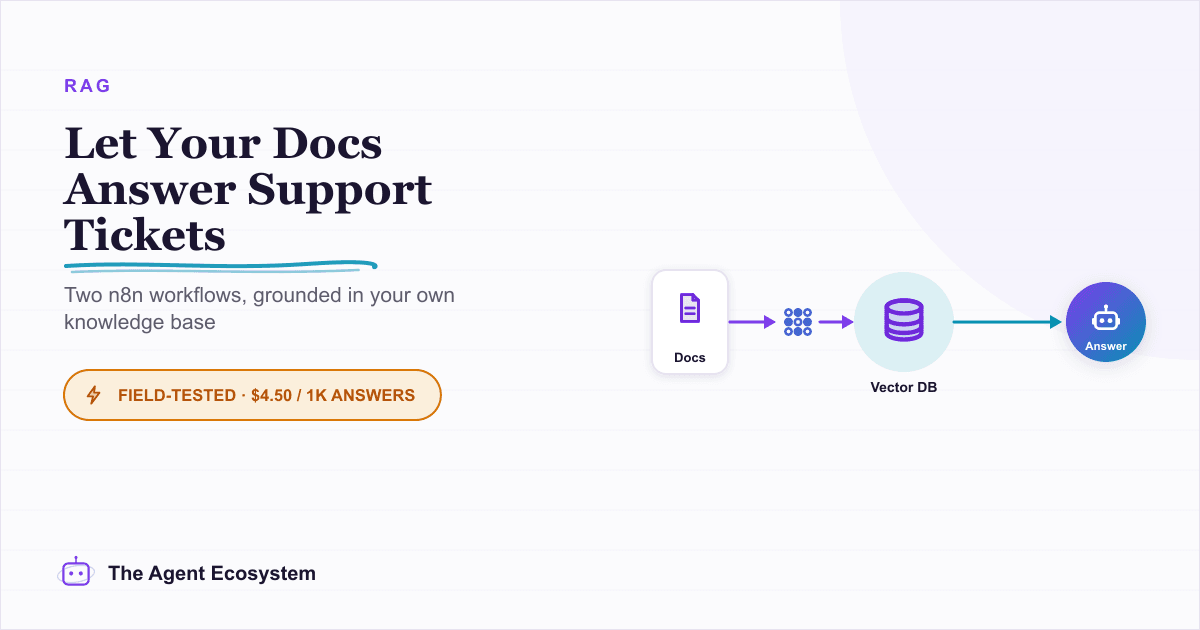
Build an AI Customer-Support Bot in n8n (RAG, With Real Monthly Cost)
Build an n8n AI customer support bot that answers repeat questions from your own docs using RAG. Two workflows, about $4.50 per 1,000 answers on Claude Haiku 4.5, and $0 platform cost if you self-host.

AI Agent Cost Per Resolved Ticket: The Honest Version
The dashboard says the bot handled 4,000 conversations last month and cost very little. Cost per resolved ticket is a different number, usually several times larger.
AI Automation for Solopreneurs: What to Build First
You do not have an automation problem, you have a which-of-these-forty-things problem. Thirteen lessons on picking the first job, counting the baseline, building three automations that survive, and knowing when to stop.
AI Chatbot Deflection Rate Benchmark: Why Numbers Differ
Somebody will ask what good looks like, and there is a number ready for them. The ranges disagree because the denominators disagree, not because the industries do.
How to Build an n8n AI Agent That Triages Zendesk Tickets
An n8n AI Agent can read a new Zendesk ticket, tag and prioritize it against rules you define, and route it to the right group, all before a human opens it. Here is how to wire Zendesk in as a tool, avoid the tag-replacement trap that silently deletes existing tags, and keep
Run AI Sentiment Analysis in n8n (Reviews, Feedback & Support)
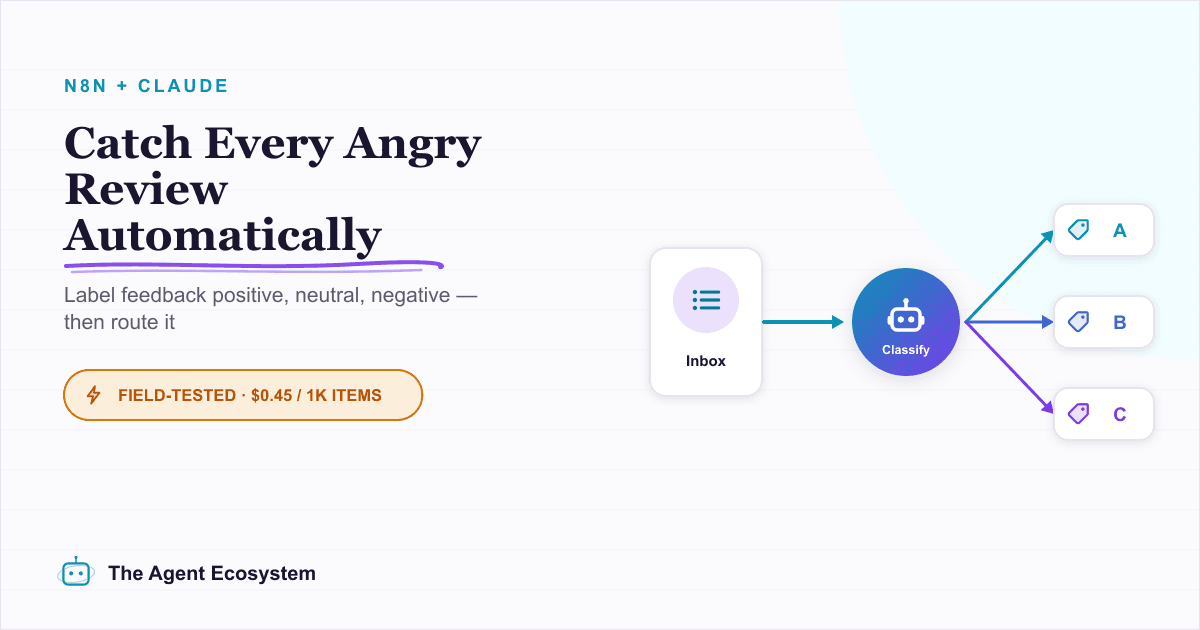
Set up n8n sentiment analysis to classify every review, survey reply, or support message automatically. Route negatives to an instant alert and positives to a testimonial ask, for about $0.45 per 1,000 items.