n8n Slack Bot + AI Agent: Answer Team Questions from Your Docs
Build a Slack bot that searches your documents and replies in the thread, powered by an n8n AI agent with RAG.
AI-drafted, reviewed by Muhammad Qasim Hammad on July 21, 2026. See our AI disclosure.
Table of contents
Your team posts the same question in Slack three times a week because the answer is buried in a Google Doc, a Notion page, or a PDF nobody bookmarked. An n8n Slack bot wired to an AI agent with a vector store searches your documents and posts the answer in the thread, so the knowledge lives where the team already works.
The setup uses four n8n nodes: a Slack Trigger that listens for mentions, an AI Agent that searches a vector store of your documents, and a Slack node that posts the answer back. Here is how to build it from scratch.
How does an n8n Slack bot connect to an AI agent?#
A Slack Trigger node listens for messages that mention your bot. When someone tags it in a channel, the trigger fires and passes the message text into an AI Agent node. The agent searches a vector store of your documents, assembles an answer grounded in retrieved chunks, and the workflow posts it back in the Slack thread.
The Slack Trigger node supports several event types. For a question-answering bot, use the "app_mention" event so the workflow only fires when someone actively tags the bot, not on every message in the channel. This keeps execution costs predictable and avoids processing chatter the agent has no business reading.
The AI Agent node receives the message text as its input. Connect a Vector Store Tool sub-node so the agent can search your indexed documents. When the agent decides a retrieval step will help, it queries the vector store, gets the most relevant chunks, and drafts an answer grounded in your actual content instead of the model's training data.
The difference from a standalone RAG chatbot is the agent's autonomy. A chain retrieves on every query whether it helps or not. An agent retrieves only when the question needs grounding, which saves tokens on greetings, follow-ups, and questions the model can answer from its own knowledge.
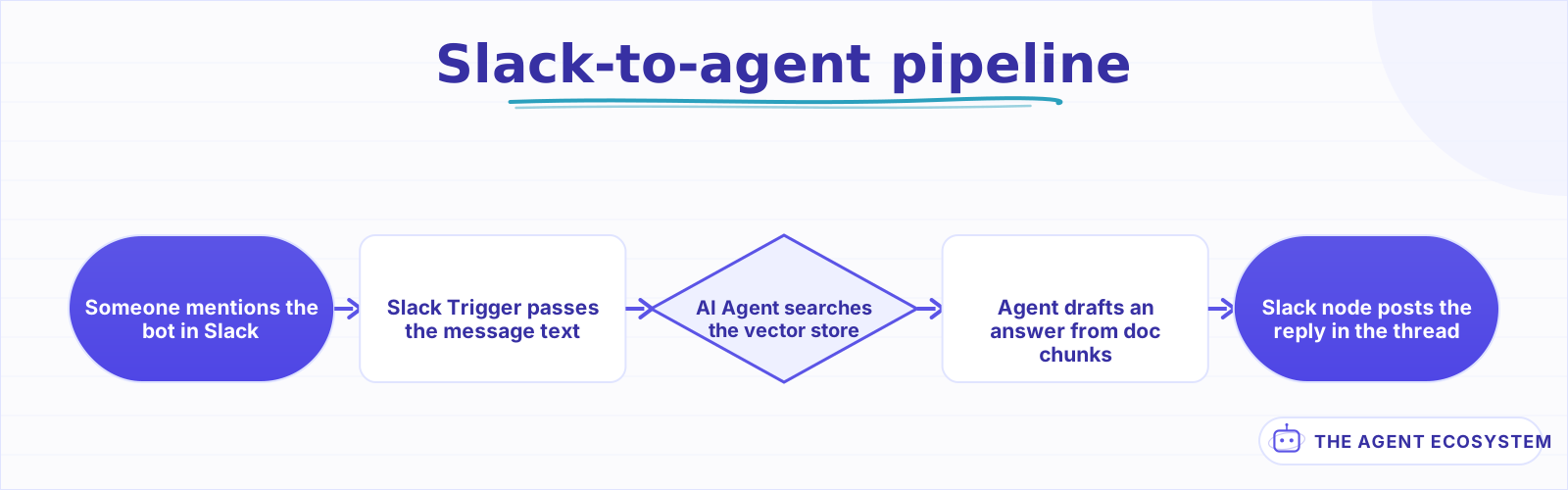 The Slack Trigger fires on a mention, the agent retrieves from the vector store, and the Slack node posts the answer in the thread.
What do you need before you start building the bot?#
Three pieces outside n8n need to be in place before you wire any nodes. A Slack app with event subscriptions and a bot token, a vector store loaded with your chunked documents, and a model credential for the AI Agent. The Slack app takes 10 minutes at the Slack API dashboard; the vector store takes longer depending on document volume.
Create the Slack app at api.slack.com. Enable Event Subscriptions, subscribe to app_mention events, and install the app to your workspace. Copy the Bot User OAuth Token and add it as a Slack credential in n8n. You need chat:write and app_mentions:read scopes at minimum.
| Prerequisite | Where | Time estimate |
|---|---|---|
| Slack app (bot token + event scopes) | api.slack.com | 10 minutes |
| Vector store (Supabase pgvector or Pinecone) | Your database or hosted service | 30-60 minutes |
| Documents chunked and embedded | n8n or a script | Varies by volume |
| AI model credential (Anthropic, OpenAI, etc.) | Provider dashboard | 5 minutes |
| n8n Slack credential | n8n credentials panel | 5 minutes |
For the vector store, the fastest path is Supabase with pgvector. Create a documents table with a vector column, chunk your docs, and run them through an embedding model to populate the store. If your documents are already in a vector database from another project, point the Vector Store Tool there instead of rebuilding.
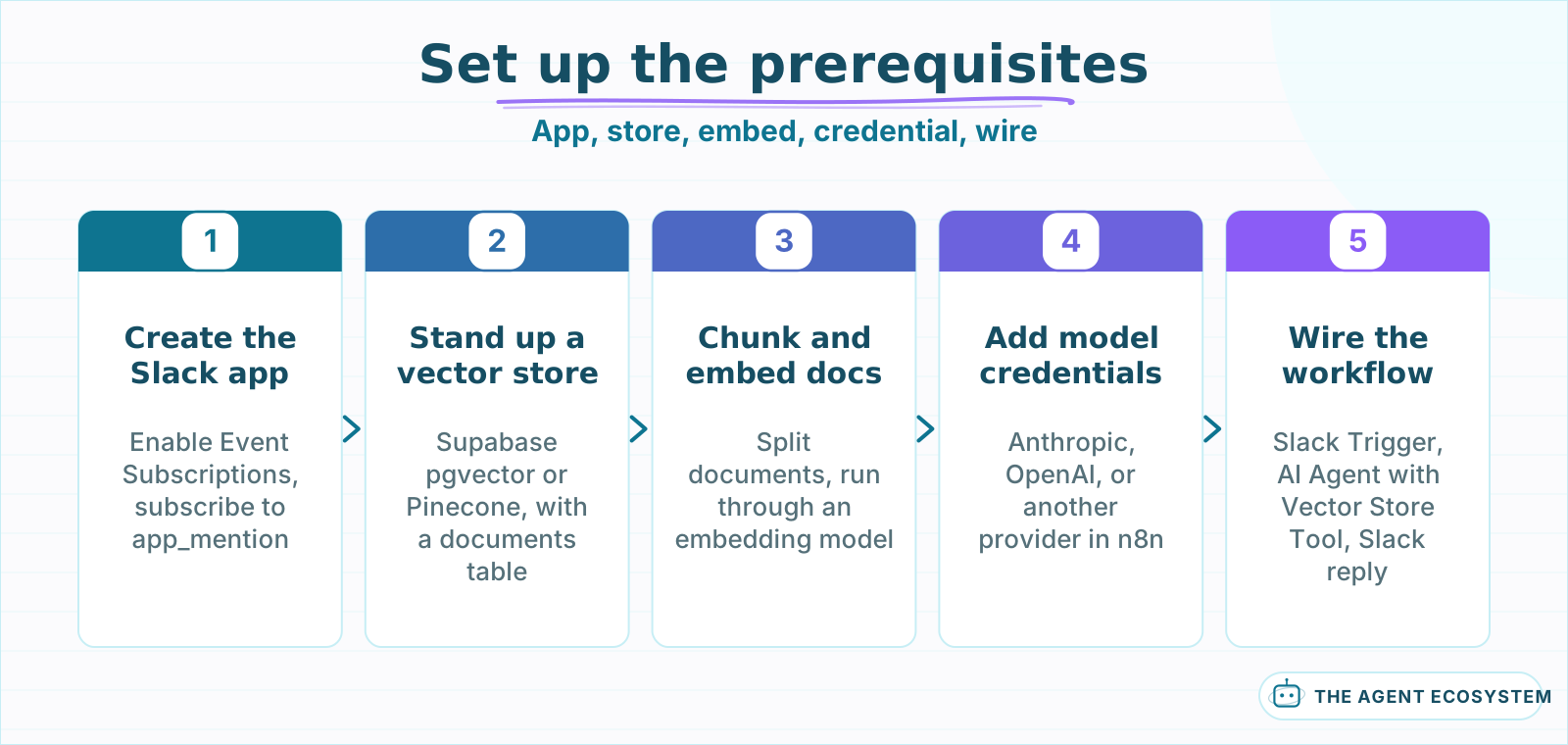 Complete each prerequisite before wiring the workflow: the Slack app, vector store, and model credential need to exist first.
How do you wire Slack messages to an AI agent with document retrieval?#
Connect the Slack Trigger to an AI Agent node in Tools Agent mode with a Vector Store Tool sub-node attached. Write a system prompt that tells the agent to answer questions using retrieved document chunks and to say so honestly when it cannot find a match. The agent's output goes to a Slack reply node as plain text.
The system prompt is the most important setting. Here is the core of a working prompt:
You are a team knowledge assistant. Answer the user's question using only information from the vector store tool. If the tool returns no relevant chunks, say "I could not find that in our docs." Do not make up an answer.
The "do not make up an answer" instruction matters. Without it, the agent fills gaps with its training data, which sounds confident but can be wrong for internal policies, pricing, or procedures. Grounding the agent in your actual documents, and making it admit when it cannot answer, is what makes the bot trustworthy enough that the team actually uses it.
Wire an agent memory sub-node if you want threaded conversations. Window Buffer Memory with a window of 5 keeps the last few exchanges in context so the agent handles follow-ups like "what about the pricing for that?" without losing the thread. Without memory, every message is treated as a fresh question with no prior context.
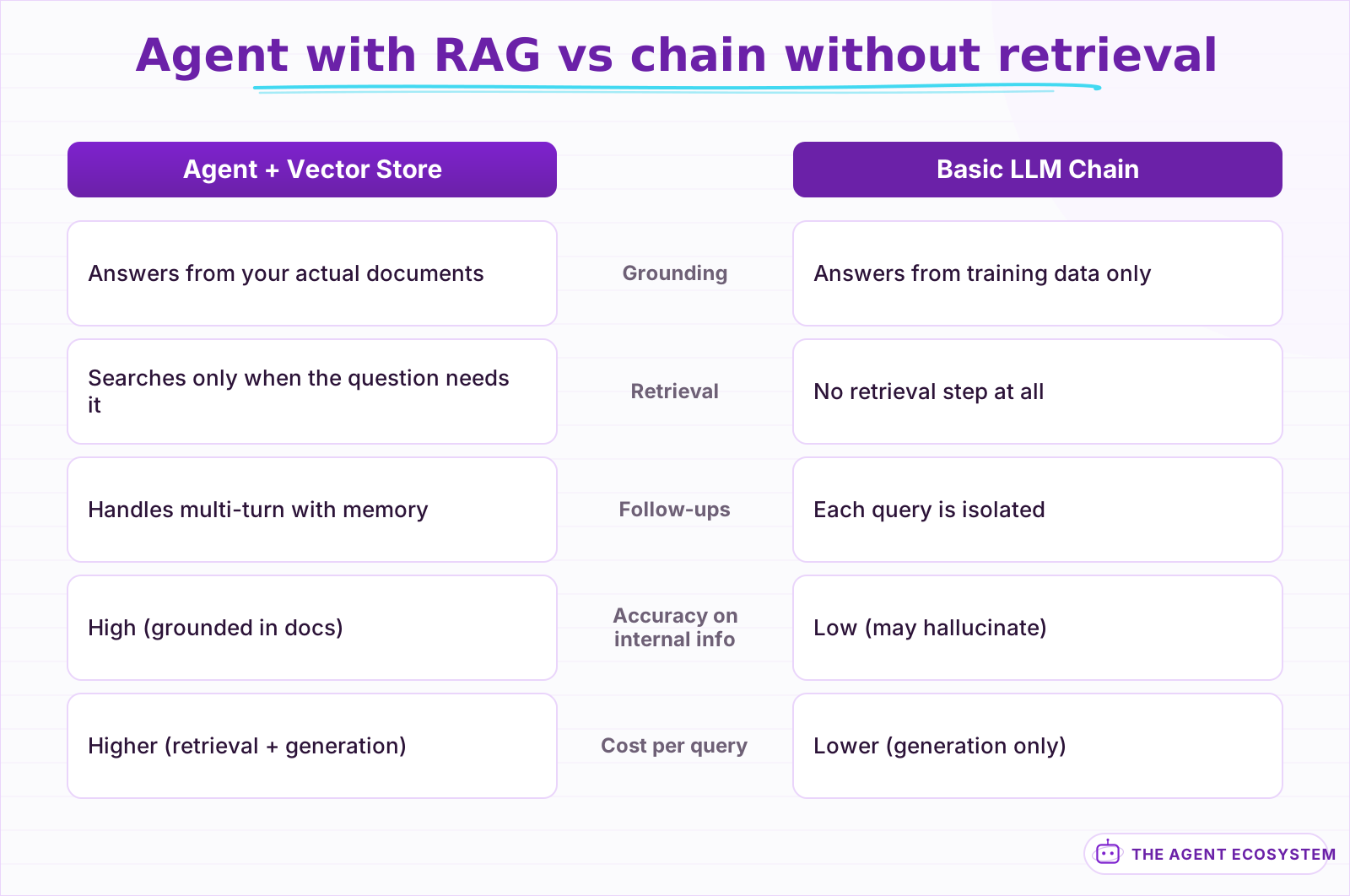 The agent retrieves only when the question needs grounding, saving tokens on simple follow-ups while staying accurate on domain-specific questions.
How do you send the agent's answer back to the Slack thread?#
Add a Slack node after the AI Agent set to the Send Message operation. Map the channel ID and thread timestamp from the Slack Trigger's output so the bot's answer appears as a reply in the same thread where the question was asked. Threaded replies keep the channel clean and give the team a readable conversation trail with the bot.
Map the channel ID from the trigger output to the Slack node's Channel field, and the message timestamp to the Thread TS field. This ensures the bot replies in the thread, not as a new top-level message. A top-level reply floods the channel; a threaded reply keeps context contained and lets others read the exchange later without scrolling past noise.
Format the agent's answer with Slack's mrkdwn syntax. Bold key terms with asterisks, use backticks for code, and keep paragraphs short. Slack truncates messages above 3,000 characters, so if the answer runs long, summarize the key points and link to the full document instead.
Add error handling between the agent and the Slack reply. If the agent fails from an API timeout, a rate limit, or an unreachable vector store, send a fallback message like "I had trouble looking that up. Try again in a minute." The team should never ask a question and get silence in return.
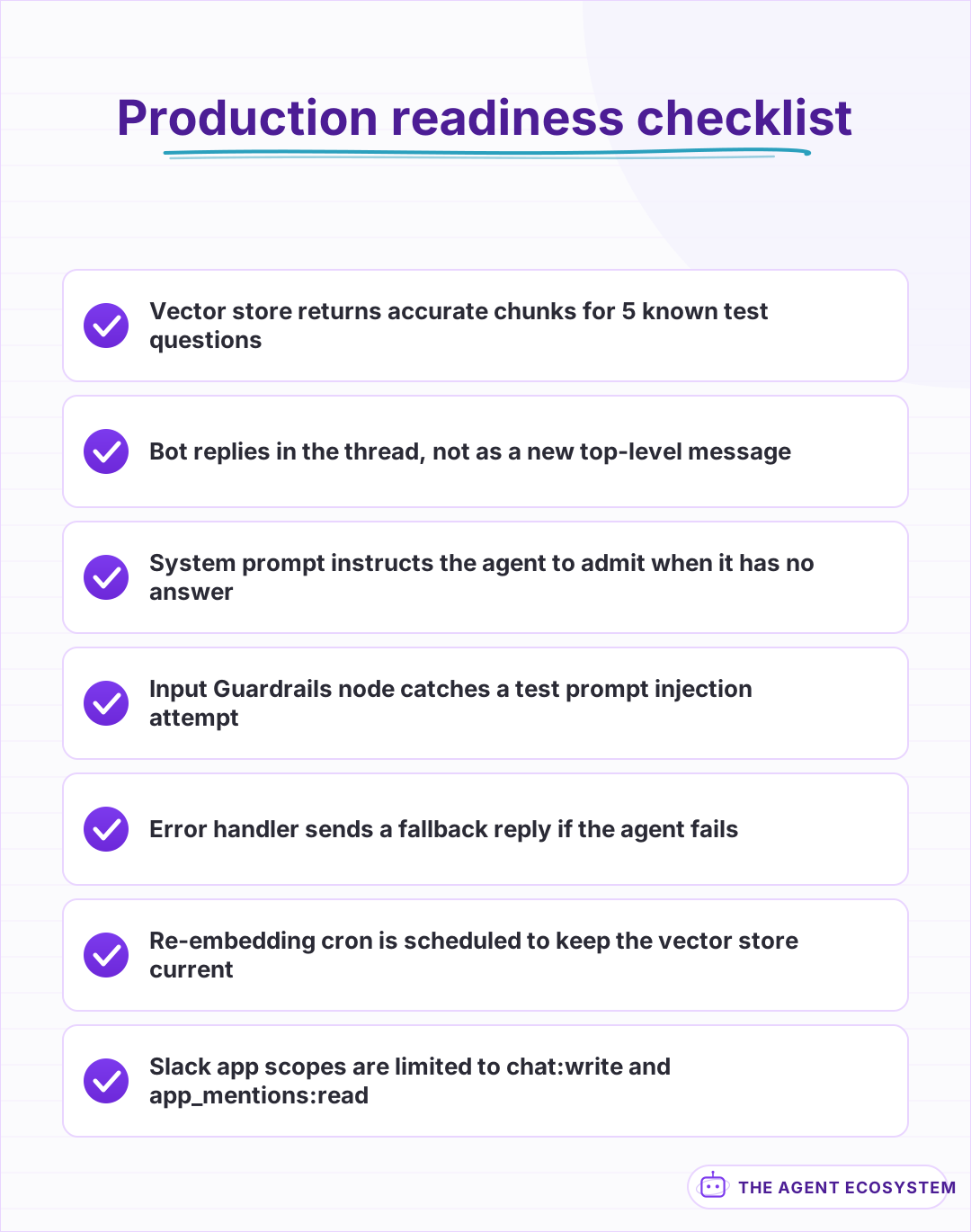 Run through this list before you add the bot to a channel. A wrong answer on day one makes the team stop using it.
What should you watch out for in production?#
Three production concerns come up with every Slack bot backed by an AI agent. Rate limits from both Slack and your model provider can throttle the bot during busy periods. Stale documents in the vector store produce outdated answers nobody catches. And prompt injection from a message can make the agent say things you did not intend.
Handle rate limits by adding a retry loop around the AI Agent and the Slack reply. Slack's Web API rate limit for chat.postMessage is roughly 1 message per second per channel, and your model provider has its own throttle that the n8n retry pattern handles with queued backoff.
Keep the vector store fresh. Schedule a weekly cron workflow that re-chunks and re-embeds documents from your source, whether that is Google Drive, Notion, or a shared folder. A bot that confidently answers with last quarter's pricing erodes trust faster than a bot that says "I could not find that."
Add input guardrails on the Slack message before it reaches the agent. A Guardrails node with the Jailbreak and PII validators catches prompt injection and masks any sensitive data a user accidentally pastes into the channel. Start with one channel and 1 document set, expand to more only after the bot answers correctly 8 out of 10 times.
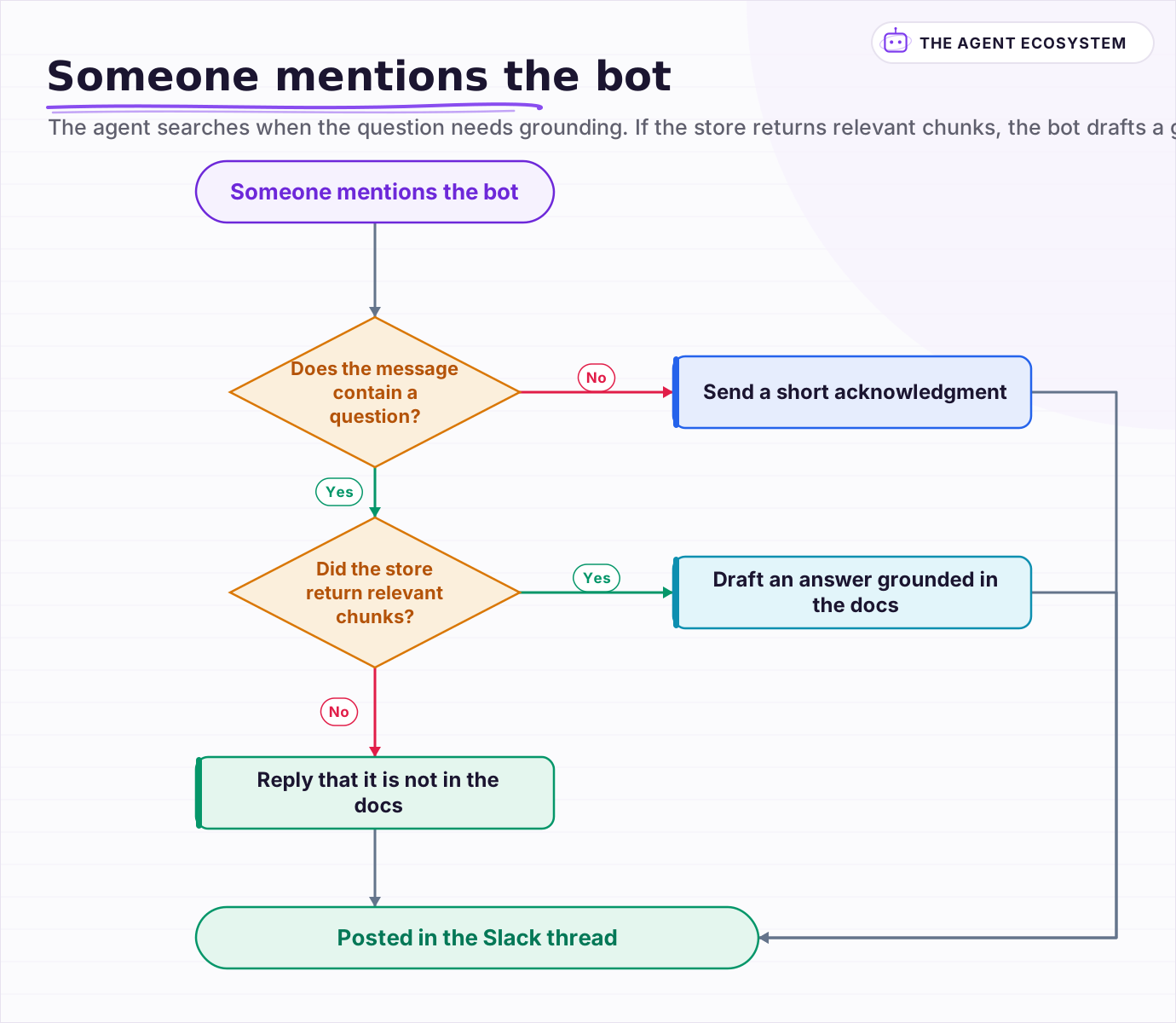 The agent searches when the question needs grounding. If the store returns relevant chunks, the bot drafts a grounded answer; if not, it says so honestly.
Frequently asked questions
How do I create a Slack app for an n8n AI bot?
Can the n8n Slack bot answer from my own documents?
How do I make the bot reply in a Slack thread instead of the channel?
How do I keep the bot's document knowledge up to date?
Is there a risk of prompt injection with a Slack AI bot?
Sources
Primary references and vendor documentation used while drafting and reviewing this article.
Written by

Muhammad Qasim Hammad is an AI agent and automation expert and the founder of Cart Gaze LLC (cartgaze.com). He builds product for the love of it: when an idea lands, a working prototype is usually running within hours, built with the same AI agents and automations he sells. He puts his own output at roughly 20× what it was before agents, and the Agentic OS behind this site is the working proof, documented in public with the tools he actually ran and what they really cost.
AI & Automation Services
Want a pipeline like this running in your business?
I'm Qasim — I design and ship AI agents and n8n automations for solo operators and small teams. Tell me what's eating your team's week, and I'll scope a fix.
Related reading
Build a Question and Answer Chain in n8n (Answer From Your Docs)
The n8n Question and Answer Chain retrieves passages from your own vector store and answers from them, not from the model's memory. Index once for about $0.01, then answer 1,000 questions for about $2.50 on Claude Haiku 4.5.

Build an AI Customer-Support Bot in n8n (RAG, With Real Monthly Cost)
Build an n8n AI customer support bot that answers repeat questions from your own docs using RAG. Two workflows, about $4.50 per 1,000 answers on Claude Haiku 4.5, and $0 platform cost if you self-host.
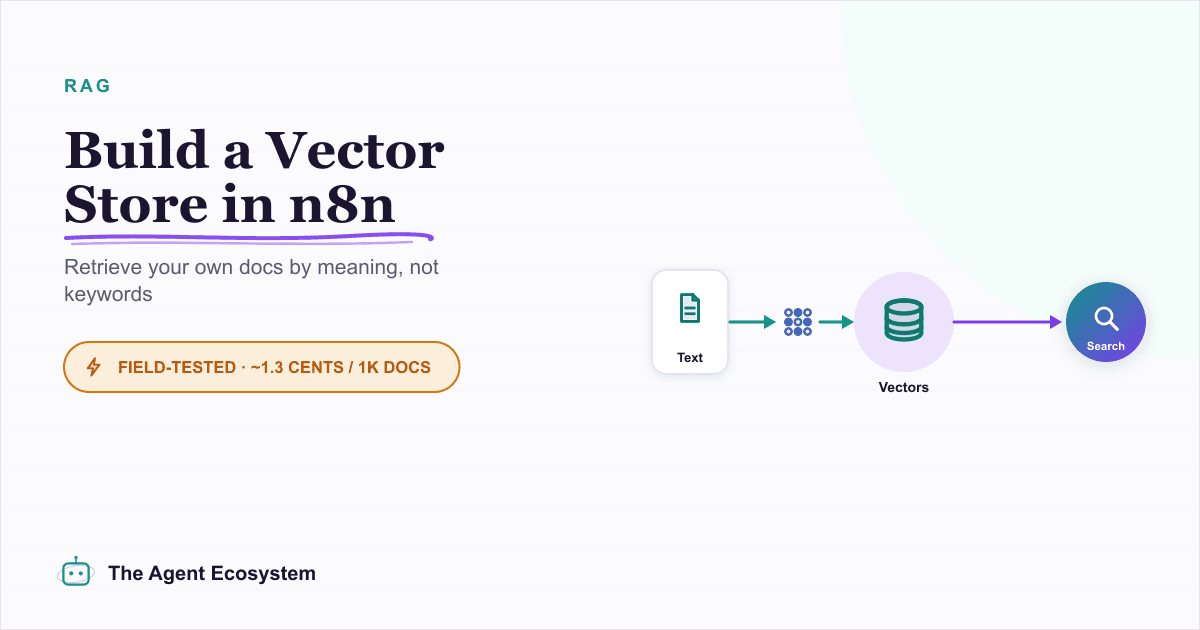
Build a Vector Store in n8n (Embeddings for RAG)
Build an n8n vector store that retrieves your own documents by meaning, not keywords. Embedding 1,000 docs costs ~1.3 cents; Supabase free-tier storage costs $0. Full node wiring and step-by-step setup inside.
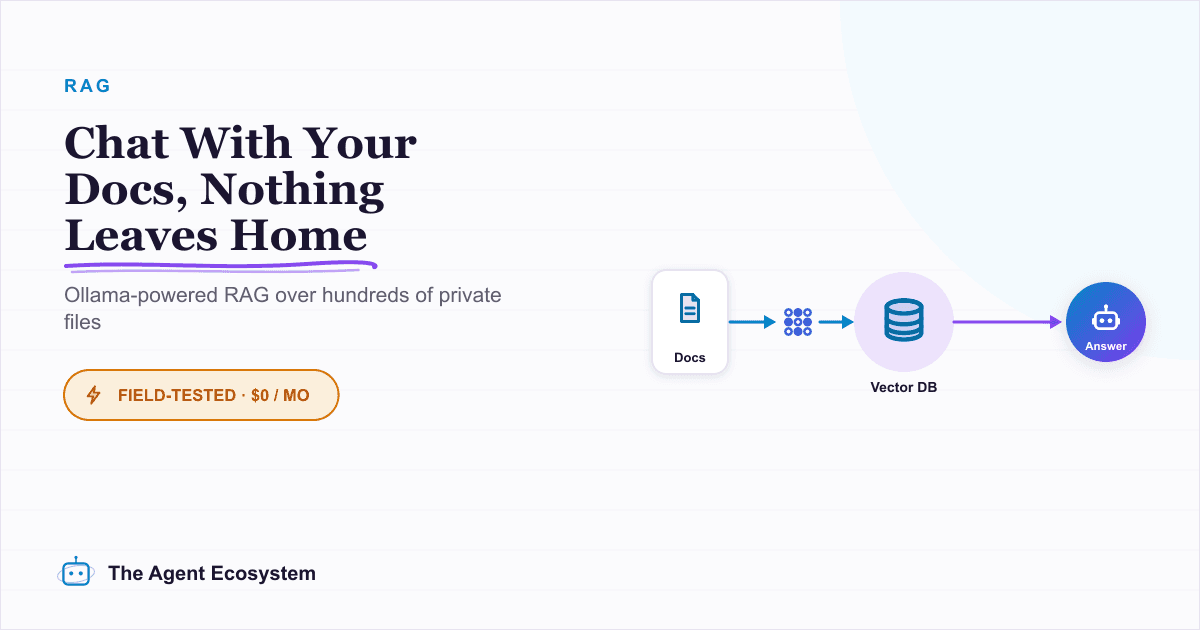
Local RAG With Ollama: Chat With Your Business Docs Privately
Local RAG with Ollama lets you ask questions across hundreds of private documents without uploading a single file to the cloud. This guide covers three paths from 20-minute desktop setup to n8n pipelines, all at $0 running cost.
Build a Discord AI Agent in n8n
n8n has guides for Telegram and WhatsApp AI agents, but Discord is the gap, mostly because there is no Discord Trigger node. Here is how to build a Discord AI agent from 3 parts: a Webhook trigger, the AI Agent, and the Discord node to reply.
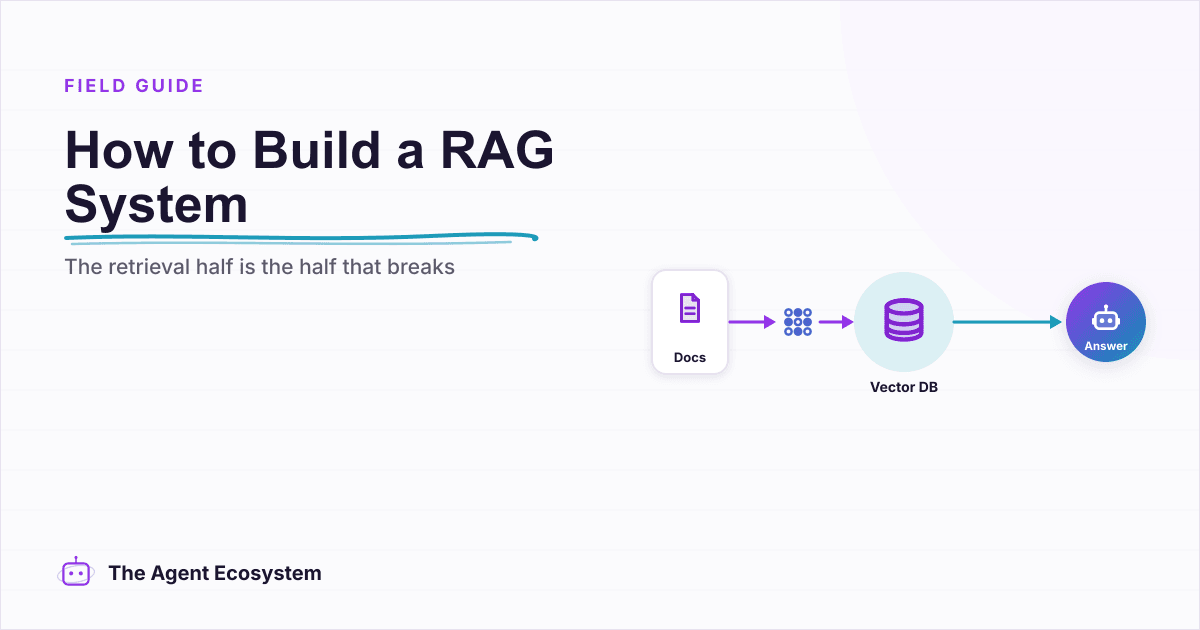
How to Build a RAG System That Retrieves the Right Thing
Most RAG systems fail at retrieval, not at the model. Twelve lessons on chunking for the question, hybrid search for exact strings, re-ranking, making it refuse, and measuring retrieval separately from generation.