Build a Question and Answer Chain in n8n (Answer From Your Docs)
The lightweight, read-only way to make Claude answer from your documents, not its memory
AI-drafted, reviewed by Muhammad Qasim Hammad on June 21, 2026. See our AI disclosure.
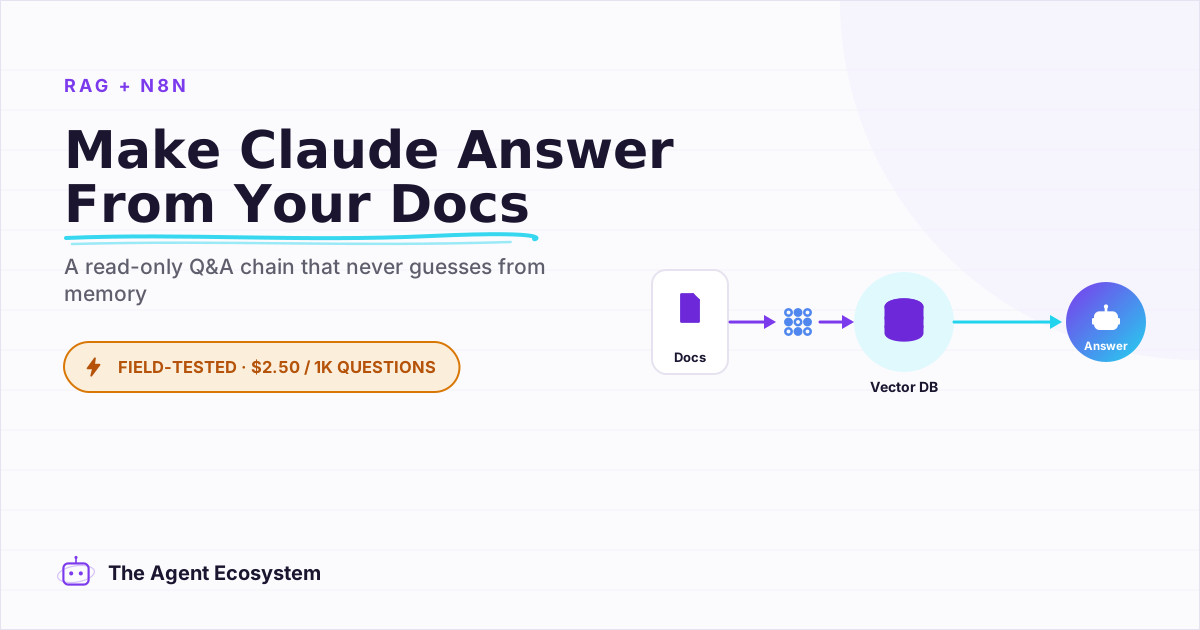
Table of contents
Your help center has the answers. Your FAQ doc has the answers. Your onboarding guide has the answers. But when someone asks a plain chatbot, it ignores all of that and generates something from its training data, which is sometimes wrong. The n8n question and answer chain fixes this by taking a question, fetching the matching passages from your own documents, and answering strictly from them.
The symptom is familiar: you ship a chatbot, it sounds confident, then it tells a customer something that was never in your docs. You spend time apologizing. The fix is not a bigger model or a more elaborate system prompt. The fix is a chain that is physically incapable of answering from anything except your indexed documents.
I point a Q&A chain at my own documentation so it answers from my text, not from Claude's memory. The setup is three nodes and one indexing run. Here is exactly how to wire it.
What is the n8n Question and Answer Chain?#
The n8n Question and Answer Chain is a dedicated retrieval-QA node that answers questions using only documents retrieved from a connected vector store. It is not an agent. It has no tools, takes no actions, and cannot modify any data. Its single job: receive a question, retrieve matching passages, return a grounded answer.
The node exposes one key parameter: Query, described in the n8n docs as "The question you want to ask." That is where the user's question goes. Everything else happens through two required sub-nodes: a Chat Model and a Retriever. Without both attached, the node errors.
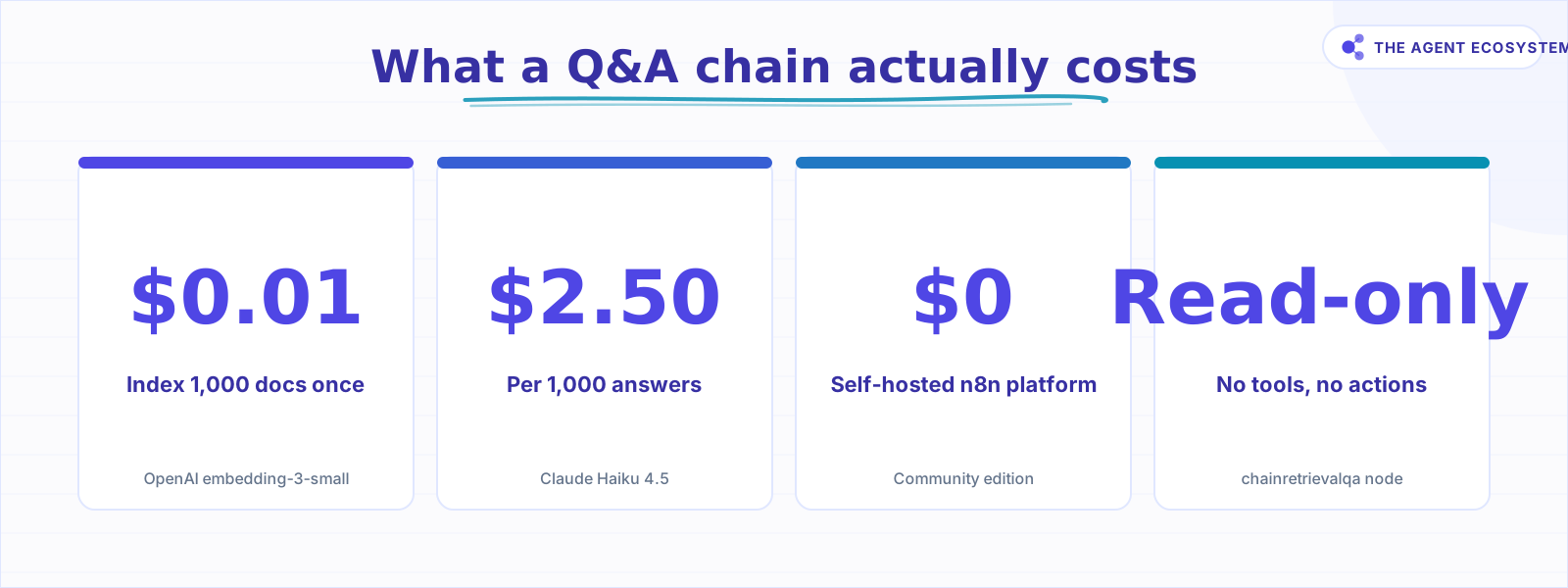 The full cost picture for a self-hosted Q&A chain (mid-2026).
This read-only design is not a limitation. It is the contract. You know exactly what the node can and cannot do. For a solopreneur running a help desk, a knowledge base bot, or an internal FAQ tool, that contract is exactly what you want.
How does it work inside n8n? (Chat Model plus a Retriever)#
The Question and Answer Chain requires two sub-node connections: a Chat Model that writes the final answer and a Retriever that fetches relevant passages from a vector store. The flow: a trigger sends a question to the chain, the retriever pulls the closest-matching chunks from the vector store, and the chat model synthesizes those chunks into a grounded answer.
To add a retriever, open the Question and Answer Chain node and click the + Retriever button at the bottom of the panel. Add a Vector Store Retriever sub-node, then connect that retriever to your vector store, either a Simple Vector Store (in-memory, good for testing) or a persistent store like PGVector (good for production). The docs confirm this exact wiring pattern.
The vector store must already hold your embedded documents before the chain runs. That is a separate, one-time workflow covered in the next section.
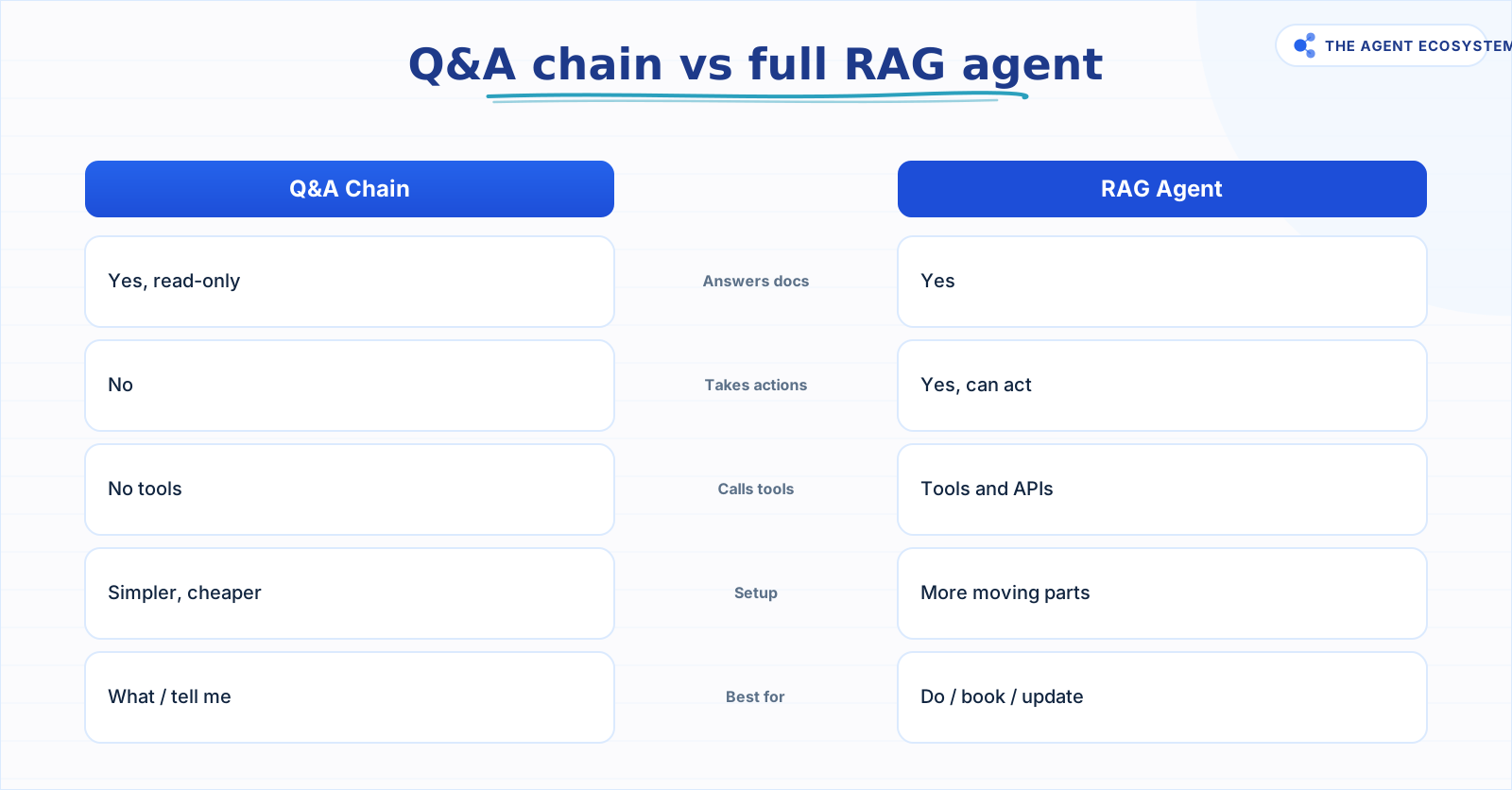 Use the chain for answers. Use the agent when it must act.
One thing that tripped me up early: the Query parameter in the chain does not auto-populate. You must manually map it to the question field from your trigger. For a Chat Trigger, that is usually {{ $json.chatInput }}. Skip this mapping and the chain queries an empty string, which returns garbage passages.
How much does it cost to answer from your docs?#
Two costs apply, and keeping them separate clarifies the economics. Indexing your documents is a one-time fixed cost of about one cent to embed 1,000 chunks. Answering is a recurring per-question cost of roughly $2.50 per 1,000 questions on Haiku 4.5. Most concerns about expensive retrieval conflate the two.
Indexing cost (one-time). OpenAI text-embedding-3-small costs $0.02 per million tokens (input only, as of mid-2026). Assuming 1,000 document chunks at roughly 500 tokens each, that is 0.5 million tokens: 0.5 x $0.02 = about $0.01 to index your entire knowledge base. You pay this again only when your docs change.
Answering cost (per question). Assume each question plus retrieved context is about 1,500 input tokens and the answer is about 200 output tokens. For 1,000 questions that is 1.5 million input tokens and 0.2 million output tokens. Here is what that costs across Claude models (as of mid-2026, June 2026):
| Model | Input $/1M | Output $/1M | Cost per 1,000 questions | Best for |
|---|---|---|---|---|
| Claude Haiku 4.5 | $1.00 | $5.00 | $2.50 | Default Q&A chains |
| Claude Sonnet 4.6 | $3.00 | $15.00 | $7.50 | Complex reasoning needed |
| Claude Opus 4.8 | $5.00 | $25.00 | $12.50 | Rarely justified here |
The arithmetic for Haiku: (1.5 x $1.00) + (0.2 x $5.00) = $1.50 + $1.00 = $2.50. Check it yourself.
Self-hosted n8n (Community edition) runs on your own server at $0 platform cost. n8n Cloud Starter is €20/month if you prefer managed hosting. The indexing rounding error ($0.01) and the per-question answer cost ($2.50 per 1,000) are the only recurring numbers that matter.
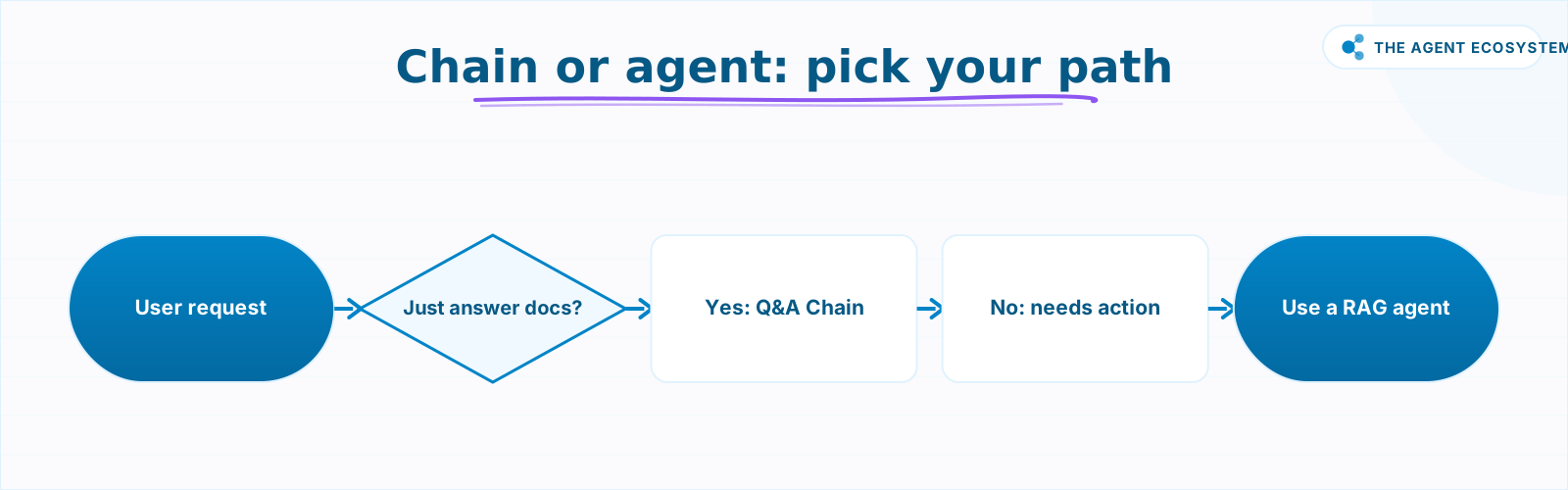 Read-only answers mean a chain; needing actions means an agent.
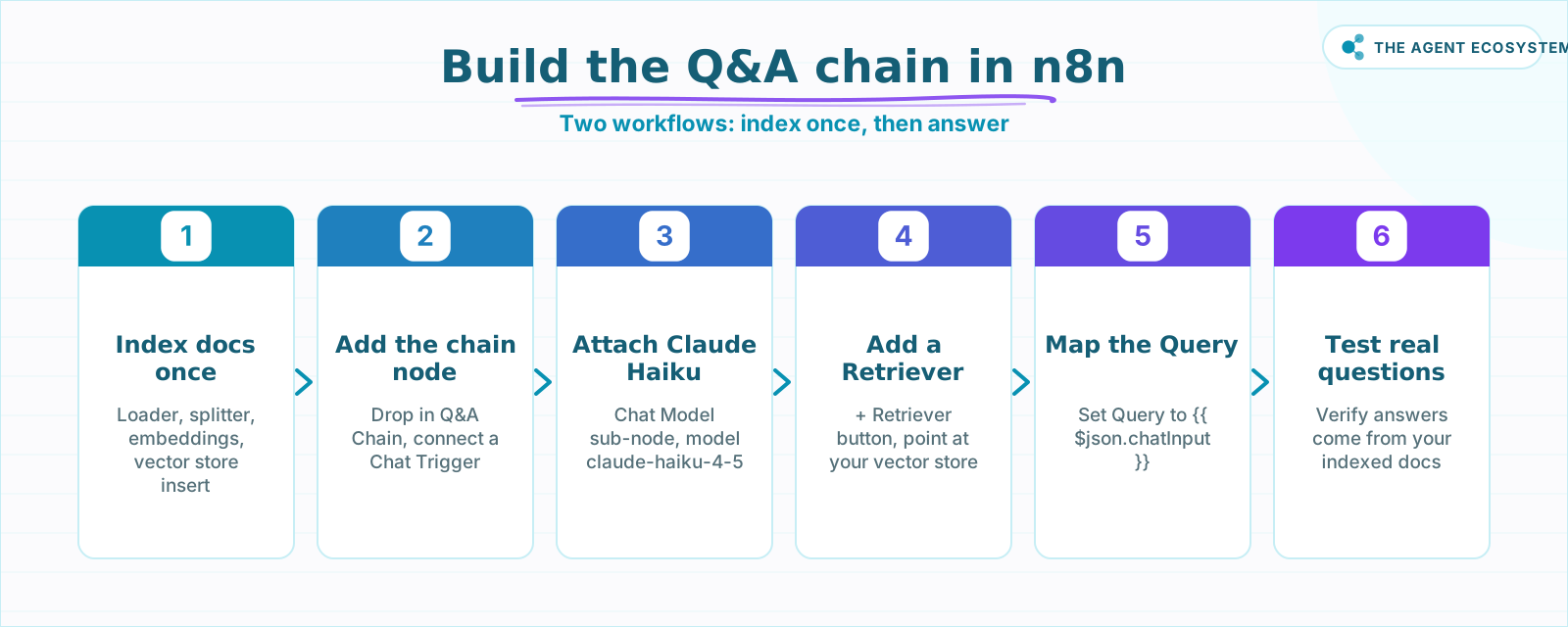 Six steps from zero to a working Q&A chain in n8n.
Q&A chain or full RAG agent: which do you need?#
A Q&A chain is the right tool when you need read-only answers from your documents. A full RAG agent is the right tool when you need the AI to act on its answer, such as booking a meeting, updating a CRM record, or calling an external API. If you only need answers, a chain is simpler, cheaper, and safer.
The practical rule: if the word "do" appears in the user's request ("book me a call", "update my account", "send me the file"), you need an agent. If the word "tell" or "what" appears ("what is the refund policy?", "tell me how to reset my password"), the chain handles it cleanly. Do not bolt tools onto a Q&A chain. When you need tools, switch to the n8n RAG agent node instead.
The Q&A chain's inability to act is also a trust property. You can deploy it knowing it will never accidentally delete a record or send an email because a retrieved passage mentioned one.
How do you build it in n8n, step by step?#
Building the n8n question and answer chain takes two workflows. First, run a one-time indexing workflow that loads your documents into a vector store with embeddings. Then wire the answering workflow: drop in the Question and Answer Chain node, attach a Claude Chat Model and a Vector Store Retriever, map the Query field, and test on real questions.
Step 1: Index your documents once. Build a separate indexing workflow using a Default Data Loader to load your files, a Text Splitter to chunk them (aim for about 500 tokens per chunk), an Embeddings OpenAI node set to text-embedding-3-small, and a vector store node in Insert Documents mode. Run this workflow once. For help on choosing between Simple Vector Store, PGVector, or another backend, see this vector store comparison. For a fully local option where docs never leave your machine, see local RAG with Ollama.
Step 2: Add the Question and Answer Chain node. In your answering workflow, drop in the Question and Answer Chain node. Connect a Chat Trigger (or any trigger that carries the user's question) as the input.
Step 3: Attach a Chat Model. Click the Chat Model connector inside the node and add a Claude sub-node. Select claude-haiku-4-5. This model writes the final answer from the retrieved passages.
Step 4: Add a Vector Store Retriever. Click + Retriever at the bottom of the open node. Add a Vector Store Retriever sub-node and connect it to the same vector store you indexed in step 1.
Step 5: Map the Query parameter. In the chain node, set the Query field to:
{{ $json.chatInput }}Adjust the expression to match your trigger's question field.
Step 6: Test with real questions. Use the n8n test chat to ask questions whose answers exist in your docs and questions whose answers do not. Both cases tell you something useful about your chunking and coverage.
For a deeper look at indexing and embeddings, see how to index your docs into a vector store. For model cost comparisons beyond this chain, see Claude vs GPT vs Gemini in n8n agents tested.
Where does it go wrong?#
The most common failure is a stale index. The chain answers from what it has, and if your docs changed after the last index run, the chain confidently serves outdated information. There is no error, no warning. The answer just does not reflect current reality.
Chunking is the second failure point. Chunks that are too large bury the relevant sentence inside a wall of text; the retriever scores the whole chunk but the chat model cannot surface the specific answer. Chunks that are too small strip context, so the model gets the right sentence but not enough surrounding explanation. Both break answer quality in different ways, and the right chunk size depends on your specific docs. Test and tune on your own content.
The third trap is trusting it before verifying it. A grounded answer is still a generated answer. The model can misread a passage, combine two passages incorrectly, or paraphrase in a way that changes the meaning. Run at least 20 real questions through it and read every answer before you let customers see it.
What should you set up this weekend?#
Pick one document, one FAQ page, or one help article you own. Index it into a Simple Vector Store using the Embeddings OpenAI node with text-embedding-3-small. Wire a Question and Answer Chain with Claude Haiku 4.5 and a Vector Store Retriever. Ask it five questions whose answers are in that doc and two questions whose answers are not.
That single run costs less than a cent and shows you exactly how the chain behaves on your content. Once you trust it, expand the index to your full knowledge base. If you eventually need the bot to act on what it finds, the RAG agent upgrade path is a natural next step from this same wiring.
Frequently asked questions
What is the n8n Question and Answer Chain node?
How is a Q&A chain different from a RAG agent?
How much does it cost to answer questions from my docs?
Do I need a vector store, and how do I fill it?
Which Claude model should I use for a Q&A chain?
Why does the node say it needs a Retriever?
Sources
Primary references and vendor documentation used while drafting and reviewing this article.
- n8n Question and Answer Chain node documentation
- n8n Vector Store Retriever sub-node documentation
- LangChain concepts in n8n (vector stores, loaders, splitters, embeddings)
- Anthropic Claude pricing (Haiku 4.5, Sonnet 4.6, Opus 4.8)
- OpenAI embeddings pricing (text-embedding-3-small, text-embedding-3-large)
- n8n Cloud pricing (Starter plan)
- n8n sustainable use license (self-host for free)
Written by

Muhammad Qasim Hammad is an AI agent and automation expert and the founder of Cart Gaze LLC (cartgaze.com). He builds product for the love of it: when an idea lands, a working prototype is usually running within hours, built with the same AI agents and automations he sells. He puts his own output at roughly 20× what it was before agents, and the Agentic OS behind this site is the working proof, documented in public with the tools he actually ran and what they really cost.
AI & Automation Services
Want a pipeline like this running in your business?
I'm Qasim — I design and ship AI agents and n8n automations for solo operators and small teams. Tell me what's eating your team's week, and I'll scope a fix.
Related reading
Build an AI Customer-Support Bot in n8n (RAG, With Real Monthly Cost)
Build an n8n AI customer support bot that answers repeat questions from your own docs using RAG. Two workflows, about $4.50 per 1,000 answers on Claude Haiku 4.5, and $0 platform cost if you self-host.

Build a Vector Store in n8n (Embeddings for RAG)
Build an n8n vector store that retrieves your own documents by meaning, not keywords. Embedding 1,000 docs costs ~1.3 cents; Supabase free-tier storage costs $0. Full node wiring and step-by-step setup inside.
Local RAG With Ollama: Chat With Your Business Docs Privately
Local RAG with Ollama lets you ask questions across hundreds of private documents without uploading a single file to the cloud. This guide covers three paths from 20-minute desktop setup to n8n pipelines, all at $0 running cost.
n8n Slack Bot + AI Agent: Answer Team Questions from Your Docs
Your team asks the same question in Slack every week. Wire a Slack Trigger to an n8n AI agent with a vector store and the bot answers from your own documents, in the thread, in seconds.
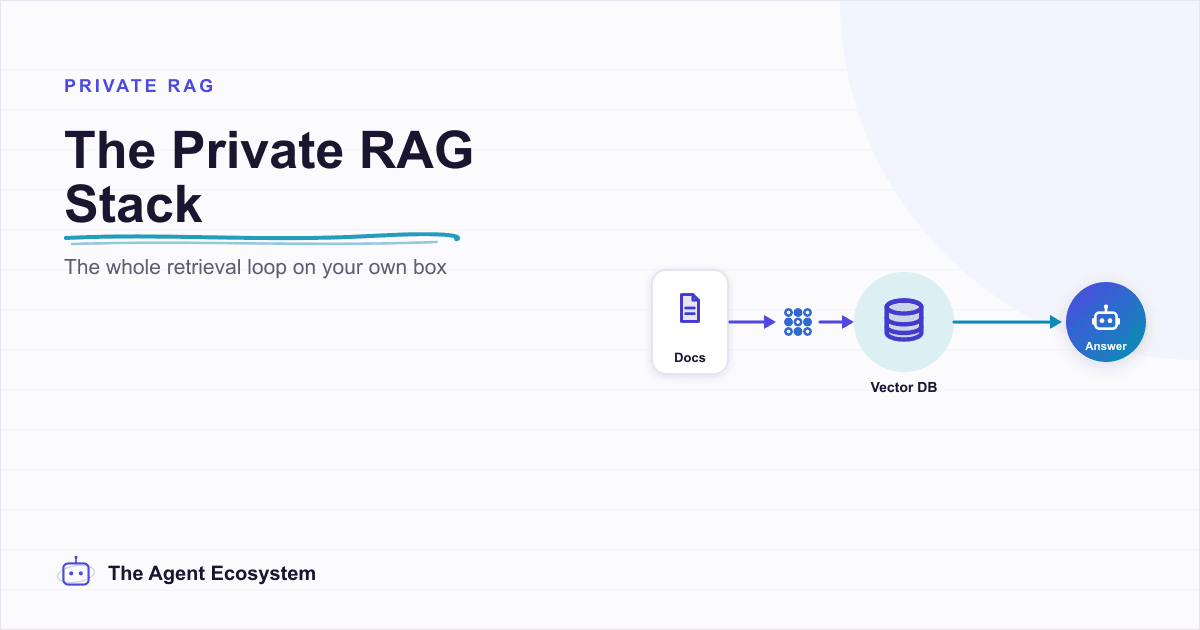
Self-Hosted n8n RAG Pipeline: The Private Stack
A fully self-hosted RAG pipeline keeps your documents and compute in-house: n8n orchestrates, Ollama serves a local model, and pgvector stores embeddings in Postgres. Here is the end-to-end node graph, the modeled cost, and when self-hosting beats a managed stack.
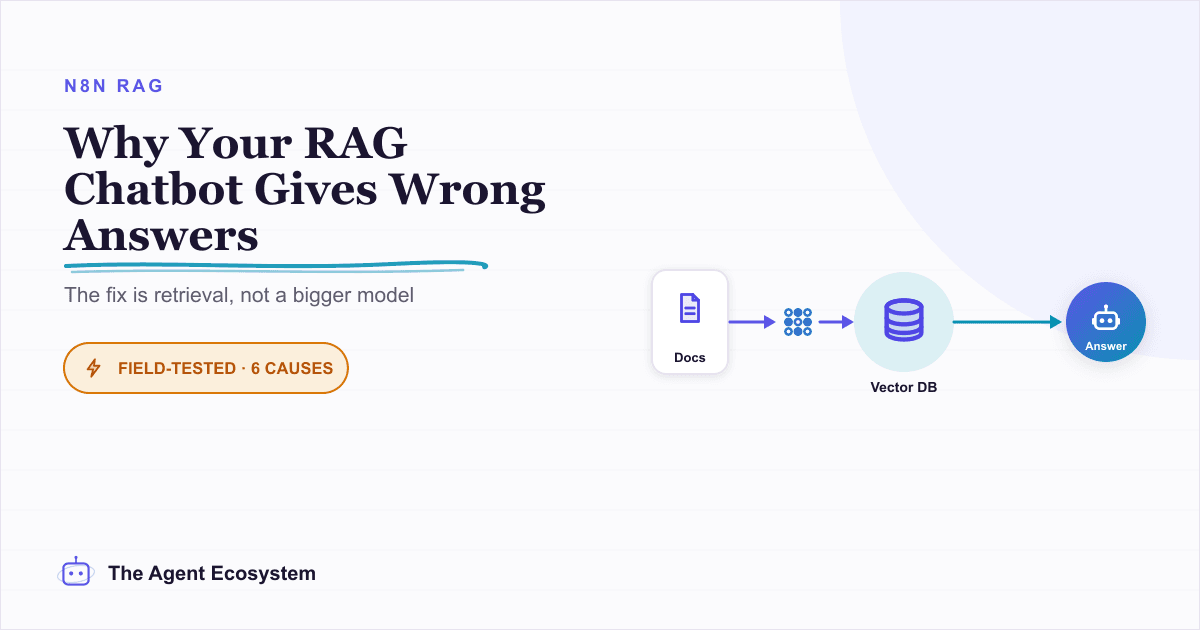
Why Your n8n RAG Chatbot Gives Wrong Answers (Fix Retrieval) (2026)
When your n8n RAG chatbot returns wrong answers, the fix is retrieval, not the model. This guide walks 6 fixable causes: chunking, overlap, top-k, embeddings, metadata filtering, and reranking.