MCP Servers for Solopreneurs: Wire Your AI Into Everything
One standard connector. Every tool you already run.
AI-drafted, reviewed by Muhammad Qasim Hammad on June 10, 2026. See our AI disclosure.
Table of contents
- What is an MCP server, and why should a solopreneur care?
- Which MCP servers actually earn a place in a one-person stack?
- How do you connect your first MCP server?
- Step-by-step for Claude.ai
- How does MCP plug into n8n automations?
- What does the MCP layer cost per month?
- Where can MCP burn you?
- What should you set up this weekend?
Your AI assistant can draft a proposal, rewrite a headline, and summarize a thread in seconds, but it cannot see your database, open your repo, or touch a single row in your invoice sheet. MCP servers give your AI assistant working hands: one standard connector into the tools you already run. So instead of spending an afternoon copy-pasting between your Supabase dashboard, your GitHub issues, and your chat window, you ask Claude once and get the answer directly.
That copy-paste tax is real. Before MCP, wiring an AI to an outside tool meant a custom integration: N tools times M apps equals N×M separate builds to maintain. The Model Context Protocol collapses that to one standard port. Install a server for one app, and every MCP-capable client (Claude, n8n agents, your IDE) can plug in immediately.
What is an MCP server, and why should a solopreneur care?#
An MCP server sits between your AI client and an outside app. It translates the AI's tool-call request into the app's native API, runs the action, and returns a readable result. The protocol is open, any MCP client can use any server, and the public ecosystem passed 10,000 servers by late 2025.
Before MCP, connecting Claude to Supabase meant writing a custom function or relying on a one-off plugin. Now the Supabase team ships an official MCP server, Claude speaks the protocol natively, and the connection takes about 20 minutes the first time. One standard port instead of a custom cable per app.
For a solopreneur running a lean stack, your time is the constraint. Every tab you stop opening is minutes returned to actual work. When you want to see what exists beyond the five servers below, the official MCP Registry is the catalog to browse.
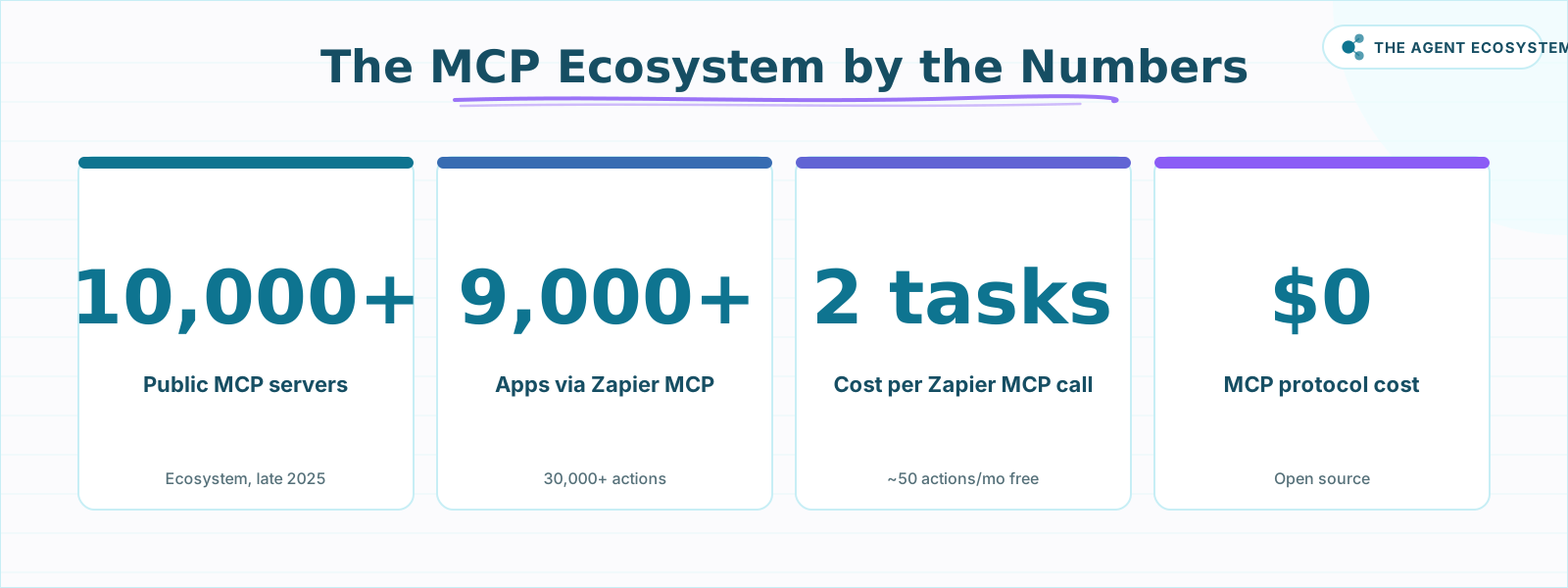 Key figures across the MCP ecosystem as of mid-2026.
Which MCP servers actually earn a place in a one-person stack?#
Five servers cover the realistic needs of a solo operator: GitHub (code and issues), Supabase (your database), Zapier (the 9,000-app bridge), n8n (workflow automation in both directions), and the local filesystem server. Everything beyond those five is browsing the registry for its own sake.
Here is a direct comparison of the five:
| Server | What your AI can do | Auth | Cost |
|---|---|---|---|
| GitHub MCP | Read repos, issues, PRs, Actions, security alerts; create issues and PRs | OAuth or personal access token | Free; standard GitHub account |
| Supabase MCP | Query tables, run migrations, read logs, search docs, manage edge functions | OAuth | Free; hosted at mcp.supabase.com/mcp |
| Zapier MCP | Trigger any of 30,000+ pre-built actions across 9,000+ apps | OAuth via Zapier account | Included on all Zapier plans; 2 tasks per call |
| n8n (server + client) | Expose n8n workflows as tools; call external MCP servers from AI agents | Bearer token or header auth | Free on self-hosted n8n |
| Filesystem | Read, write, and search local files within allowed directories | Local config (allowlist) | Free; open source reference server |
The Zapier arithmetic is worth spelling out: the Zapier Free plan includes 100 tasks per month shared between regular Zaps and MCP actions. Each MCP tool call costs 2 tasks, so you get about 50 AI-triggered actions a month before the free quota runs out. That is enough for daily lightweight tasks, but if you start running MCP calls inside longer agentic loops you will hit the ceiling fast. See the full Zapier vs n8n cost breakdown before scaling.
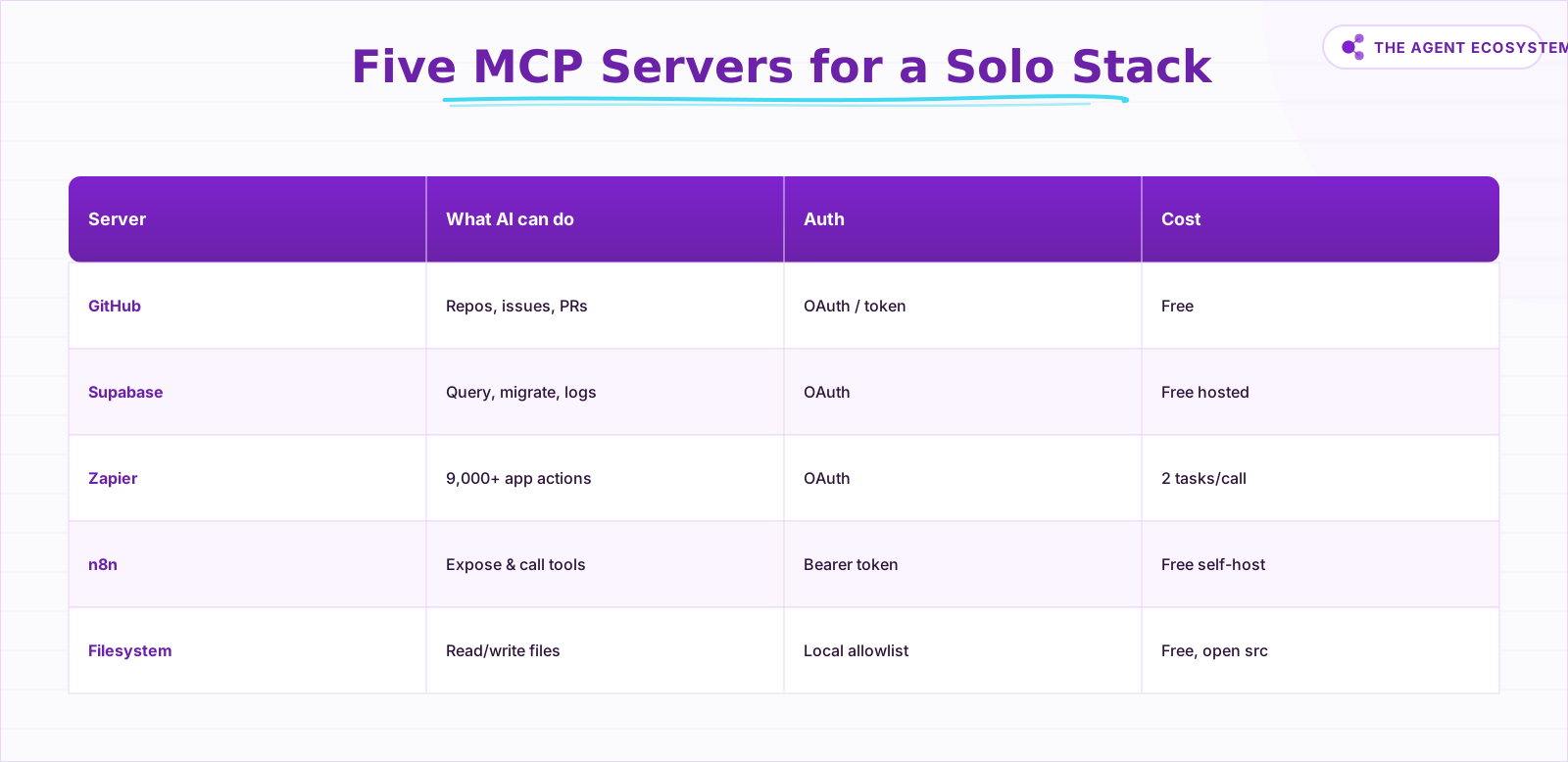 The five servers that cover a one-person stack.
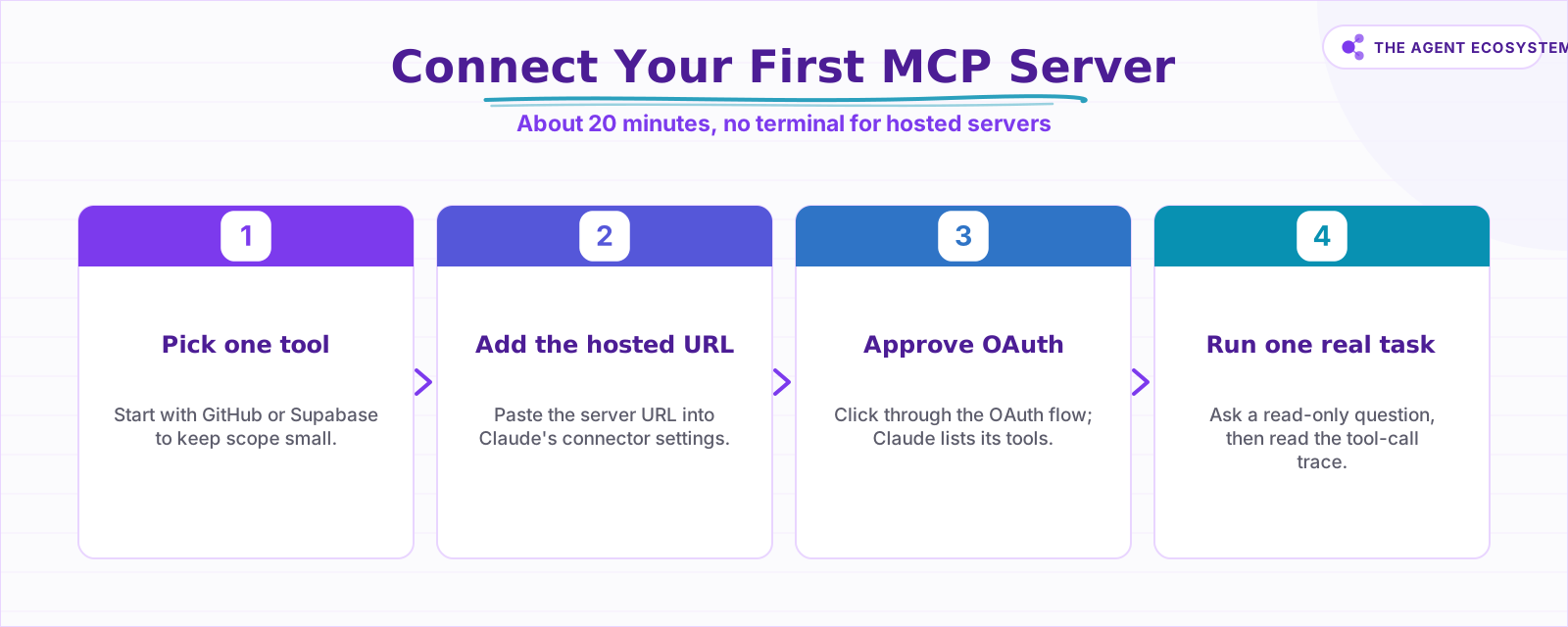 First connection takes about 20 minutes, no terminal required.
How do you connect your first MCP server?#
Connecting a hosted MCP server requires no terminal work. You paste the server URL into Claude's connector settings, click through the OAuth approval, and Claude lists the tools that server exposes. The whole first-time process takes about 20 minutes, and most of that is reading the permission screens carefully.
Step-by-step for Claude.ai#
- Open Settings in Claude.ai and go to Connectors.
- Click Add custom connector and paste your chosen server URL.
- Click Connect, approve the OAuth prompt in the popup window.
- Ask Claude a read-only question: "List my three most recent open GitHub issues" or "Describe the columns in my users table."
- Read the tool-call trace to confirm what the agent actually queried.
If you work in Claude Code instead, add the same servers with the claude mcp add command or a project-level .mcp.json file. The best free AI IDE guide for 2026 covers the IDE side if you want that path.
The first time I did this with Supabase MCP connected to this blog's own Postgres database, I asked Claude to count rows in the posts table. The answer came back in about four seconds. I had not opened the Supabase dashboard once.
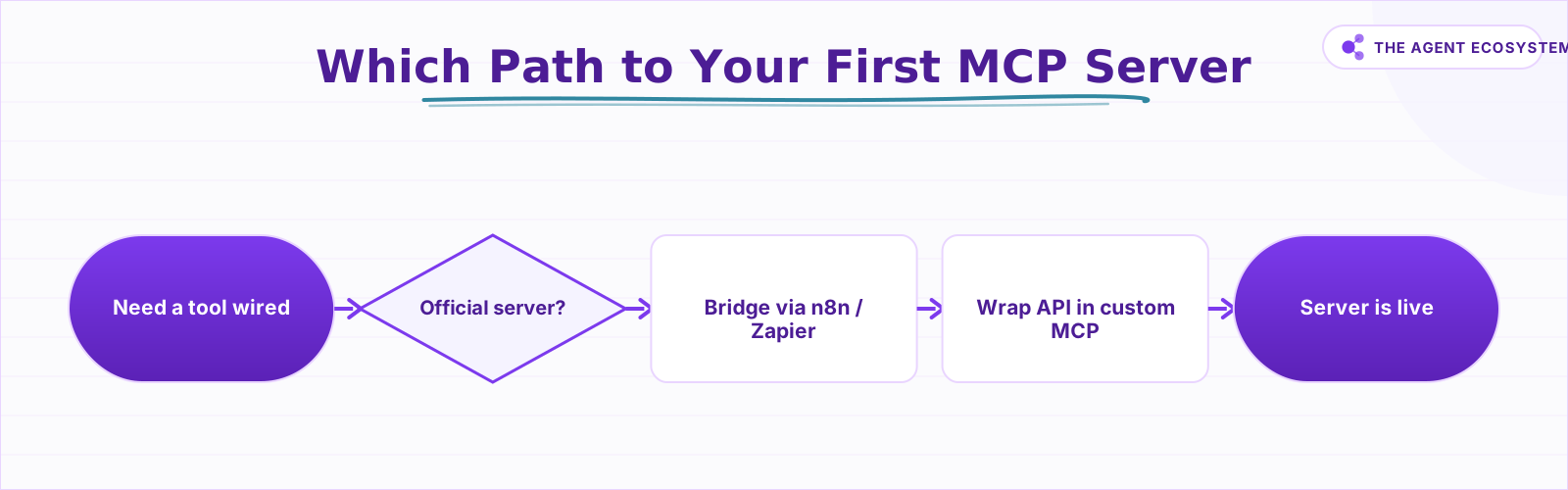 Choose the fastest path to a working MCP server.
How does MCP plug into n8n automations?#
n8n works in both directions with MCP: it can act as an MCP server (exposing your workflows as tools) and as an MCP client (calling external servers from inside an AI agent workflow). Both capabilities ship as core nodes in every self-hosted n8n instance, at no extra charge.
MCP Server Trigger is the node that turns an n8n workflow into a tool. Add it as the trigger, give the tool a name and description, and n8n generates an MCP endpoint URL you paste into Claude's connectors. From that point, Claude can invoke the workflow by name mid-conversation. For the full two-path build, with n8n as both MCP client and server, see how to use n8n with MCP.
MCP Client Tool is the sub-node you add inside an n8n AI Agent workflow to call an external MCP server. Use it when you want a multi-step automation to fetch live data from GitHub or Supabase partway through.
My self-hosted n8n instance runs on a VPS that costs roughly $5 per month (setup details in the self-host n8n VPS guide), and it is wired into my Claude setup over MCP. The email-triage agent I built there (documented in the Claude email triage agent walkthrough) is exactly the kind of workflow worth exposing: add the MCP Server Trigger, paste the endpoint into Claude's connectors, and inbox triage becomes something you ask for in chat while n8n handles the Gmail reads and label writes.
This two-direction setup is the most powerful arrangement in a solo stack: Claude reasons and decides, n8n executes and logs, MCP is the wire between them. It connects directly to the full AI automation stack I run in 2026.
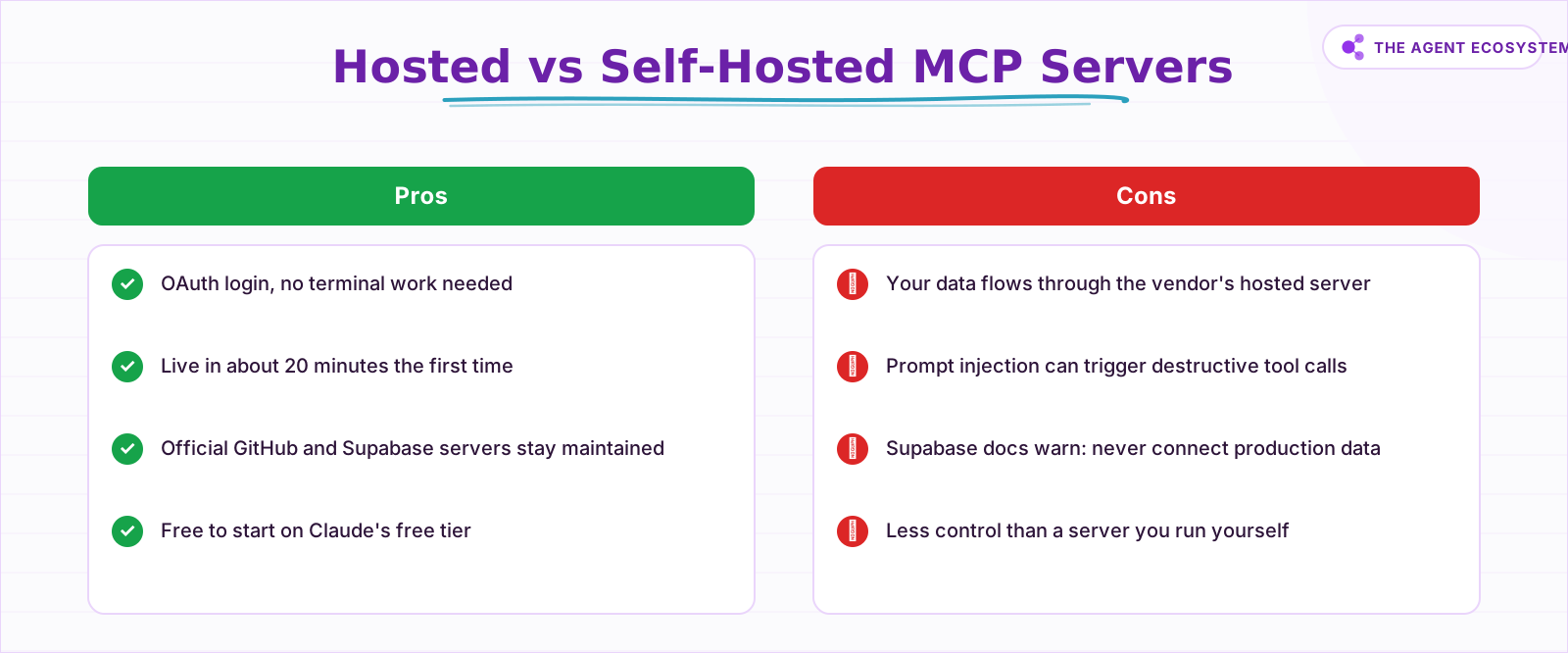 Choose based on how much control you need versus setup time.
What does the MCP layer cost per month?#
The protocol costs nothing: MCP is open source and the official servers are free. The real spend lives in the AI client and automation plans you already pay for, so for most solo operators the MCP layer adds exactly zero dollars to the monthly bill.
Claude's Free plan supports remote MCP connectors. Claude Pro costs $20 per month billed monthly, or $17 per month on annual billing, and includes Claude Code. Claude Max starts at $100 per month. Zapier MCP is included on all Zapier plans, including free. The filesystem server and n8n's MCP nodes are both free on self-hosted instances.
The one number to watch is the Zapier task counter. One MCP tool call burns 2 tasks. At 100 tasks per month on the free plan, you have a hard ceiling of 50 AI-driven Zapier actions before the month resets. For most solo operators running a handful of daily tasks, that is enough. For anything more frequent, paid Zapier tiers unlock higher quotas, and the platform pricing comparison has the current numbers. Also worth reading: the Claude API cost control guide if your agents run in longer loops where token spend adds up.
Where can MCP burn you?#
The biggest risk with MCP is prompt injection: a malicious instruction hidden in data your agent reads (a GitHub issue body, a database field, a file) can trick the model into running a destructive tool call. This is not theoretical. Supabase's own documentation explicitly warns users to connect a development project, not a production database, for exactly this reason.
Two other practical risks deserve mention. Scope creep happens when you keep adding servers until the agent has access to everything and auditing becomes impossible. Stale connections leave forgotten auth tokens active. A monthly five-minute review of your connected servers prevents both.
What should you set up this weekend?#
Start with one hosted server, run one real task, and audit what the agent actually did before adding anything else. That single connect-ask-audit cycle teaches you more about MCP than any amount of reading, and it keeps your first week safe while you learn how tool calls behave.
The concrete order: connect GitHub MCP or Supabase MCP first (no terminal, just OAuth), ask Claude a read-only question about your actual data, read the tool-call trace, then add the n8n MCP Server Trigger once you are comfortable with how tool calls behave. Leave Zapier MCP for when you have a specific cross-app task in mind, and the filesystem server for when you need Claude to work with local documents.
The whole stack is free to start. The only cost that kicks in immediately is the AI client plan, and Claude's Free tier already supports remote MCP connectors. Connect one server, ask it something real, and the protocol explains itself.
Frequently asked questions
What is an MCP server in simple terms?
Is MCP free to use?
Do I need to know how to code to use MCP servers?
What is the difference between MCP and Zapier?
Can n8n act as an MCP server?
Are MCP servers safe to connect to my business data?
Sources
Primary references and vendor documentation used while drafting and reviewing this article.
Written by

Muhammad Qasim Hammad is an AI agent and automation expert and the founder of Cart Gaze LLC (cartgaze.com). He builds product for the love of it: when an idea lands, a working prototype is usually running within hours, built with the same AI agents and automations he sells. He puts his own output at roughly 20× what it was before agents, and the Agentic OS behind this site is the working proof, documented in public with the tools he actually ran and what they really cost.
AI & Automation Services
Want a pipeline like this running in your business?
I'm Qasim — I design and ship AI agents and n8n automations for solo operators and small teams. Tell me what's eating your team's week, and I'll scope a fix.
Related reading
How to Use n8n with MCP: Client, Server, and AI Agent Setup
Your n8n AI agent can chat, but it cannot act beyond the nodes you hard-wired. The MCP Client Tool and MCP Server Trigger change that: one gives your agent a server's worth of tools, the other turns your workflows into tools Claude can call.

Turn n8n Into an MCP Server: Expose Your Workflows to Claude and Cursor (2026)
Stop leaving Claude Desktop to run n8n workflows by hand. The MCP Server Trigger node turns your existing workflows into callable tools so Claude and Cursor can invoke them directly.
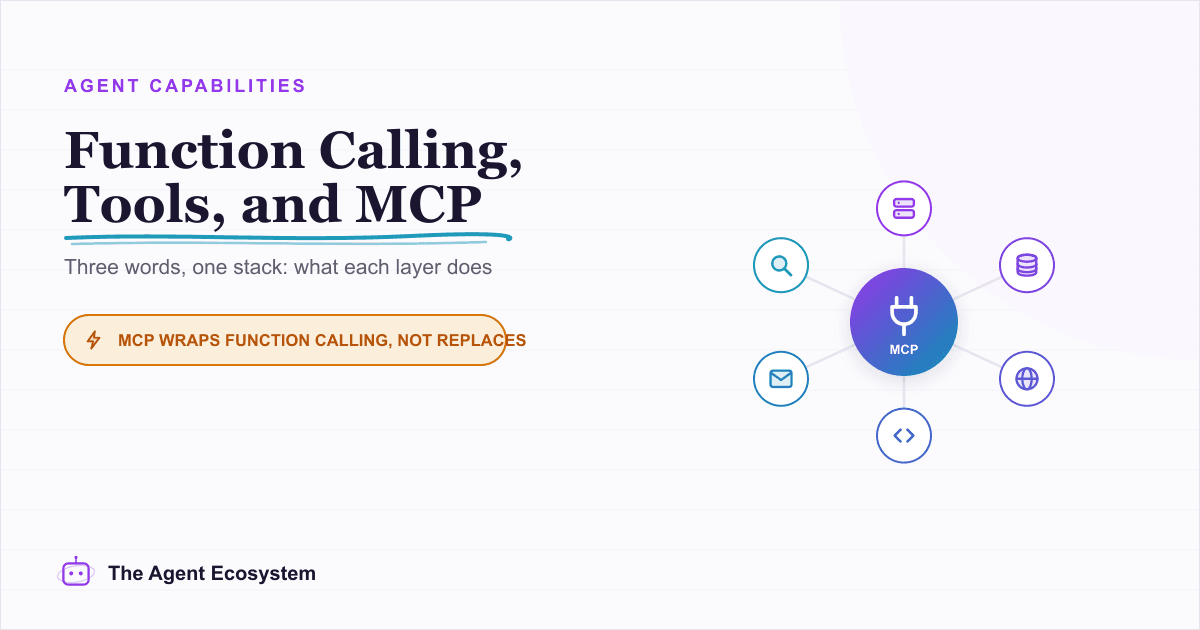
Function Calling vs MCP vs Tools: Give an Agent Capabilities
You keep seeing function calling, tool use, and MCP used as if they compete. They do not. Tools are the functions, function calling is the model mechanism that calls them, and MCP is the standard that shares them across clients. Here is how the three layers stack and which to
The Exact AI Automation Stack I Use as a Solopreneur in 2026 (With Real Monthly Costs)
Most "AI stack" posts hide the bill. Mine runs under $10/month. Here is every tool, the exact tier, the real cost, and the job each layer does for my one-person content business.
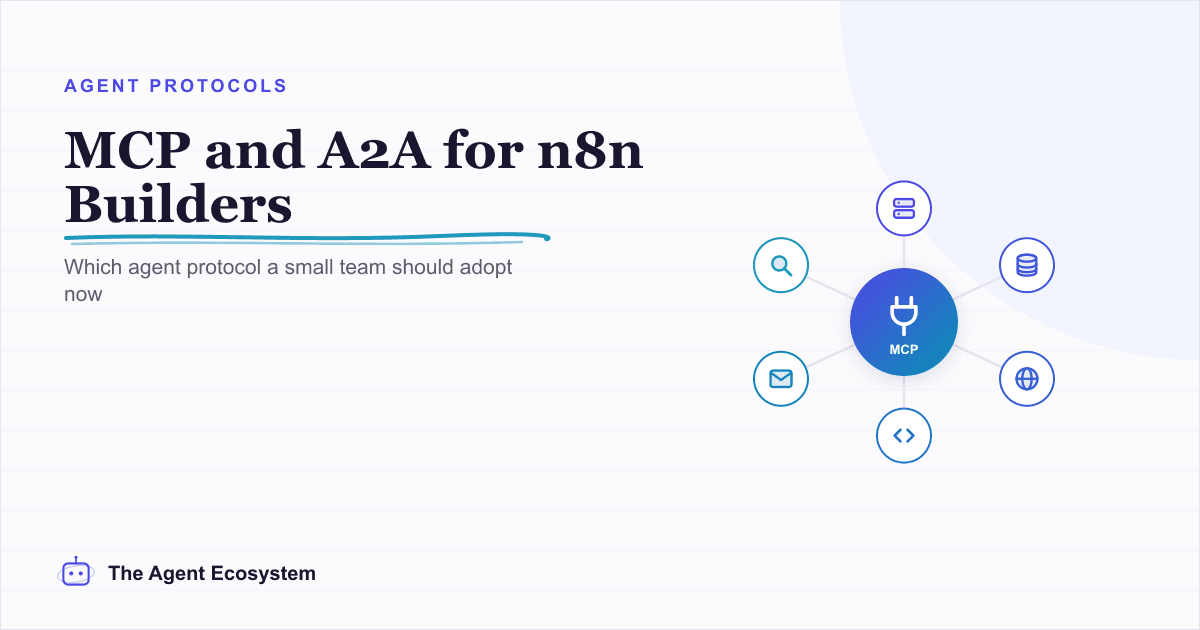
MCP and A2A: Do These Agent Protocols Matter If You Use n8n?
MCP and A2A are the two agent protocols everyone names, but they solve different problems. MCP connects one agent to tools and data and already ships as an n8n node; A2A coordinates agents across vendors and is aimed at the enterprise. Here is what each means for a solopreneur
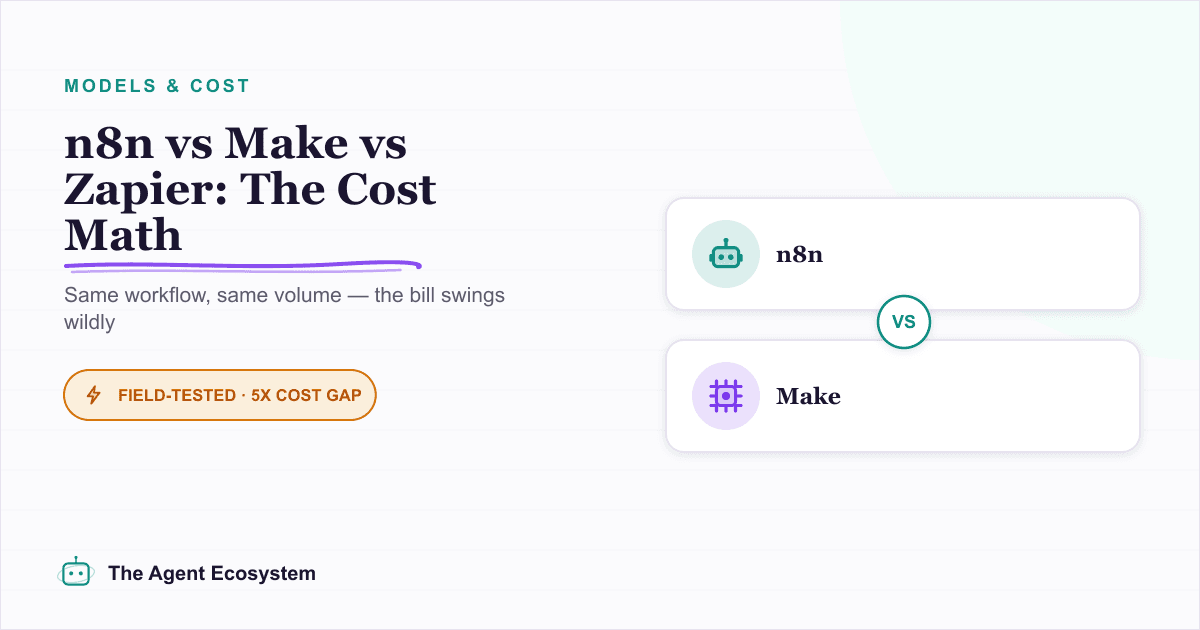
n8n vs Make vs Zapier in 2026: The Real Cost Math for Solopreneurs
Zapier, Make, and n8n meter completely different units. The same 6-step workflow at 1,000 runs/month can cost 5x more on one platform than another. Here is the exact math for solopreneurs in 2026.