How to Build an n8n AI Agent That Triages GitHub Pull Requests
Give an n8n AI Agent the GitHub tool: label pull requests, request the right reviewer, and draft a starting comment before a human opens the diff.
AI-drafted, reviewed by Muhammad Qasim Hammad on August 7, 2026. See our AI disclosure.
Table of contents
- What can an n8n AI agent actually do with a GitHub pull request?
- How do you give an n8n AI Agent the GitHub tool?
- What does a real PR-triage workflow look like?
- Should the agent post comments automatically, or wait for you to confirm?
- What breaks, and how do you debug it?
- Is this a replacement for a dedicated AI code-review tool?
A pull request sits open for 2 days because no one has time to read the diff, decide who should review it, or notice it touches a file nobody flagged as sensitive. Wire n8n's GitHub node into an AI Agent as a tool, and the agent can do that first pass itself: read what changed, label the PR, request the right reviewer, and leave a starting comment, all before a human opens the diff.
This is triage, not a replacement for a real review. The agent's job is to make sure nothing sits untouched and nothing risky slips through unlabeled; a person still approves the merge. Treat it the way you would treat a helpful intern doing the first pass: useful for catching the obvious, not the last word on whether the code is right.
What can an n8n AI agent actually do with a GitHub pull request?#
n8n's GitHub node covers Issues, Pull Requests, and Reviews as separate resources, and on GitHub's API a pull request is an issue for labeling and commenting purposes. That gives an agent 5 actions: add a label, post a comment, request a reviewer, create a formal review, and read the list of changed files. Each is a narrow, nameable tool.
The GitHub Trigger node starts the workflow: it fires on pull request events like opened, or on a review being submitted, so you can react the moment a PR appears rather than polling for one. Filter the trigger to the specific event you care about, since "opened" and "synchronize" (a new commit pushed to an open PR) are different signals that usually deserve different handling.
Treat synchronize as a re-triage, not a fresh run. A PR that already has a needs-db-review label and gets a new commit that only touches a test file does not need a second migration review; check what actually changed in the new commits, not just re-run the same logic against the whole diff again. Re-labeling from scratch on every push trains your team to ignore the labels within a week.
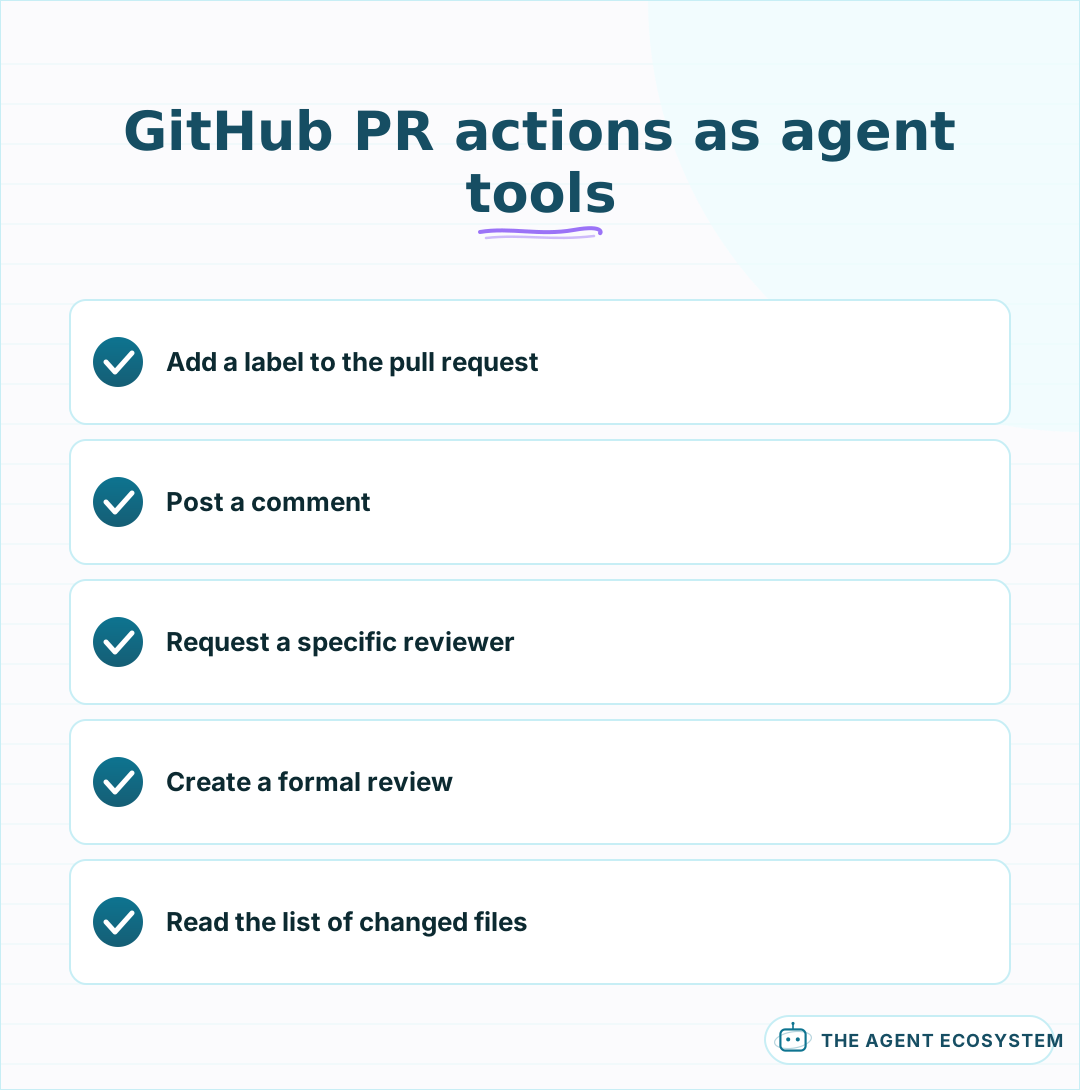 Five narrow actions, each a separate tool the model can call by name.
How do you give an n8n AI Agent the GitHub tool?#
Add a GitHub node to the canvas, switch it to Use as Tool, and connect it to your AI Agent node's tool input. Give the agent separate tools for reading (list changed files, get the diff) and for writing (add label, post comment, request reviewer), so it cannot confuse looking something up with acting on it.
Tool descriptions the model can actually use matter here in a specific way: list your repository's real label names in the description, because an agent that invents a label like "needs-review" when your team actually uses "needs-triage" just creates a new, ungoverned label instead of using the one your board already filters on. The core mechanics of giving an n8n agent tools apply the same way to GitHub as to any other connected app.
Scope the credential deliberately. A classic personal access token with full repo scope works everywhere but can do anything on any repository the account can reach, which is far more than this one workflow needs. A fine-grained token, or a GitHub App installed on just the repositories you want triaged, keeps the blast radius of a compromised or misconfigured credential to what the agent actually touches.
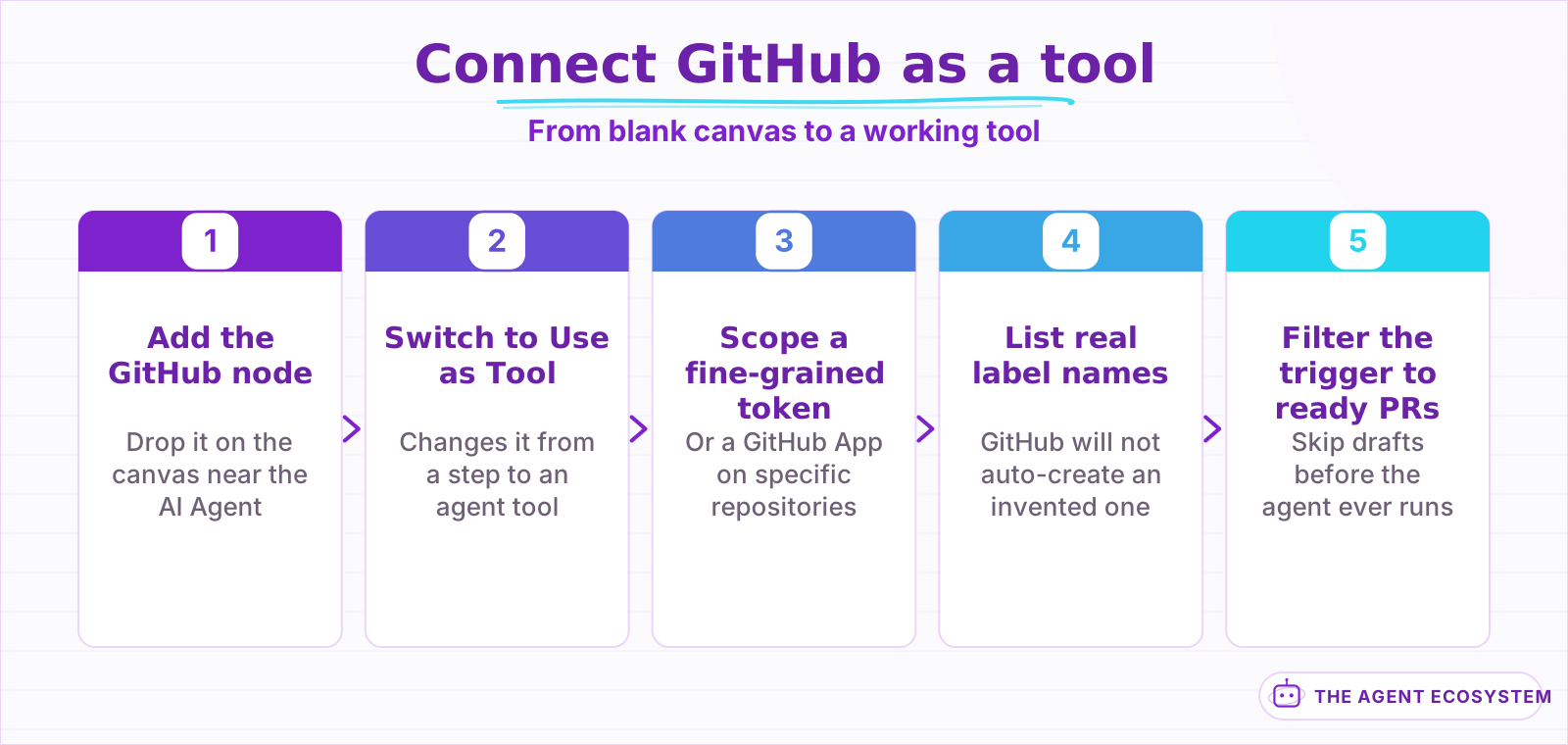 Scoping the credential narrowly is the step worth the extra 5 minutes.
What does a real PR-triage workflow look like?#
A PR opens touching 3 files: a database migration, an API route, and a test. The agent reads the list of changed files, notices the migration file, and applies both a size/small label from the diff's line count and a needs-db-review label because the file path matched a pattern you told it to watch for.
The pattern match matters more than the model's general judgment here. Give the agent an explicit list of path patterns and the label each one implies, rather than asking it to decide from scratch what counts as risky; a migrations folder or a payments module is risky because your team says so, not because an LLM infers it from the filename. The model's job is applying your rule to this specific diff, not inventing the rule.
| Path touched | Label applied | Why |
|---|---|---|
migrations/ or schema.prisma | needs-db-review | Schema changes need a second set of eyes |
**/*.test.ts only | tests-only | Lower risk, can often merge faster |
src/lib/auth/ or src/lib/payments/ | needs-security-review | Sensitive by team policy, not by guess |
Size labeling works the same way with a number instead of a path. Count changed lines from the diff stats the GitHub tool already returns: under 50 lines is size/small, 50 to 300 is size/medium, past that is size/large. A large PR is not automatically bad, but it is a real signal that a reviewer should budget more time before starting, and a team that sees the label consistently starts splitting PRs on their own.
Skip draft PRs at the trigger, not inside the agent's logic. A draft is explicitly a work in progress, so labeling it or requesting a reviewer before the author marks it ready just adds noise the team learns to tune out. Filter on the pull request's draft flag right after the trigger fires, and let the rest of the workflow only run once it flips to ready for review.
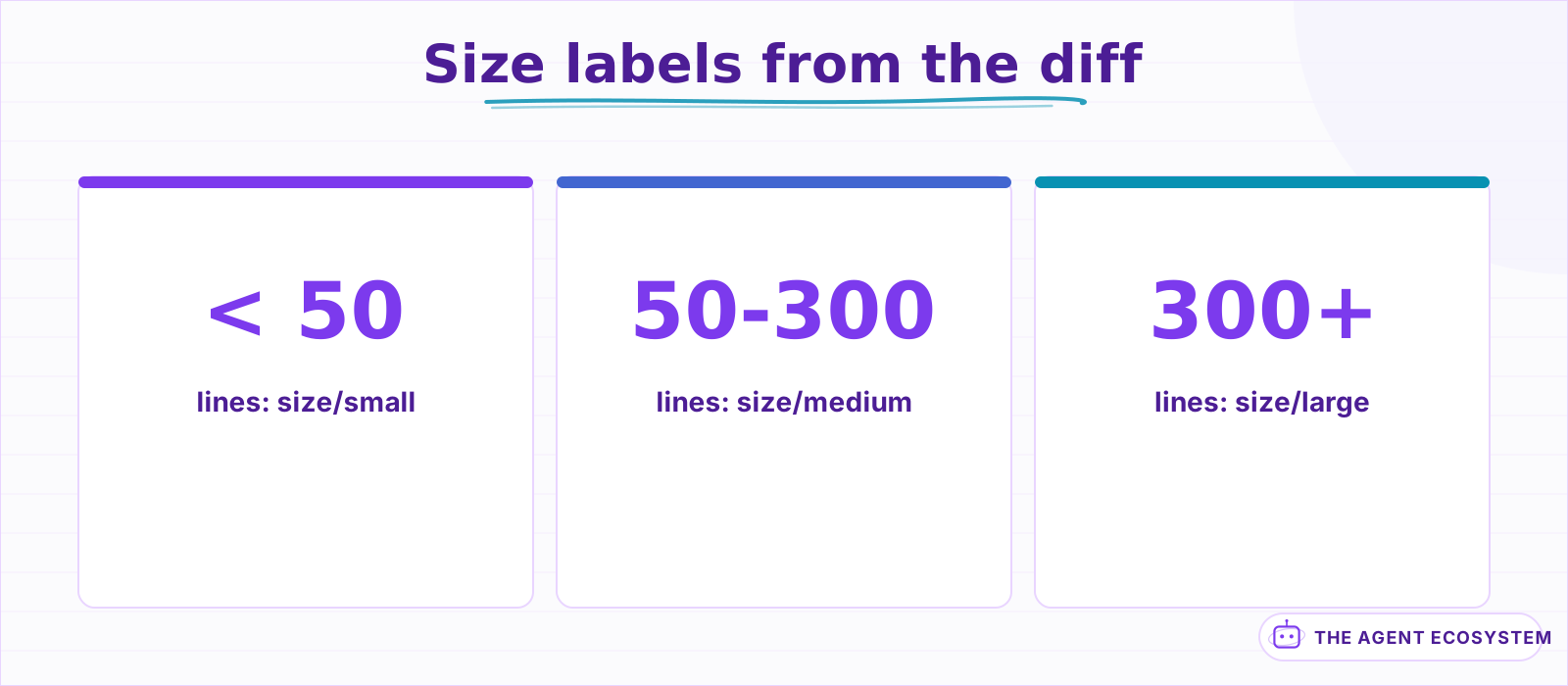 A number from the diff stats the GitHub tool already returns, not a judgment call.
Should the agent post comments automatically, or wait for you to confirm?#
Labels are low-risk: a wrong label costs someone a few seconds to fix and rarely embarrasses anyone. A posted comment is a different matter, because it is public on the PR, visible to the whole team, and wrong or oddly worded feedback from a bot reads badly in front of a contributor.
Let the agent apply labels and request reviewers automatically from the start; route posted comments through a human-approval step for the first several weeks, sending the drafted comment to Slack for a quick approve or edit before it goes on the PR. Once the drafted comments have been consistently useful and correctly worded, loosen the gate on comments for smaller, lower-risk PRs and keep the review on anything the size or path rules flagged.
The approval step is a small addition on top of the workflow you already have. After the agent drafts a comment, send it to a Slack message with Approve, Edit, and Reject options before the GitHub node posts anything; n8n pauses at that node until someone responds. Editing before approval catches the awkward phrasing or the slightly-off technical claim that reads fine in a Slack preview but looks careless once it is a permanent comment on a public PR.
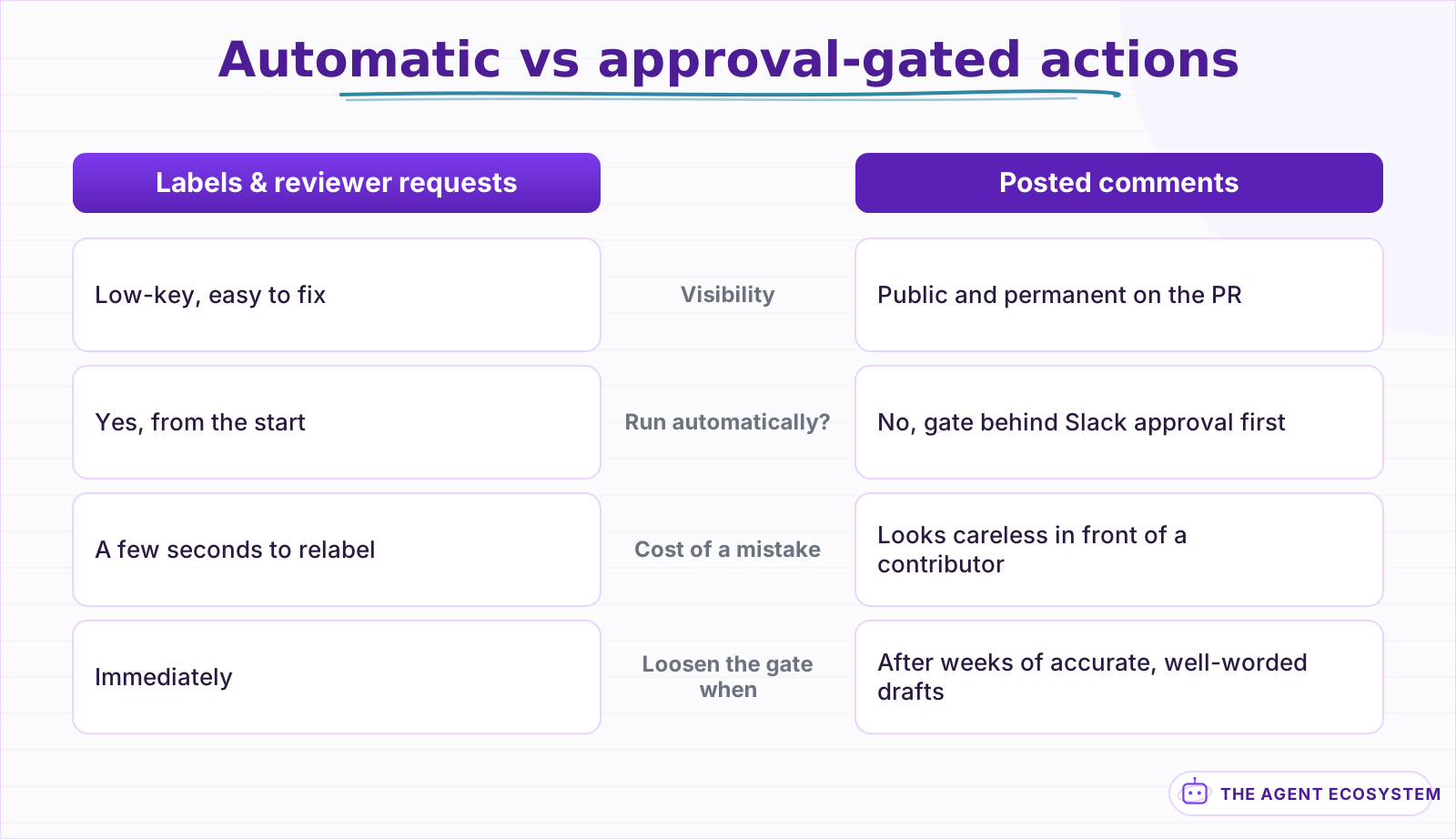 Labels and reviewer requests are cheap to get wrong; a public comment is not.
What breaks, and how do you debug it?#
Most failures are permission or scope errors, not the model misreading the diff. The GitHub token needs the specific scopes for the actions you wired: read access to pull requests is not the same as write access to labels, and a fine-grained personal access token that only covers one repository will silently fail on any other.
Turn on Return Intermediate Steps on the AI Agent node and check the exact label or comment text the agent tried to send before GitHub rejects it. A label name that does not exist yet in the repository is the single most common cause once the token's permissions are confirmed correct; GitHub does not auto-create a label from an API call, so the agent needs the real list, not a guess at what a sensible name would be. The general agent-not-working checklist covers the credential and auth failures that show up the same way across every connected app.
Rate limits are the second recurring surprise on a busy repository. GitHub's REST API caps authenticated requests per hour, and a single PR can easily cost 4 calls: read the changed files, add a label, request a reviewer, post a comment. A quiet week never notices the ceiling; a day with dozens of PRs across a large monorepo can. Watch the rate-limit headers GitHub returns on each response, not just the failures, so you see the ceiling coming before a run fails partway through.
Is this a replacement for a dedicated AI code-review tool?#
No, and framing it as one sets the wrong expectation. A dedicated code-review tool reads the actual logic, flags real bugs, and often integrates deeper checks like static analysis; that is a different, harder problem than triage. If you want that depth, a purpose-built coding assistant is the better fit, run either standalone or wired into your CI.
What n8n adds is triage speed inside the stack you already run: no PR sits unlabeled, no risky path goes unflagged, and no one has to remember to request the right reviewer by hand. Add a real review tool on top for the actual code judgment, and let this agent handle the part that is really about not forgetting, not about reading code deeply.
The two stack cleanly. A dedicated review tool can post its findings as a check or a comment on the same PR the triage agent already labeled and routed, so by the time a human opens it, the risky files are flagged, the right reviewer is requested, and a deeper automated read is already sitting in the comments. The same pattern, one clearly scoped tool plus a comment-approval gate, is worth reusing the next time you connect n8n to a system your whole team watches.
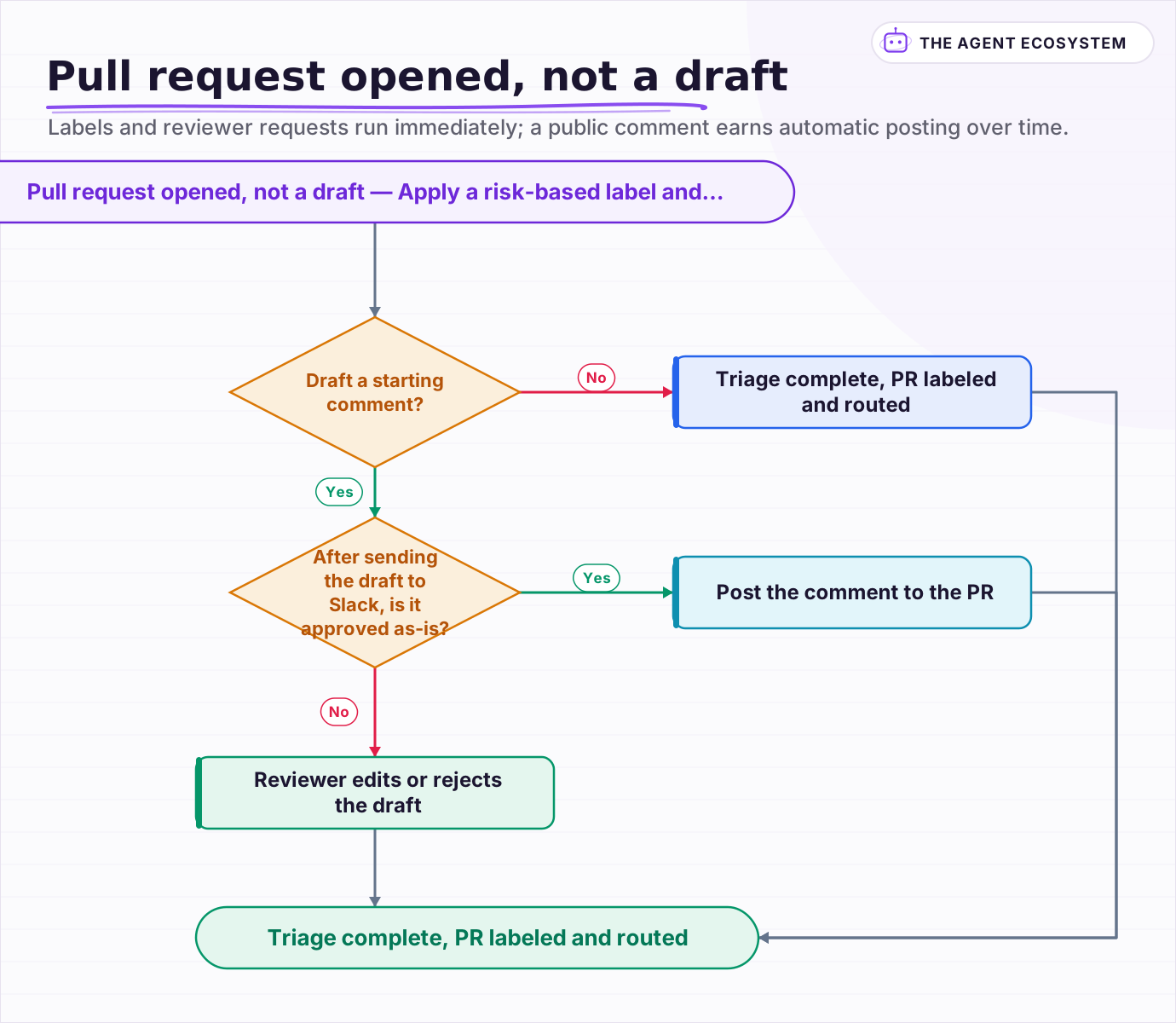 Labels and reviewer requests run immediately; a public comment earns automatic posting over time.
Frequently asked questions
Can an n8n AI Agent automatically label and review GitHub pull requests?
Should an AI agent post comments on GitHub pull requests automatically?
Why did my n8n GitHub agent fail to apply a label?
Does this replace a dedicated AI code-review tool?
Will this agent hit GitHub's API rate limit on a busy repository?
Sources
Primary references and vendor documentation used while drafting and reviewing this article.
Written by

Muhammad Qasim Hammad is an AI agent and automation expert and the founder of Cart Gaze LLC (cartgaze.com). He builds product for the love of it: when an idea lands, a working prototype is usually running within hours, built with the same AI agents and automations he sells. He puts his own output at roughly 20× what it was before agents, and the Agentic OS behind this site is the working proof, documented in public with the tools he actually ran and what they really cost.
AI & Automation Services
Want a pipeline like this running in your business?
I'm Qasim — I design and ship AI agents and n8n automations for solo operators and small teams. Tell me what's eating your team's week, and I'll scope a fix.
Related reading
How to Build an n8n AI Agent That Manages Your Notion Workspace
An n8n AI Agent can create Notion pages, update database properties, and search your workspace from a single chat message. Here is how to wire the Notion node in as a tool, design a schema the agent can map to reliably, and gate every write behind a human check.

How to Build an n8n AI Agent That Triages Zendesk Tickets
An n8n AI Agent can read a new Zendesk ticket, tag and prioritize it against rules you define, and route it to the right group, all before a human opens it. Here is how to wire Zendesk in as a tool, avoid the tag-replacement trap that silently deletes existing tags, and keep
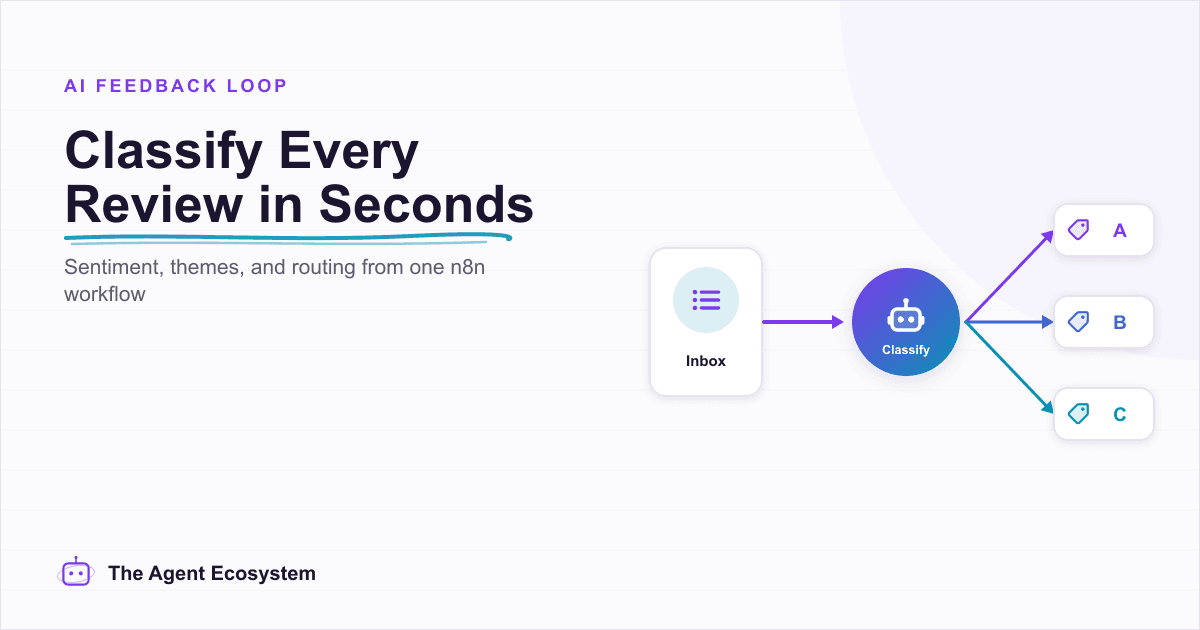
n8n AI Feedback Analysis: Classify Sentiment and Route Urgent Complaints Automatically
Customer feedback arrives from five places and nobody reads most of it. An n8n workflow with an AI agent classifies every piece by sentiment and theme, routes urgent complaints immediately, and builds a weekly digest your product team can act on.
AI Agent Guardrails: Stop Your n8n Agent From Going Off the Rails
An AI agent is a language model with hands. Without guardrails it can follow a malicious instruction, leak data, loop until your bill spikes, or return output the next node cannot parse. This guide maps the five ways an n8n agent breaks to the exact control that stops each.
How to Build an n8n AI Agent for Salesforce Data Hygiene and Case Routing
An n8n AI Agent can read a new Salesforce Lead or Case, decide what a rule engine cannot, and write the fix back through the Salesforce node. Here is how to wire it as a tool, keep it from guessing at fields it cannot infer, and gate every write behind a human check.
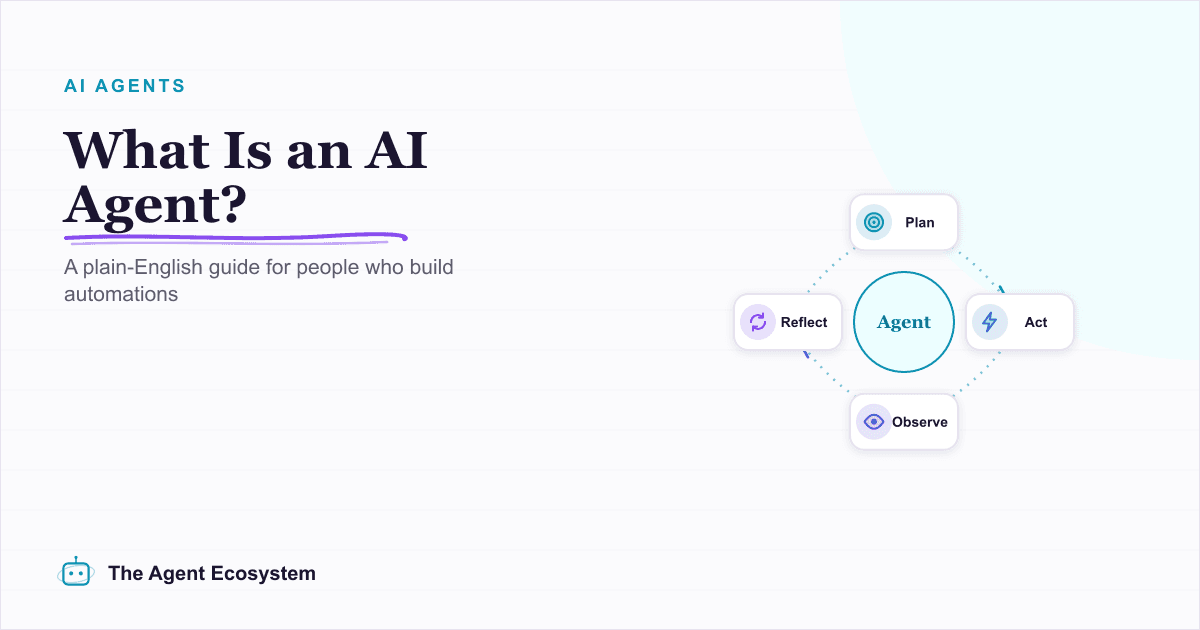
What Is an AI Agent? A Plain-English Guide for Builders
An AI agent is a language model running in a loop that decides its own next action, not a chatbot and not a chain. Here is how the perceive-decide-act-observe loop works, how an agent differs from a chatbot, chain, and workflow, and a checklist for when you actually need one.