n8n Expressions Explained: Items, $json, and Node References
Read the data shape first and 'Referenced node has no data' stops being a mystery.
AI-drafted, reviewed by Muhammad Qasim Hammad on July 19, 2026. See our AI disclosure.
Table of contents
You wired up a workflow, dropped {{ $json.email }} into an HTTP node, and got a red "Referenced node is unexecuted" or an empty value instead of the address you can plainly see two nodes back. It feels like a bug in n8n. It almost never is. Most n8n frustration is a data-shape misunderstanding, not a broken node.
What are n8n expressions and the data behind them?#
n8n expressions are JavaScript snippets inside {{ }} that pull values out of the data moving between nodes. That data is not a loose object; per the n8n data-structure docs, it is always an array of items, and each item is an object with a json key. Learn that shape once and the errors clear up.
The single most useful fact about n8n is that every connection carries the same thing: a list. Not one record, a list of records. Even when you feel like you are passing "the customer," you are passing an array with 1 item in it. A search that returns 40 rows passes an array with 40 items. An empty result passes an array with 0 items, which is exactly when downstream expressions quietly return nothing.
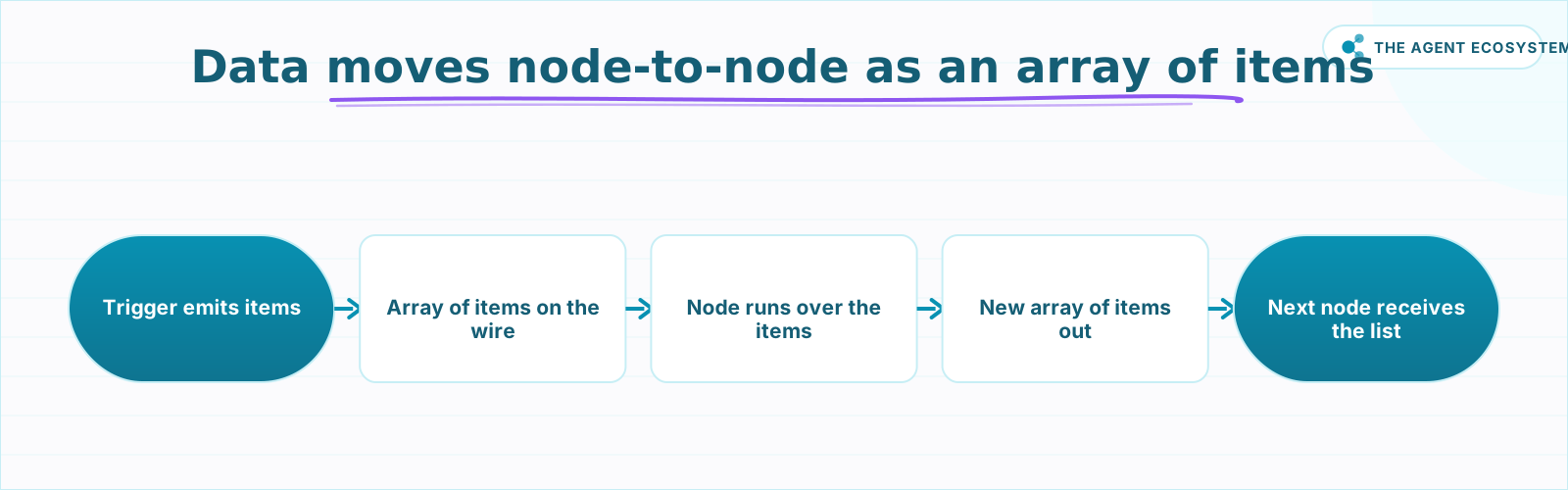 Every connection carries the same thing: a list of items. The count changes; the container never does.
That uniform shape is a gift once you accept it. Because the container is always an array of items, the same expression syntax works whether 1 row or 500 rows flow through. You are never guessing whether a node hands you an object or a list; it is always the list. The only question left is which item, and which field, you want out of it.
What exactly is an "item" in n8n?#
An item is one object in that array, and it has two possible keys: a json key for the regular data and an optional binary key for files. The n8n docs show this canonical shape and it never changes. When you write $json.email, you are simply reaching into the json key of the current item.
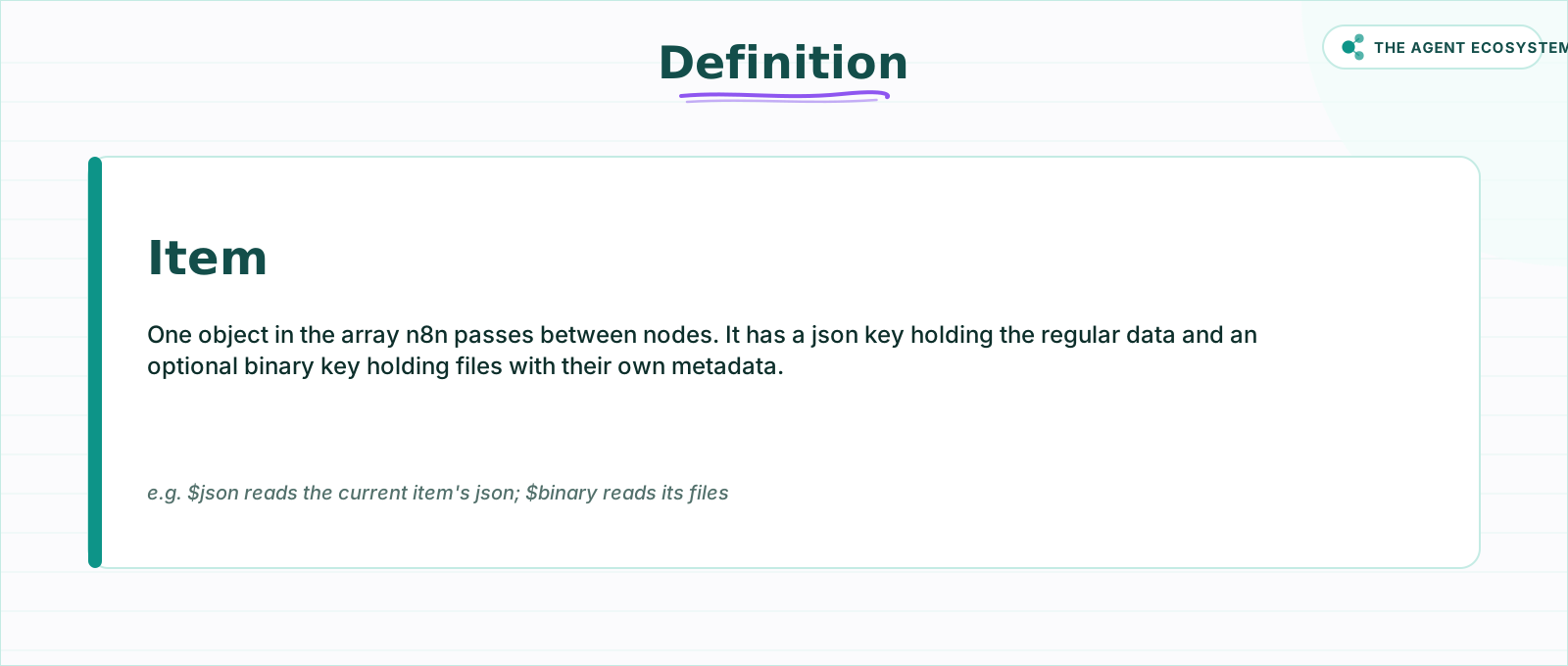 One item, two possible keys: json for regular data, binary for files. $json reaches into the json key.
Here is the exact structure straight from the docs, so there is no ambiguity about the 2 keys an item can hold:
[
  {
    "json": {
      "customer": "beets",
      "order": { "id": 1 }
    },
    "binary": {
      "invoice": {
        "data": "....",
        "mimeType": "image/png",
        "fileName": "example.png"
      }
    }
  }
]
The binary key is optional and most items never carry one; text, numbers, and nested objects all live under json. Files like a downloaded PDF or an image sit under binary with their own metadata, which is why you reference a file with $binary and its property name rather than $json. Knowing which key holds your value is half of every expression you will ever write.
How does a node run over these items?#
By default a node runs once per input item. The docs are explicit: when a node receives an array, it processes each item individually and performs its operation for each one. So if 16 items arrive, the node fires 16 times, and inside each run $json means "the current item's data" for that specific pass, not the whole batch.
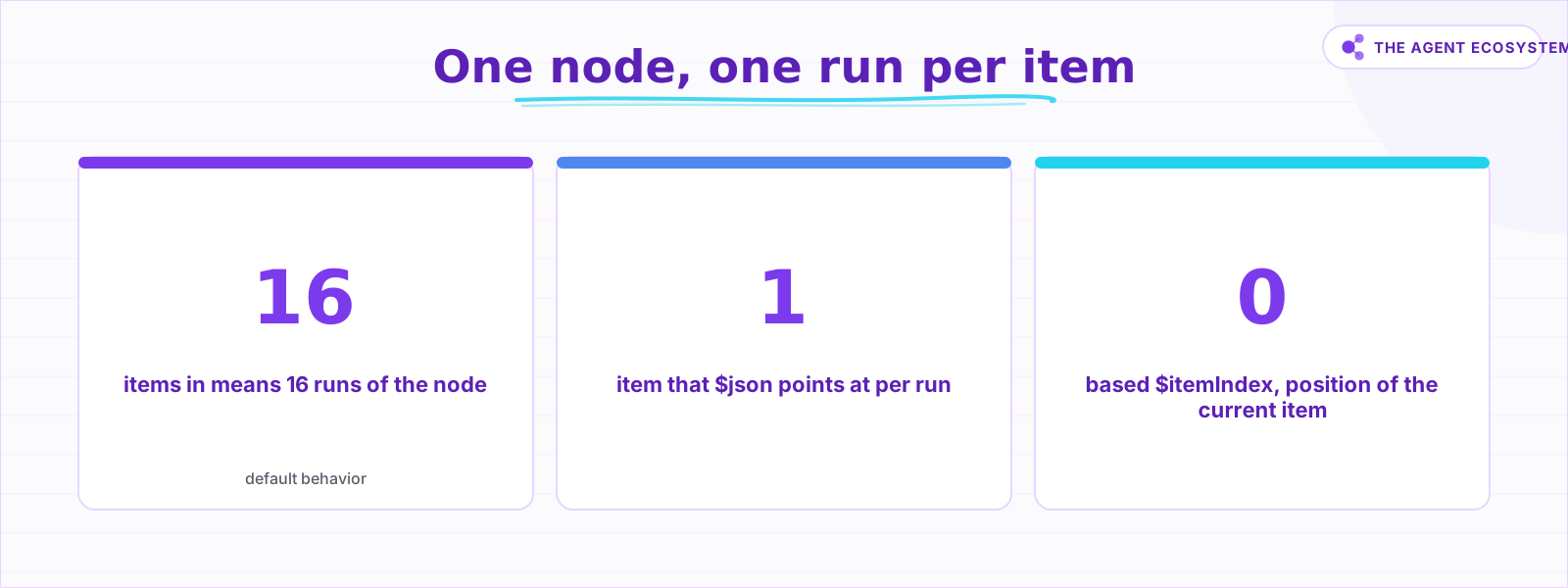 By default a node fires once per item, so $json resolves to the current item on each pass.
This per-item loop is why $json feels almost magical: you write one expression and it resolves correctly for every row. Two companion variables ride along with the loop. $itemIndex gives the position of the item being processed, starting at 0, and $runIndex gives the run number of the node. If you have ever needed "row 3 gets different treatment," $itemIndex is how you branch on position without a separate counter.
The catch is that a batch-shaped job sometimes wants all items at once, not one at a time. That is where $input.all() comes in: it hands you the full array so you can count, sum, or reshape across every row in a single pass. Reach for it deliberately, because most of the time the automatic per-item behavior is exactly what you want and simpler to reason about.
Which reference should you use, $json or $('Node')?#
Use $json for the current item flowing into this node, and $('Node Name') to reach back to a specific earlier node. $json is the shorthand for $input.item.json. When you need a field a couple of nodes upstream, name that node directly with $('Node Name').item.json.fieldName, .first(), .last(), or .all().
The full menu is small, which is good news. The table below is the working cheat sheet you can keep next to the canvas:
| Expression | What it returns |
|---|---|
{{ $json.email }} | The email field of the current item |
{{ $json.order.id }} | A nested field, order.id, of the current item |
{{ $('Set Fields').item.json.name }} | The name field from the linked item of a named node |
{{ $('HTTP Request').all() }} | Every item output by that node, as an array |
{{ $('HTTP Request').first().json.id }} | The id from that node's first item |
{{ $now }} | A DateTime for the current moment |
{{ $itemIndex }} | The position of the current item, starting at 0 |
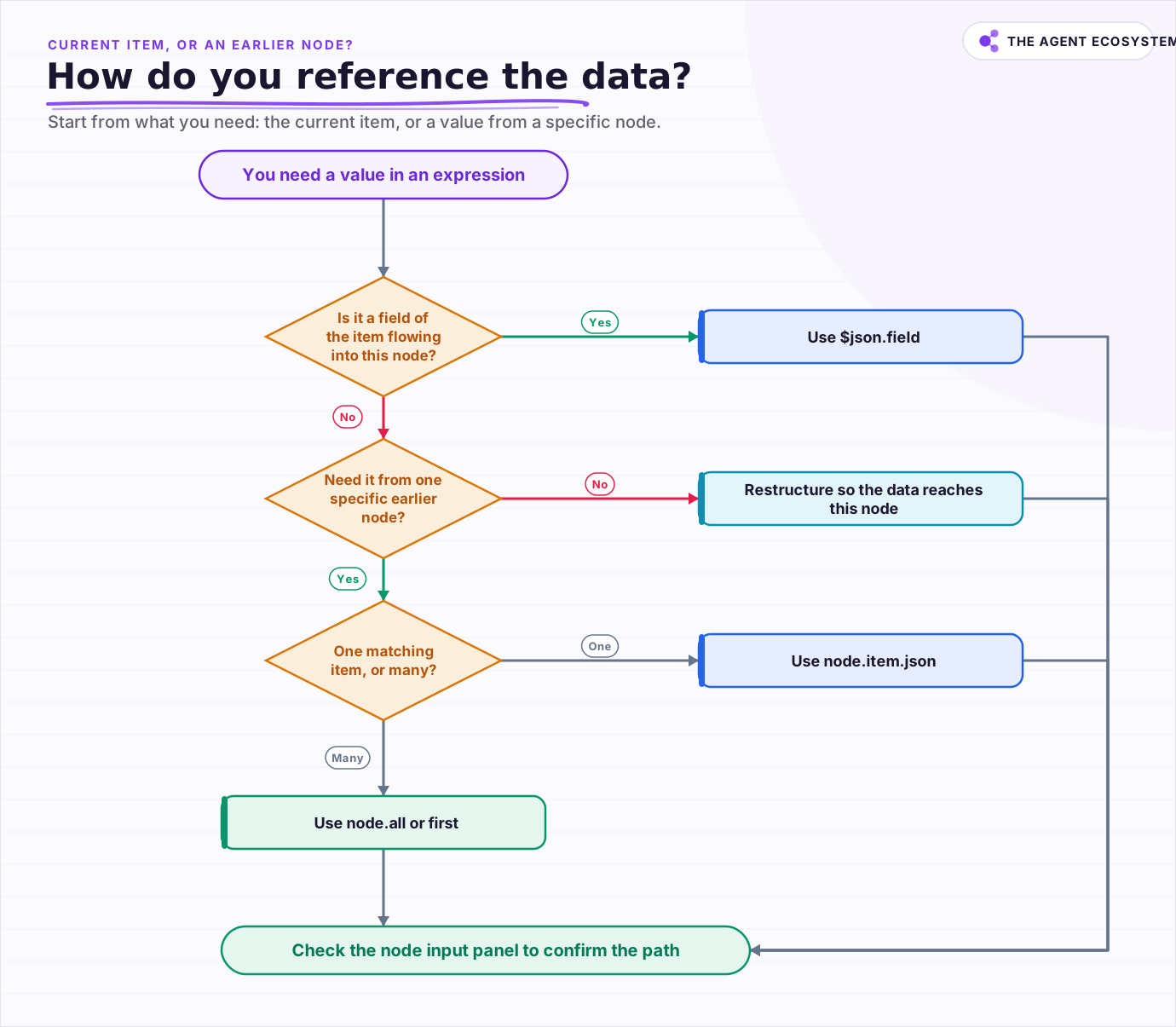 Start from what you actually need: the current item, or a value from a specific earlier node.
Notice the split. $json is relative; it always means "here, now, this item." $('Node Name') is absolute; it points at a named node no matter where you are. The older $node["Node Name"].json form still resolves in many workflows, but the current docs teach the $(...) syntax, so prefer it in anything new you build. When you get comfortable moving between "the current item" and "that specific node," you have learned most of what expressions are.
Why does "Referenced node has no data" happen?#
That error means the reference cannot resolve on this run, and there are 2 common causes. Either the node you named did not execute on this branch, so it genuinely has no output, or the paired-item link that lets .item find the matching row is broken. n8n tracks which input produced which output, and some nodes drop that thread.
The first cause is the frequent one. An IF or Switch splits your flow, and a node you reference lives on the branch that did not run for this item. From this branch's point of view that node has 0 output, so any $('That Node') reference fails. The fix is usually to reference a node that is genuinely upstream of every path, or to restructure so the data you need actually reaches this point.
The second cause is subtler. $('Node Name').item relies on item linking, the paired-item tracking that maps each output back to the input that made it. Nodes like Merge, Aggregate, or Summarize combine many items into one, which can leave n8n unable to pick a single matching item, surfacing messages like "Info for expressions missing from previous node" or "Multiple matching items for expression" per the n8n item-linking docs. When that happens, switch from .item to .first() or .all() and pick the row yourself. If you are still building the basics, the n8n LLM chain walkthrough shows these references in a working flow, and solid error handling keeps a broken reference from taking down the whole run.
How do you stop fighting the data model?#
Read the shape first, then write the expression. Ask three questions in order: is this an array with items in it right now, which item do I want, and which key holds my field. Answer those and the correct expression writes itself. The data model is small and consistent once you stop treating each node as a mystery box.
The habit that pays off is opening the node's input panel and looking at the actual items before you type anything. n8n shows you the exact array, the exact keys, and the exact values for the run you just did. An expression is only ever a path into data you can already see on screen, so let the screen tell you the path instead of guessing at it. Build a couple of the time-saving automations with this lens and the data structure becomes second nature rather than a recurring fight.
Frequently asked questions
What is the data structure n8n passes between nodes?
What does $json mean in an n8n expression?
How do I reference another node's data in n8n?
Why do I get 'Referenced node is unexecuted' or 'has no data'?
Why does a node run multiple times in n8n?
Sources
Primary references and vendor documentation used while drafting and reviewing this article.
- n8n docs: Understand n8n's data structure (array of items, json and binary keys)
- n8n docs: Reference data from other nodes ($json, $('Node Name').item/.first/.last/.all)
- n8n docs: Expression reference, root variables ($json, $now, $today, $itemIndex, $runIndex, $input)
- n8n docs: Item linking errors (missing pairing info, multiple matching items)
Written by

Muhammad Qasim Hammad is an AI agent and automation expert and the founder of Cart Gaze LLC (cartgaze.com). He builds product for the love of it: when an idea lands, a working prototype is usually running within hours, built with the same AI agents and automations he sells. He puts his own output at roughly 20× what it was before agents, and the Agentic OS behind this site is the working proof, documented in public with the tools he actually ran and what they really cost.
AI & Automation Services
Want a pipeline like this running in your business?
I'm Qasim — I design and ship AI agents and n8n automations for solo operators and small teams. Tell me what's eating your team's week, and I'll scope a fix.
Related reading
Force Structured JSON Output from AI in n8n
Your n8n AI step returns a paragraph when the next node needs clean fields. The Structured Output Parser sub-node fixes this by constraining the model to a JSON schema you define, for roughly 30 cents per 1,000 calls on Claude Haiku 4.5.

n8n Sub-Workflows: Build Modular, Reusable Automations
Your n8n canvas hit 40 nodes and you keep copy-pasting the same blocks. A sub-workflow is the fix: a workflow that starts with the When Executed by Another Workflow trigger, so others call it like a function. Here is how data crosses the boundary and when to extract.
Why Your n8n AI Agent Isn't Working: 6 Failure Modes and Fixes
An n8n AI Agent that finishes without an error but ignores its tools, loops until it quits, or returns the wrong shape is almost always a configuration problem. Here are the 6 failure modes that cover most of them, and the specific node setting behind each fix.
n8n Code Node in AI Workflows: When the Built-In Nodes Are Not Enough
The built-in AI nodes cover the common cases. But batching rows, reshaping API responses, and building scoring functions hit a wall fast. The Code node fills the gap with JavaScript wherever the visual nodes cannot reach.
n8n Error Workflow Template: A Copy-Paste Error Handler
An n8n error workflow template is one reusable flow, built on the Error Trigger node, that you set as your Error workflow so every failure is captured, formatted, and alerted from one place. Here is how to build it, wire it, and set it as your handler.
How to Make Your n8n Workflows Reliable: Error Handling, Retries, and Alerts
n8n does zero error handling by default. Learn to add three layers: node retries, inline error outputs, and one Error Workflow that alerts you whenever any workflow fails silently.