How to Use the Basic LLM Chain in n8n (Your First AI Step)
One prompt in, one response out. No loops, no surprises.
AI-drafted, reviewed by Muhammad Qasim Hammad on June 21, 2026. See our AI disclosure.
Table of contents
You want to add your first AI step in n8n, maybe to summarize a form response, rewrite a subject line, or pull a field from a block of text. Every tutorial drops you straight into the AI Agent node, which loops, calls tools, and burns tokens in ways you cannot predict yet. When to use an LLM chain instead of an AI agent comes down to this: one prompt in, one model response out, no tools and no memory, and a cost you can calculate by hand.
That single-call shape is the key insight. Before you touch an AI Agent, you should understand what a chain does and when it is genuinely enough for the job.
What Is the n8n Basic LLM Chain?#
The Basic LLM Chain is a root LangChain node in n8n that sends a prompt to a language model and returns the response. It requires exactly one thing you must attach yourself: a Chat Model sub-node. Without that sub-node, the chain has nothing to call and will not run.
Once you attach a Chat Model, the node offers two prompt sources. "Take from previous node automatically" expects a chatInput field from the upstream node. "Define below" lets you type static text or an expression into the Prompt (User Message) field. That is the entire interface.
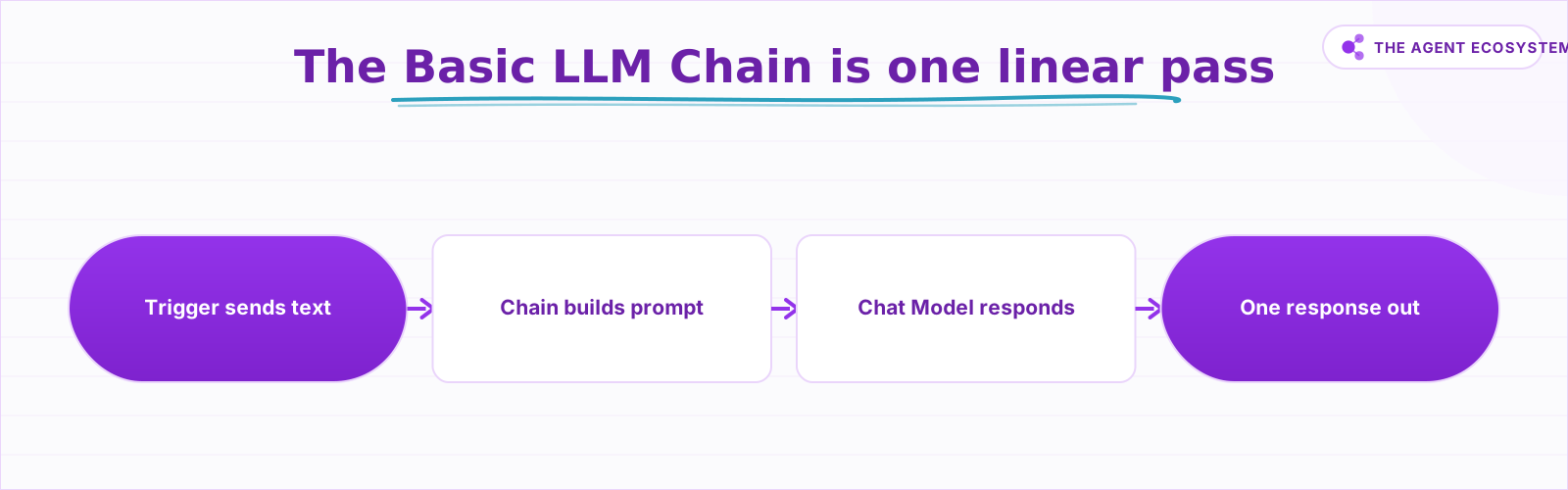 A chain is always one model call. No loops, no branching.
The chain has no memory. The n8n docs state explicitly: "none of the chain nodes support memory" and "they can't remember previous user queries." Every run is fully independent. For a one-shot transform, that is exactly what you want.
Basic LLM Chain vs AI Agent: Which Do You Actually Need?#
A chain is a single, linear pass: prompt in, response out, done. An AI Agent can call external tools and APIs, decide which tool to use based on the model's reasoning, and loop until it reaches an answer. You must connect at least one tool sub-node for an agent to function. That is a fundamentally different architecture.
The plain-English rule: need one prompt-to-response transform? Use the Basic LLM Chain. Need strict JSON back? Keep the chain and add an Output Parser. Need the model to search the web, query a database, or remember a previous run? That is when you move to an AI Agent. Reach for the chain first and only upgrade when a single call genuinely cannot do the job.
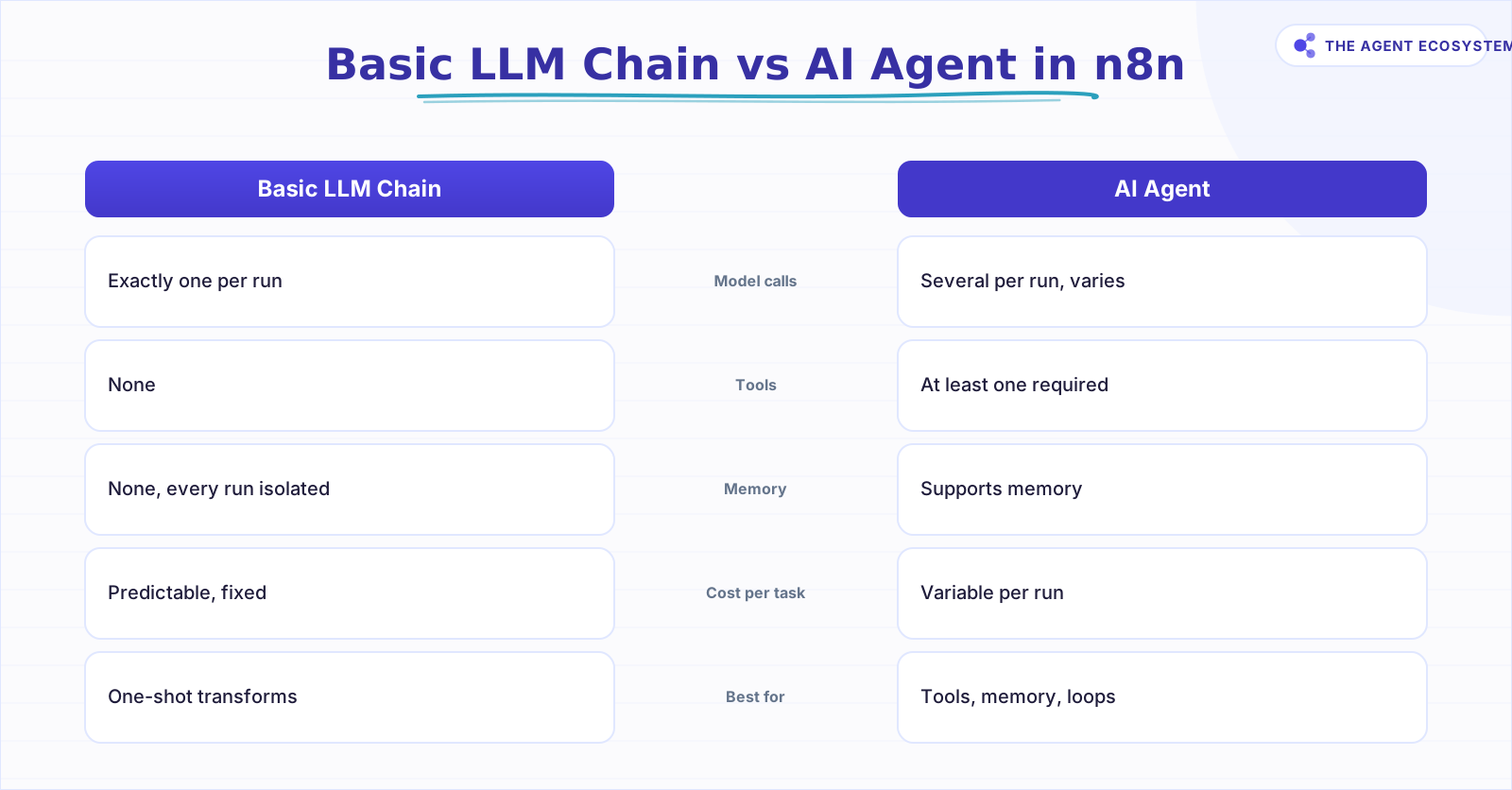 Pick a chain for one-shot transforms; an agent when you need tools or memory.
Adding tools and memory you do not need makes the workflow slower, more expensive, and harder to debug. An AI Agent can call the model several times in a single run, so its cost per task varies. A chain is always one call.
How Much Does a Basic LLM Chain Call Cost?#
One Basic LLM Chain run makes exactly one model call, so the cost is predictable. Assuming roughly 400 input tokens (system instruction plus prompt plus input text) and 200 output tokens per call, here is what 1,000 calls costs across the three main Claude models as of mid-2026 (June 2026).
| Model | Input $/1M tokens | Output $/1M tokens | Cost per 1,000 calls | Best for |
|---|---|---|---|---|
| Claude Haiku 4.5 | $1.00 | $5.00 | $1.40 | Default for chains |
| Claude Sonnet 4.6 | $3.00 | $15.00 | $4.20 | When wording quality matters |
| Claude Opus 4.8 | $5.00 | $25.00 | $7.00 | Usually overkill for one-shot transforms |
The arithmetic for Haiku: 0.4M input tokens x $1.00 = $0.40, plus 0.2M output tokens x $5.00 = $1.00. Total: $1.40 per 1,000 calls. You can check that by hand. Pricing is from the Anthropic pricing page and is accurate as of mid-2026; check the page before you scale.
Self-hosted n8n costs $0 in platform fees under the fair-code community license. n8n Cloud Starter is €20/mo.
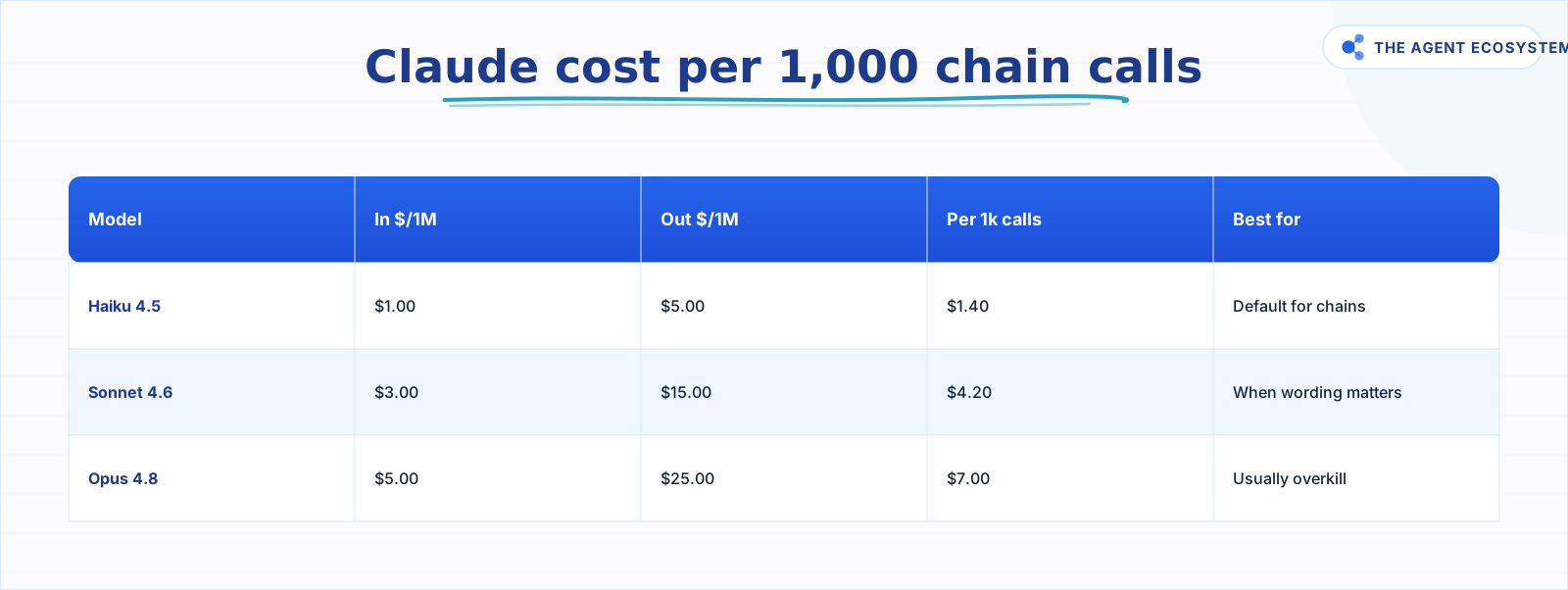 One call per run at 400 in / 200 out tokens. Haiku is the default.
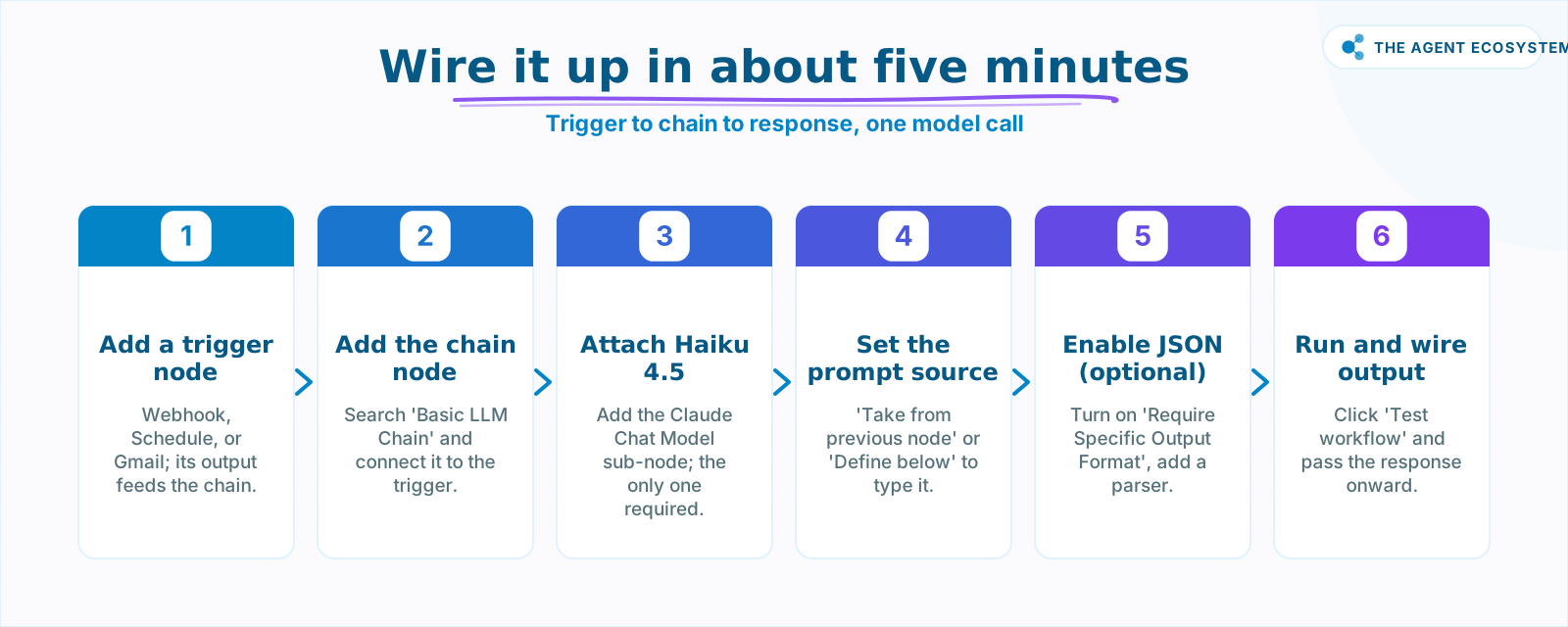 Add a trigger, attach the chain and a Chat Model, set the prompt, run.
How Do You Wire It Up Inside n8n?#
Wiring the Basic LLM Chain takes about five minutes. Add a trigger, attach the chain node, connect a Chat Model sub-node, set the prompt, and run it. The response comes back in a single output field you can wire to the next step.
Here is the exact sequence:
- Add a trigger node. A Webhook, Schedule, or Gmail trigger all work. The output text becomes the chain's input.
- Add the Basic LLM Chain node. Search for it in the node panel and connect it to the trigger.
- Attach a Claude Haiku 4.5 Chat Model sub-node. Click the Chat Model slot, select the Claude chat model, enter your Anthropic API key, and pick Haiku 4.5. This is the only required sub-node.
- Set the prompt source. Choose "Take from previous node automatically" if the trigger passes a
chatInputfield. Otherwise choose "Define below" and fill the Prompt (User Message) field with your instruction. - Run and wire the response. Click "Test workflow" and read the single output. Wire it to the next node.
A minimal prompt for a summarization task looks like this:
Summarize the following support ticket in two sentences. Be direct and omit filler phrases.

Ticket: {{ $json.body }}
For more on self-hosting n8n at zero platform cost, see that guide first if you have not set up the instance yet.
How Do You Get Clean, Structured Output?#
Turn on the "Require Specific Output Format" option in the node, then connect one of the three supported output parsers. Instead of a free-text string, the chain returns structured data your next node can read directly, so you stop writing brittle string-parsing logic and downstream steps become far easier to configure and much less likely to break.
The three parsers the chain supports are:
- Auto-fixing Output Parser - tries to fix malformed output automatically.
- Item List Output Parser - returns a flat list of items.
- Structured Output Parser - enforces a schema you define.
For most cases where the next node needs a specific JSON shape, the Structured Output Parser is the right pick. The n8n structured output guide covers building the schema step by step.
Without an Output Parser, the chain returns whatever text the model writes. That is fine when you are displaying the result. It breaks downstream nodes that expect a specific key.
Where Can the Basic LLM Chain Trip You Up?#
The chain is simple, so its failure modes are simple too, but they still catch people out. The most common one is expecting conversation context that does not exist: every call runs in isolation and the model forgets the previous run completely. The other traps are vague prompts, loose output, and reaching for an agent too soon.
The four places solopreneurs get stuck:
- No memory. The chain cannot reference a previous run. If you need the model to know what it said last time, use an AI Agent with memory, or inject the previous response manually into the prompt.
- Vague prompts. With "Define below", the Prompt (User Message) field is your entire instruction. "Summarize this" returns something summarized. "Summarize this in exactly three bullet points, each under 15 words" returns exactly that.
- Loose output breaks downstream nodes. If the next node expects a JSON key and the chain returns a paragraph, the workflow fails. Turn on "Require Specific Output Format" early.
- Reaching for an agent too soon. If all you need is a single transform, an agent adds complexity, cost, and debugging surface area you do not need yet. See what changes when you do need tools before making that jump.
For a deeper look at Chat Model options, the Claude vs GPT vs Gemini cost and speed comparison shows exactly where Haiku sits.
What Should You Build With It This Weekend?#
Start with a ticket or email classifier. A trigger pulls in a new message, the chain reads it and returns one of three category labels, and a Switch node routes it to the right folder or Slack channel. The whole prompt fits in four lines, and 1,000 classifications cost about $1.40 on Haiku.
Once you have shipped one chain, the upgrade path is clear. Add an Output Parser when the next node needs JSON. Read the token cost control guide before you scale to thousands of calls per day. Move to an AI Agent only when you genuinely need tools, memory, or multi-step reasoning.
Where to go from here: wire the trigger-to-chain-to-response loop this weekend using the steps above. Once it runs clean, layer on an Output Parser to lock down the schema. Save the AI Agent for when a single call provably cannot do the job.
Frequently asked questions
What is the Basic LLM Chain node in n8n?
What is the difference between a Basic LLM Chain and an AI Agent in n8n?
Does the Basic LLM Chain have memory?
How much does a Basic LLM Chain call cost?
Which Claude model should I use in the Basic LLM Chain?
How do I get structured JSON out of a Basic LLM Chain?
Sources
Primary references and vendor documentation used while drafting and reviewing this article.
Written by

Muhammad Qasim Hammad is an AI agent and automation expert and the founder of Cart Gaze LLC (cartgaze.com). He builds product for the love of it: when an idea lands, a working prototype is usually running within hours, built with the same AI agents and automations he sells. He puts his own output at roughly 20× what it was before agents, and the Agentic OS behind this site is the working proof, documented in public with the tools he actually ran and what they really cost.
AI & Automation Services
Want a pipeline like this running in your business?
I'm Qasim — I design and ship AI agents and n8n automations for solo operators and small teams. Tell me what's eating your team's week, and I'll scope a fix.
Related reading
n8n AI Agent vs Chain: Which Should You Use? (2026)
Every n8n builder reaches for the AI Agent by reflex, but a Basic LLM Chain costs roughly 5x less per 1,000 runs on Haiku 4.5. Learn the one mechanical rule that decides which node to use.

n8n AI Automation Ideas: 8 Agent Workflows Worth Building (2026)
Finished the n8n AI tutorial and wondering what to actually build? These 8 n8n AI automation ideas come with the exact nodes, the honest Chain-vs-Agent call, and the right Claude model for each job.
Estimate Any LLM Bill Before You Build: Token Math for n8n Builders
A single LLM call costs a fraction of a cent, until you multiply by 10,000 runs a month. Here is the reproducible token math: chars over 4 for tokens, the input and output rates, and the per-run times volume multiply, with one support-reply run priced across five models.
What Is an AI Agent? A Plain-English Guide for Builders
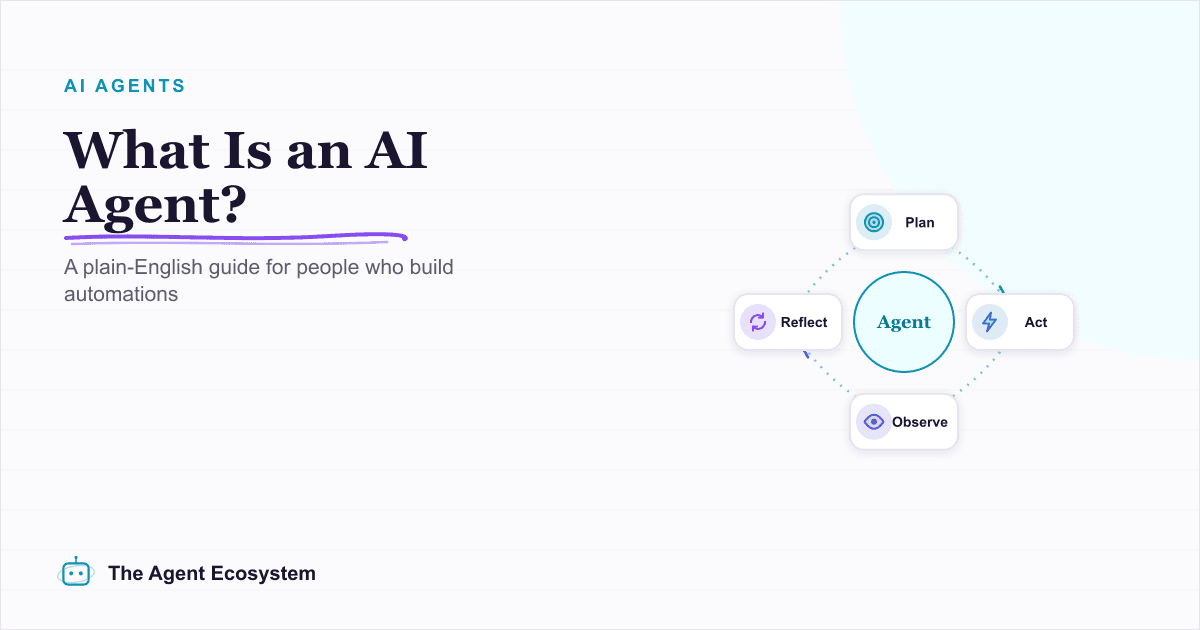
An AI agent is a language model running in a loop that decides its own next action, not a chatbot and not a chain. Here is how the perceive-decide-act-observe loop works, how an agent differs from a chatbot, chain, and workflow, and a checklist for when you actually need one.
Translate Content at Scale in n8n With Claude
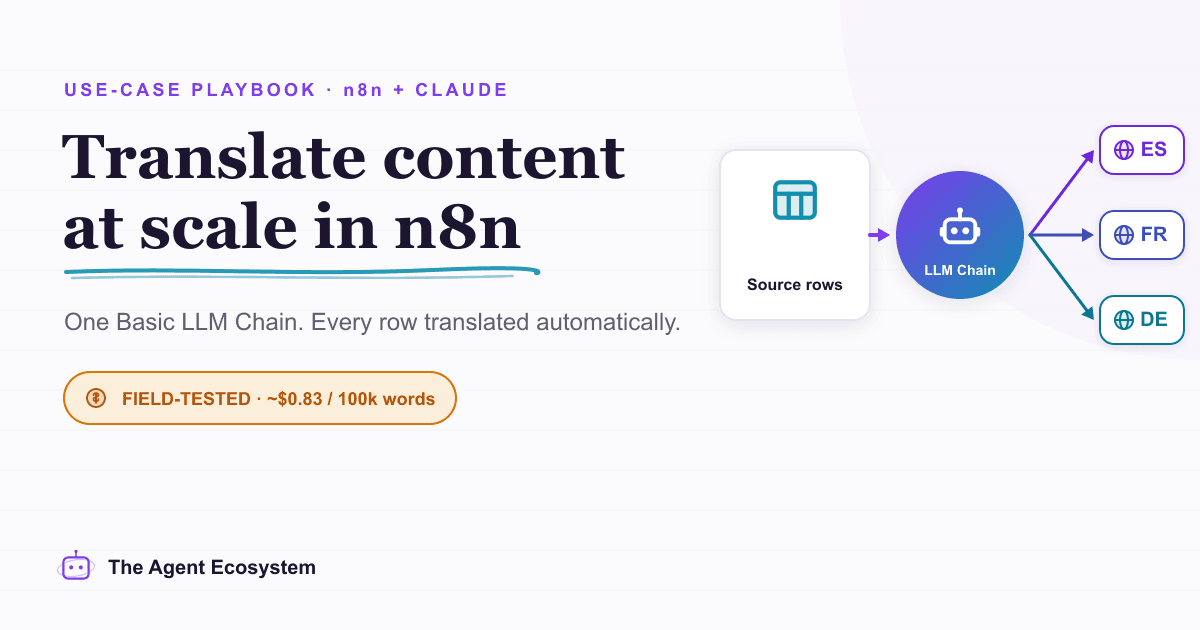
Build a repeatable n8n AI translation pipeline using the Basic LLM Chain node and Claude. Translate blog posts, support replies, and product copy in bulk for about $0.83 per 100,000 words.
Force Structured JSON Output from AI in n8n
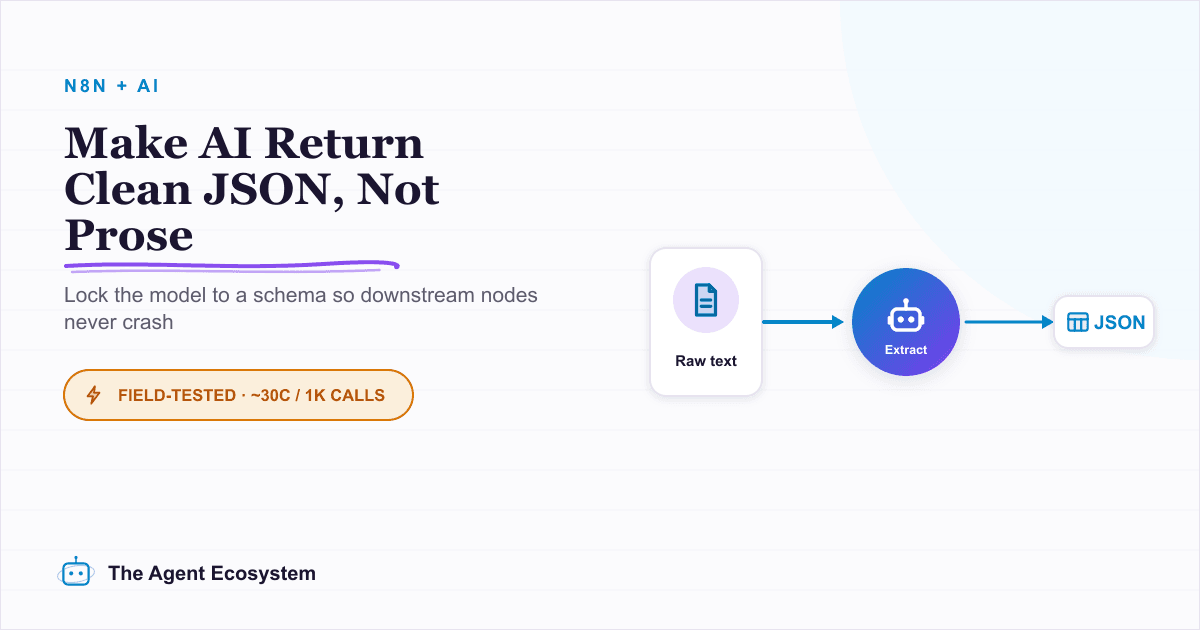
Your n8n AI step returns a paragraph when the next node needs clean fields. The Structured Output Parser sub-node fixes this by constraining the model to a JSON schema you define, for roughly 30 cents per 1,000 calls on Claude Haiku 4.5.