How to Build a Voice AI Agent in n8n With Twilio Phone Calls
n8n and Twilio Voice control a phone call through TwiML, turn by turn. Here is how the loop works, where the AI Agent node fits, and where it stops being the right tool.
AI-drafted, reviewed by Muhammad Qasim Hammad on August 14, 2026. See our AI disclosure.
Table of contents
- What does an n8n-built voice agent actually look like on a call?
- How does n8n control the call turn by turn?
- Where does the AI Agent node fit in a voice call workflow?
- What does a real call turn look like, start to finish?
- Should the agent handle everything, or hand off to a human?
- What breaks, and how do you debug it?
- Is this worth building versus a dedicated voice-AI platform?
A phone call is a different problem from a chat message: someone is waiting in real time, expecting a spoken answer within a couple of seconds, not a reply that shows up whenever a workflow gets to it. Wire n8n to Twilio Voice, and you can build a phone agent that answers, listens, and responds turn by turn, but it works on a structurally different pattern than texting an agent over WhatsApp.
The key difference is this: a voice call is not one webhook and one reply. Twilio asks your workflow for instructions in TwiML, an XML document, at the start of the call and after every time the caller finishes speaking, and your n8n workflow has to answer with valid TwiML every single time or the call breaks. This guide covers the turn-by-turn loop, where the LLM step fits inside it, and where plain n8n stops being the right tool.
What does an n8n-built voice agent actually look like on a call?#
The caller dials your Twilio number, Twilio sends an HTTP request to your n8n webhook asking what to do, and your workflow answers with TwiML: <Say> a greeting, then <Gather input="speech"> to listen. Twilio transcribes what the caller says using its own speech recognition and posts the text to the next webhook call.
That transcribed text is what your LLM step actually sees, not audio. The AI Agent node (or a simpler LLM chain if you do not need tool calls) reasons over the transcript, and the response comes back as more TwiML: another <Say> or a <Play> pointing at a pre-generated audio file, followed by another <Gather> to keep the conversation going.
State has to live somewhere across those turns, since each webhook call is stateless on its own. Use the call's unique CallSid, a value Twilio sends with every request for that call, as the key to store conversation history in a database or even a simple in-memory store for the call's duration, so turn 3 knows what was said in turns 1 and 2.
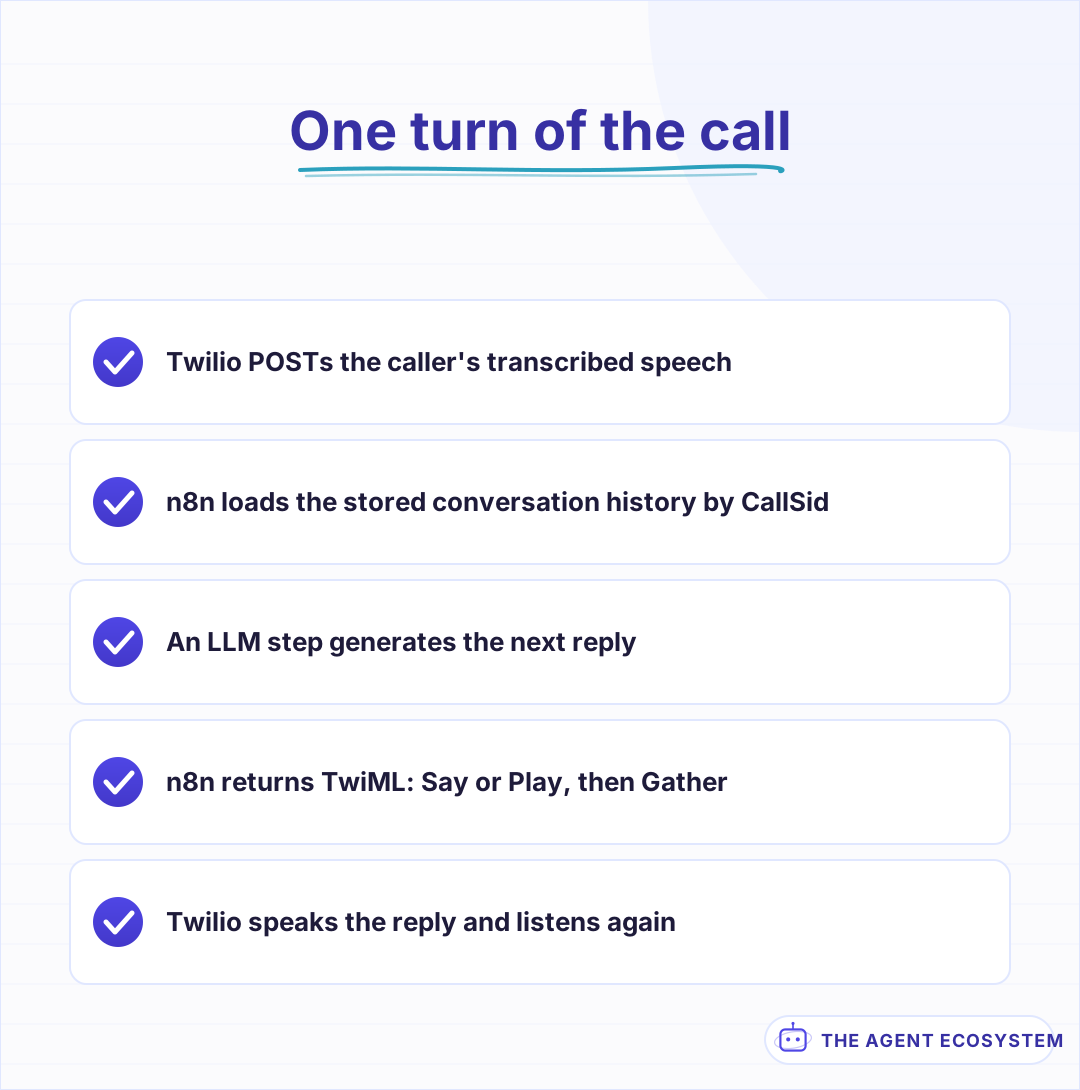 The same shape repeats for the whole length of the call.
How does n8n control the call turn by turn?#
Every turn is the same shape: Webhook node receives Twilio's POST, an LLM step decides what to say, a Respond to Webhook node returns TwiML with Content-Type: text/xml, and Twilio acts on it, then waits for the caller's next words and posts again. The workflow has no persistent connection to the call; each turn is a fresh request-response cycle.
Malformed XML is the single most common way this breaks. Twilio's error 12100, a document parse failure, means the TwiML your workflow returned was not valid XML, often because the greeting text included an unescaped ampersand or quote character. Build the TwiML string carefully or template it, and test a raw response against an XML validator before trusting it on a live call.
Return the TwiML with n8n's Respond to Webhook node, set to Respond Immediately with the content type explicitly set to text/xml, not the default JSON. If the workflow's actual response path is a few nodes removed from the webhook trigger, confirm every branch that could handle a given request ends in a webhook response, since a workflow that returns nothing at all on some path leaves Twilio waiting on a request that never resolves.
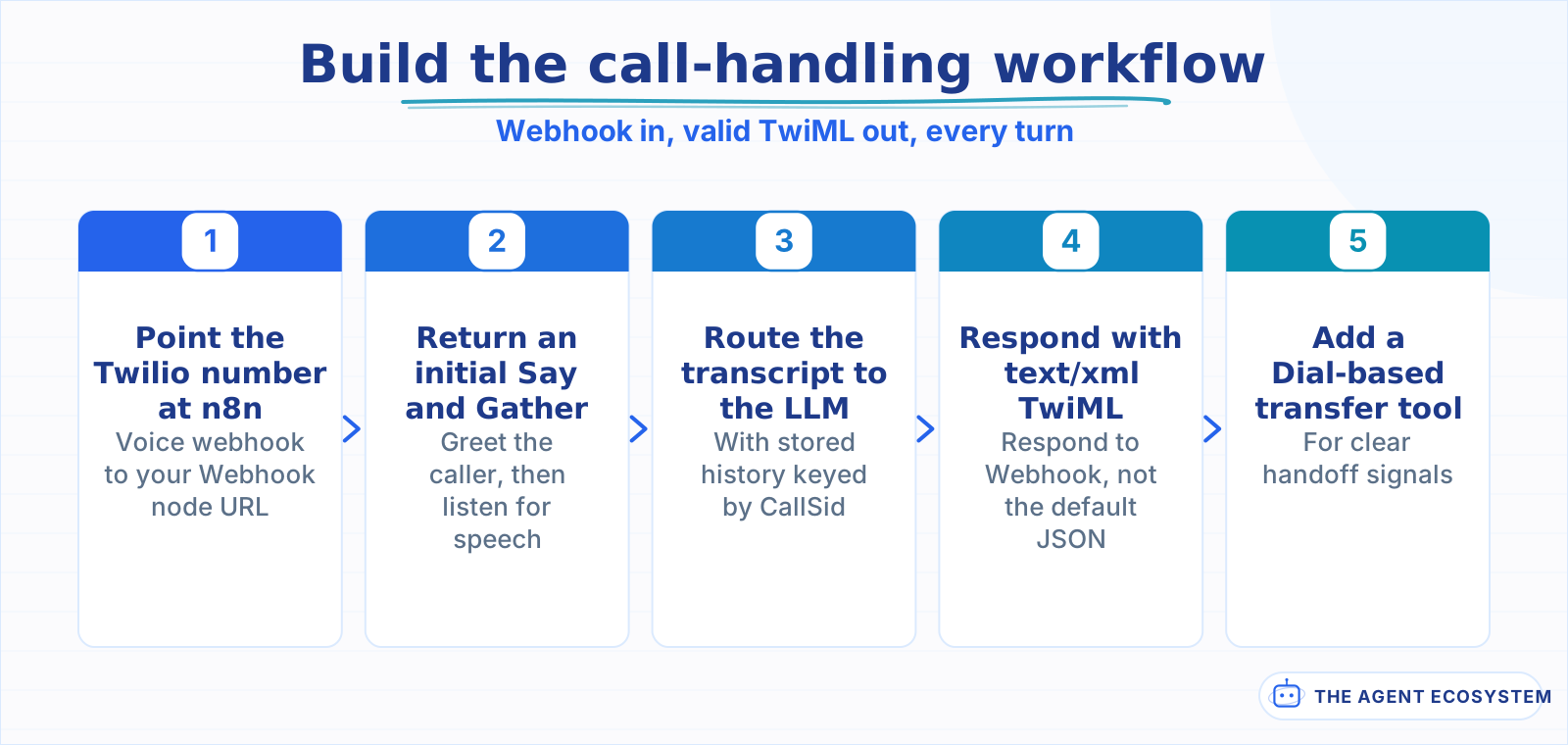 Getting the TwiML content type right prevents the most common dropped call.
Where does the AI Agent node fit in a voice call workflow?#
The agent's tools here are usually different from a chat-based agent's: a lookup tool for whatever the caller might ask about, an appointment-booking tool, a transfer-to-human tool, rather than tools that write to a CRM or a database directly. The same tool-calling mechanics apply, but every extra tool call adds latency the caller feels as dead air on the line.
Keep the system prompt short and the expected replies brief. A caller cannot skim a wall of text the way a chat user can; a response that would read fine in a text message can feel painfully long spoken aloud, especially through Twilio's built-in <Say> voice reading it verbatim. Write for the ear, not the eye: shorter sentences, one question at a time, no bullet points a voice cannot render.
Voice choice is its own trade-off worth deciding deliberately. Twilio's built-in <Say> is free and has zero extra generation latency, but sounds clearly synthetic; a service like ElevenLabs sounds far more natural through <Play>, at the cost of a generation step that adds real seconds before the audio file is even ready to play. For a short, templated confirmation, that generation delay can matter more than the voice quality gain.
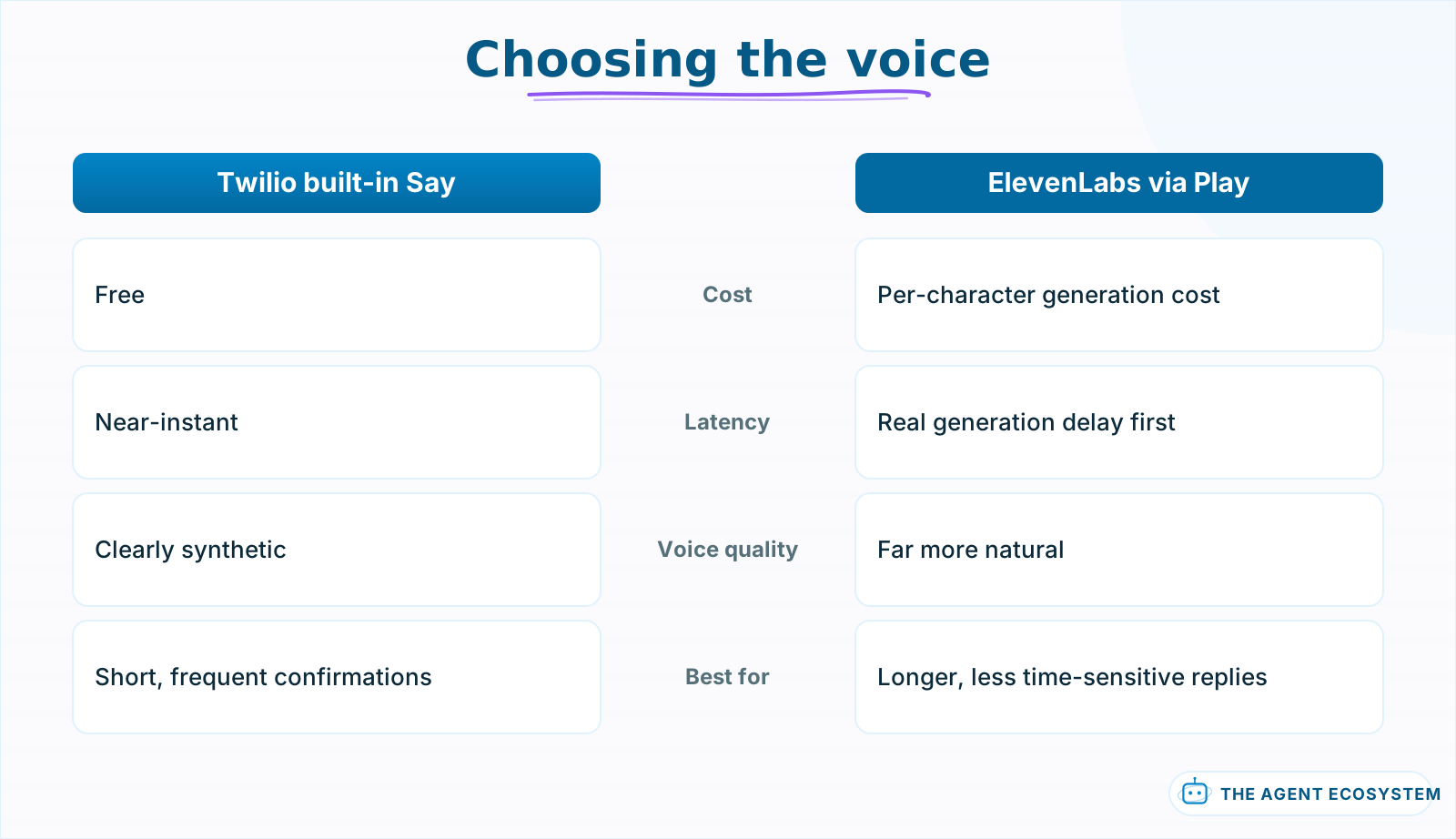 Natural voice costs a real generation delay the caller waits through.
What does a real call turn look like, start to finish?#
A caller says "I need to reschedule my appointment for Thursday." Twilio transcribes that and posts it to your webhook. The AI Agent reads it, calls a calendar-lookup tool to check Thursday's availability, and returns a spoken reply: "Thursday afternoon has a 2 PM opening, does that work?"
| Step | What happens | Latency it adds |
|---|---|---|
| Twilio transcribes speech | Built into the Gather verb | Under 1 second typically |
| Webhook reaches n8n | Network round trip | A few hundred milliseconds |
| LLM generates a reply | Depends on the model and tool calls | Often the largest single chunk |
| TwiML returned, Twilio speaks it | Say is near-instant; Play needs the audio ready first | Varies by voice choice |
Every one of those steps stacks into what the caller experiences as a pause before the agent answers. A caller tolerates a shorter pause on the phone than the same delay would feel like in a chat window, because silence on a call reads as the line being dead.
A filler phrase covers the gap honestly without pretending the wait does not exist. A short <Say> like "let me check that" before the slower lookup step runs gives the caller a signal the system is working, rather than dead air that reads as the call having dropped. Keep it brief and genuine to what is actually happening, not a stalling tactic dressed up as helpfulness.
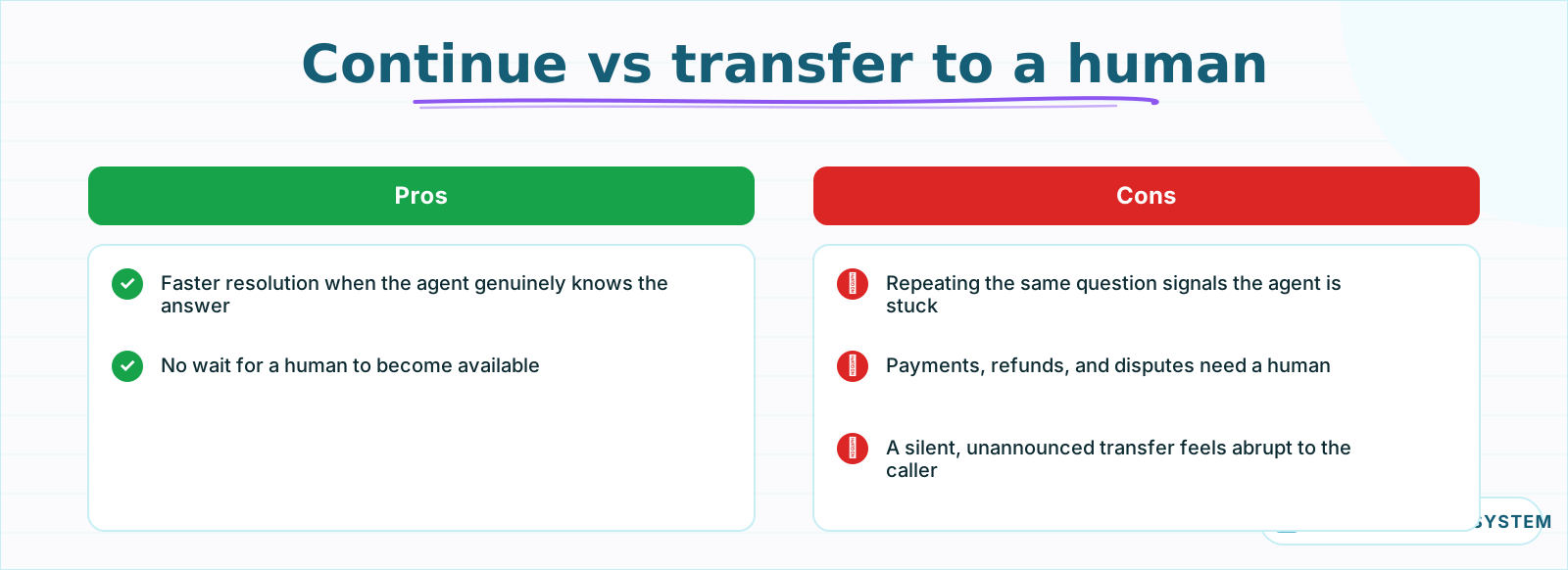 Hand off on clear signals, announced out loud, not silently.
Should the agent handle everything, or hand off to a human?#
Give the agent an explicit transfer tool from the start, not something bolted on after a caller gets stuck. <Dial> to a real phone number is a TwiML verb like any other, so "transfer to a human" is a normal branch in the same turn-by-turn logic, not a special case that needs its own architecture.
Trigger the handoff on clear signals: the caller explicitly asking for a person, the same question being asked twice because the agent's answer did not land, or a topic outside what you scoped the agent to handle, like anything touching a payment or a cancellation. The same never-fully-automate-money principle applies here: a voice agent can look up an order or a booking, but should hand off before promising a refund.
Say the handoff out loud before it happens, not silently. "Let me connect you with someone who can help with that" sets the caller's expectation and covers the couple of seconds <Dial> takes to actually ring a person, so the transfer does not feel like the call abruptly changed hands with no warning.
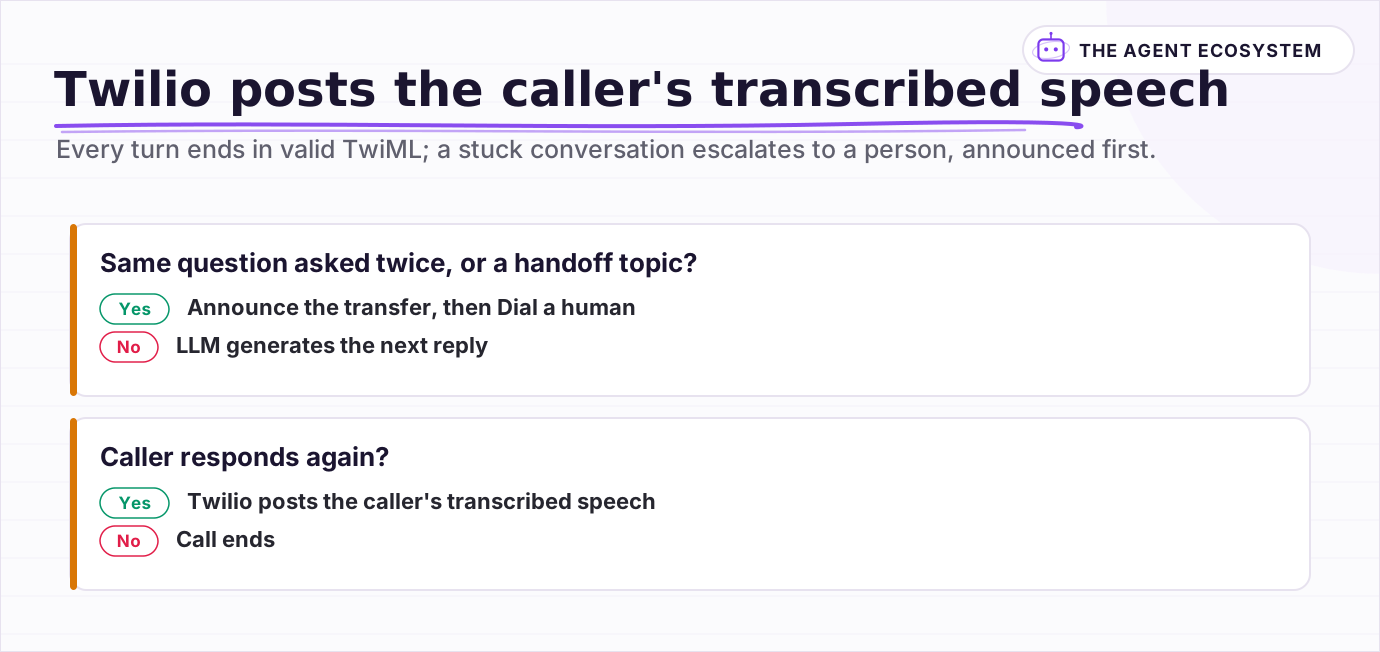 Every turn ends in valid TwiML; a stuck conversation escalates to a person, announced first.
What breaks, and how do you debug it?#
Beyond malformed TwiML, the next most common issue is the <Gather> timing out because the caller paused to think and Twilio moved on before they finished talking. Tune the speechTimeout and timeout attributes generously rather than defaulting to Twilio's short-timeout assumption, especially for a use case where callers might need a moment to check a detail.
Log every turn's transcript and response outside the call itself, since a failed call gives you no transcript to review afterward from Twilio's side alone. A dropped call with no logged turns is nearly undebuggable; a dropped call with 4 logged turns tells you exactly which one broke.
Test with real phone calls, not just a simulated webhook payload. Twilio's request format, timing, and the exact fields present on a Gather callback are easy to get subtly wrong from documentation alone, and a workflow that handles a hand-crafted test payload perfectly can still fail on a live call with an actual network delay and an actual accent Whisper or Twilio's transcription handles differently than your test text did.
Is this worth building versus a dedicated voice-AI platform?#
Purpose-built voice platforms handle the hardest part of this problem, real-time audio streaming with sub-second latency, which n8n's request-response TwiML pattern cannot match; those platforms hold an open media stream and never round-trip through a full HTTP webhook per turn. If natural, fast conversation is the whole point, that architecture is worth its cost.
The n8n and Twilio pattern in this guide is honest about its trade-off: higher latency per turn, in exchange for staying inside the automation stack you already run, at a fraction of the cost, for use cases where a 1 to 2 second pause is acceptable, appointment scheduling, order lookups, simple routing. Test a real call before deciding which side of that trade-off your use case actually needs.
Frequently asked questions
Can I build a voice AI agent for phone calls using n8n?
Why does my n8n Twilio voice workflow return error 12100?
How do I keep track of the conversation across a Twilio voice call in n8n?
Should Twilio's built-in voice or a service like ElevenLabs read the agent's replies?
When should a voice AI agent hand off to a human instead of continuing?
Sources
Primary references and vendor documentation used while drafting and reviewing this article.
Written by

Muhammad Qasim Hammad is an AI agent and automation expert and the founder of Cart Gaze LLC (cartgaze.com). He builds product for the love of it: when an idea lands, a working prototype is usually running within hours, built with the same AI agents and automations he sells. He puts his own output at roughly 20× what it was before agents, and the Agentic OS behind this site is the working proof, documented in public with the tools he actually ran and what they really cost.
AI & Automation Services
Want a pipeline like this running in your business?
I'm Qasim — I design and ship AI agents and n8n automations for solo operators and small teams. Tell me what's eating your team's week, and I'll scope a fix.
Related reading
Build a WhatsApp AI Agent With n8n and Twilio
Connect n8n, Claude, and Twilio to build a WhatsApp AI agent that answers customer FAQs instantly. Test free on the Twilio sandbox, then go live for $0.005 per reply.

Realtime Voice AI Agents: Cascaded Pipelines or Native Speech-to-Speech
Realtime voice AI agents split into 2 real architectures: a cascaded pipeline of 3 chained models, or a single native speech-to-speech model. This piece grounds the tradeoff in OpenAI, Google, and Amazon's own documented specifics, not vendor marketing.
Build an AI Meeting-Notes Agent in n8n: Transcribe to Actions
You record every call and still lose the decisions. This is an honest, end-to-end n8n build that turns a meeting recording into structured notes plus routed action items, with straight talk on the Whisper file limit, missing speaker labels, per-minute cost, and consent.
AI Agent Observability: Tracing, Metrics, and Cost in Production
Your agent gave a wrong answer and you have no idea where it broke. Observability captures the run (every LLM call, tool call, prompt, and cost) so you can replay it and point at the exact failing step. Here are the three pillars, what to log per step, and when a dedicated tool
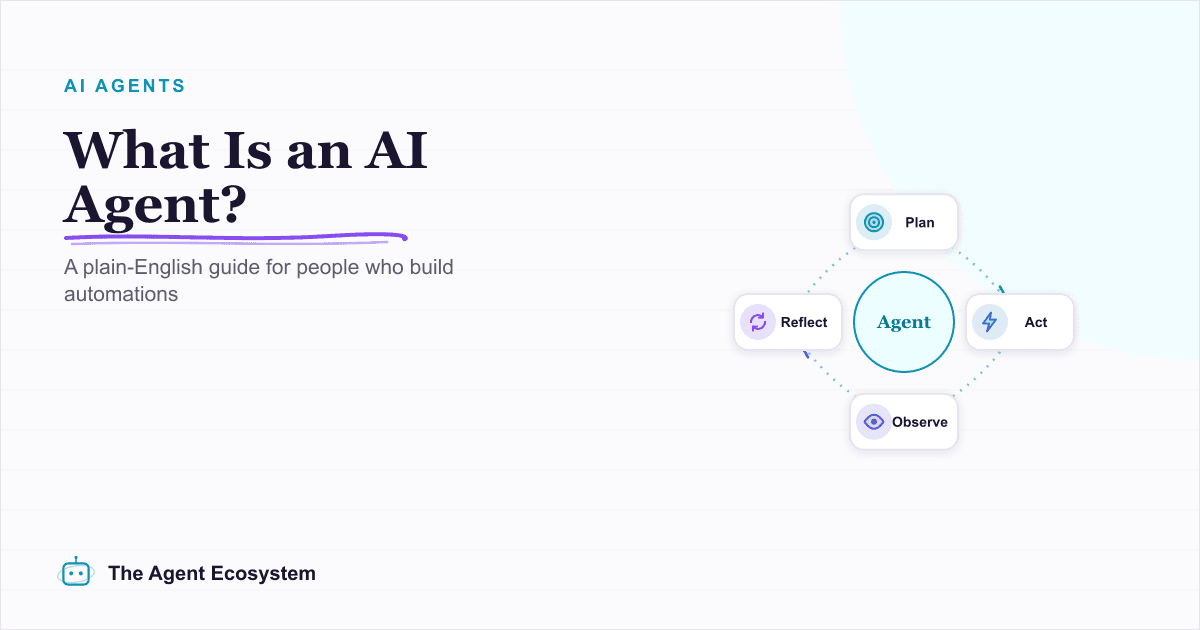
What Is an AI Agent? A Plain-English Guide for Builders
An AI agent is a language model running in a loop that decides its own next action, not a chatbot and not a chain. Here is how the perceive-decide-act-observe loop works, how an agent differs from a chatbot, chain, and workflow, and a checklist for when you actually need one.
How to Build an n8n AI Agent That Preps You Before Every Calendly Call
An n8n AI Agent can turn a Calendly booking into a short, useful briefing: who is meeting, what they want to discuss, and whether your CRM or inbox has any history with them. Here is how to build it, since n8n only offers a Calendly Trigger, not an action node, and why that