Translate Content at Scale in n8n With Claude
One chain, one prompt, every row translated automatically
AI-drafted, reviewed by Muhammad Qasim Hammad on June 23, 2026. See our AI disclosure.
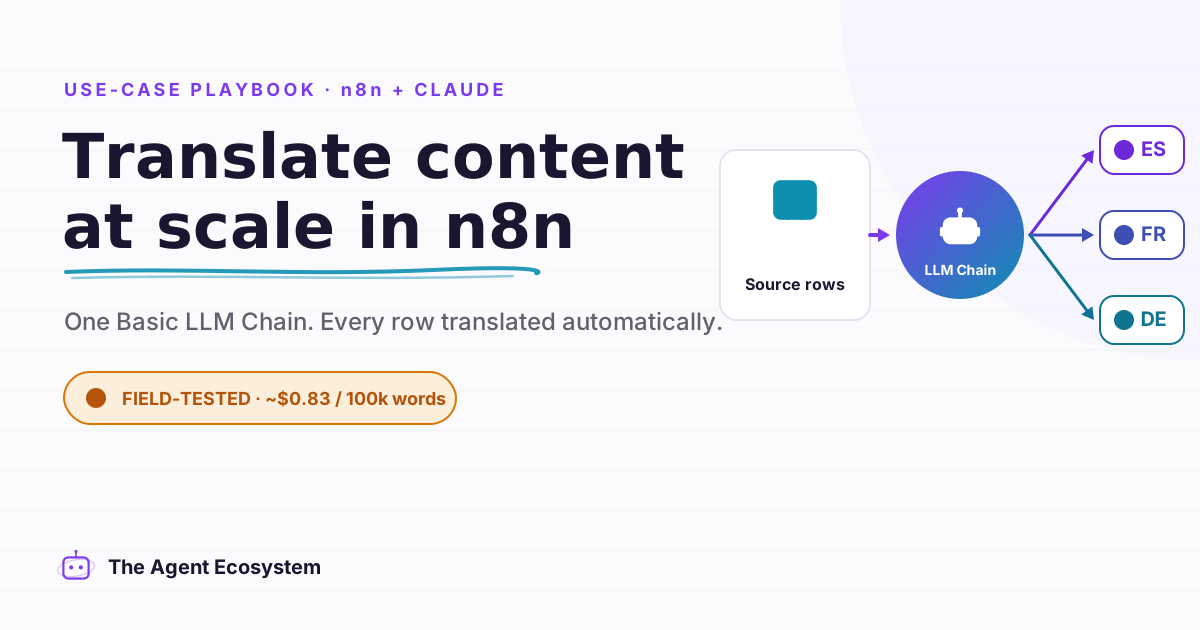
Table of contents
- What is an n8n AI translation workflow, and what can it localize?
- How does the Basic LLM Chain translate text inside n8n?
- How much does AI translation cost per 1,000 words?
- How do you keep translation quality high?
- How do you build the n8n AI translation workflow, step by step?
- When should a human review the translation?
- What should you set up this weekend?
You have a backlog of blog posts, help-center replies, and product strings to localize, and right now someone on your team (maybe you) pastes each block into a translation tool, massages the tone, and pastes it back, one piece at a time. An n8n AI translation workflow built on the Basic LLM Chain node reads each row of source text, translates it into your target language with the tone you specify, and writes it back automatically.
That manual loop does not scale past a handful of items. Once the content backlog hits a few hundred rows, the process breaks down or just does not get done.
What is an n8n AI translation workflow, and what can it localize?#
An n8n AI translation workflow connects a data source to a Basic LLM Chain node with a Claude model attached, translates each piece of text one row at a time, and writes the result back. One chain, looped, localizes blog posts, support replies, product descriptions, UI strings, or any text held in a sheet or CMS.
The approach works because the LLM reads the full passage before writing a translation. It carries context across the sentence: an idiom in line three, a product name in line seven, the formal register you asked for throughout. A per-character machine-translation engine processes character sequences without that wider view.
I run my own posts through a chain like this to draft a first-pass translation before a native speaker reviews them. Draft quality depends on the language pair, the domain, and how specific your system prompt is. More on that below.
How does the Basic LLM Chain translate text inside n8n?#
The Basic LLM Chain node requires a chat model sub-node connected to it. Set Prompt to "Define below", then use an expression in the Text field to pull the source text from the previous node (for example, {{ $json.source_text }}). The Chat Messages option lets you add a System message where you put all your translation rules.
The System Message is where the real work happens. Tell the model the target language, the tone (formal, casual, conversational), "output only the translation, no explanation", and "leave all HTML tags and placeholders unchanged". The user-facing prompt just carries the text to translate. Keep those two jobs separate.
If you need structured output (say, the translation plus a detected source language returned as JSON), turn on Require Specific Output Format and attach an output parser. For a plain-text translation pipeline, leave it off.
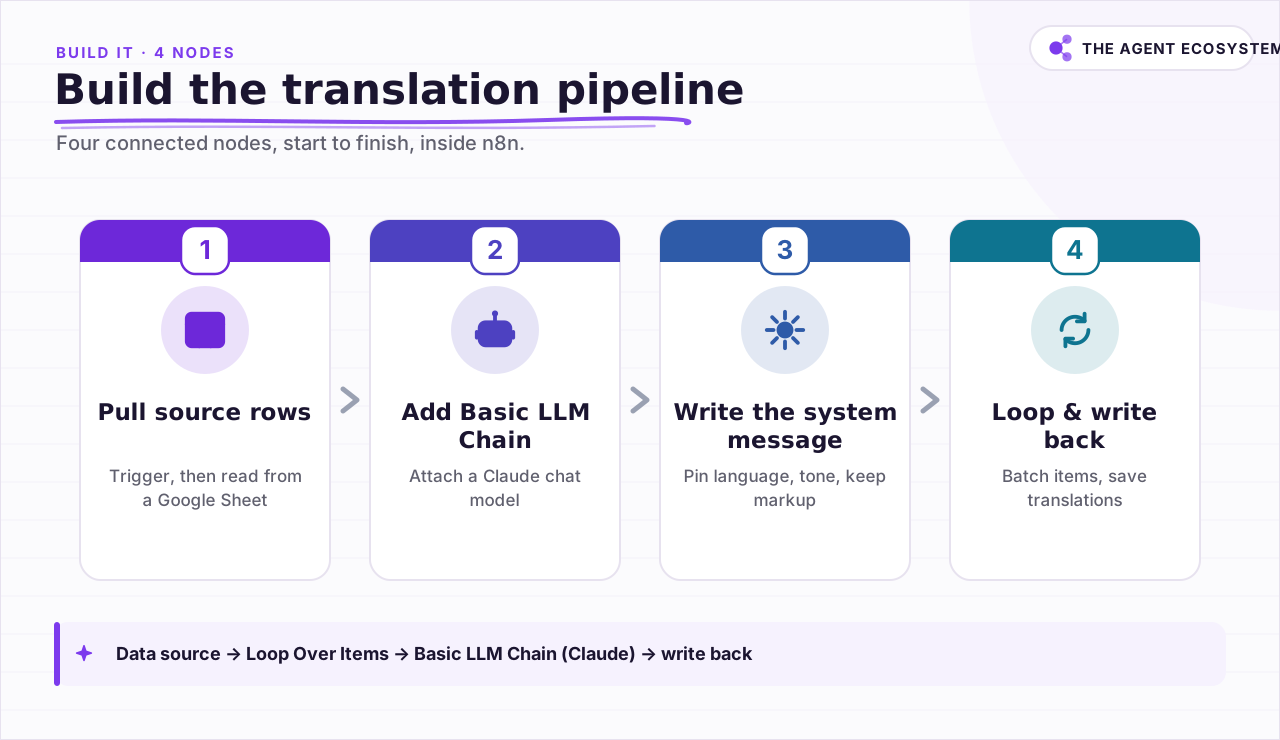 The full pipeline runs in four connected nodes inside n8n.
How much does AI translation cost per 1,000 words?#
Translating 100,000 words costs about $0.83 using Claude Haiku 4.5 at mid-2026 list prices on $0 self-hosted n8n. The math assumes 1.3 tokens per word on input and roughly 1.4 tokens per word on output, covering minor expansion and the system message. Every figure below is checkable by hand.
The table below shows costs as of mid-2026 (June 2026). Check current Claude pricing before running a large batch, since token rates are updated periodically.
| Model | Input $/1M | Output $/1M | Cost per 1,000 words | Best for |
|---|---|---|---|---|
| Claude Haiku 4.5 | $1.00 | $5.00 | ~$0.008 | Bulk translation, the default |
| Claude Sonnet 4.6 | $3.00 | $15.00 | ~$0.025 | Nuanced or tricky language pairs |
| Claude Opus 4.8 | $5.00 | $25.00 | ~$0.042 | Rarely needed, deep nuance only |
At 100,000 words (0.13M input tokens + 0.14M output tokens), Haiku 4.5 costs: 0.13 x $1.00 + 0.14 x $5.00 = $0.13 + $0.70 = $0.83. Sonnet 4.6 lands at $2.49 for the same job; Opus 4.8 at $4.15.
For comparison, a representative published per-character MT API rate runs around $20 per 1,000,000 characters. At roughly six characters per word, 100,000 words is about 600,000 characters, putting the cost near $12. Check your specific provider for their current rate. The LLM path is cheaper at this scale and carries context the per-character engine cannot.
n8n self-hosted (Community) is free. n8n Cloud Starter is €20/month if you prefer not to self-host.
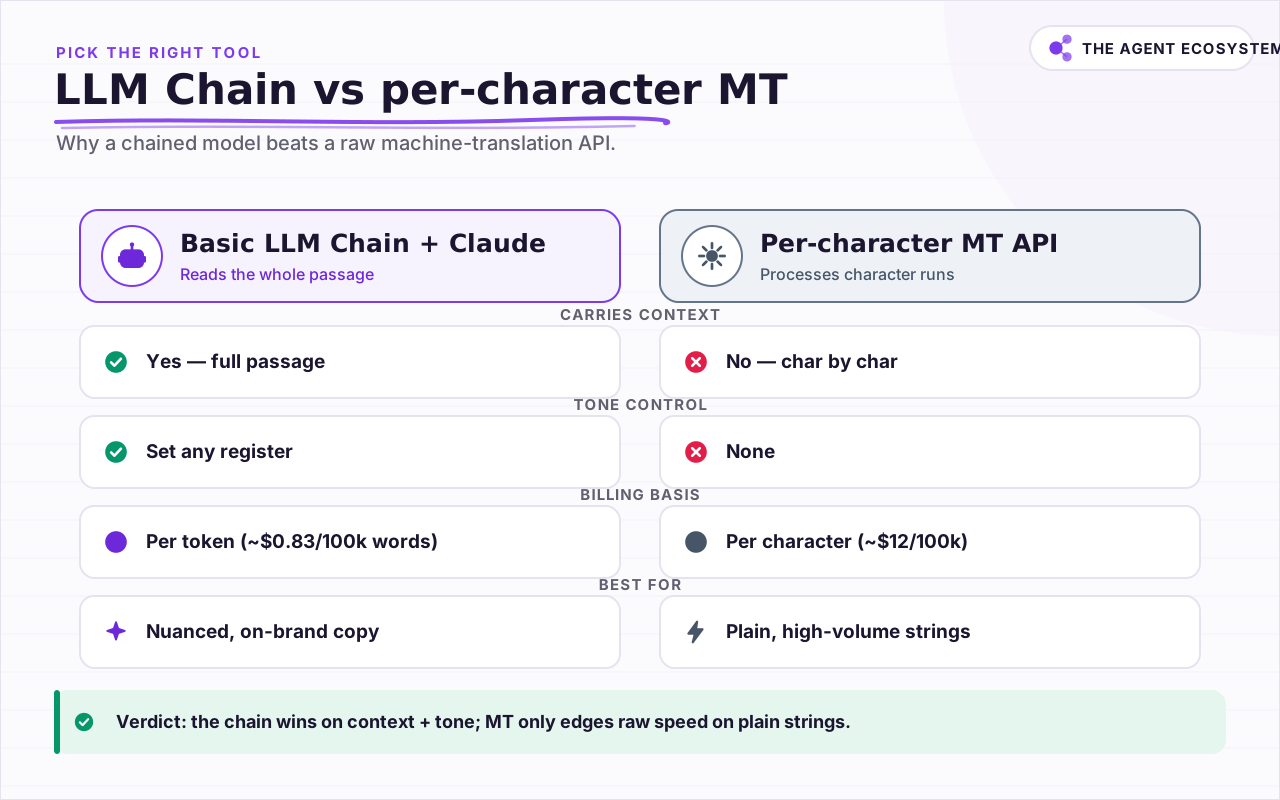 LLM chains carry context and tone; per-character MT is faster for plain strings.
How do you keep translation quality high?#
Quality in an LLM translation pipeline comes almost entirely from the system message. A vague prompt drifts in register, adds explanations, or switches between formal and casual mid-document. Pin the target language, the exact tone, and the instruction to output only the translation with no commentary.
Four things to build into every system message:
- Target language and region (for example, "Translate to French as spoken in France, not Canadian French").
- Register ("Use formal you (vous) throughout" or "Match a casual, conversational tone").
- Output rule ("Output only the translation. Do not explain or add notes.").
- Markup rule ("Leave all HTML tags, Markdown syntax, and {{placeholders}} exactly as written.").
Long documents present a specific risk. If you chunk a 5,000-word article into 500-word pieces, the model can translate a term one way in chunk 2 and a different way in chunk 7. Translate whole logical units where you can. If you must chunk, pass a short glossary in the system message with the key terms and their required translations.
Spot-check every new language pair before you let the pipeline run unattended on a full batch.
How do you build the n8n AI translation workflow, step by step?#
Building this pipeline is a short, linear path in n8n. The core path is: data source -> Loop Over Items -> Basic LLM Chain (with Claude attached) -> write back. The Loop Over Items node processes items in groups using a Batch Size parameter, which keeps a large job from firing hundreds of API calls at once.
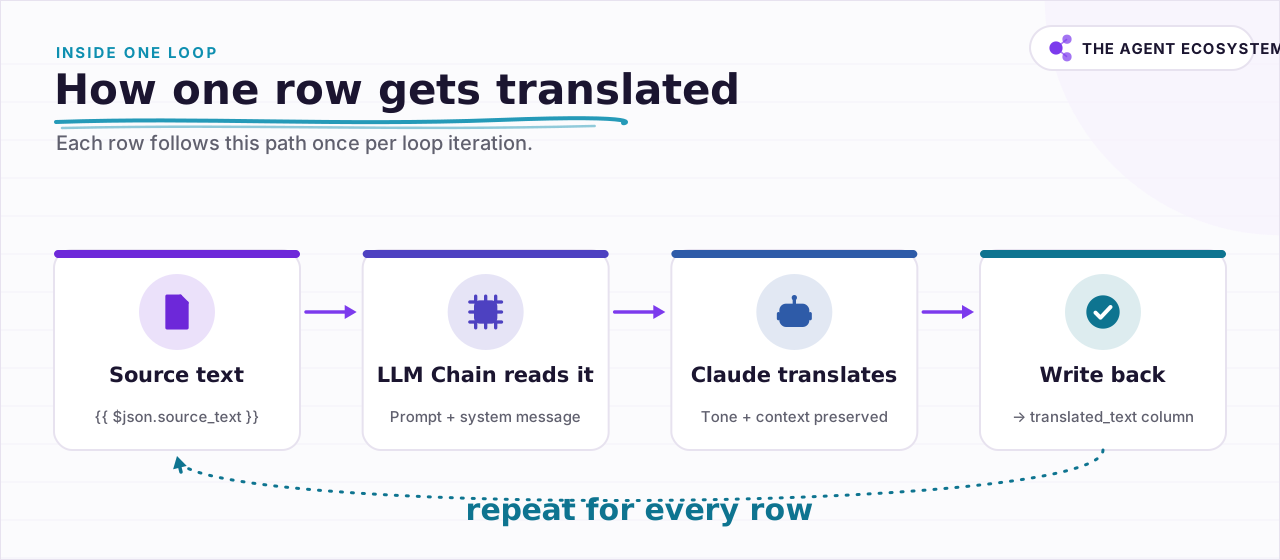 Each row follows this path once per loop iteration.
Here is the full wiring:
- Add a trigger (manual, schedule, or webhook) and connect a Google Sheets node set to read your source rows. Each row should have a field like
source_text. - Add a Loop Over Items node. Set Batch Size to 10 or 20.
- Add a Basic LLM Chain node inside the loop. Open the sub-node panel and attach a Claude chat model (select
claude-haiku-4-5). - In the Basic LLM Chain, set Prompt to "Define below". In the Text field, enter an expression:
{{ $json.source_text }}- Open Chat Messages. Add a message with type System. Paste your instruction block:
You are a professional translator.
Translate the text below into [TARGET LANGUAGE].
Use a [TONE] tone throughout.
Output only the translation. Do not explain or add notes.
Leave all HTML tags, Markdown syntax, and {{placeholders}} exactly as written.
Keep all proper nouns and product names in their original form.- Connect the output to a Google Sheets update node. Map the translated output (usually
{{ $json.text }}) to atranslated_textcolumn in the same row.
If you want to store source rows in Google Sheets and write back to the same sheet, the Google Sheets as database in n8n guide covers the read-update pattern in detail. To cap your token spend on large batches, the Claude API cost control guide shows how to add a token-budget guard before the LLM node.
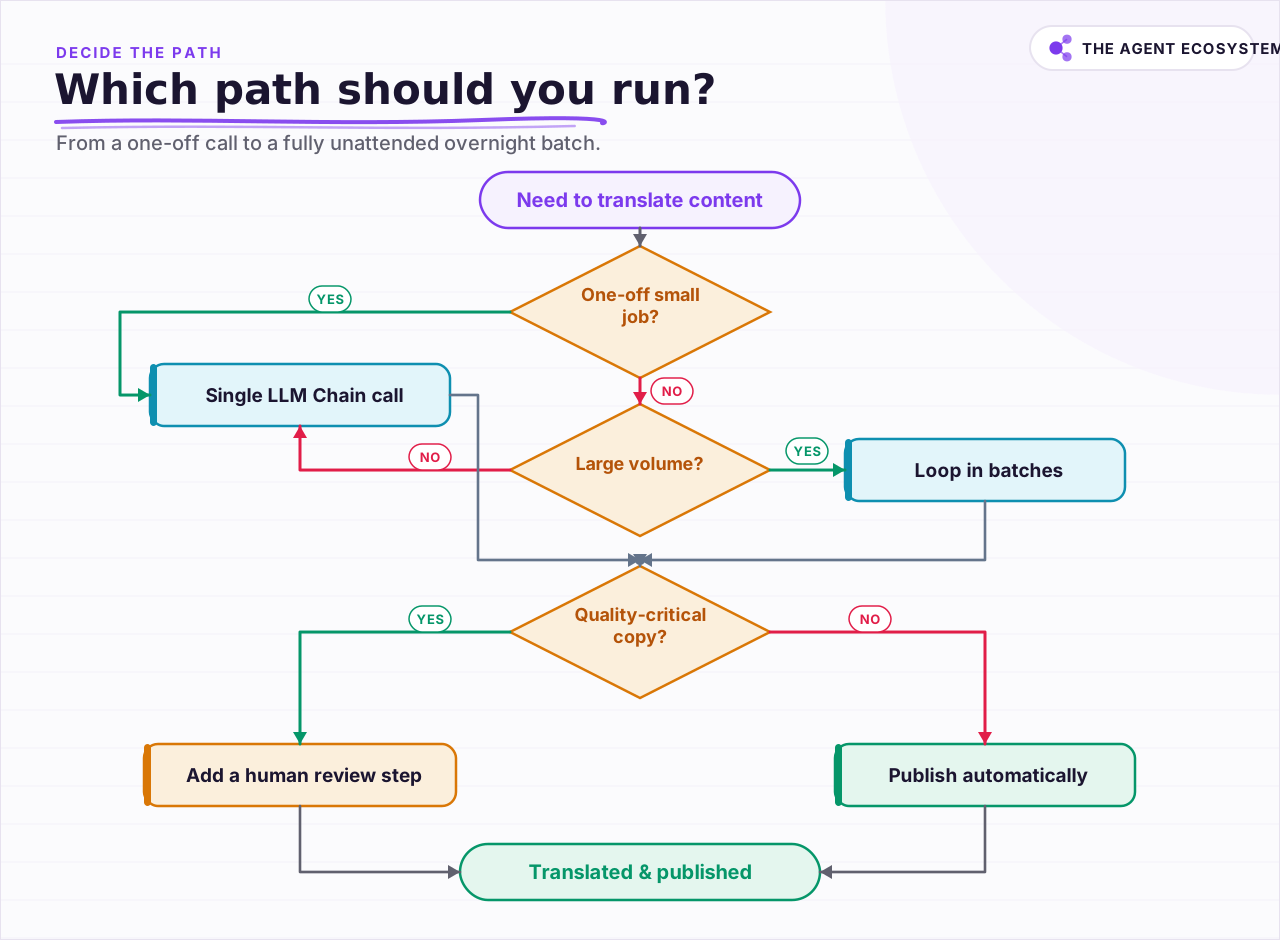 Pick a single chain call, a batched loop, or a human review step.
When should a human review the translation?#
A human should review any translation that carries legal, medical, or brand risk before it goes live. The pipeline produces a strong draft for most content types, but it cannot catch a mistranslated contract clause or a tagline that means something unintended in the target market.
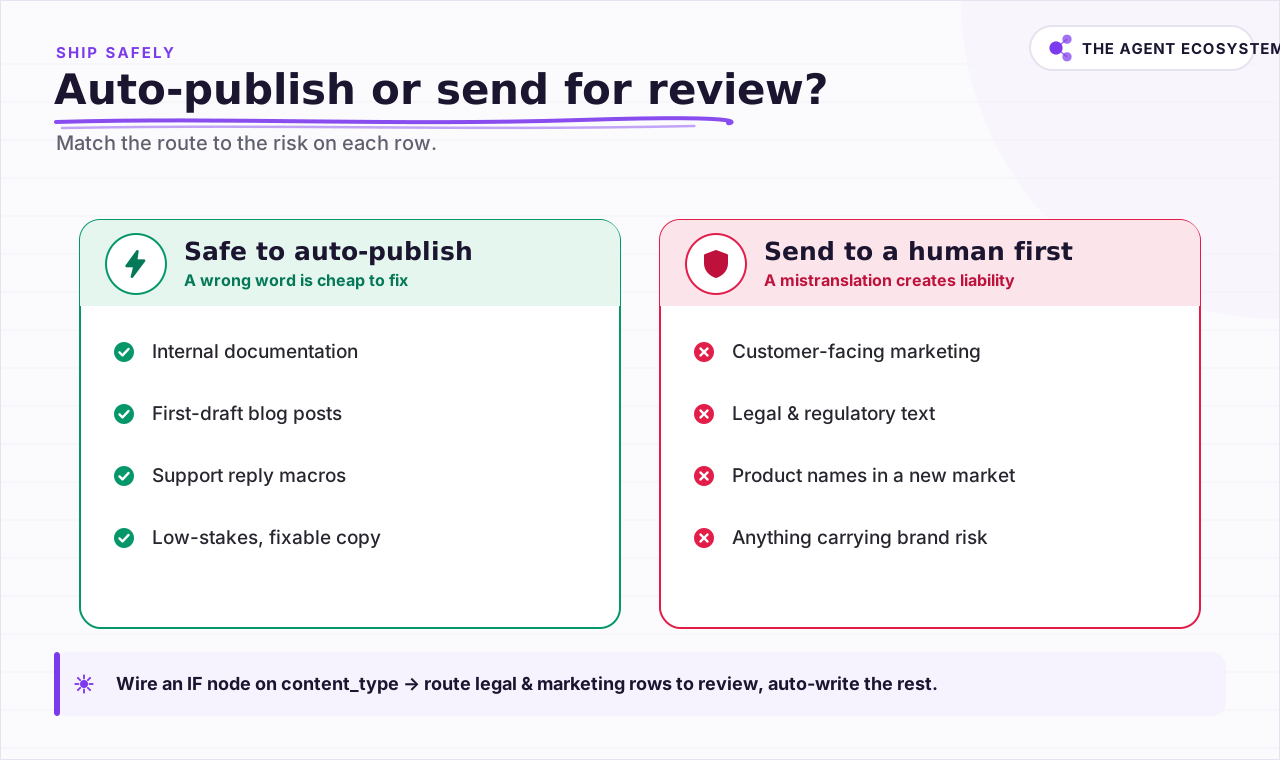 Route legal and marketing copy to a human before publishing.
Auto-publishing is fine for internal documentation, first-draft blog posts, and support macros where a wrong word is easy to fix. Hold for human review when the content is customer-facing marketing copy, any legal or regulatory text, product names in a new market, or anything where a mistranslation creates liability.
A simple way to wire this in n8n: add an IF node after the Basic LLM Chain that checks a content_type field on each row. Route legal and marketing rows to a Slack or email notification step that queues them for review. Route everything else to the auto-write step.
For guidance on which Claude model fits which task in this kind of conditional routing, the Claude vs GPT vs Gemini in n8n agents breakdown is a useful reference.
What should you set up this weekend?#
Pick one content type you translate repeatedly, support reply templates work well, and pull 50 rows into a Google Sheet. Build the four-node pipeline, run it on a test batch of 10 rows, and read every output before trusting the rest. Self-hosting n8n free brings the platform cost to $0 and makes the $0.83-per-100k-words figure real.
Once the 50-row test passes your quality bar, expand to the full backlog. Add the Loop Over Items batch control, tighten the system message based on what you saw in the test, and add the IF node for high-stakes content. The full pipeline then runs unattended overnight.
Frequently asked questions
What is an n8n AI translation workflow?
How much does it cost to translate 100,000 words with Claude?
Which Claude model is best for translation?
Is an LLM better than a dedicated translation API?
How do I stop the model from translating HTML tags or placeholders?
When do I still need a human translator?
Sources
Primary references and vendor documentation used while drafting and reviewing this article.
Written by

Muhammad Qasim Hammad is an AI agent and automation expert and the founder of Cart Gaze LLC (cartgaze.com). He builds product for the love of it: when an idea lands, a working prototype is usually running within hours, built with the same AI agents and automations he sells. He puts his own output at roughly 20× what it was before agents, and the Agentic OS behind this site is the working proof, documented in public with the tools he actually ran and what they really cost.
AI & Automation Services
Want a pipeline like this running in your business?
I'm Qasim — I design and ship AI agents and n8n automations for solo operators and small teams. Tell me what's eating your team's week, and I'll scope a fix.
Related reading
How to Use the Basic LLM Chain in n8n (Your First AI Step)
The n8n Basic LLM Chain is the simplest AI building block: one prompt in, one model response out, no tools, no memory, no loops. Wire it up in minutes and keep your token bill predictable at about $1.40 per 1,000 calls on Claude Haiku 4.5.

Summarize Long Documents in n8n with the AI Summarization Chain
Use the n8n Summarization Chain node to automatically condense transcripts, PDFs, and long articles into one-paragraph summaries. Costs $0.85 per 100 documents on Claude Haiku 4.5, with three method options for any document length.
Estimate Any LLM Bill Before You Build: Token Math for n8n Builders
A single LLM call costs a fraction of a cent, until you multiply by 10,000 runs a month. Here is the reproducible token math: chars over 4 for tokens, the input and output rates, and the per-run times volume multiply, with one support-reply run priced across five models.
n8n AI Automation Ideas: 8 Agent Workflows Worth Building (2026)
Finished the n8n AI tutorial and wondering what to actually build? These 8 n8n AI automation ideas come with the exact nodes, the honest Chain-vs-Agent call, and the right Claude model for each job.
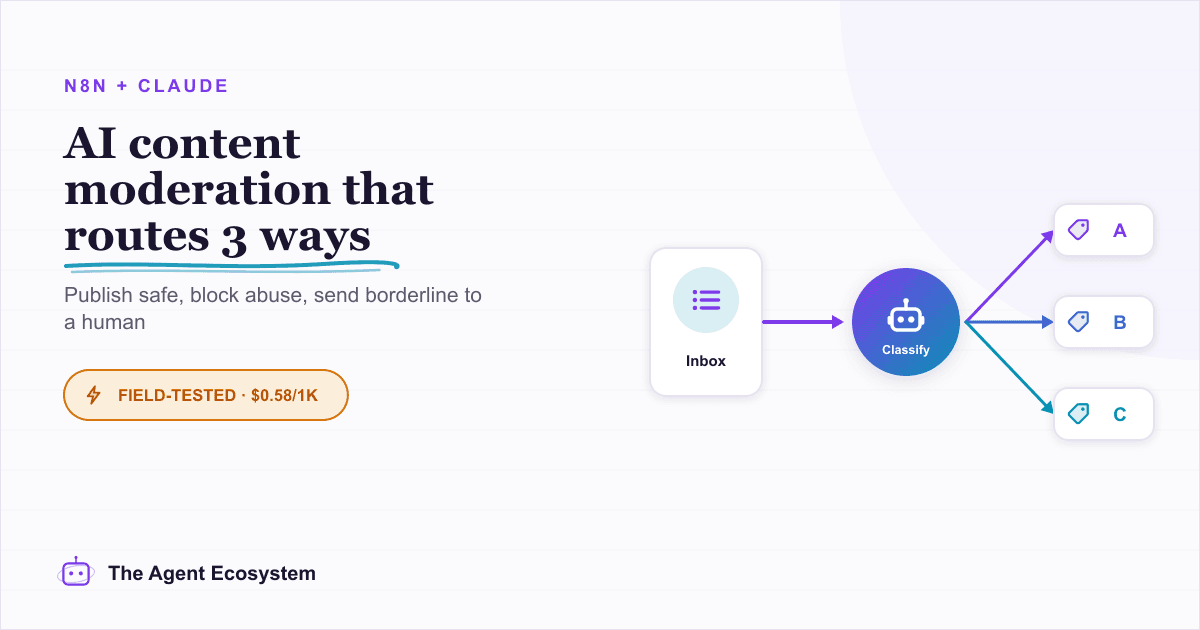
Automate Content Moderation in n8n With an AI Classifier
Build an n8n AI content moderation workflow using the Text Classifier node: safe content publishes instantly, unsafe gets blocked and logged, and uncertain submissions route to a human queue for about $0.58 per 1,000 items.
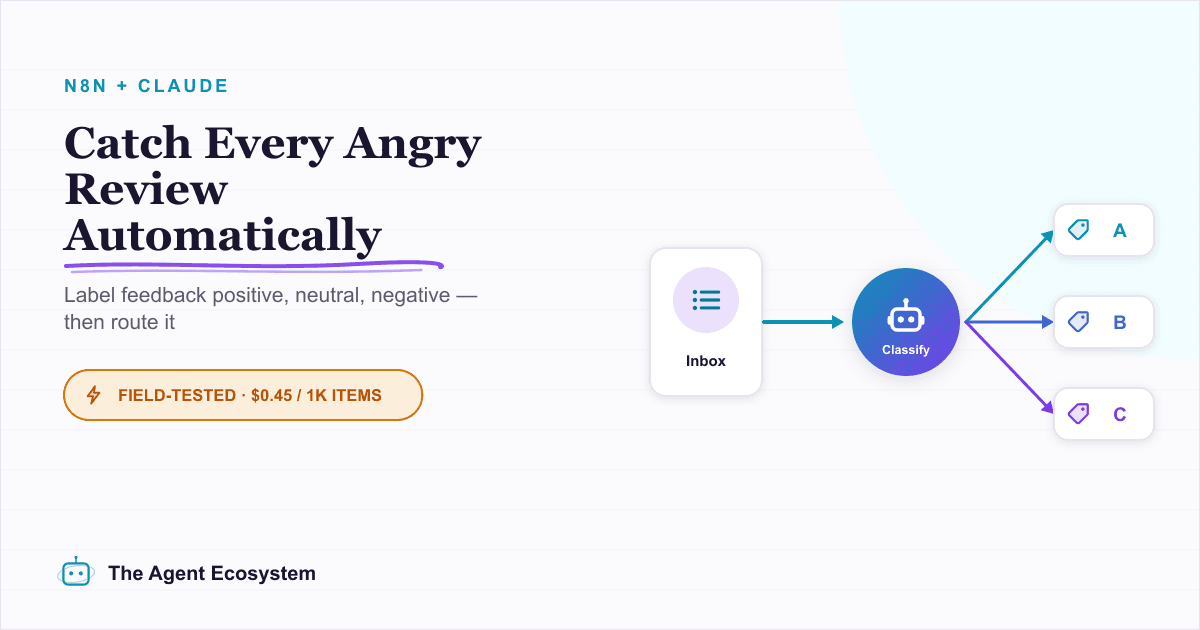
Run AI Sentiment Analysis in n8n (Reviews, Feedback & Support)
Set up n8n sentiment analysis to classify every review, survey reply, or support message automatically. Route negatives to an instant alert and positives to a testimonial ask, for about $0.45 per 1,000 items.